Translations:Custom Page custom feature/5/da: Difference between revisions

From SimplyBook.me
Created page with ":1. Klik på ikonet "+" øverst og vælg "Tilføj link til menulinjen". 1200px | center|link=https://help.simplybook.me/images/1/19/Add_custom_links_redesigned.png1200px | center|link=https://help.simplybook.me/images/f/f9/Custom_link_main_settings_redesigned.pngFile:Add custom links redesigned.png|1200px | center|link=https://help.simplybook.me/images/1/19/Add_custom_links_red..."
 
(No difference)

Latest revision as of 14:46, 19 May 2025

Information about message (contribute)
This message has no documentation. If you know where or how this message is used, you can help other translators by adding documentation to this message.
Message definition (Custom Page custom feature)
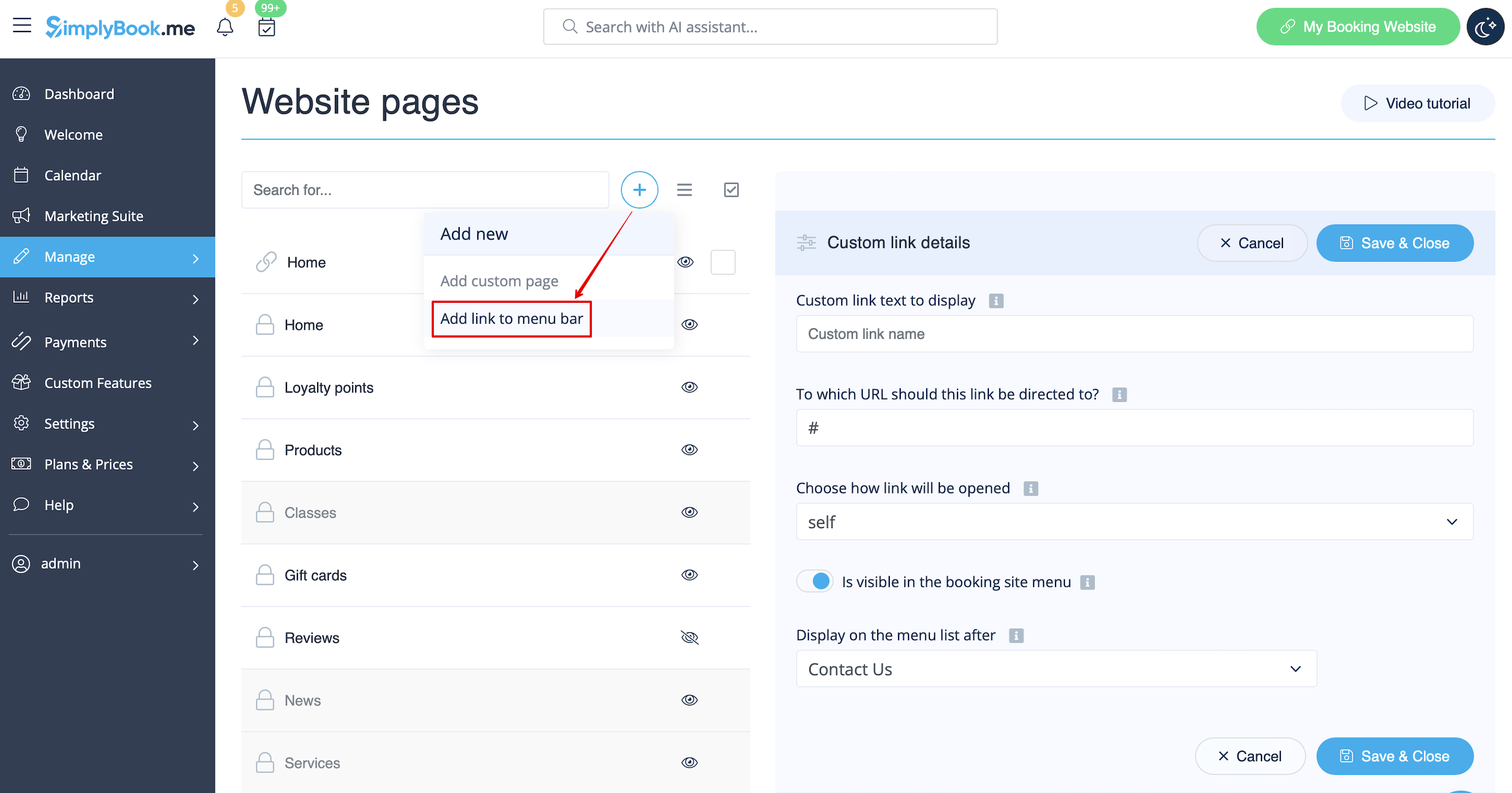
:1.  Click on “+” icon at the top and choose “Add link to menu bar” option. 
[[File:Add custom links redesigned.png|1200px | center|link=https://help.simplybook.me/images/1/19/Add_custom_links_redesigned.png]]
<br><br>
:2. Add the title you wish to show in the booking page header to “Custom link text to display” field and indicate the link itself in the corresponding field. 
[[File:Custom link main settings redesigned.png|1200px | center|link=https://help.simplybook.me/images/f/f9/Custom_link_main_settings_redesigned.png]]
<br><br>
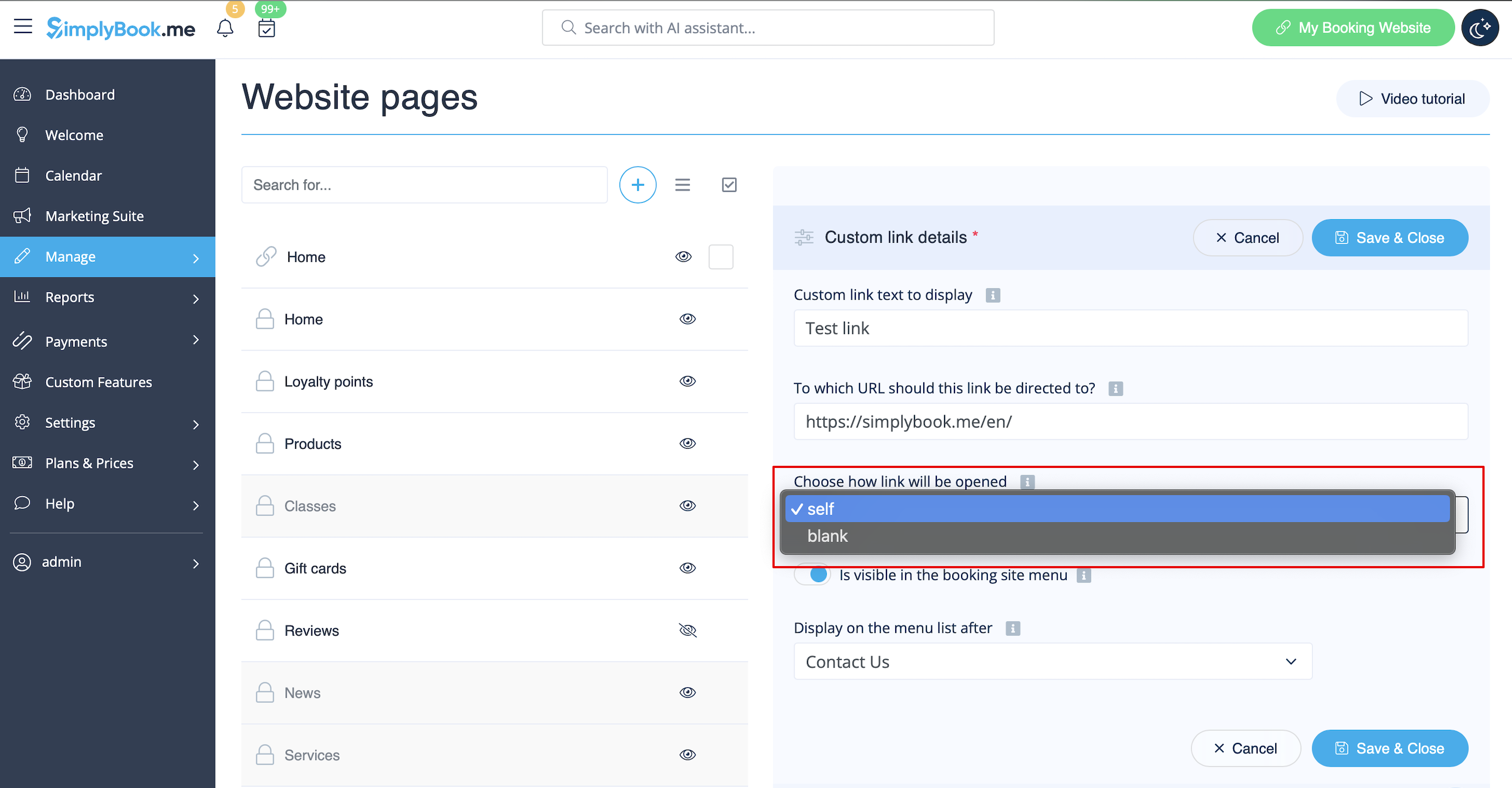
:3. You can also choose whether the link should be opened in the new browser tab or in the same one. <br>
:For this please choose “''self''” if you wish the page to be opened in the same tab or “''blank''” if you wish to be opened in the separate tab in the “Choose how link will be opened” setting. 
[[File:Custom link blank or self redesigned.png|1200px | center|link=https://help.simplybook.me/images/2/2b/Custom_link_blank_or_self_redesigned.png]]
<br><br>
1. Klik på ikonet "+" øverst og vælg "Tilføj link til menulinjen".
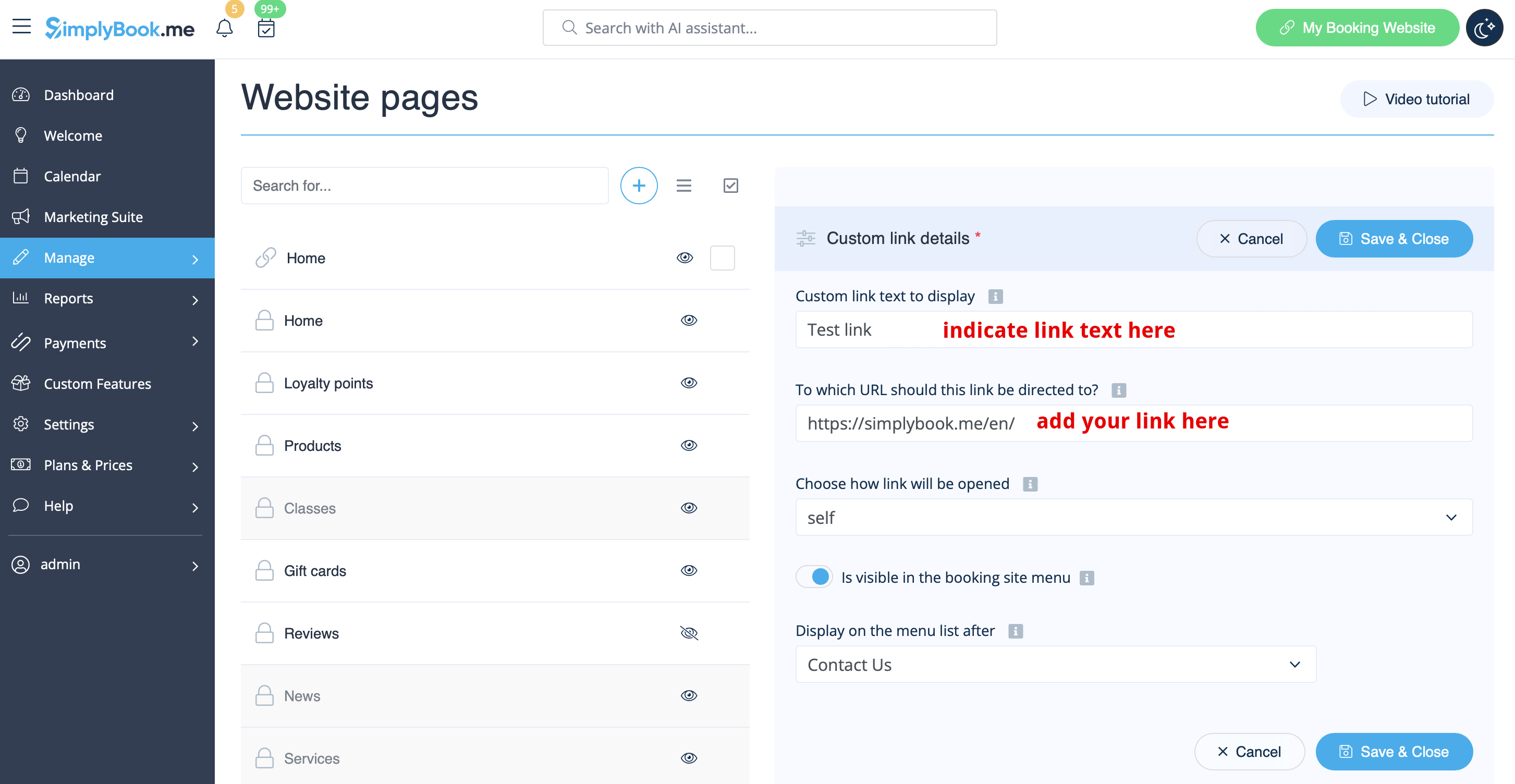


2. Tilføj den titel, du ønsker at vise i overskriften på reservationssiden, i feltet "Brugerdefineret linktekst, der skal vises", og angiv selve linket i det tilsvarende felt.


3. Du kan også vælge, om linket skal åbnes i en ny browserfane eller i den samme.
Vælg "selv", hvis du ønsker, at siden skal åbnes i samme fane, eller "blank", hvis du ønsker, at den skal åbnes i en separat fane, i indstillingen "Vælg, hvordan linket skal åbnes".