Translations:Custom Page custom feature/5/nl: Difference between revisions

From SimplyBook.me
Created page with ":1. Klik op het pictogram "+" bovenaan en kies de optie "Link toevoegen aan menubalk". 1200px | center|link=https://help.simplybook.me/images/1/19/Add_custom_links_redesigned.png1200px | center|link=https://help.simplybook.me/images/f/f9/Custom_link_main_settings_redesigned.pngFile:Add custom links redesigned.png|1200px | center|link=https://help.simplybook.me/images/1/19/Add_c..."
 
(No difference)

Latest revision as of 14:46, 19 May 2025

Information about message (contribute)
This message has no documentation. If you know where or how this message is used, you can help other translators by adding documentation to this message.
Message definition (Custom Page custom feature)
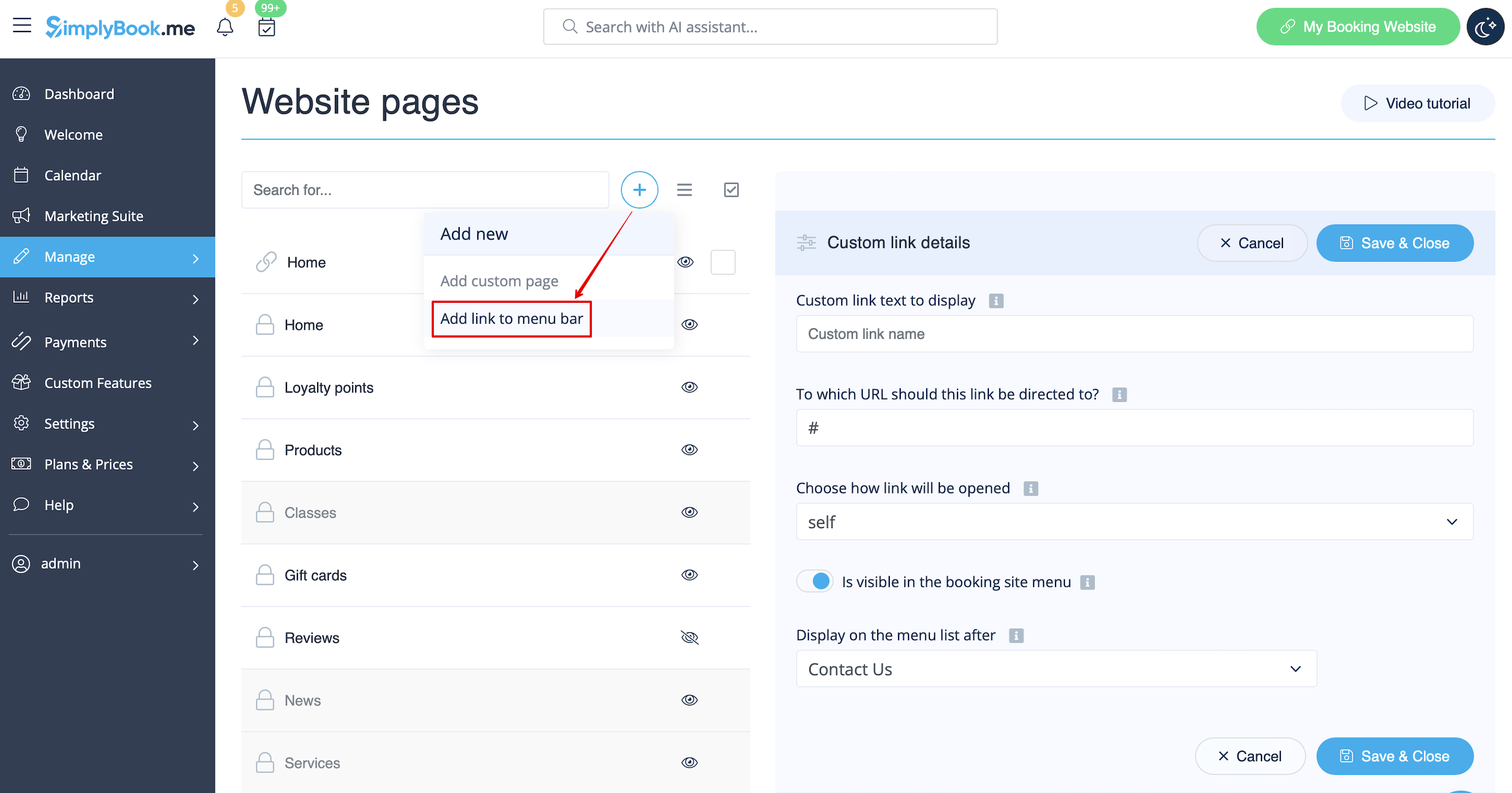
:1.  Click on “+” icon at the top and choose “Add link to menu bar” option. 
[[File:Add custom links redesigned.png|1200px | center|link=https://help.simplybook.me/images/1/19/Add_custom_links_redesigned.png]]
<br><br>
:2. Add the title you wish to show in the booking page header to “Custom link text to display” field and indicate the link itself in the corresponding field. 
[[File:Custom link main settings redesigned.png|1200px | center|link=https://help.simplybook.me/images/f/f9/Custom_link_main_settings_redesigned.png]]
<br><br>
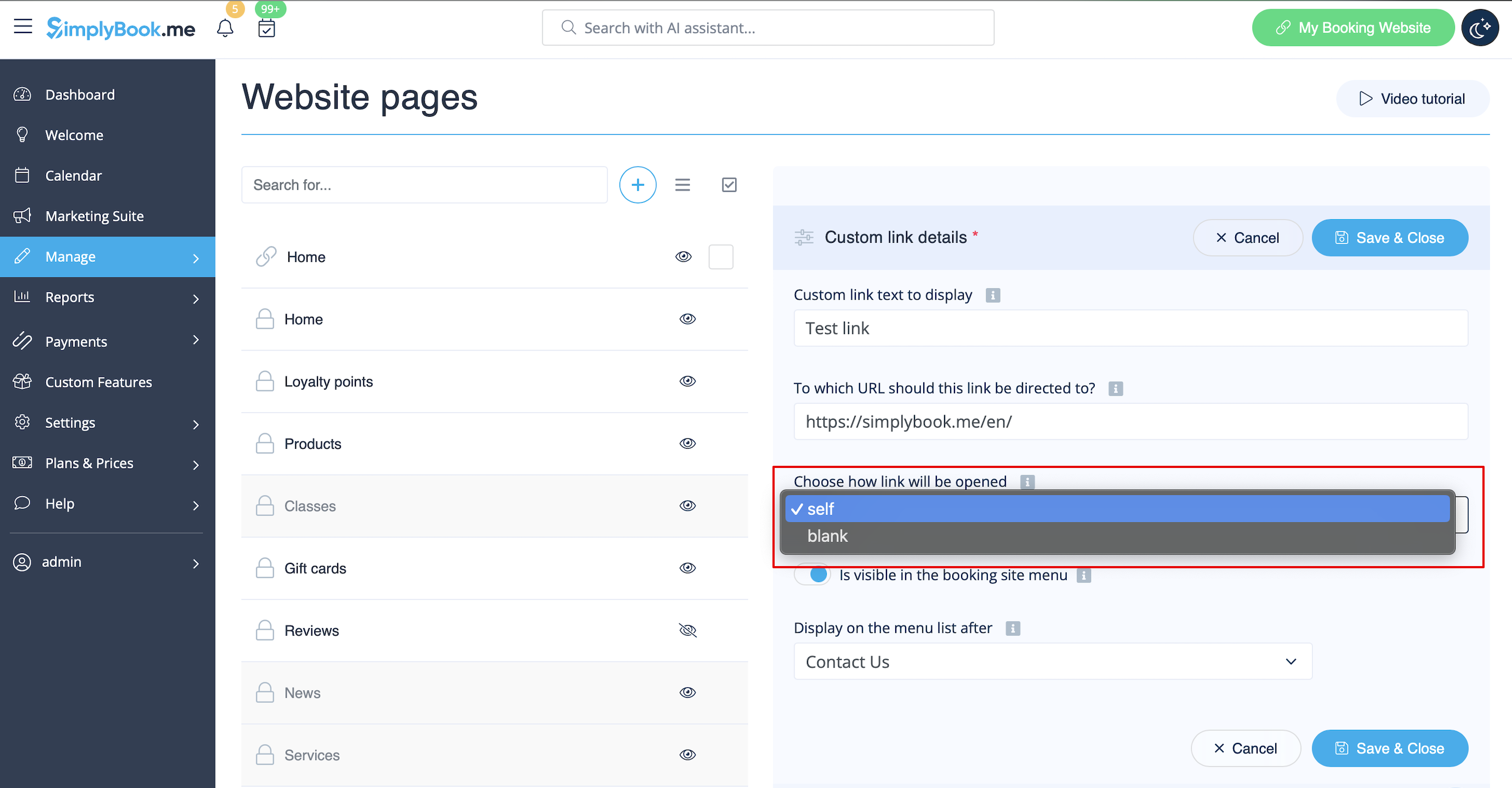
:3. You can also choose whether the link should be opened in the new browser tab or in the same one. <br>
:For this please choose “''self''” if you wish the page to be opened in the same tab or “''blank''” if you wish to be opened in the separate tab in the “Choose how link will be opened” setting. 
[[File:Custom link blank or self redesigned.png|1200px | center|link=https://help.simplybook.me/images/2/2b/Custom_link_blank_or_self_redesigned.png]]
<br><br>
1. Klik op het pictogram "+" bovenaan en kies de optie "Link toevoegen aan menubalk".
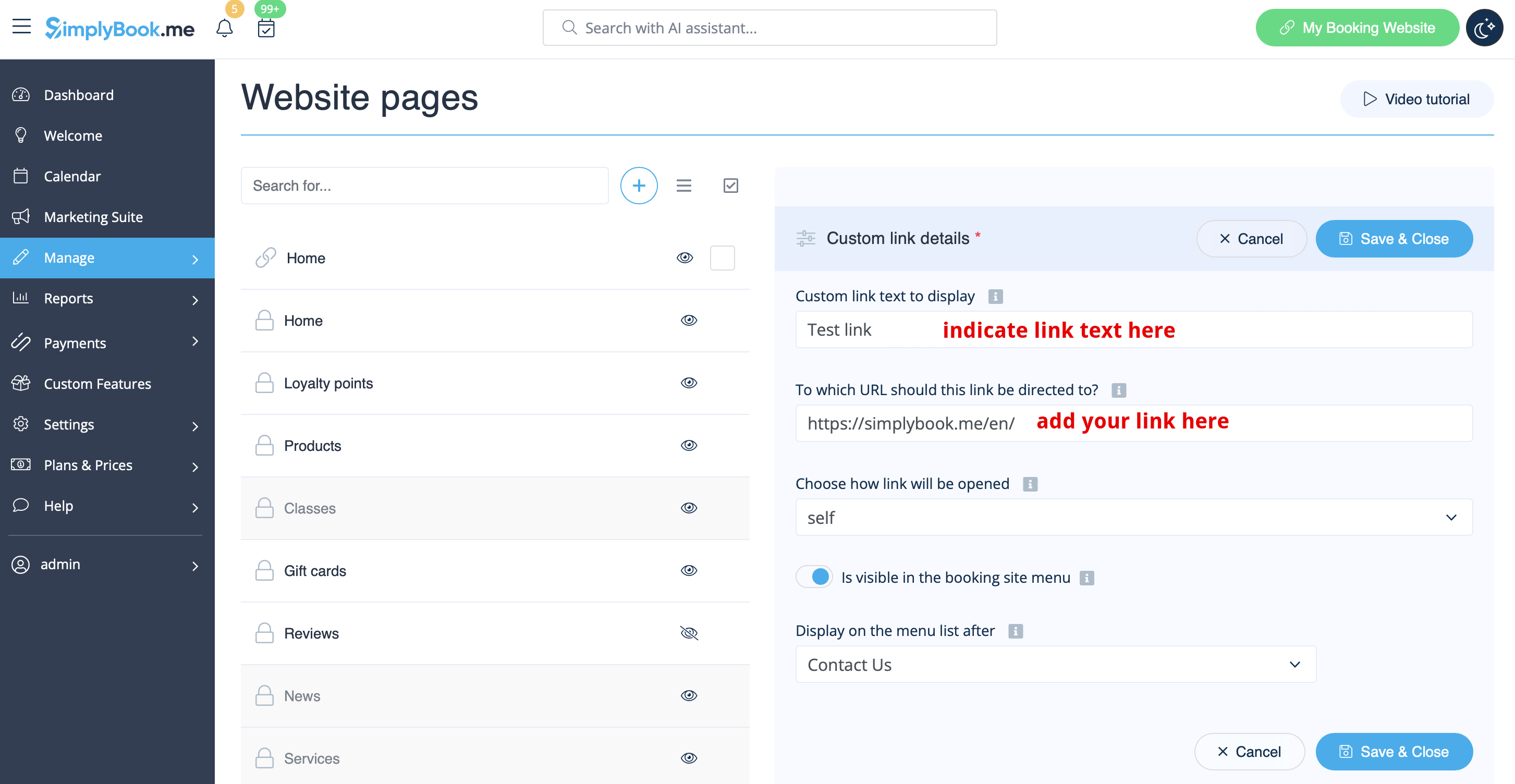


2. Voer de titel die u in de koptekst van de boekingspagina wilt weergeven in het veld "Aangepaste linktekst weergeven" in en geef de link zelf op in het bijbehorende veld.


3. U kunt ook kiezen of de link in een nieuw browsertabblad of in hetzelfde tabblad moet worden geopend.
Kies hiervoor "zelf" als u wilt dat de pagina in hetzelfde tabblad wordt geopend of "leeg" als u wilt dat deze in een apart tabblad wordt geopend in de instelling "Kies hoe de link wordt geopend".