Translations:Daily Report custom feature/3/nl: Difference between revisions

From SimplyBook.me
Created page with ";Hoe gebruik je ' :' 1. Schakel deze functie in op je pagina 'Aangepaste functies'. 1200px | center|link=https://help.simplybook.me/images/5/5d/Daily_report_enable_path_redesigned.png <br><br> :2. Ga naar de instellingen aan de rechterkant om de beschikbare opties te beheren. 1200px | center|link=https://help.simplybook.me/images/8/8a/Daily_report_settings_redesigned.png <br><b..."
 
(No difference)

Latest revision as of 14:47, 19 May 2025

Information about message (contribute)
This message has no documentation. If you know where or how this message is used, you can help other translators by adding documentation to this message.
Message definition (Daily Report custom feature)
;How to use
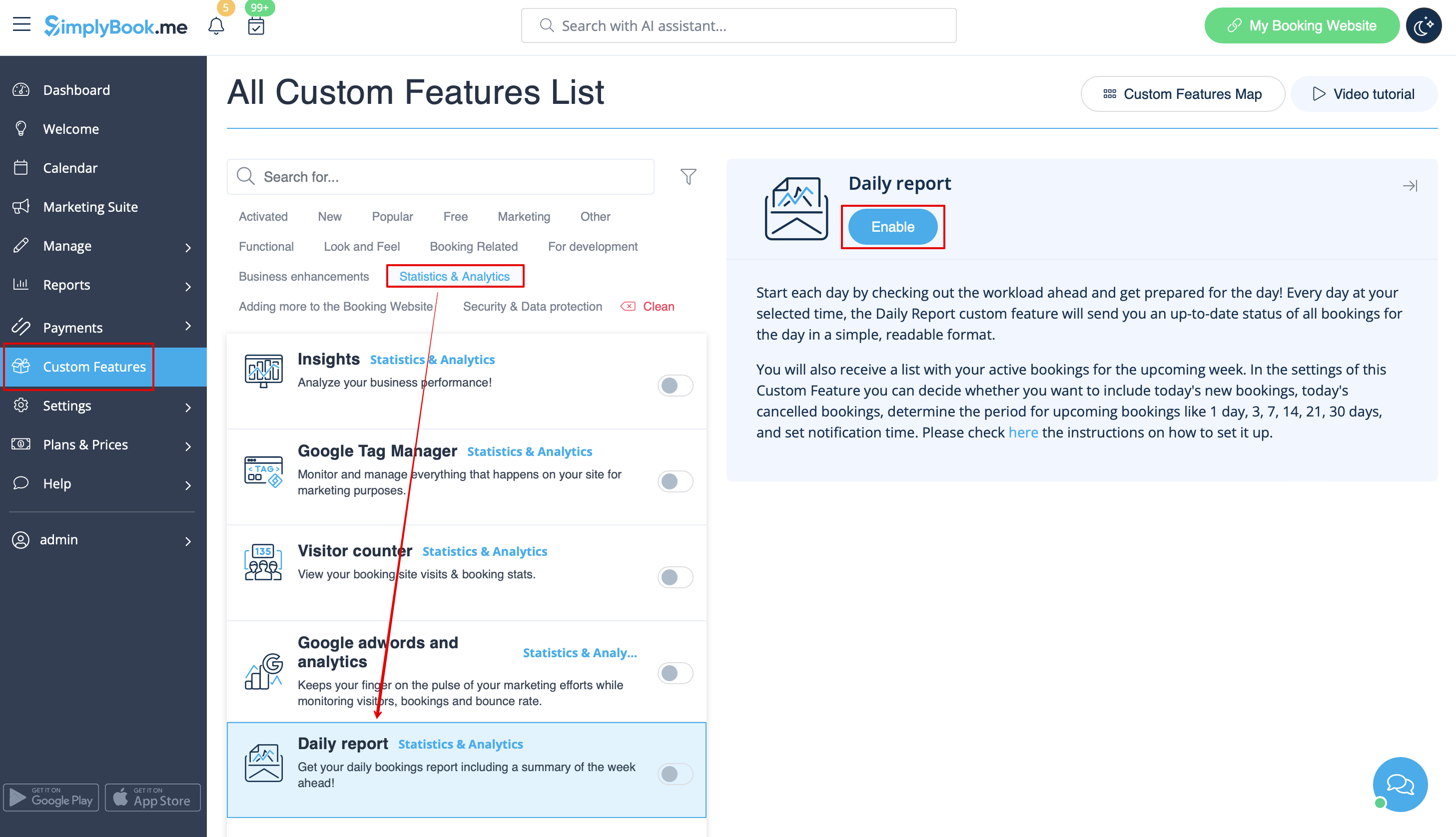
:1. Enable this feature on your Custom Features page.
[[File:Daily report enable path redesigned.png|1200px | center|link=https://help.simplybook.me/images/5/5d/Daily_report_enable_path_redesigned.png]]
<br><br>
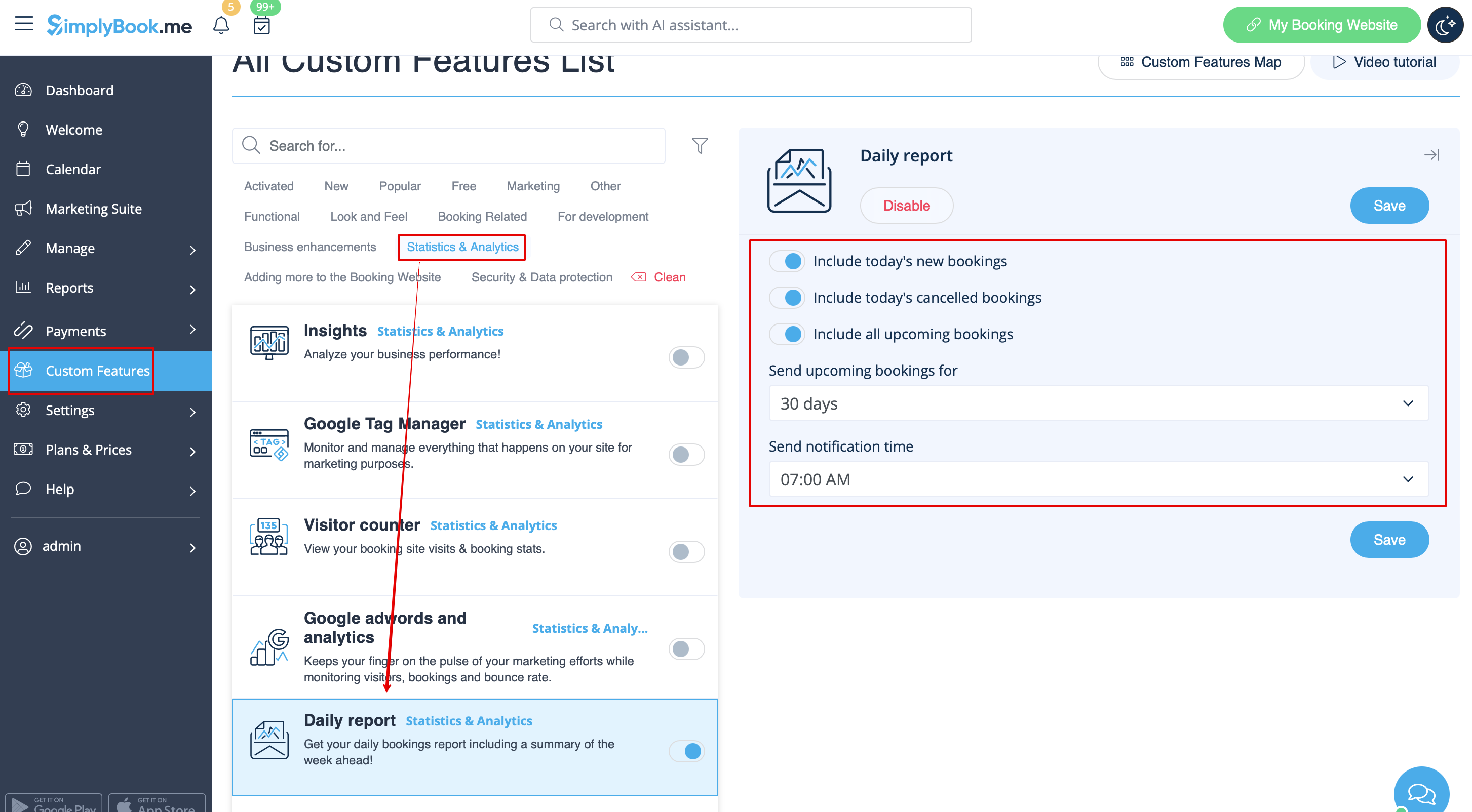
:2. Go to the settings on the right to manage the available options.
[[File:Daily report settings redesigned.png|1200px | center|link=https://help.simplybook.me/images/8/8a/Daily_report_settings_redesigned.png]]
<br><br>
:3. Adjust the preferences and save.
<br><br>
:The system will send the corresponding report to your company email address that you have indicated in Settings//Company information//Basic information.
[[File:Daily report.png | border| center]]
<br><br>
Hoe gebruik je '
' 1. Schakel deze functie in op je pagina 'Aangepaste functies'.


2. Ga naar de instellingen aan de rechterkant om de beschikbare opties te beheren.


3. Pas de voorkeuren aan en sla ze op.


Het systeem stuurt het bijbehorende rapport naar het e-mailadres van je bedrijf dat je hebt opgegeven in Instellingen//Bedrijfsinformatie//Basisinformatie.