Translations:Flexible Notifications custom feature/4/fr: Difference between revisions

From SimplyBook.me
Created page with "comment utiliser l' :1. Allez dans Fonctionnalités personnalisées//Section relative à la réservation, trouvez la fonctionnalité personnalisée Notifications flexibles et appuyez sur « Activer ». 1200px | center|link=https://help.simplybook.me/images/6/63/Flexible_notofocations_enable_path.png <br><br> :2. Cliquez sur « Gérer » à côté de cette fonctionnalité. File:Flexible notifications settings path redesign..."
 
(No difference)

Latest revision as of 14:59, 19 May 2025

Information about message (contribute)
This message has no documentation. If you know where or how this message is used, you can help other translators by adding documentation to this message.
Message definition (Flexible Notifications custom feature)
;How to use
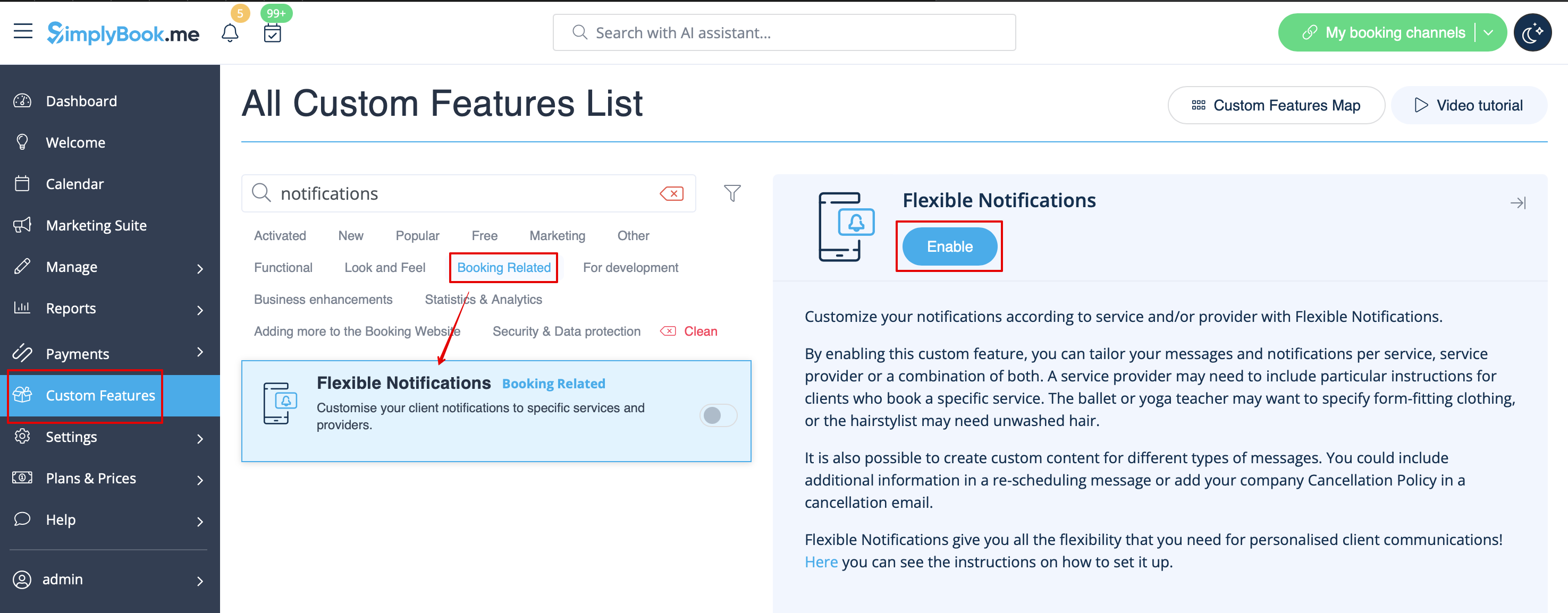
:1. Go to Custom Features//Booking related section, find Flexible Notifications Custom Feature and press "Enable".
[[File:Flexible notofocations enable path.png|1200px | center|link=https://help.simplybook.me/images/6/63/Flexible_notofocations_enable_path.png]]
<br><br>
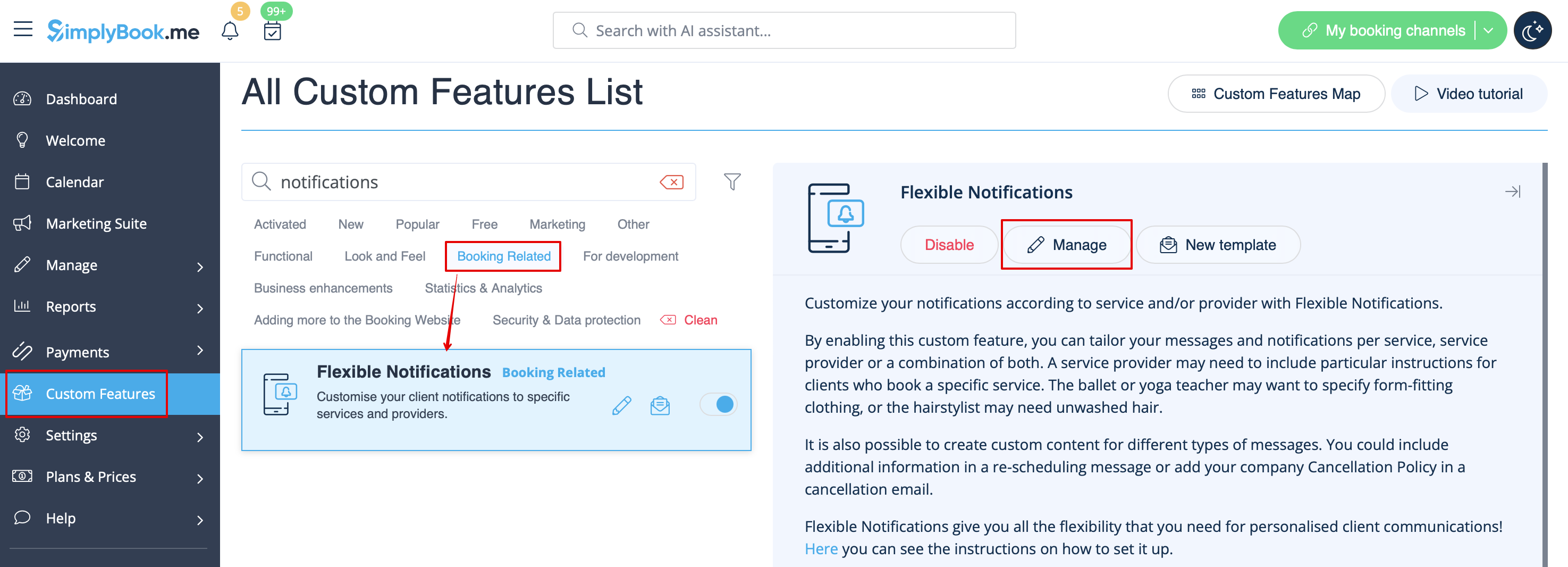
:2. Click on "Manage" near this feature.
[[File:Flexible notifications settings path redesigned.png|1200px| center|link=https://help.simplybook.me/images/a/a8/Flexible_notifications_settings_path_redesigned.png]]
<br><br>
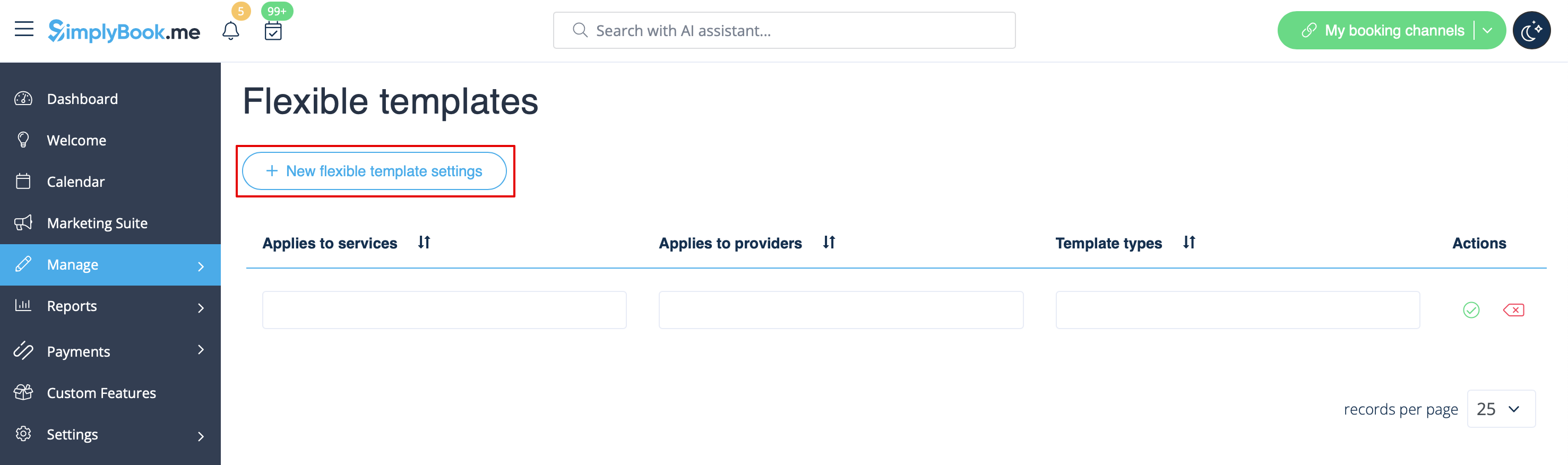
:3. On the page you see press "New flexible template settings".
[[File:New flexible template settings path redesigned.png|1200px| center|link=https://help.simplybook.me/images/8/87/New_flexible_template_settings_path_redesigned.png]]
<br><br>
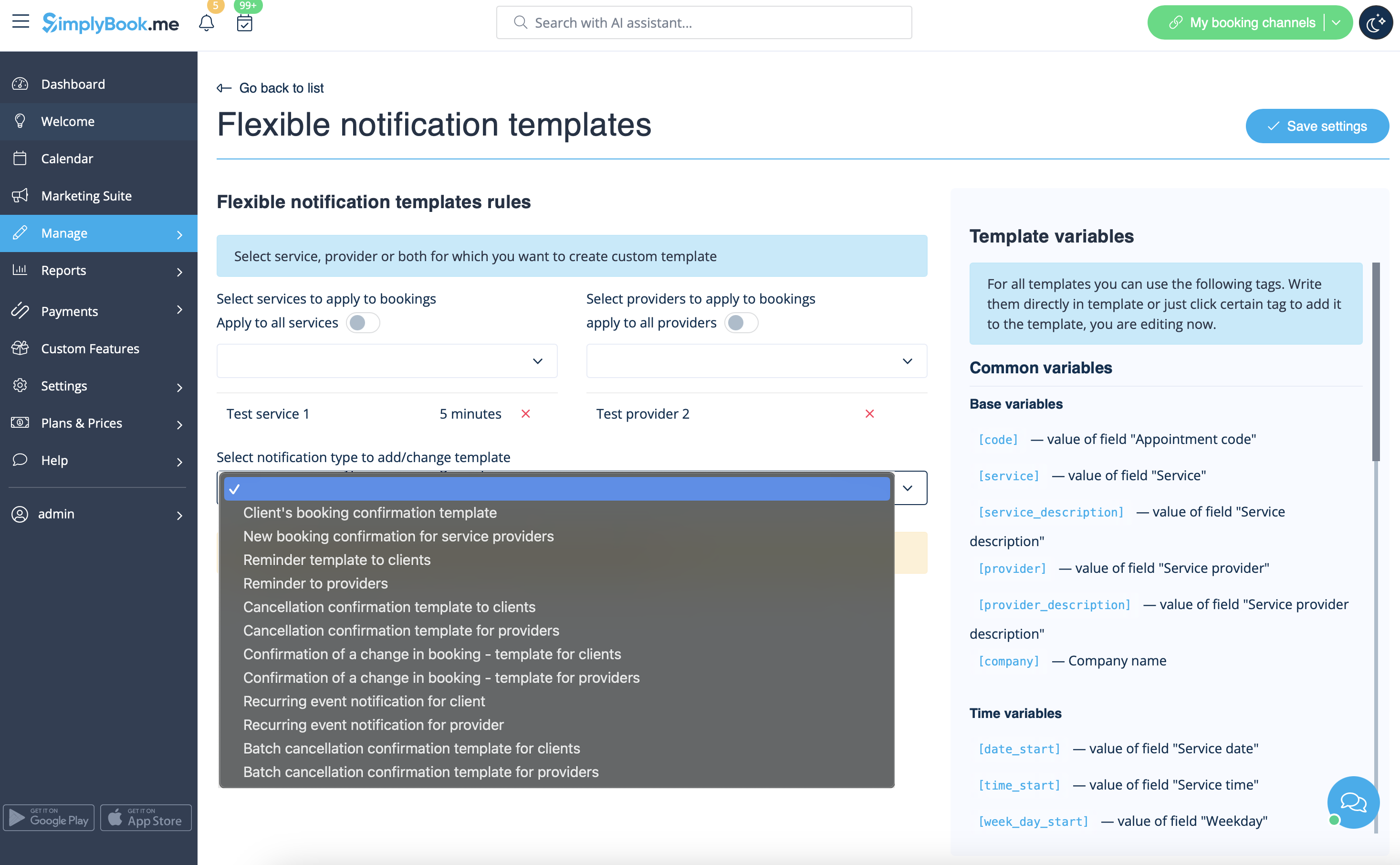
:4. In the new template select services and/or select providers that the customized templates will be applied to. Then select the notification type to add/change template and edit the text. Please use variables on the right to include to your templates if necessary.
[[File:Flexible notifications templates list redesigned.png|1200px | center|link=https://help.simplybook.me/images/b/b2/Flexible_notifications_templates_list_redesigned.png]]
<br><br>

comment utiliser l'

1. Allez dans Fonctionnalités personnalisées//Section relative à la réservation, trouvez la fonctionnalité personnalisée Notifications flexibles et appuyez sur « Activer ».


2. Cliquez sur « Gérer » à côté de cette fonctionnalité.


3. Sur la page qui s'affiche, appuyez sur « Nouveaux paramètres de modèle flexible ».


4. Dans le nouveau modèle, sélectionnez les services et/ou les fournisseurs auxquels les modèles personnalisés seront appliqués. Sélectionnez ensuite le type de notification pour ajouter/modifier le modèle et modifiez le texte. Veuillez utiliser les variables à droite pour les inclure dans vos modèles si nécessaire.