Translations:Google AdWords and Analytics custom feature/2/nl: Difference between revisions

From SimplyBook.me
Created page with "Gebruik de aangepaste functie van Google Analytics om te zien hoeveel klanten uw site dagelijks en tijdens promotiecampagnes bezoeken. Gebruik AdWords Analytics om te tellen hoeveel mensen daadwerkelijk boeken nadat ze op een AdWords-advertentie hebben geklikt. <br><br><br> <span style="background-color:#cdeffc; padding:5px; border-radius:5px;">Integratiegids voor Analytics-tools</span> <br><br> ;Hoe te gebruiken :..."
 
(No difference)

Latest revision as of 15:00, 19 May 2025

Information about message (contribute)
This message has no documentation. If you know where or how this message is used, you can help other translators by adding documentation to this message.
Message definition (Google AdWords and Analytics custom feature)
Use the Google Analytics Custom Feature to see how many customers visit your site both on an everyday basis and during promotion campaigns. Use the adwords analytics to count how many actually book after clicking an adwords advertisement.
<br><br><br>
<span style="background-color:#cdeffc; padding:5px; border-radius:5px;">[[Special:MyLanguage/Analytics tools integration guide|Analytics tools integration guide]]</span>
<br><br>
;How to use
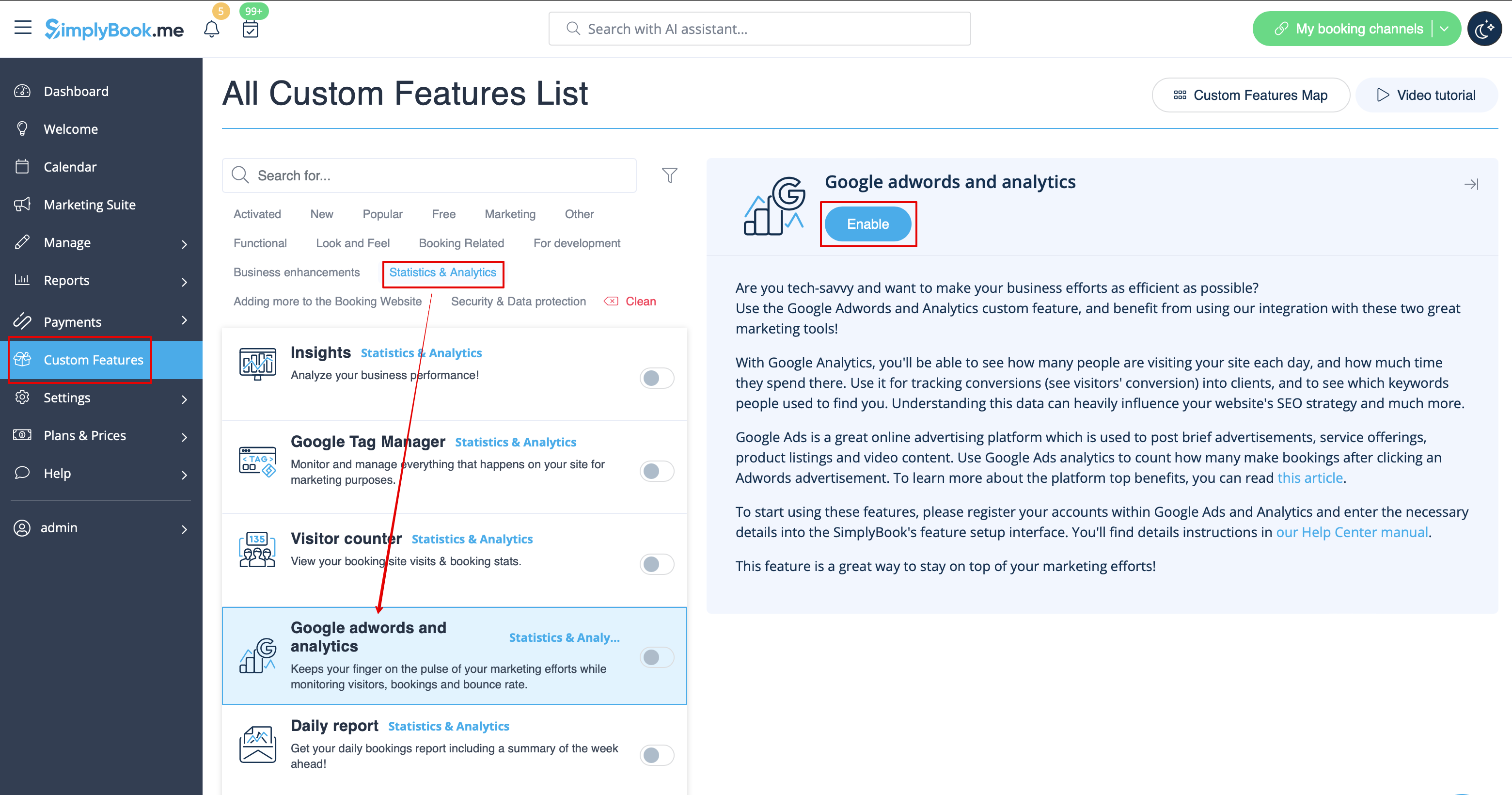
:1. Enable "Google Adwords and Analytics" feature on your Custom Features page.
[[File:Google analytics enable path redesigned.png|1200px | center|link=https://help.simplybook.me/images/0/04/Google_analytics_enable_path_redesigned.png]]
<br><br>
:2. Navigate to the settings on the right.
[[File:Google analytics settings redesigned.png|1200px | center|link=https://help.simplybook.me/images/6/69/Google_analytics_settings_redesigned.png]]
<br><br>
:3. Fill in the boxes with the corresponding information.
<br><br>

Gebruik de aangepaste functie van Google Analytics om te zien hoeveel klanten uw site dagelijks en tijdens promotiecampagnes bezoeken. Gebruik AdWords Analytics om te tellen hoeveel mensen daadwerkelijk boeken nadat ze op een AdWords-advertentie hebben geklikt.


Integratiegids voor Analytics-tools

Hoe te gebruiken
1. Schakel de functie "Google AdWords en Analytics" in op uw pagina Aangepaste functies.


2. Navigeer naar de instellingen aan de rechterkant.
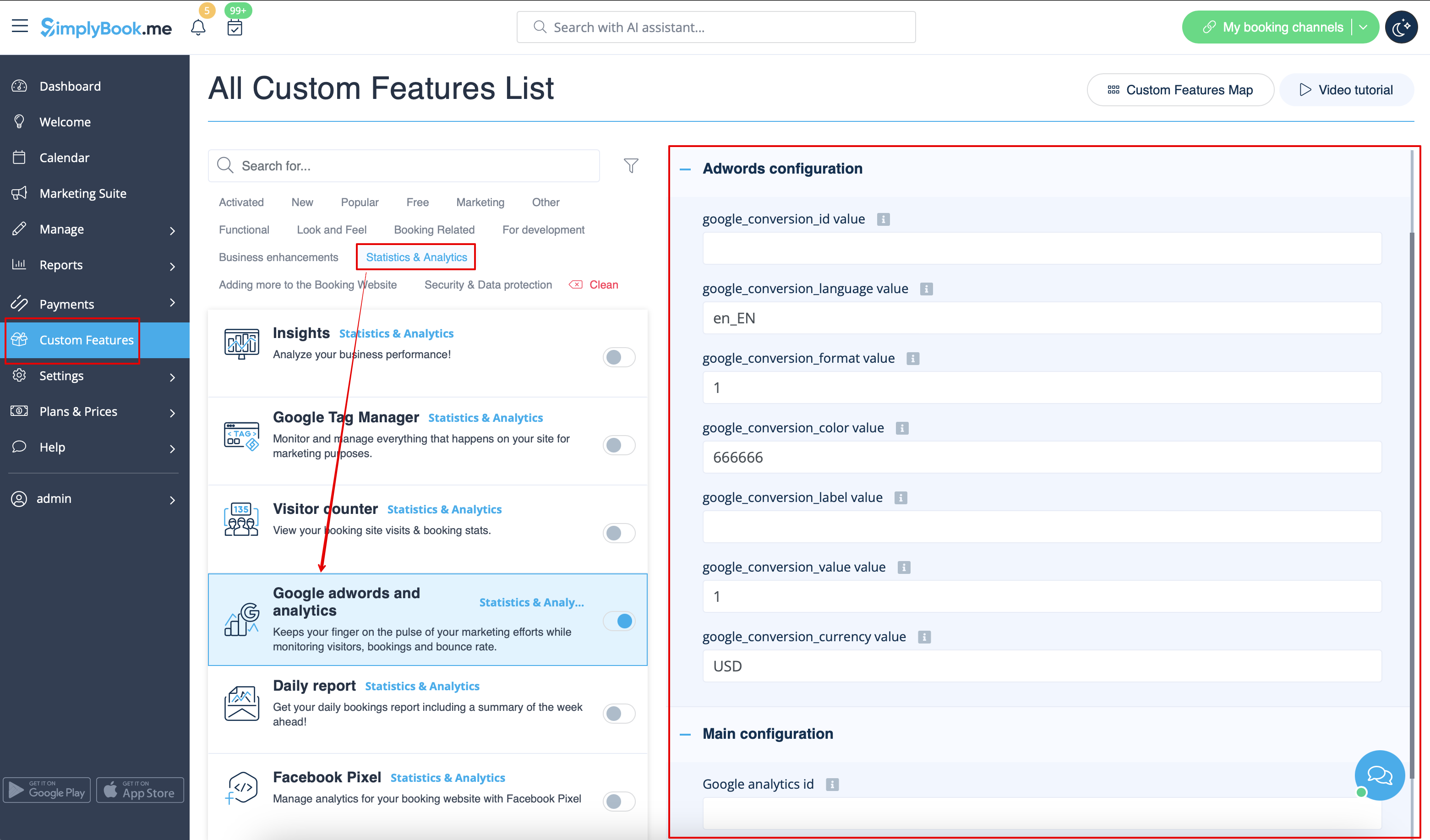


3. Vul de velden in met de bijbehorende informatie.