Translations:Medical test custom feature/9/uk: Difference between revisions

From SimplyBook.me
Created page with ":8. Коли ви отримаєте результати, знову відкрийте цей інтерфейс, <span style="background-color:#d4f8e5; padding:5px; border-radius:5px;">відскануйте QR-код</span> з етикетки пробірки, щоб знайти зустріч. border|center|1200px|link=https://help.simplybook.me/images/3/3c/Medical_test_select_the_result_redesigned.png <br><br..."
 
(No difference)

Latest revision as of 15:28, 19 May 2025

Information about message (contribute)
This message has no documentation. If you know where or how this message is used, you can help other translators by adding documentation to this message.
Message definition (Medical test custom feature)
:8. When you receive the results, open this interface again, <span style="background-color:#d4f8e5; padding:5px; border-radius:5px;">scan the QR</span> from the test tube label to find the appointment.
[[File:Medical test select the result redesigned.png|border|center|1200px|link=https://help.simplybook.me/images/3/3c/Medical_test_select_the_result_redesigned.png]]
<br><br>
:9. Select one of the three <span style="background-color:#d4f8e5; padding:5px; border-radius:5px;">result options.</span>
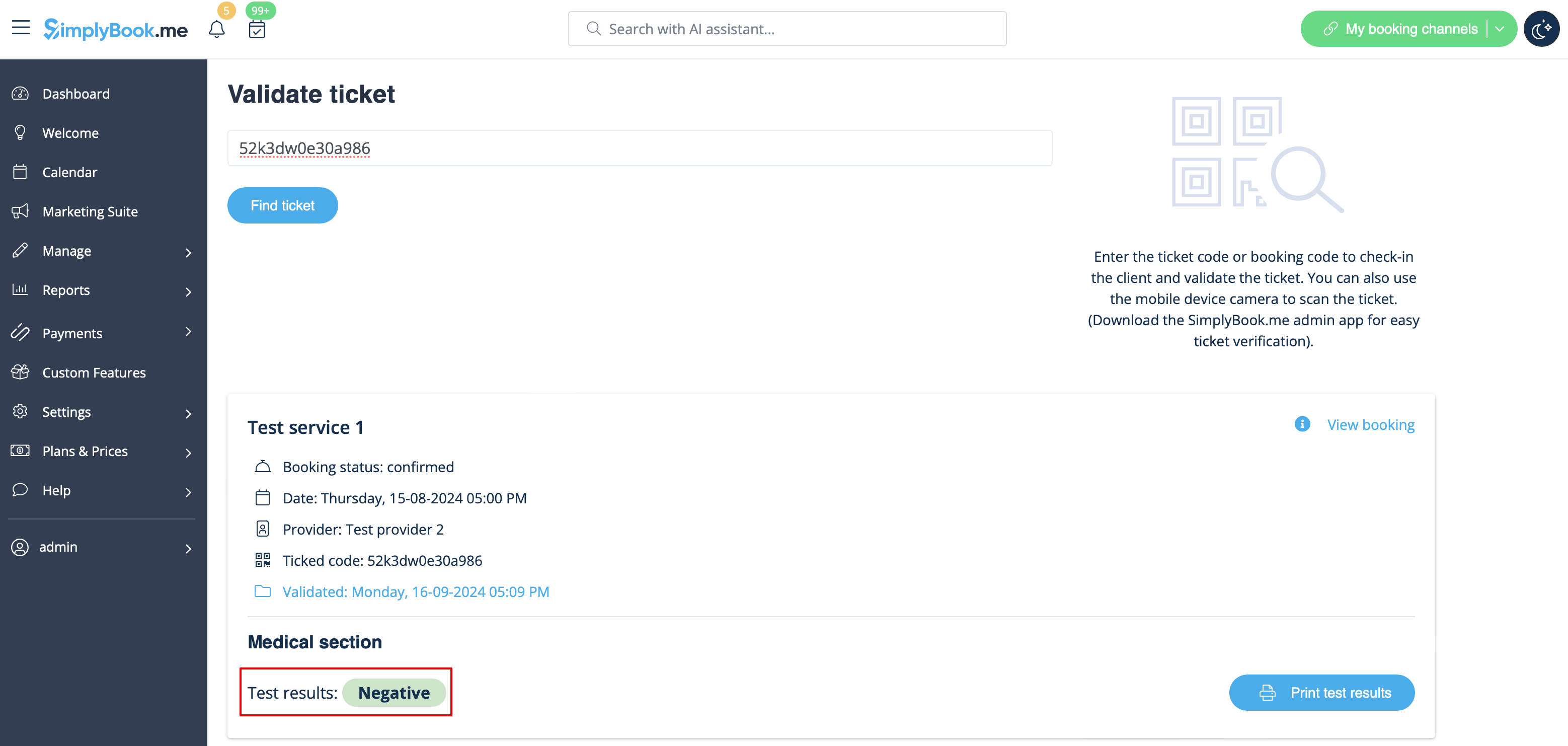
:As the result, the appointment status will be updated according to your selection.<br>
:At this point the client will get the notification that the results are ready if you have it enabled in #3.<br>
[[File:Medical test final result redesigned.png|border|center|1200px|link=https://help.simplybook.me/images/3/34/Medical_test_final_result_redesigned.png]]
<br><br>
8. Коли ви отримаєте результати, знову відкрийте цей інтерфейс, відскануйте QR-код з етикетки пробірки, щоб знайти зустріч.
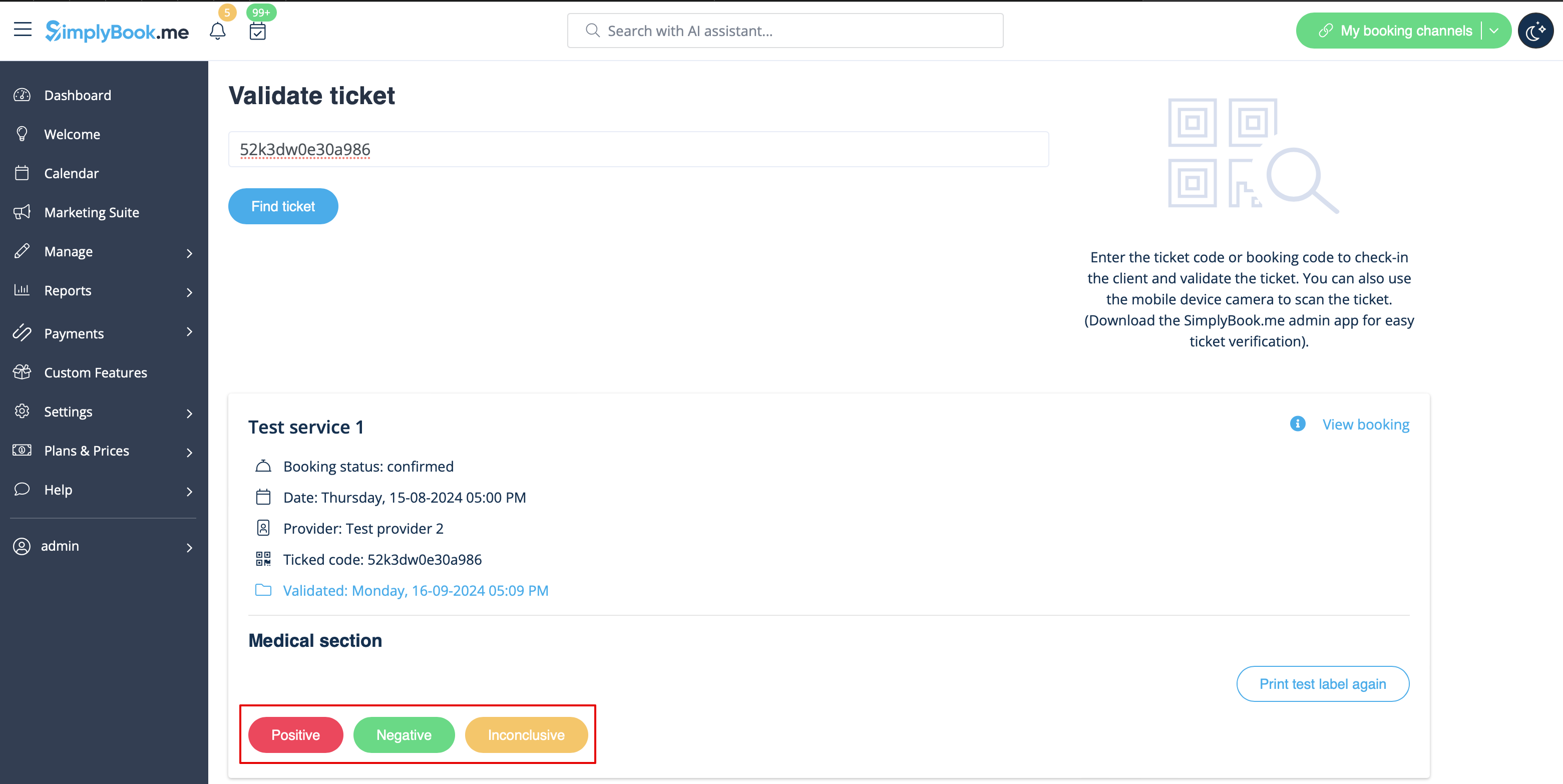


9. Виберіть один із трьох варіантів результату.
В результаті статус зустрічі буде оновлено відповідно до вашого вибору.
На цьому етапі клієнт отримає повідомлення про готовність результатів, якщо ви ввімкнули цю функцію в пункті 3.