Translations:LINE LIFF Custom Feature/14/da: Difference between revisions

From SimplyBook.me
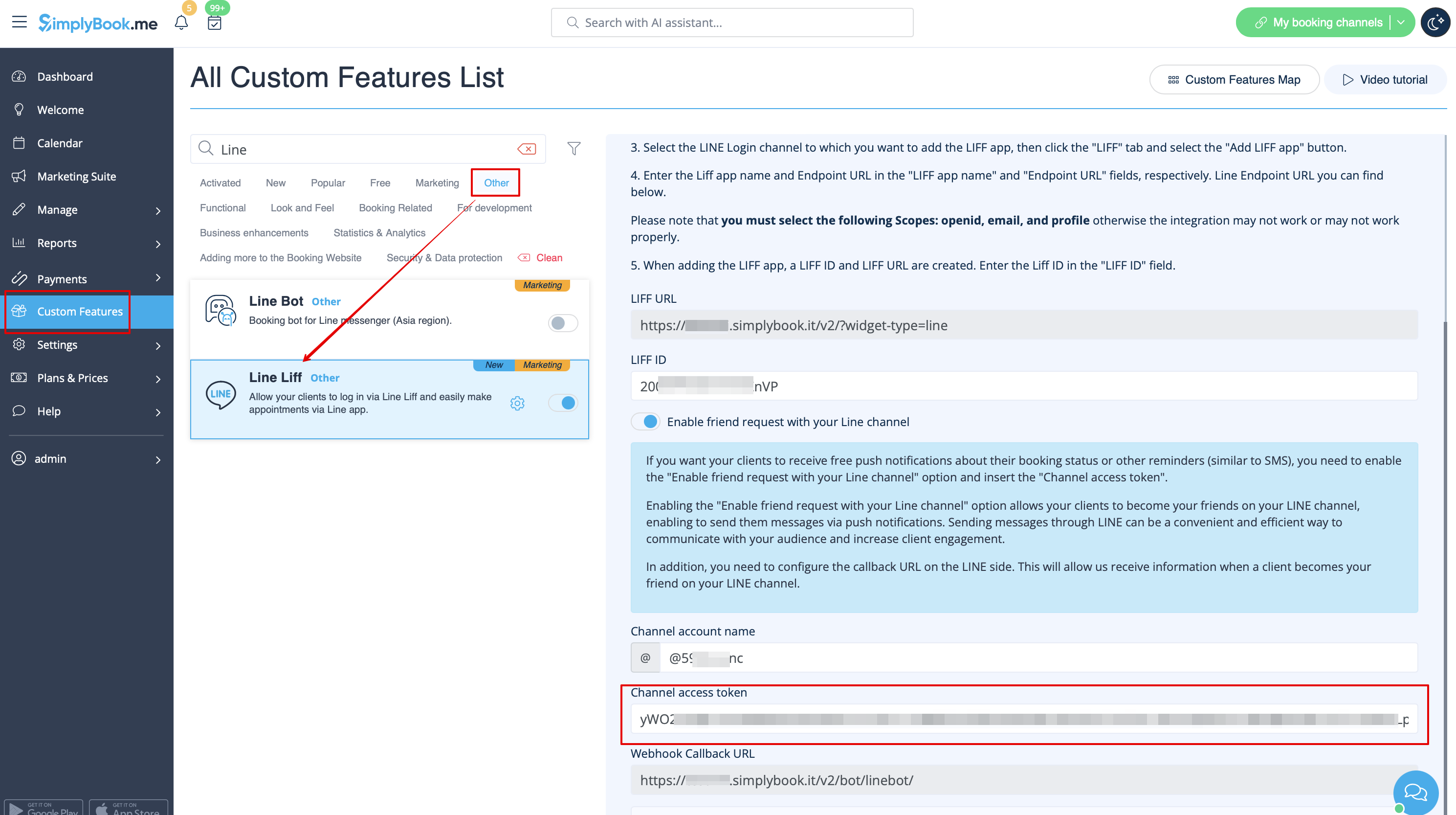
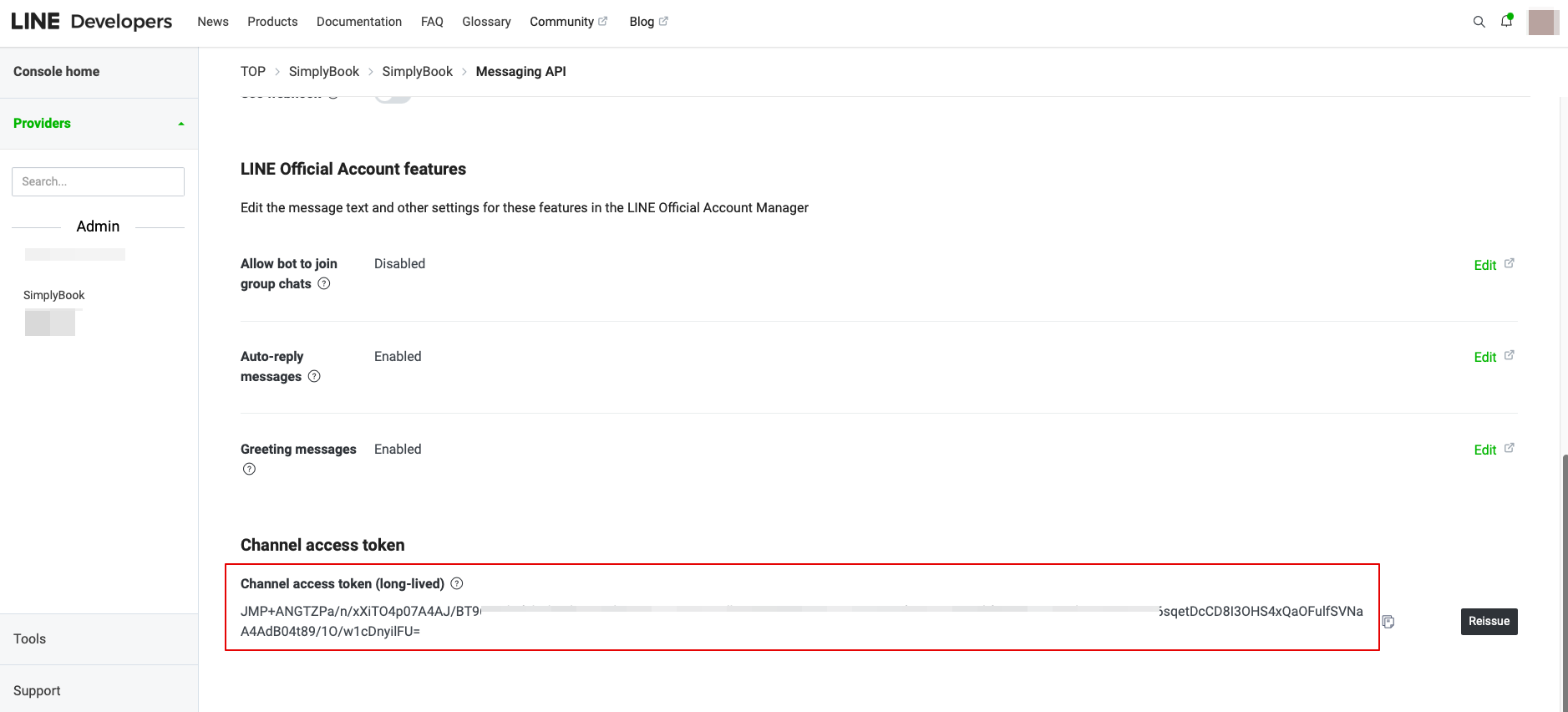
Created page with ":10. I Messaging API på LINE-siden skal du rulle ned til Channel access token, udstede det, kopiere resultatværdien og indsætte den i Simplybook.me LINE LIFF-indstillingerne. 1200px|center|link=https://help.simplybook.me/images/3/3b/Line_liff_access_token_copy.png 1200px|center|link=https://help.simplybook.me/images/2/2e/Line_liff_channel_access_token_redesigned.png"
 
(No difference)

Latest revision as of 15:30, 19 May 2025

Information about message (contribute)
This message has no documentation. If you know where or how this message is used, you can help other translators by adding documentation to this message.
Message definition (LINE LIFF Custom Feature)
:10. In the Messaging API on the LINE side you need to scroll down to the Channel access token, issue it, copy the result value and insert it to the Simplybook.me LINE LIFF settings.
[[File:Line liff access token copy.png|1200px|center|link=https://help.simplybook.me/images/3/3b/Line_liff_access_token_copy.png]]
[[File:Line liff channel access token redesigned.png|1200px|center|link=https://help.simplybook.me/images/2/2e/Line_liff_channel_access_token_redesigned.png]]
10. I Messaging API på LINE-siden skal du rulle ned til Channel access token, udstede det, kopiere resultatværdien og indsætte den i Simplybook.me LINE LIFF-indstillingerne.