Translations:Insights custom feature/3/sv: Difference between revisions

From SimplyBook.me
Created page with "Leverantörers tillgänglighet, totala bokningar, betalning per leverantör etc. <br><br><br> Hur man använder :1. Aktivera <span style="background-color:#d4f8e5; padding:5px; border-radius:5px;">Insights</span> på sidan <span style="background-color:#d4f8e5; padding:5px; border-radius:5px;">Anpassade funktioner</span>. 1200px | center|link=https://help.simplybook.me/images/5/5f/Insignts_enable_path_redesigned.png <br><br>..."
 
(No difference)

Latest revision as of 15:31, 19 May 2025

Information about message (contribute)
This message has no documentation. If you know where or how this message is used, you can help other translators by adding documentation to this message.
Message definition (Insights custom feature)
Providers availability, total bookings, payment per provider etc
<br><br><br>
;How to use
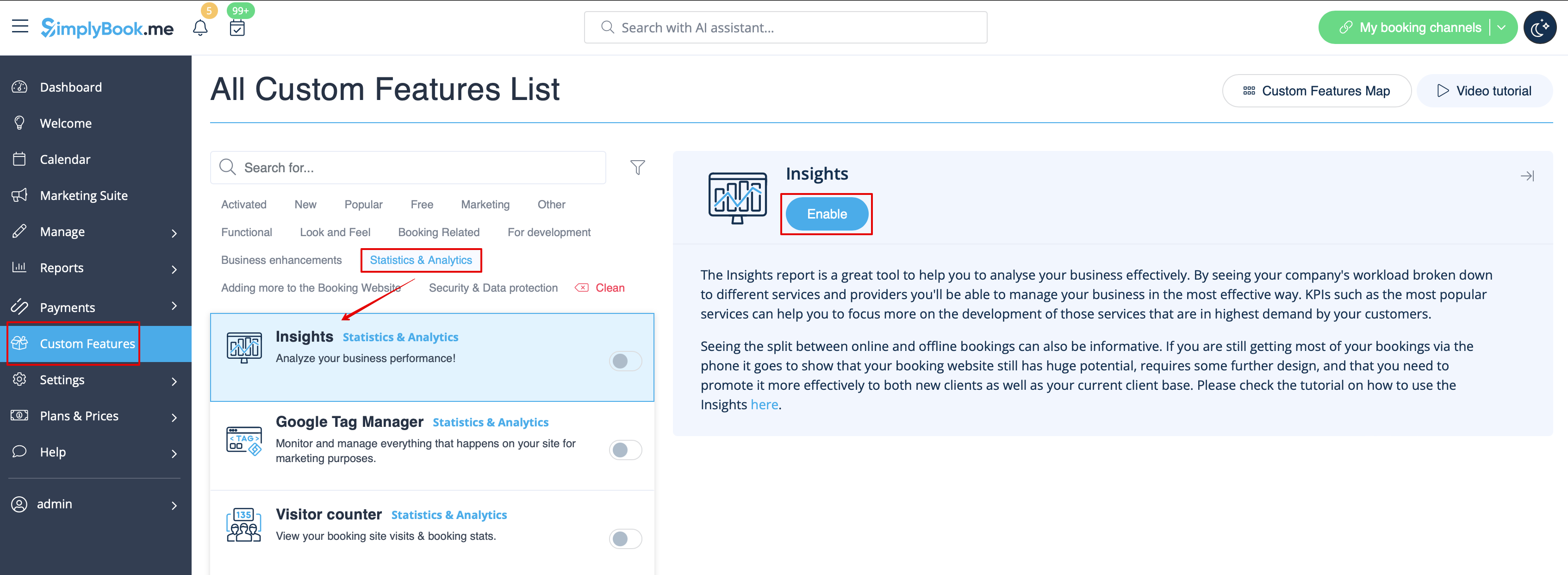
:1. Enable <span style="background-color:#d4f8e5; padding:5px; border-radius:5px;">Insights</span> on your <span style="background-color:#d4f8e5; padding:5px; border-radius:5px;">Custom features</span> page.
[[File:Insignts enable path redesigned.png|1200px | center|link=https://help.simplybook.me/images/5/5f/Insignts_enable_path_redesigned.png]]
<br><br>
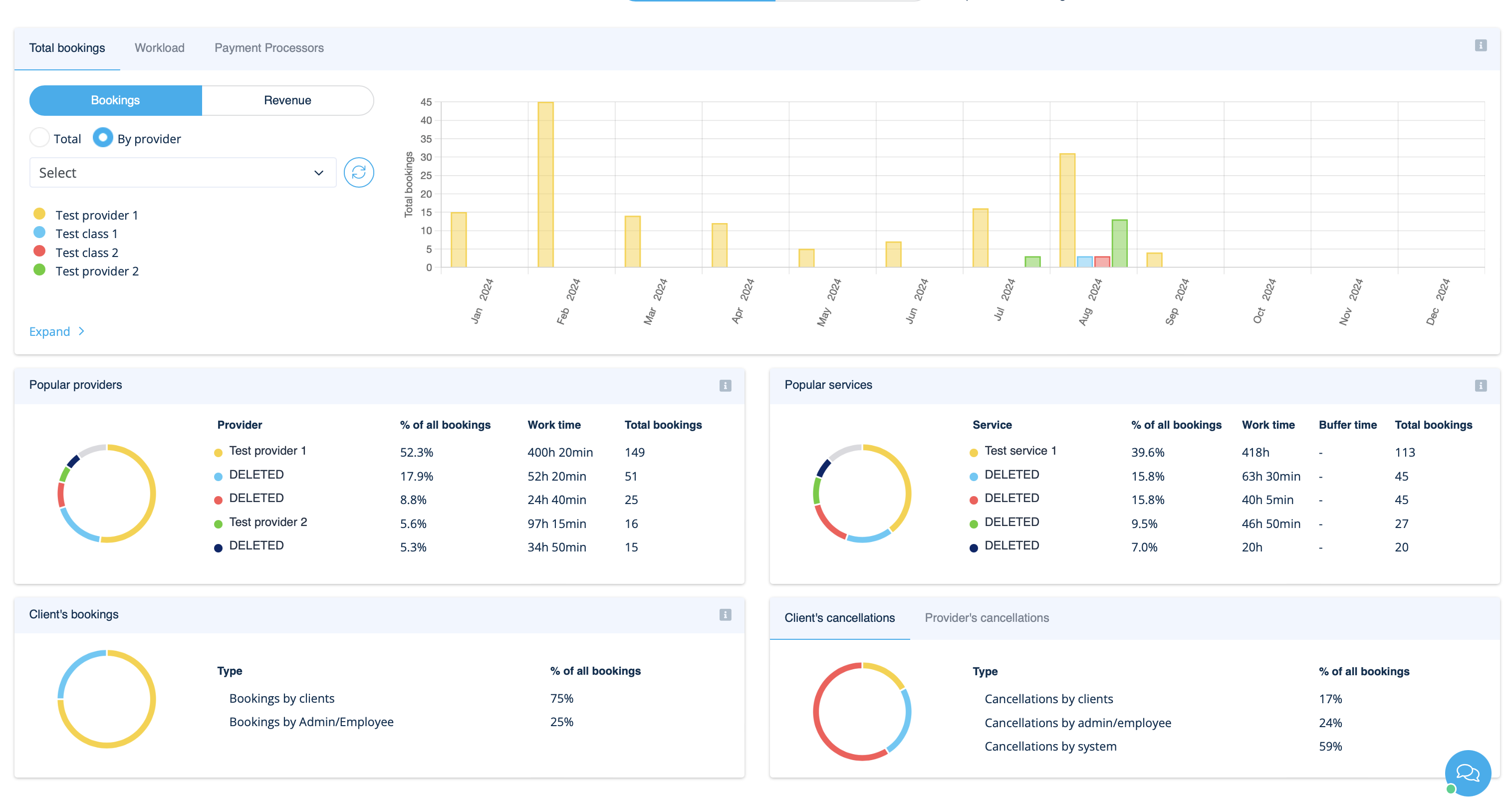
:2. Navigate to <span style="background-color:#d4f8e5; padding:5px; border-radius:5px;">Dashboard</span> to check the graphs and charts.
[[File:Insights on dashoboard overview redesigned.png|1200px  | center|link=https://help.simplybook.me/images/b/b1/Insights_on_dashoboard_overview_redesigned.png]]
<br><br>

Leverantörers tillgänglighet, totala bokningar, betalning per leverantör etc.


Hur man använder
1. Aktivera Insights på sidan Anpassade funktioner.


2. Gå till Dashboard för att kontrollera grafer och diagram.