From SimplyBook.me
Created page with ":Nadat alle bovenstaande instellingen zijn voltooid, klikt u op de groene knop Toevoegen om LINE LIFF toe te voegen. :7. Vervolgens wordt u doorgestuurd naar de pagina waar u uw LIFF-ID kunt zien. :Kopieer de LIFF-ID en voer deze in het overeenkomstige veld aan de kant van Simplybook in. 1200px|center|link=https://help.simplybook.me/images/5/5e/Line_liff_id_from.png File:Liff id form redesigned.png|1200px|center|link=https://help.simply..." |
(No difference)
|
Latest revision as of 15:34, 19 May 2025
- Nadat alle bovenstaande instellingen zijn voltooid, klikt u op de groene knop Toevoegen om LINE LIFF toe te voegen.
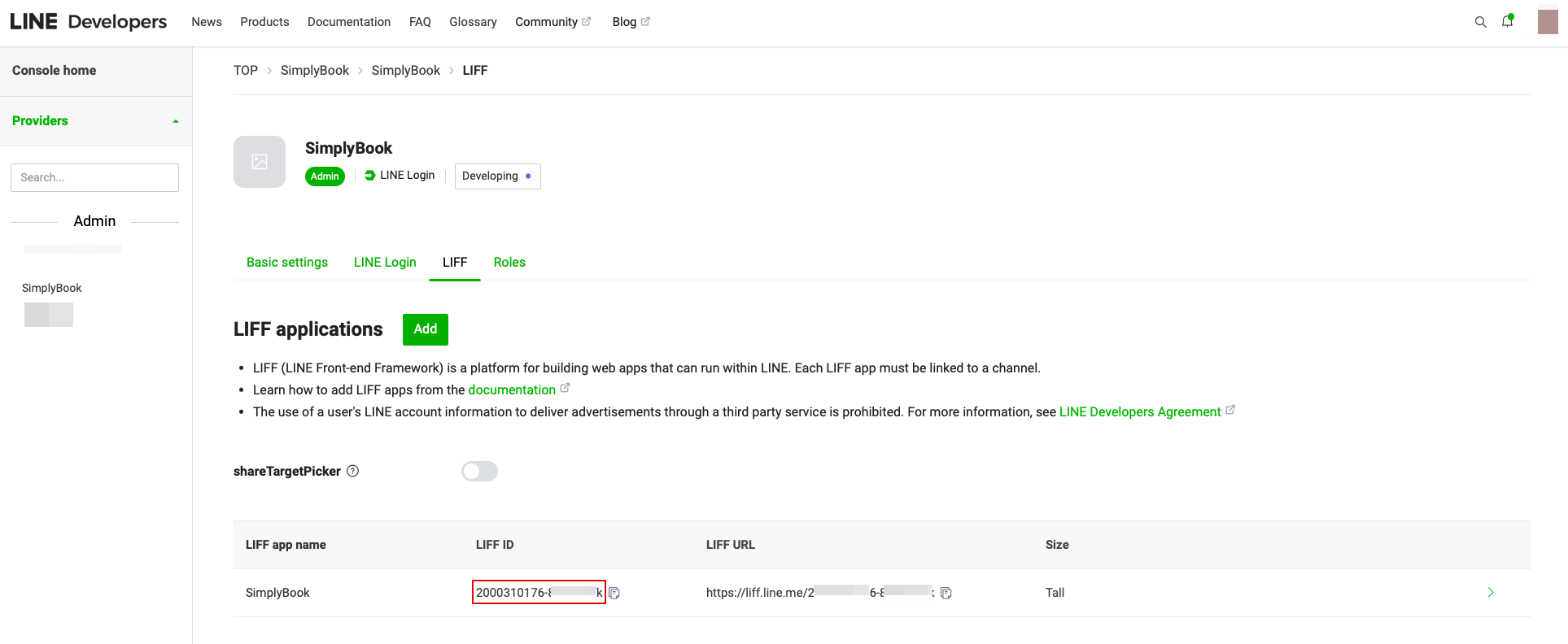
- 7. Vervolgens wordt u doorgestuurd naar de pagina waar u uw LIFF-ID kunt zien.
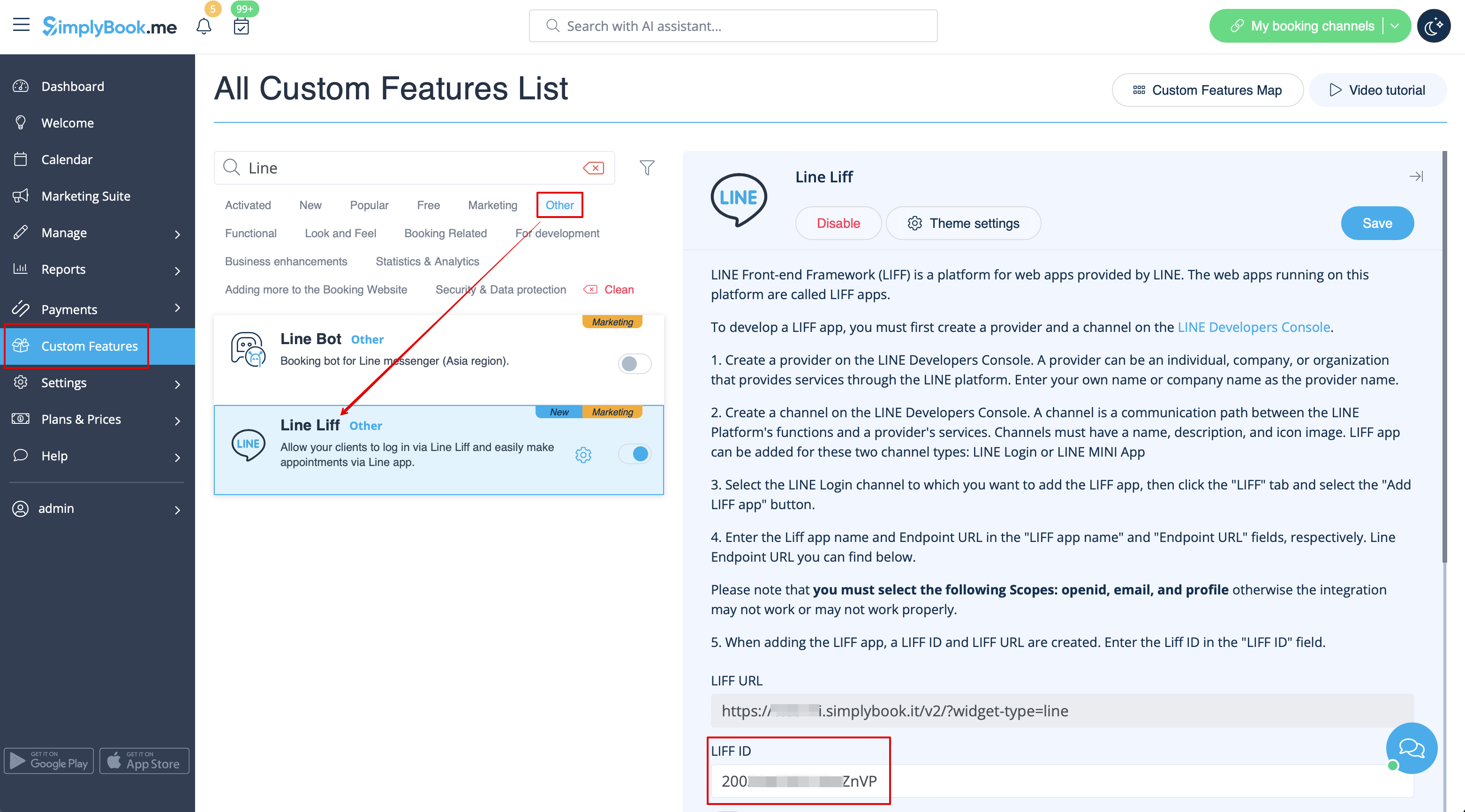
- Kopieer de LIFF-ID en voer deze in het overeenkomstige veld aan de kant van Simplybook in.