Translations:LINE LIFF Custom Feature/17/nl: Difference between revisions

From SimplyBook.me
Created page with ":13. Vul de vereiste velden in. :Selecteer in het menu Inhoud de sjabloon en voeg de afbeelding toe. :Kies "Link" in het blok Acties en voeg de LIFF-url toe vanuit de Developer Console//LINE Login-kanaal. 1200px|center|link=https://help.simplybook.me/images/4/4b/Action_type_link.png 1200px|center|link=https://help.simplybook.me/images/0/00/Line_liff_url.png"
 
(No difference)

Latest revision as of 15:34, 19 May 2025

Information about message (contribute)
This message has no documentation. If you know where or how this message is used, you can help other translators by adding documentation to this message.
Message definition (LINE LIFF Custom Feature)
:13. Fill in the required fields. 
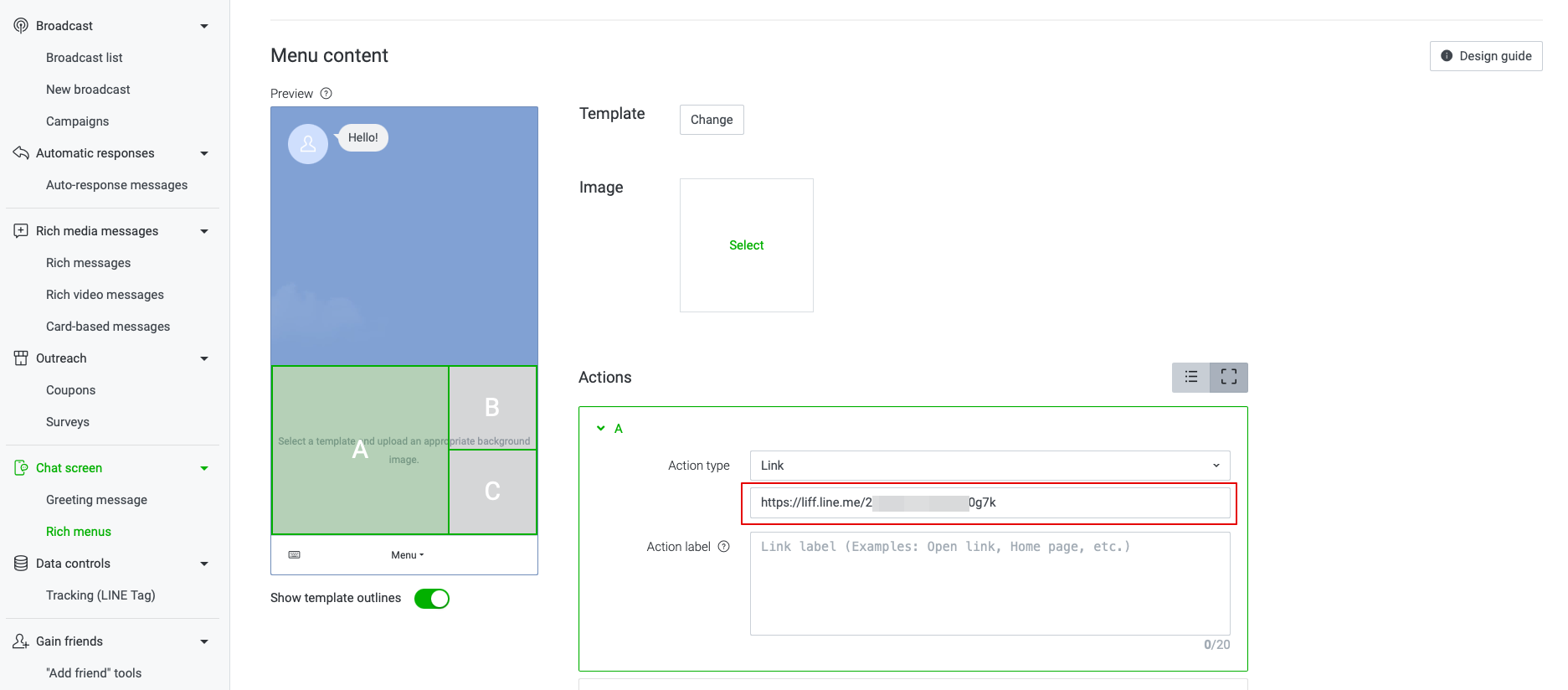
:In menu Content please select the template and add the image. 
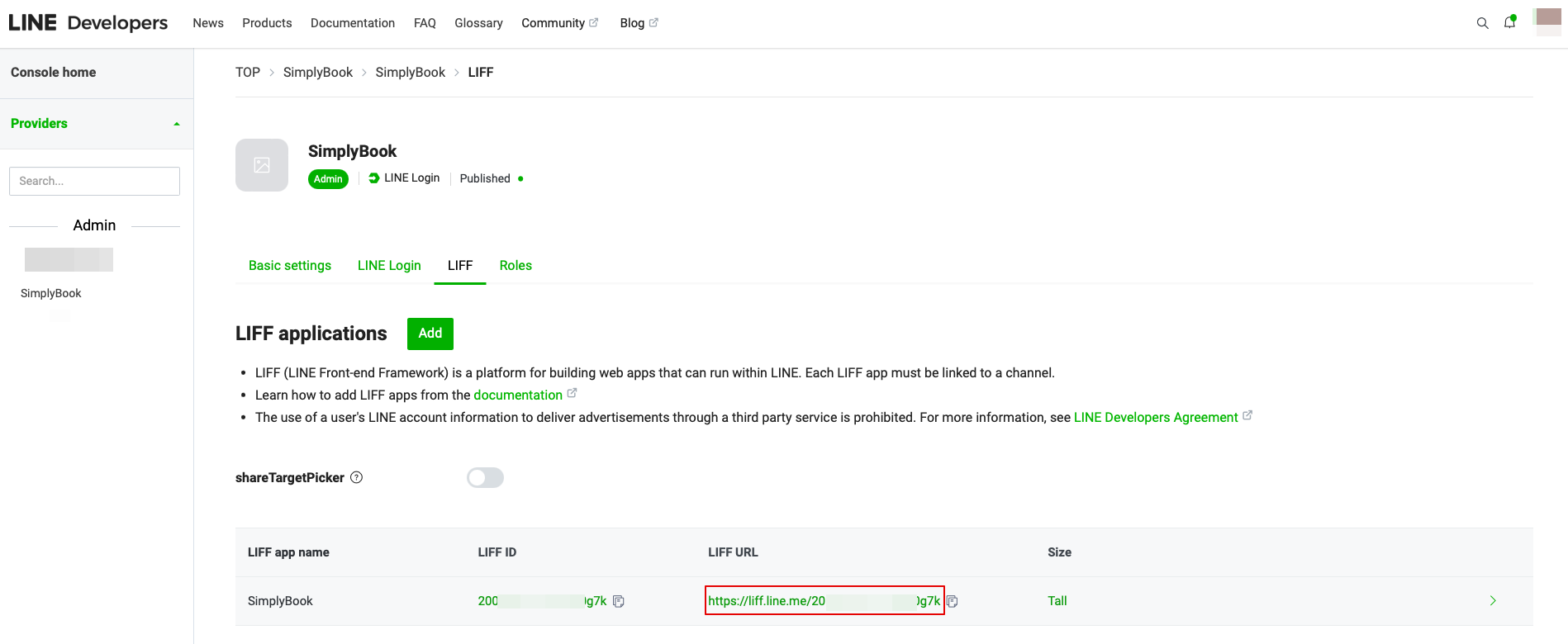
:Choose “Link” type in Actions block and add the LIFF url from the Developer Console//LINE Login channel. 
[[File:Action type link.png|1200px|center|link=https://help.simplybook.me/images/4/4b/Action_type_link.png]]
[[File:Line liff url.png|1200px|center|link=https://help.simplybook.me/images/0/00/Line_liff_url.png]]
13. Vul de vereiste velden in.
Selecteer in het menu Inhoud de sjabloon en voeg de afbeelding toe.
Kies "Link" in het blok Acties en voeg de LIFF-url toe vanuit de Developer Console//LINE Login-kanaal.