Translations:Multiple Bookings custom feature/4/nl: Difference between revisions

From SimplyBook.me
Created page with ";Hoe gebruik je ' :' 1. Schakel de aangepaste functie 'Meerdere boekingen' in op je pagina met aangepaste functies. 1200px | center|link=https://help.simplybook.me/images/b/b7/Multiple_bookings_enable_path_redesigned.png <br><br> :2. Je kunt de gerelateerde meldingssjablonen aan de rechterkant van de pagina bewerken. File:Multiple bookings notifications settings redesigned.png|1200px | center|link=https://help.simpl..."
 
(No difference)

Latest revision as of 15:35, 19 May 2025

Information about message (contribute)
This message has no documentation. If you know where or how this message is used, you can help other translators by adding documentation to this message.
Message definition (Multiple Bookings custom feature)
;How to use
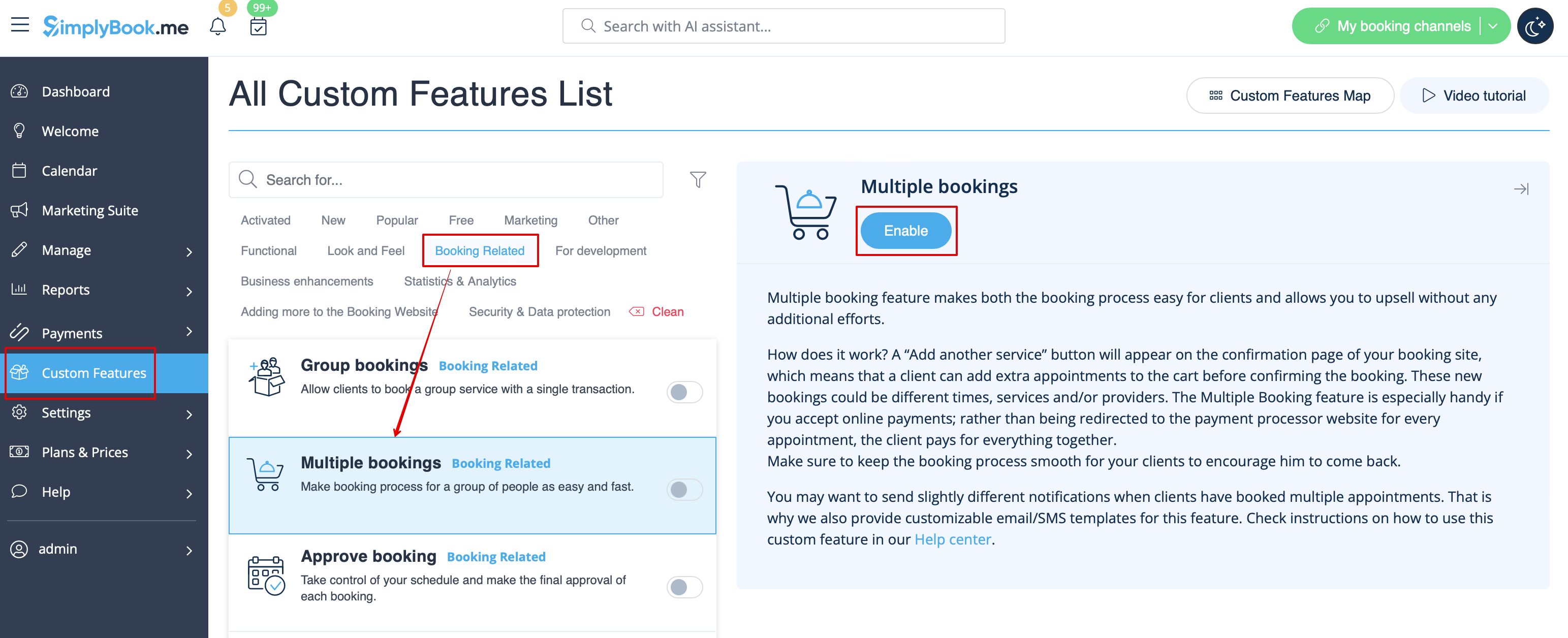
:1. Enable Multiple bookings custom feature on your custom features page.
[[File:Multiple bookings enable path redesigned.png|1200px | center|link=https://help.simplybook.me/images/b/b7/Multiple_bookings_enable_path_redesigned.png]]
<br><br>
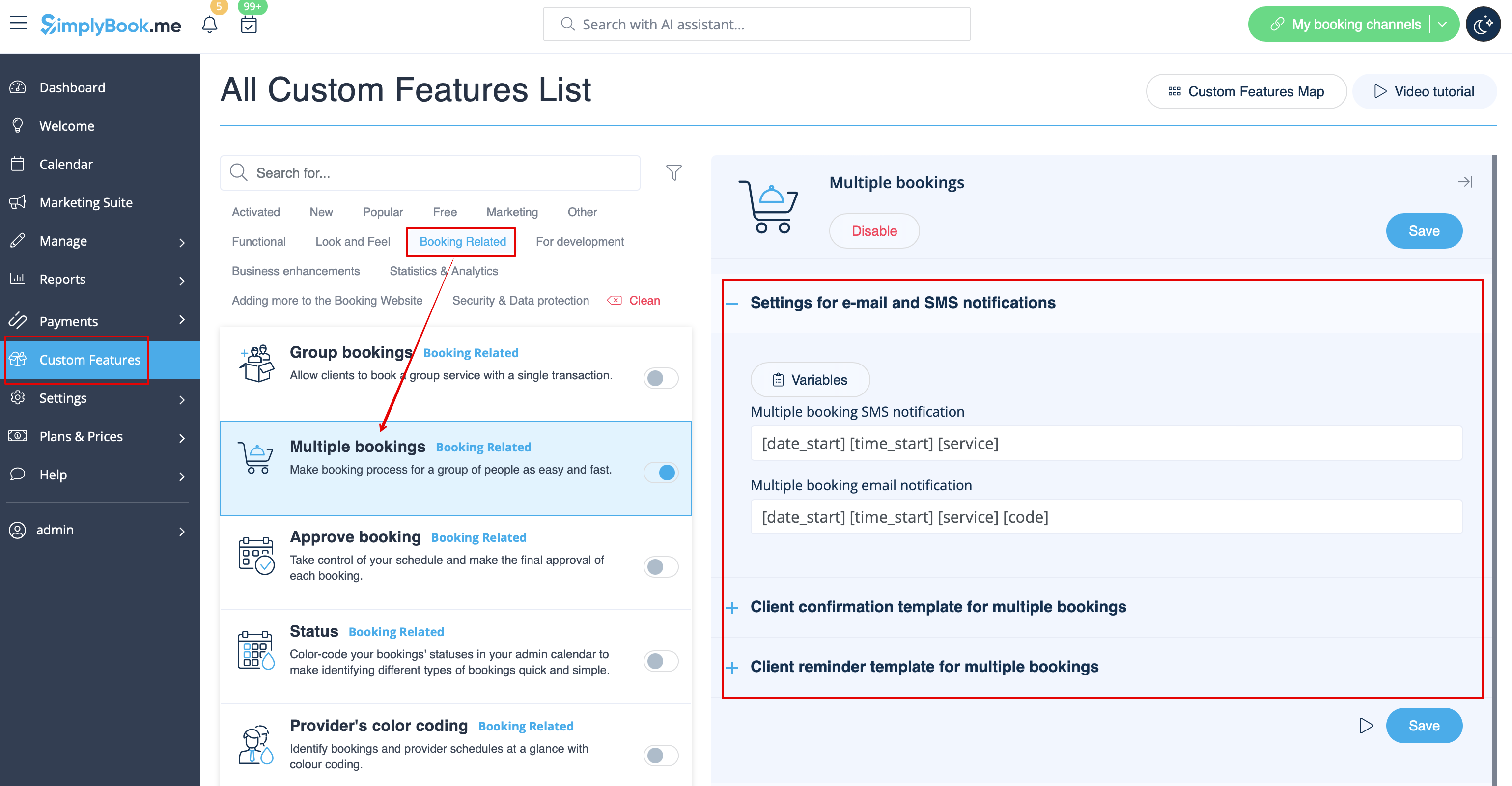
:2. You can edit notification templates related on the right side of the page.
[[File:Multiple bookings notifications settings redesigned.png|1200px | center|link=https://help.simplybook.me/images/6/6f/Multiple_bookings_notifications_settings_redesigned.png]]
<br><br>
:3. Here is how it will look like on the client side in one of the themes.
[[File:Multiple bookings client side new.png|1200px| center]]
<br><br>
Hoe gebruik je '
' 1. Schakel de aangepaste functie 'Meerdere boekingen' in op je pagina met aangepaste functies.


2. Je kunt de gerelateerde meldingssjablonen aan de rechterkant van de pagina bewerken.


3. Zo ziet het eruit aan de klantzijde in een van de thema's.