From SimplyBook.me
Created page with ":Une fois tous les paramètres ci-dessus définis, cliquez sur le bouton vert Ajouter pour ajouter LINE LIFF. :7. Vous serez alors redirigé vers la page où vous pourrez voir votre identifiant LIFF. :Veuillez copier l'identifiant LIFF et le saisir dans le champ correspondant sur Simplybook. 1200px|center|link=https://help.simplybook.me/images/5/5e/Line_liff_id_from.png File:Liff id form redesigned.png|1200px|center|link=https://help.si..." |
(No difference)
|
Latest revision as of 15:37, 19 May 2025
- Une fois tous les paramètres ci-dessus définis, cliquez sur le bouton vert Ajouter pour ajouter LINE LIFF.
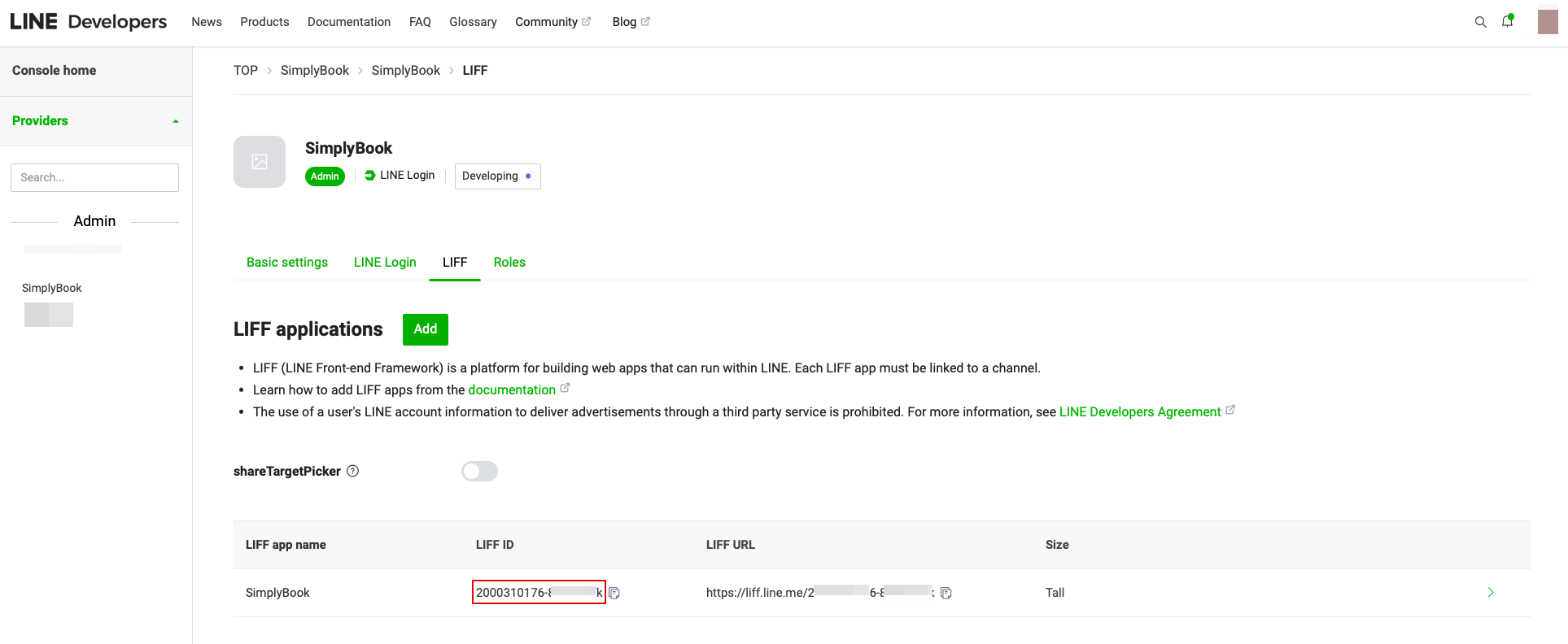
- 7. Vous serez alors redirigé vers la page où vous pourrez voir votre identifiant LIFF.
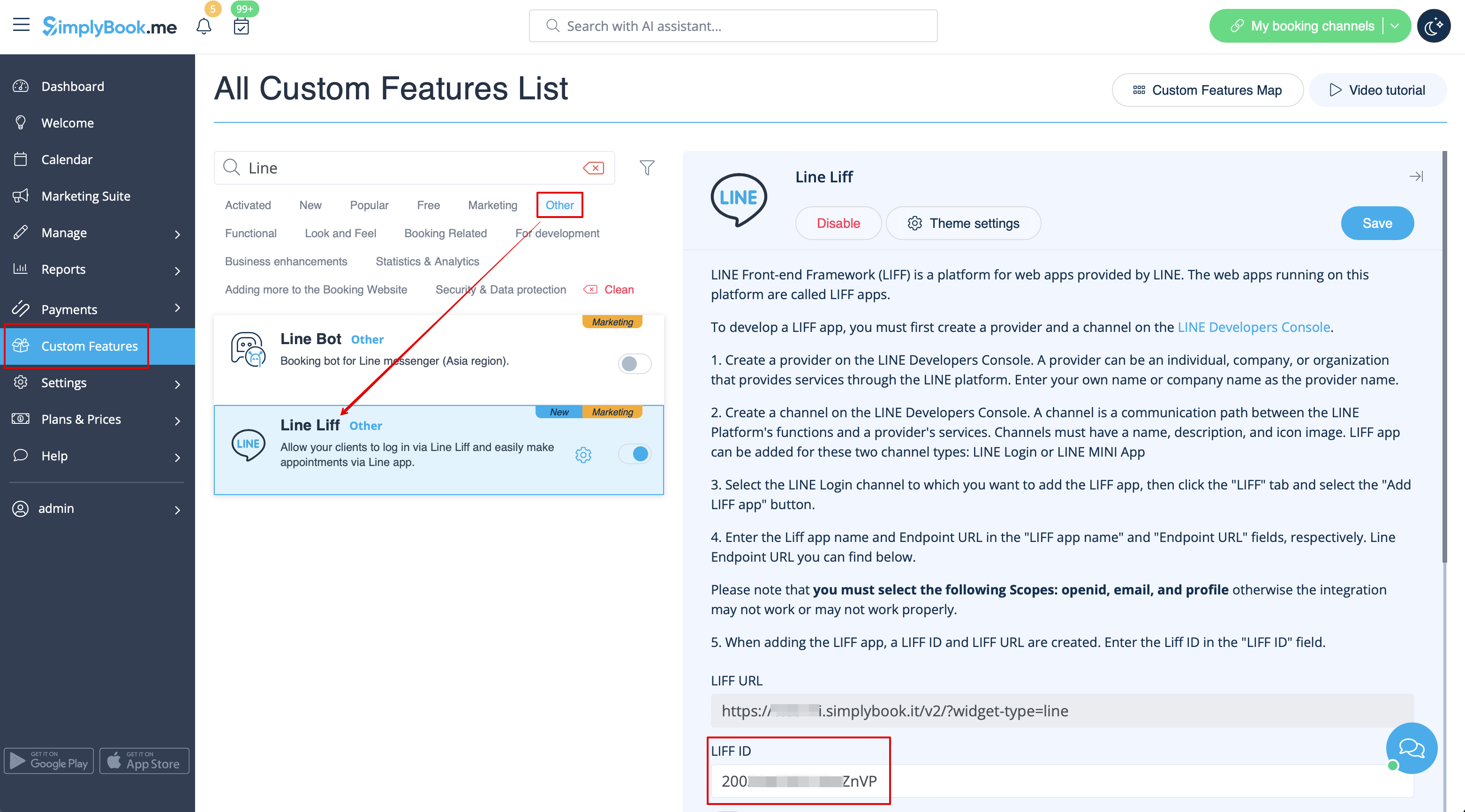
- Veuillez copier l'identifiant LIFF et le saisir dans le champ correspondant sur Simplybook.