Translations:Medical test custom feature/5/fr: Difference between revisions

From SimplyBook.me
Created page with ":2. Sur le côté droit de la page, sélectionnez vos préférences pour l'affichage des résultats.<br> :Il est obligatoire d'activer la fonctionnalité personnalisée « <span style="background-color:#cdeffc; padding:5px; border-radius:5px;">Connexion client</span> » ou l'option « <span style="background-color:#d4f8e5; padding:5px; border-radius:5px;">Joindre les résultats au format PDF à l'e-mail</span> ». Sinon, la fonctionnalité..."
 
(No difference)

Latest revision as of 15:37, 19 May 2025

Information about message (contribute)
This message has no documentation. If you know where or how this message is used, you can help other translators by adding documentation to this message.
Message definition (Medical test custom feature)
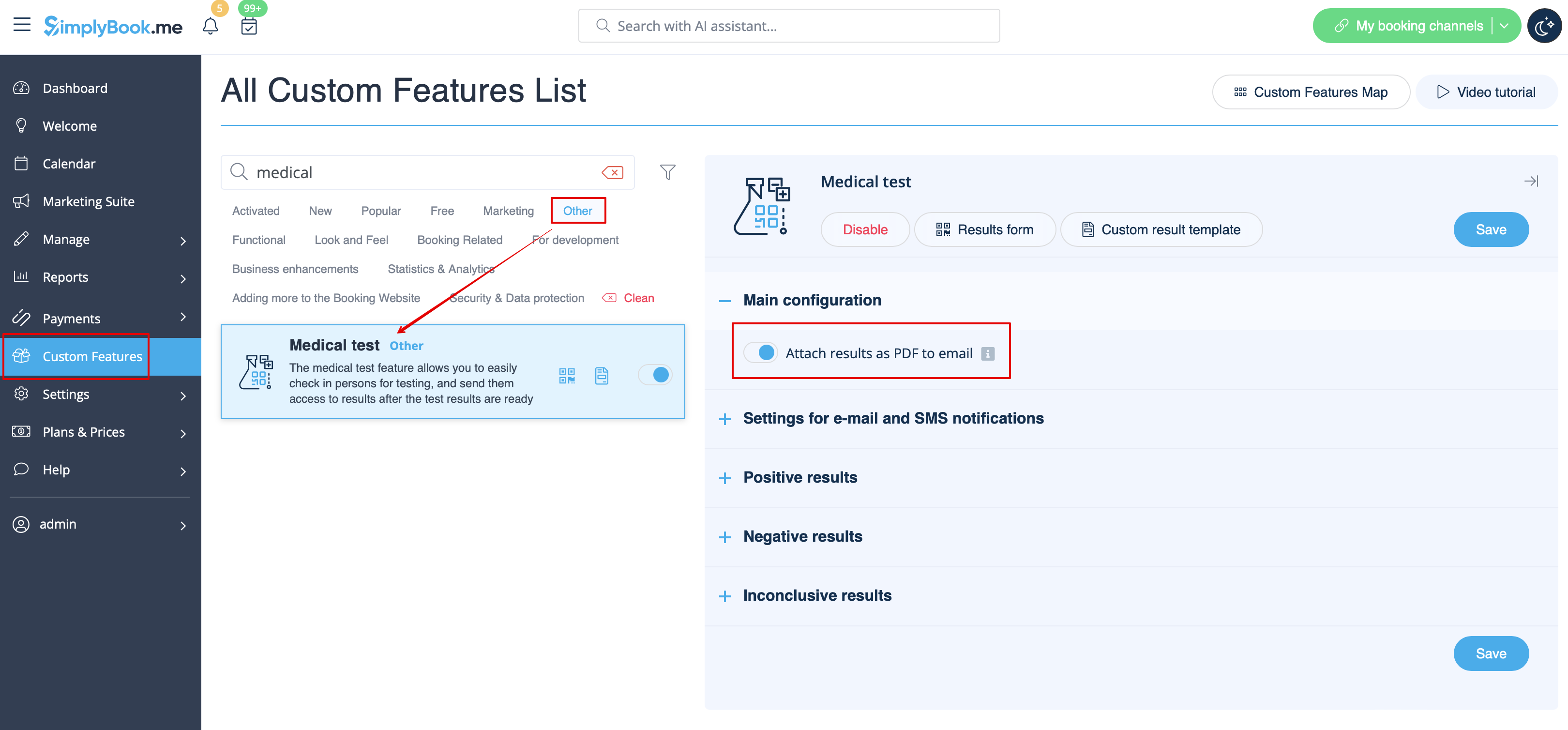
:2. On the right side of the page select your preferences for results display.<br>
:It is mandatory to either enable <span style="background-color:#cdeffc; padding:5px; border-radius:5px;">[[Client_Login_custom_feature|Client Login]]</span> custom feature or <span style="background-color:#d4f8e5; padding:5px; border-radius:5px;">Attach results as PDF to email</span> option. Otherwise the feature will not work.
[[File:Medical test attach pdf redesigned.png|border|center|1200px|link=https://help.simplybook.me/images/f/fd/Medical_test_attach_pdf_redesigned.png]]
<br><br>
2. Sur le côté droit de la page, sélectionnez vos préférences pour l'affichage des résultats.
Il est obligatoire d'activer la fonctionnalité personnalisée « Connexion client » ou l'option « Joindre les résultats au format PDF à l'e-mail ». Sinon, la fonctionnalité ne fonctionnera pas.