Translations:Membership custom feature/11/fr: Difference between revisions

From SimplyBook.me
Created page with ":- <span style="background-color:#d4f8e5; padding:5px; border-radius:5px;">Rapports</span> -> <span style="background-color:#d4f8e5; padding:5px; border-radius:5px;">Transactions de paiement</span> -> <span style="background-color:#d4f8e5; padding:5px; border-radius:5px;">Factures</span> - contient toutes les factures présentes dans le système, y compris les abonnements. :<span style="background-color:#ffe9e9; padding:5px; border-radius:5px;">'''Attention !''' Si..."
 
(No difference)

Latest revision as of 15:37, 19 May 2025

Information about message (contribute)
This message has no documentation. If you know where or how this message is used, you can help other translators by adding documentation to this message.
Message definition (Membership custom feature)
:- <span style="background-color:#d4f8e5; padding:5px; border-radius:5px;">Reports</span> -> <span style="background-color:#d4f8e5; padding:5px; border-radius:5px;">Payment transactions</span> -> <span style="background-color:#d4f8e5; padding:5px; border-radius:5px;">Invoices</span> - contains all the invoices present in the system, memberships included.
:<span style="background-color:#ffe9e9; padding:5px; border-radius:5px;">'''Please note!''' If you delete the invoice related to some membership purchase the corresponding membership will be canceled.</span>
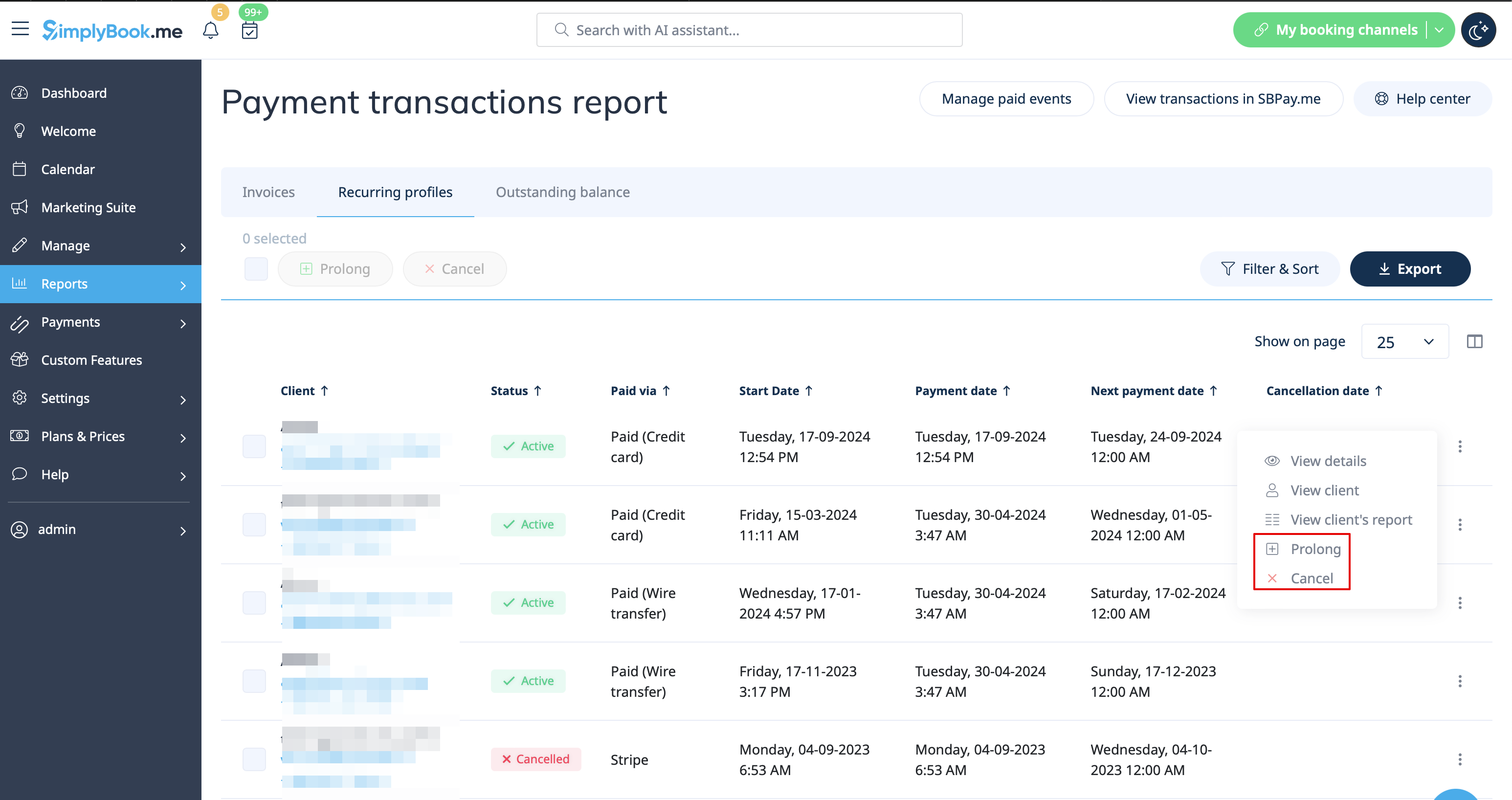
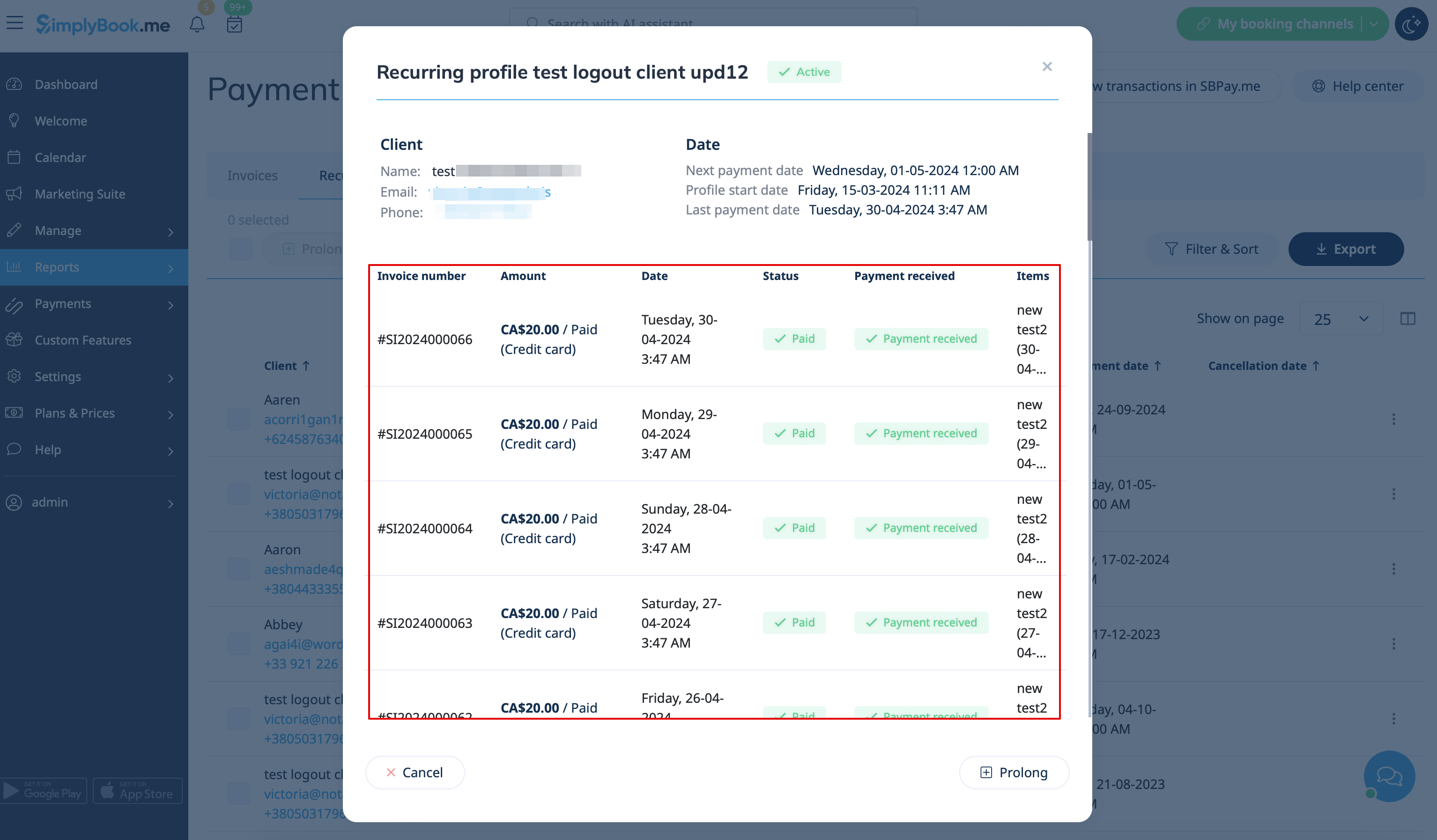
:- <span style="background-color:#d4f8e5; padding:5px; border-radius:5px;">Reports</span> -> <span style="background-color:#d4f8e5; padding:5px; border-radius:5px;">Payment transactions</span> -> <span style="background-color:#d4f8e5; padding:5px; border-radius:5px;">Recurring profiles</span> - shows all membership recurring profiles created either by clients or from admin side.<br>
:It allows to cancel recurring profiles(both made by clients and admin) or prolong the recurring memberships issued from admin side only.<br>
:<span style="background-color:#ffe9e9; padding:5px; border-radius:5px;">'''Please note!''' If one and the same client already has the recurring profile for some membership it is not possible to create new recurring profile for the same membership for this client.</span><br>
:<span style="background-color:#ffe9e9; padding:5px; border-radius:5px;">You can either cancel current recurring profile and create a new one or issue another membership to this client.</span>
[[File:Prolong or cancel recurring profile redesigned.png|1200px|border|center|link=https://help.simplybook.me/images/2/23/Prolong_or_cancel_recurring_profile_redesigned.png]]
[[File:Recurring profile details redesigned.png|1200px|border|center|link=https://help.simplybook.me/images/4/40/Recurring_profile_details_redesigned.png]]
<br><br>
- Rapports -> Transactions de paiement -> Factures - contient toutes les factures présentes dans le système, y compris les abonnements.
Attention ! Si vous supprimez la facture liée à l'achat d'un abonnement, l'abonnement correspondant sera annulé.
- Rapports -> Transactions de paiement -> Profils récurrents - affiche tous les profils d'abonnement récurrents créés par les clients ou par l'administrateur.
Cela permet d'annuler les profils récurrents (créés par les clients ou par l'administrateur) ou de prolonger les abonnements récurrents émis par l'administrateur uniquement.
Remarque : si un même client dispose déjà d'un profil récurrent pour une adhésion, il n'est pas possible de créer un nouveau profil récurrent pour la même adhésion pour ce client.
Vous pouvez soit annuler le profil récurrent actuel et en créer un nouveau, soit émettre un autre abonnement pour ce client.