Translations:Medical test custom feature/9/de: Difference between revisions

From SimplyBook.me
Created page with ":8. Wenn Sie die Ergebnisse erhalten, öffnen Sie diese Oberfläche erneut, <span style="background-color:#d4f8e5; padding:5px; border-radius:5px;">scannen Sie den QR-Code</span> auf dem Etikett des Reagenzglases, um den Termin zu finden. border|center|1200px|link=https://help.simplybook.me/images/3/3c/Medical_test_select_the_result_redesigned.png <br><br> :9. Wählen Sie eine der drei <span style="background-color:#..."
 
(No difference)

Latest revision as of 15:39, 19 May 2025

Information about message (contribute)
This message has no documentation. If you know where or how this message is used, you can help other translators by adding documentation to this message.
Message definition (Medical test custom feature)
:8. When you receive the results, open this interface again, <span style="background-color:#d4f8e5; padding:5px; border-radius:5px;">scan the QR</span> from the test tube label to find the appointment.
[[File:Medical test select the result redesigned.png|border|center|1200px|link=https://help.simplybook.me/images/3/3c/Medical_test_select_the_result_redesigned.png]]
<br><br>
:9. Select one of the three <span style="background-color:#d4f8e5; padding:5px; border-radius:5px;">result options.</span>
:As the result, the appointment status will be updated according to your selection.<br>
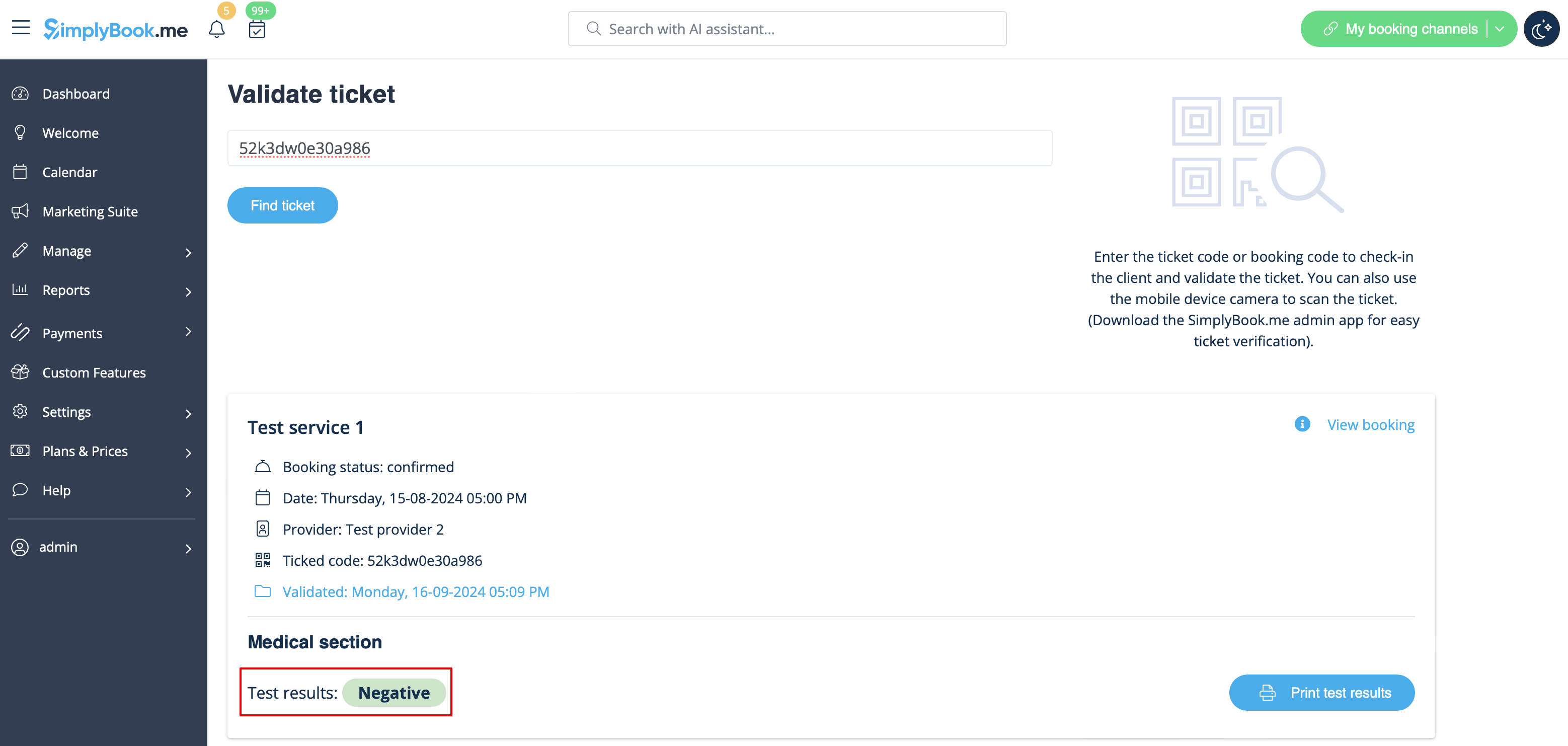
:At this point the client will get the notification that the results are ready if you have it enabled in #3.<br>
[[File:Medical test final result redesigned.png|border|center|1200px|link=https://help.simplybook.me/images/3/34/Medical_test_final_result_redesigned.png]]
<br><br>
8. Wenn Sie die Ergebnisse erhalten, öffnen Sie diese Oberfläche erneut, scannen Sie den QR-Code auf dem Etikett des Reagenzglases, um den Termin zu finden.
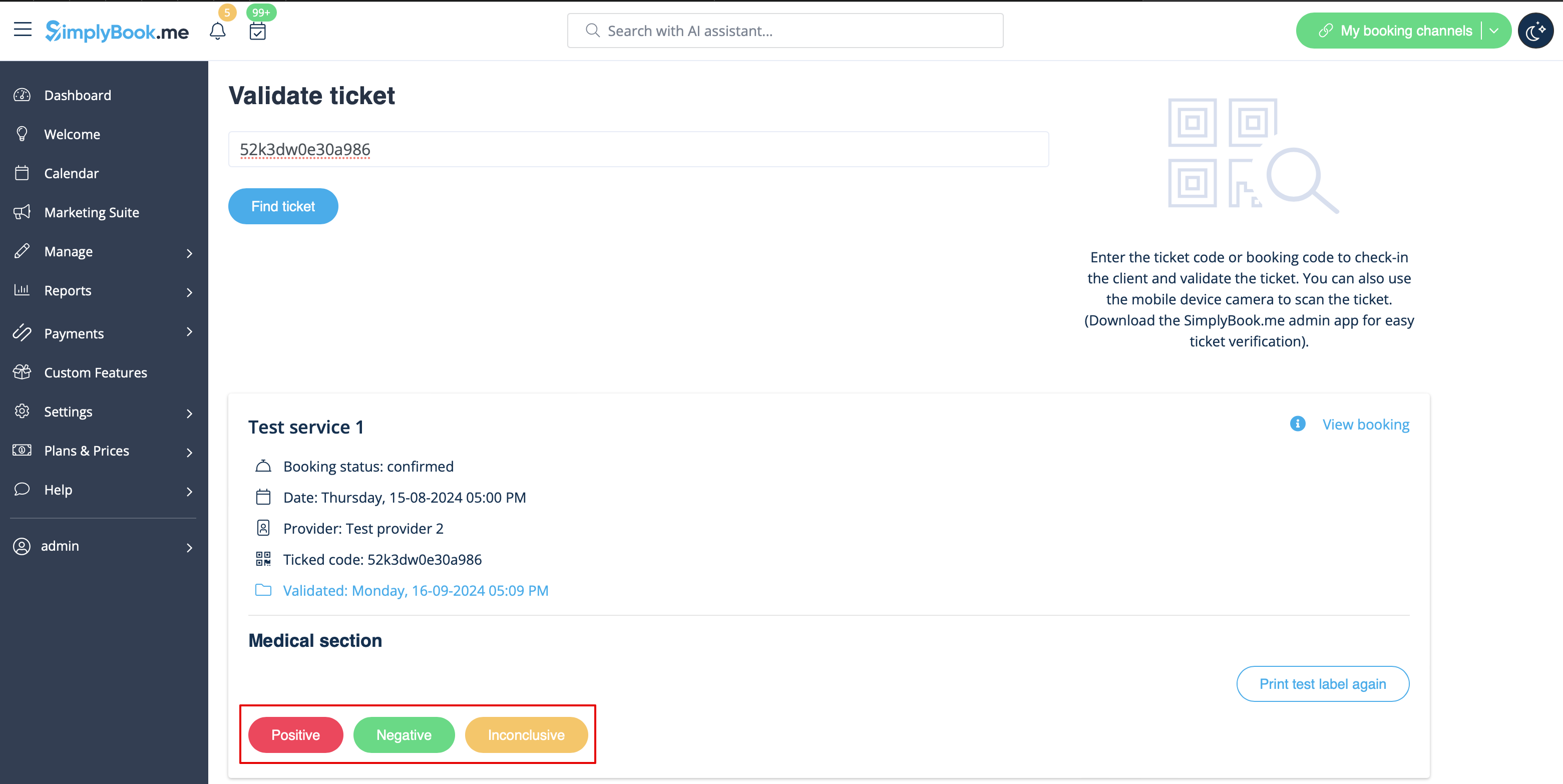


9. Wählen Sie eine der drei Ergebnisoptionen aus .
Als Ergebnis wird der Terminstatus entsprechend Ihrer Auswahl aktualisiert.
An dieser Stelle erhält der Kunde eine Benachrichtigung, dass die Ergebnisse bereitstehen, sofern Sie dies in Schritt 3 aktiviert haben.