Translations:Telegram Notifications custom feature/6/en: Difference between revisions

From SimplyBook.me
FuzzyBot (talk | contribs)
Importing a new version from external source
 
(No difference)

Latest revision as of 15:41, 19 May 2025

Information about message (contribute)
This message has no documentation. If you know where or how this message is used, you can help other translators by adding documentation to this message.
Message definition (Telegram Notifications custom feature)
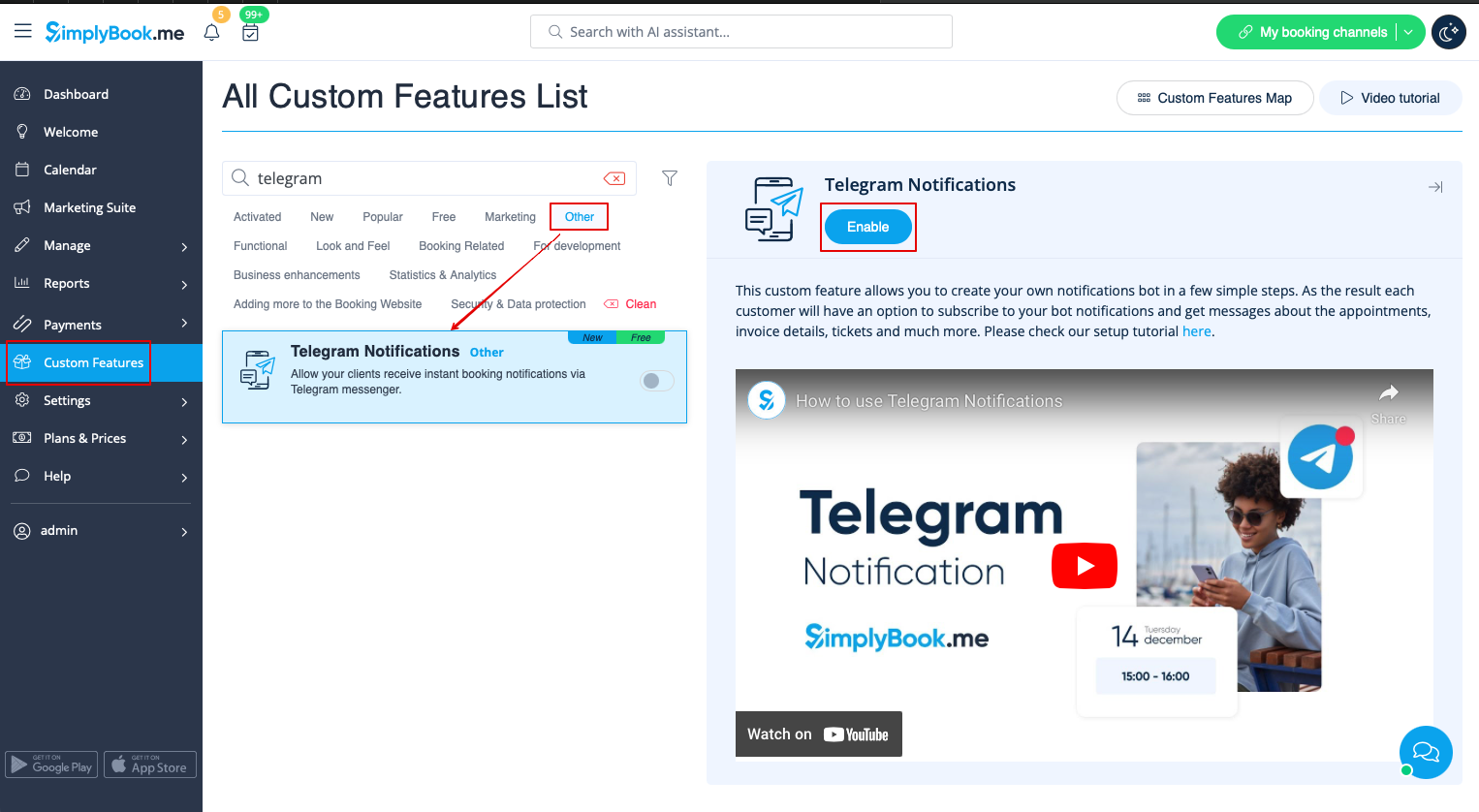
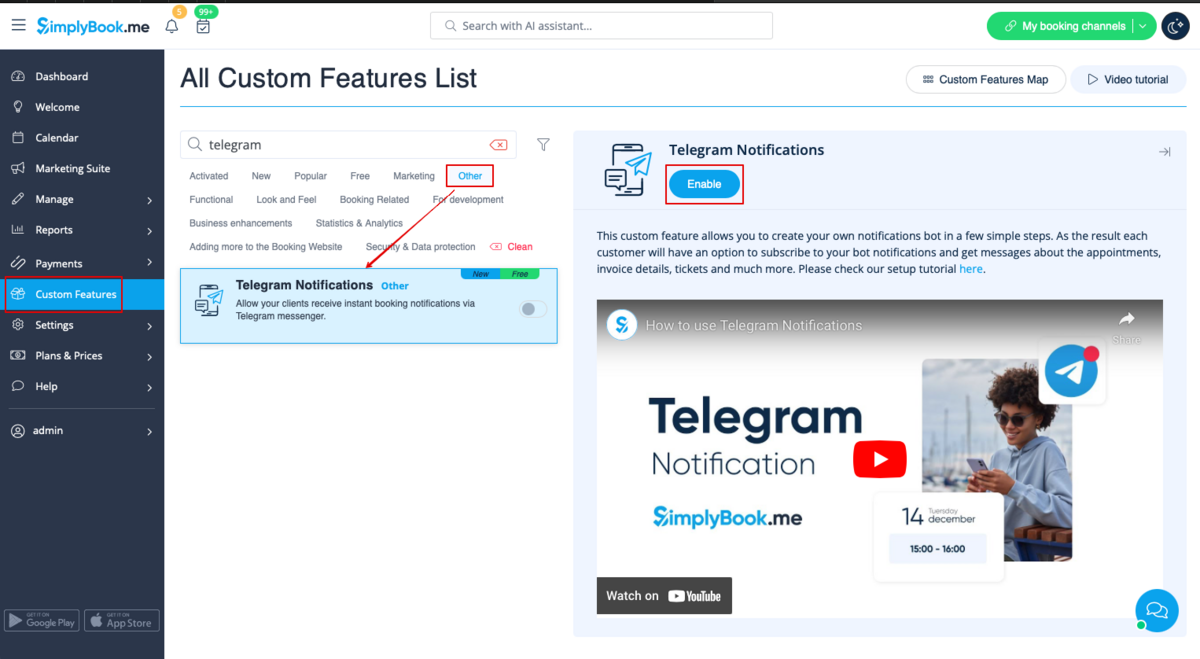
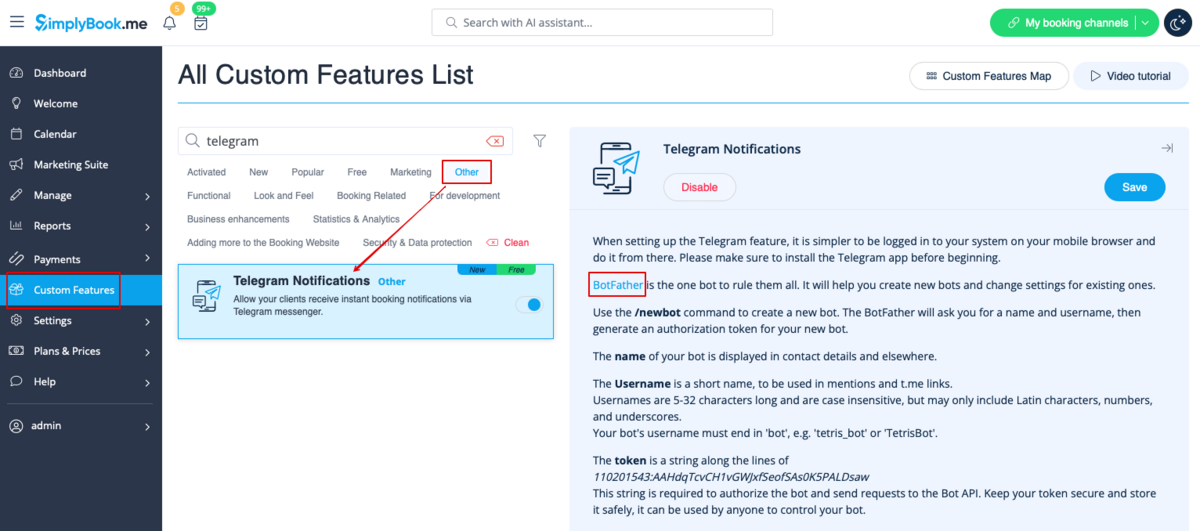
1. Enable <span style="background-color:#d4f8e5; padding:5px; border-radius:5px;">Telegram Notifications</span> on your <span style="background-color:#d4f8e5; padding:5px; border-radius:5px;">Custom features</span> page -> <span style="background-color:#d4f8e5; padding:5px; border-radius:5px;">Other</span> section.
[[File:Telegram notifications enable path redesigned.png|1200px|center|link=https://help.simplybook.me/images/2/2e/Telegram_notifications_enable_path_redesigned.png]]
<br><br>
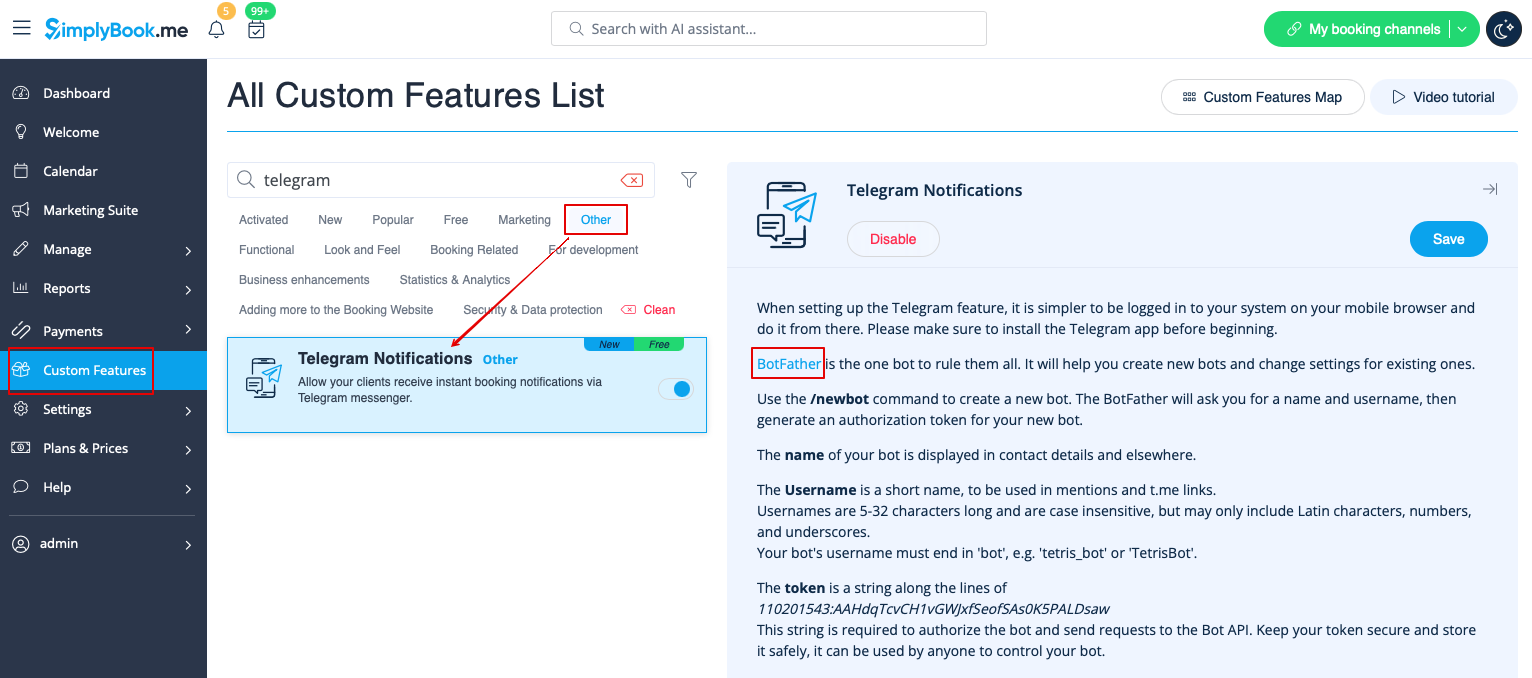
2. Navigate to helper bot <span style="background-color:#d4f8e5; padding:5px; border-radius:5px;">BotFather</span> using the link in the instructions on the right side of the SimplyBook.me page.
[[File:Telegram notifications botfather link redesigned.png|1200px|center|link=https://help.simplybook.me/images/d/d7/Telegram_notifications_botfather_link_redesigned.png]]
<br><br>
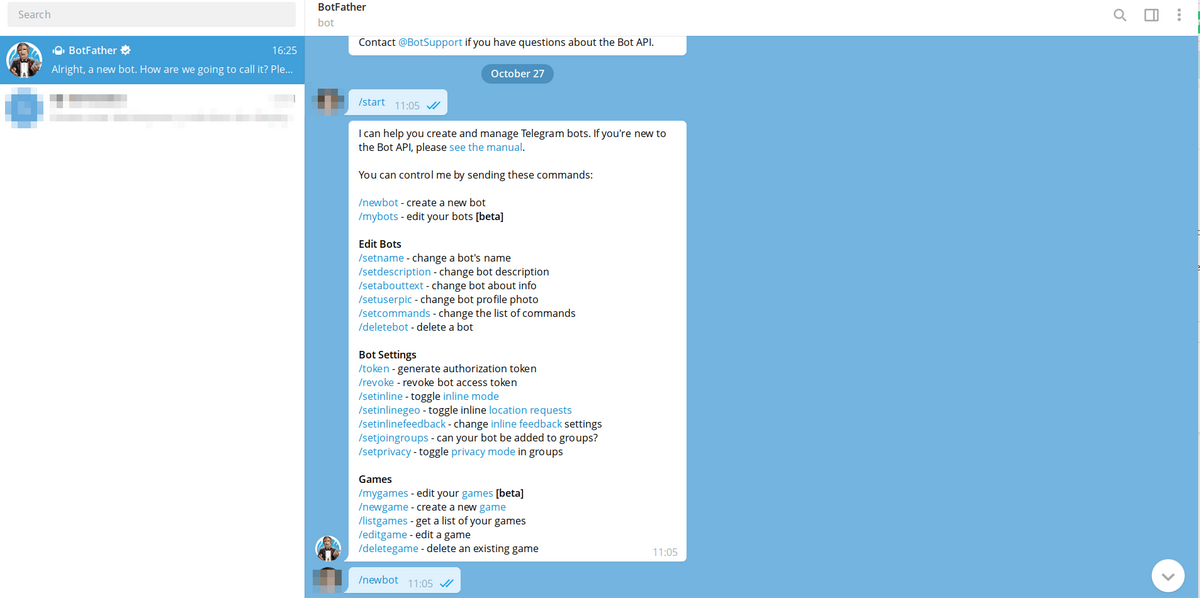
3. Start the setup process in the BotFather bot and select <span style="background-color:#d4f8e5; padding:5px; border-radius:5px;">/newbot</span> option, follow the hints there: add the desirable name and username. 
[[File:Telegram notifications create new bot.png|1200px|center]]
<br><br>
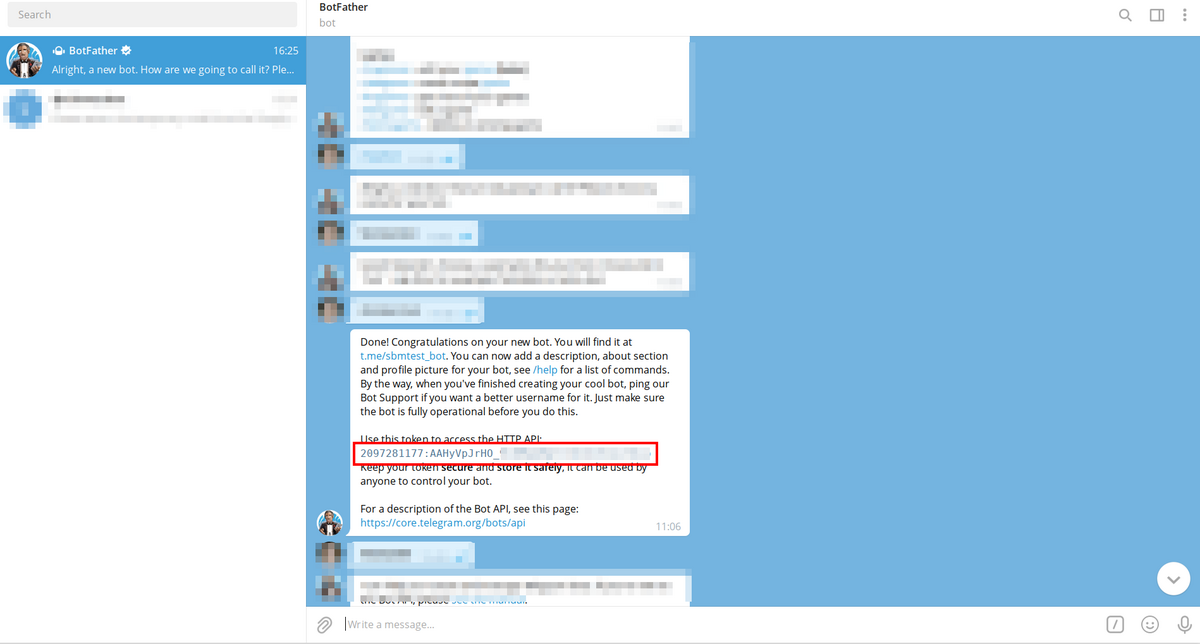
4. Copy <span style="background-color:#d4f8e5; padding:5px; border-radius:5px;">the token</span> from the result message.
[[File:Telegram notifications copy token.png|1200px|center]]
<br><br>

1. Enable Telegram Notifications on your Custom features page -> Other section.


2. Navigate to helper bot BotFather using the link in the instructions on the right side of the SimplyBook.me page.


3. Start the setup process in the BotFather bot and select /newbot option, follow the hints there: add the desirable name and username.


4. Copy the token from the result message.