As a part of the Terms and Conditions custom feature you can also add your Privacy Policy.
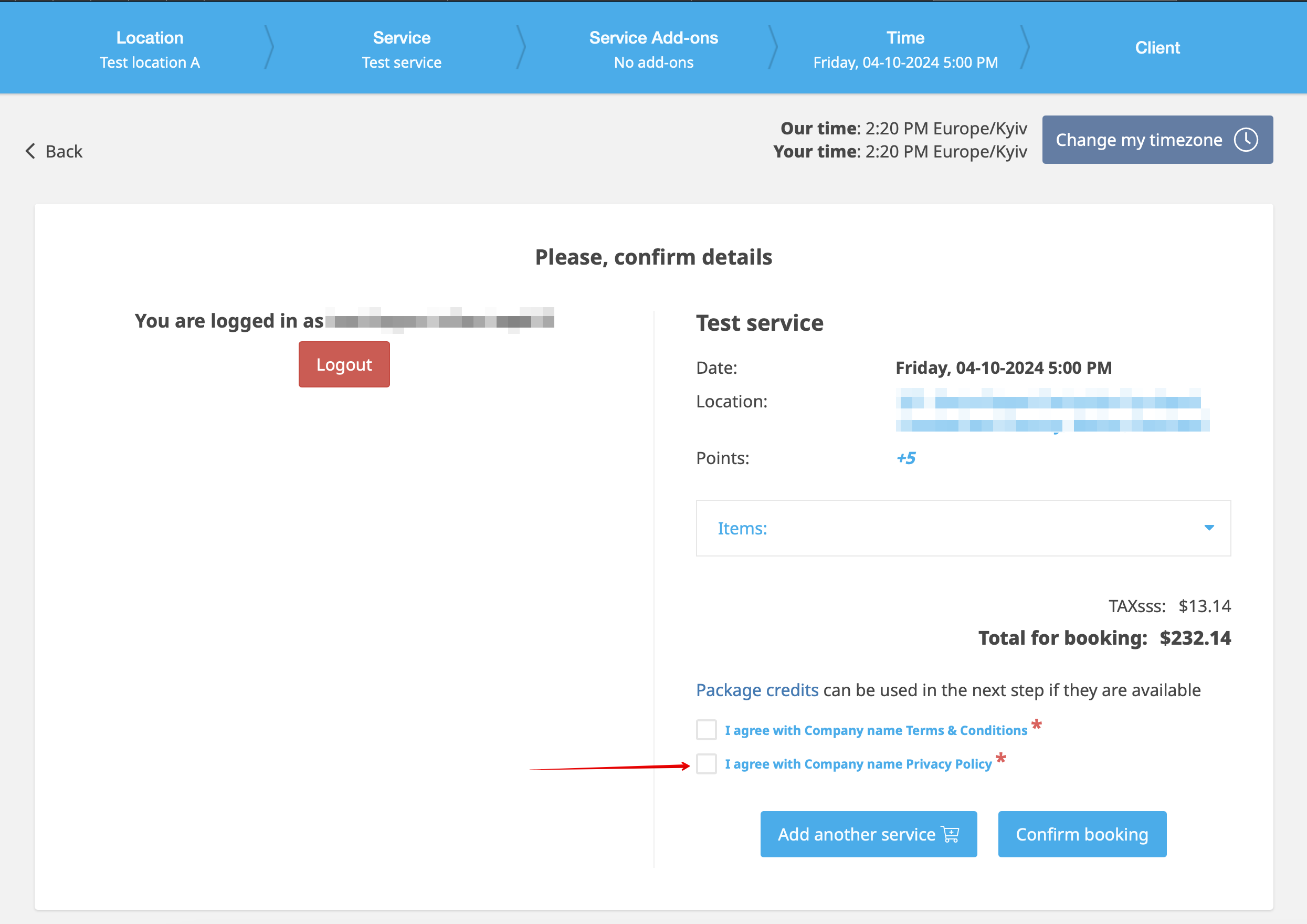
It will be shown as a separate point to agree to on the booking website, at the end of the booking process.
How to use
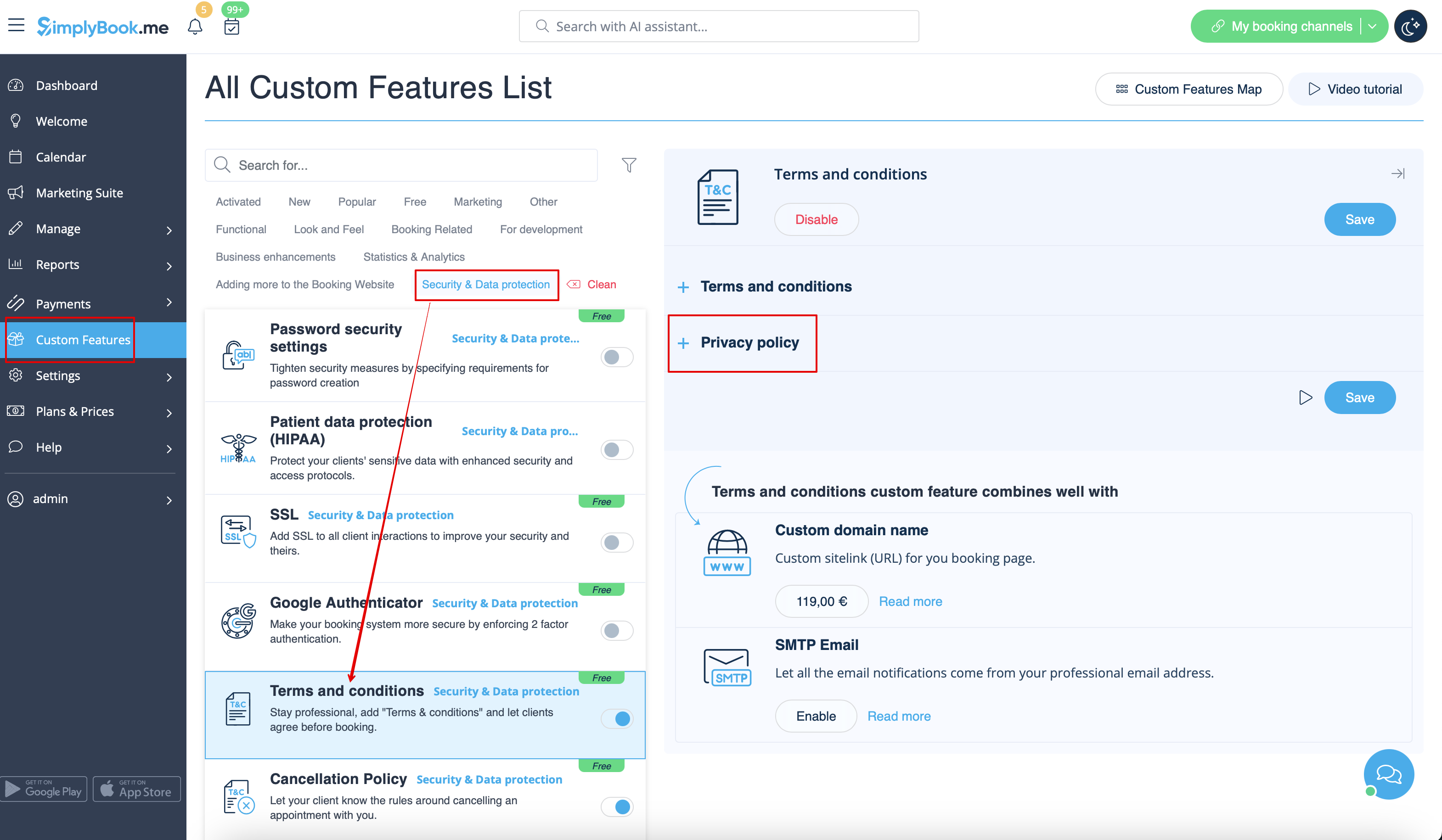
1. When Terms & Conditions feature is already enabled, please expand Privacy policy section.
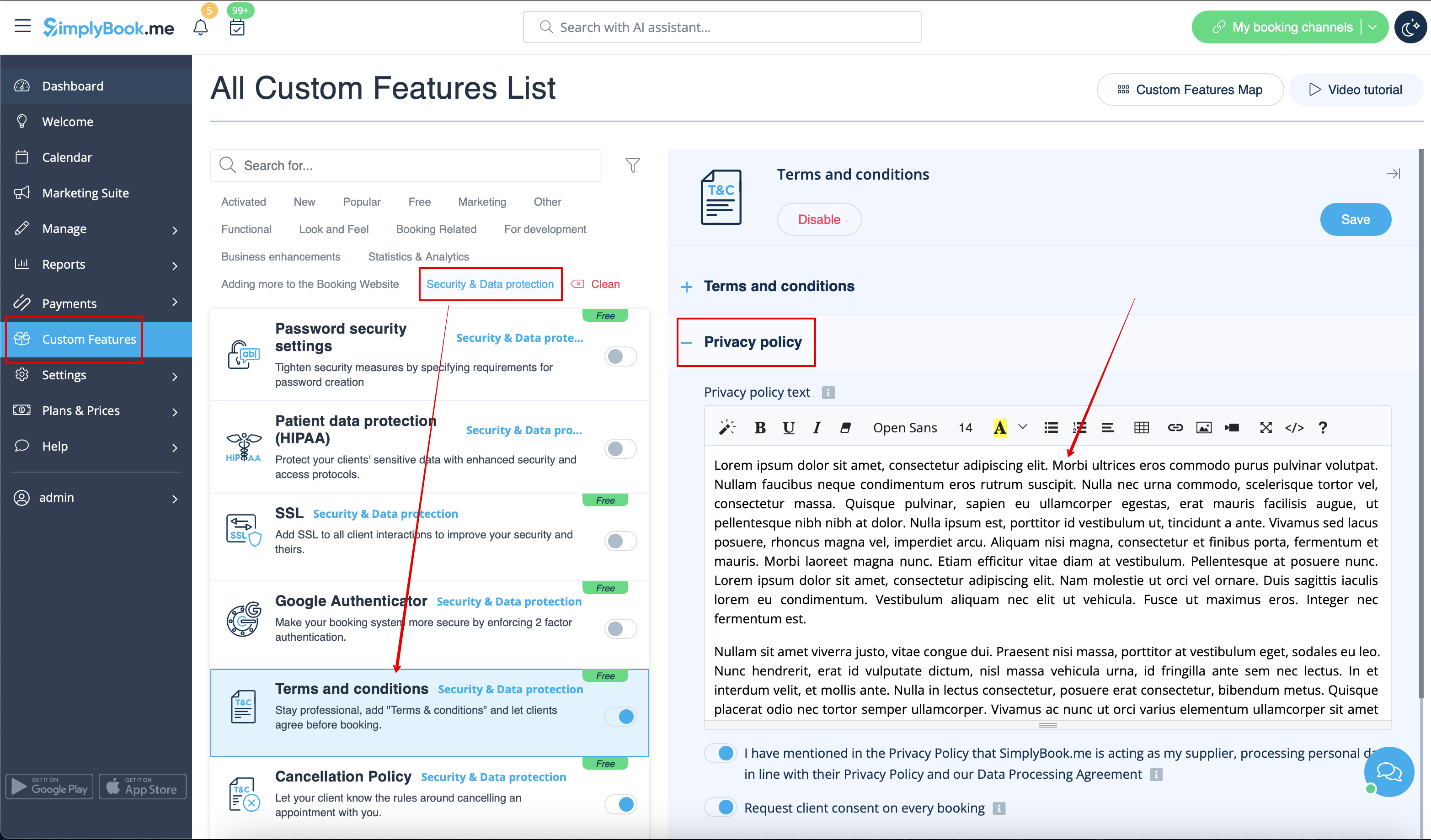
2. Add your Privacy policy text.
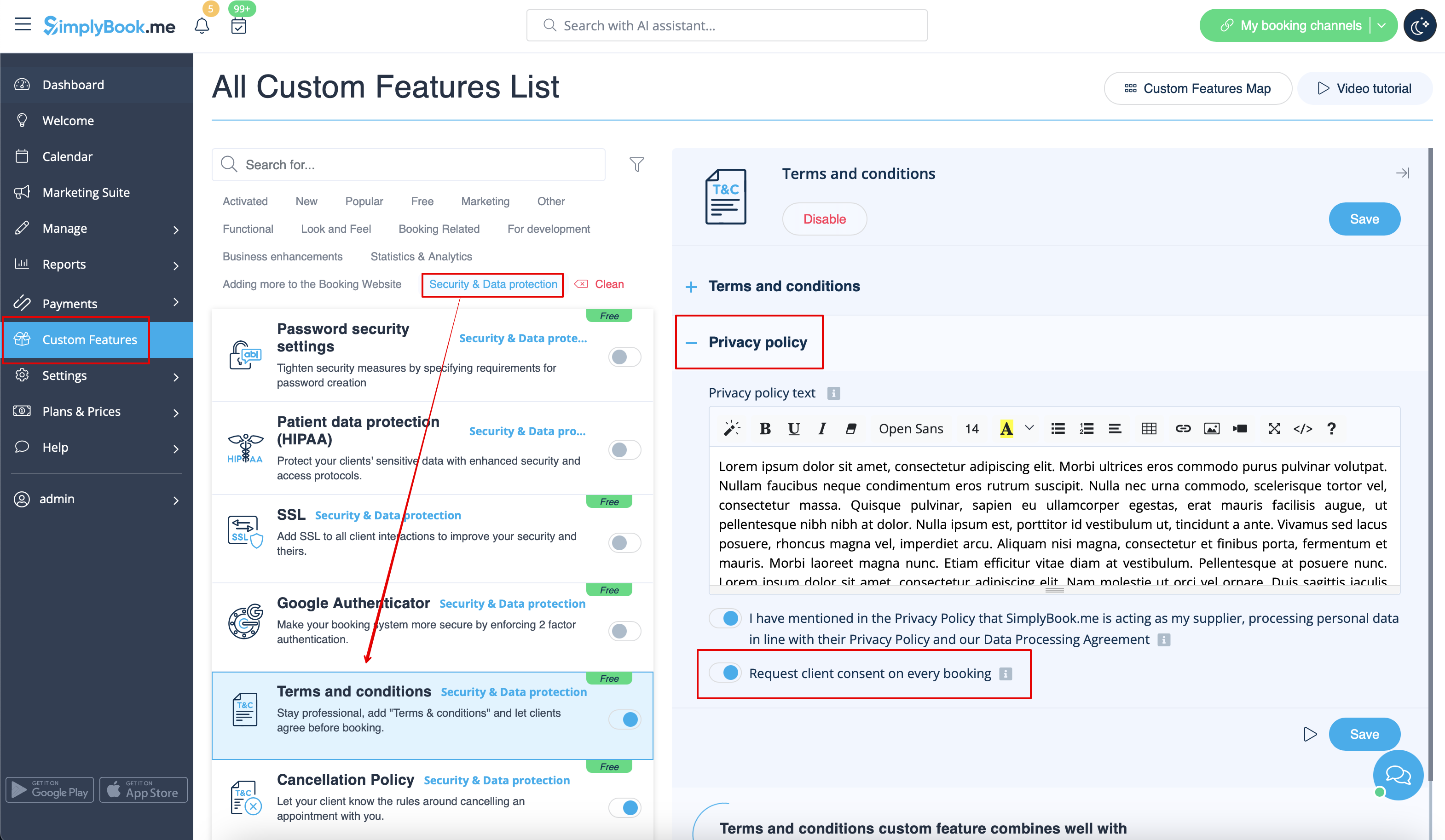
3. Select whether the clients should agree to it with every booking (if this point is disabled they will only agree to it once).
4. Save settings. Here is one of the ways how it will be shown on the booking website or widget.