Translations:Tickets custom feature/10/en: Difference between revisions

From SimplyBook.me
FuzzyBot (talk | contribs)
Importing a new version from external source
 
(No difference)

Latest revision as of 15:44, 19 May 2025

Information about message (contribute)
This message has no documentation. If you know where or how this message is used, you can help other translators by adding documentation to this message.
Message definition (Tickets custom feature)
:7. If you have SimplyBook.me admin application you can easily scan and check-in tickets there from <span style="background-color:#d4f8e5; padding:5px; border-radius:5px;">Dashboard.</span>
[[File:Scan ticket path in app.png|border|center]]
<br><br>
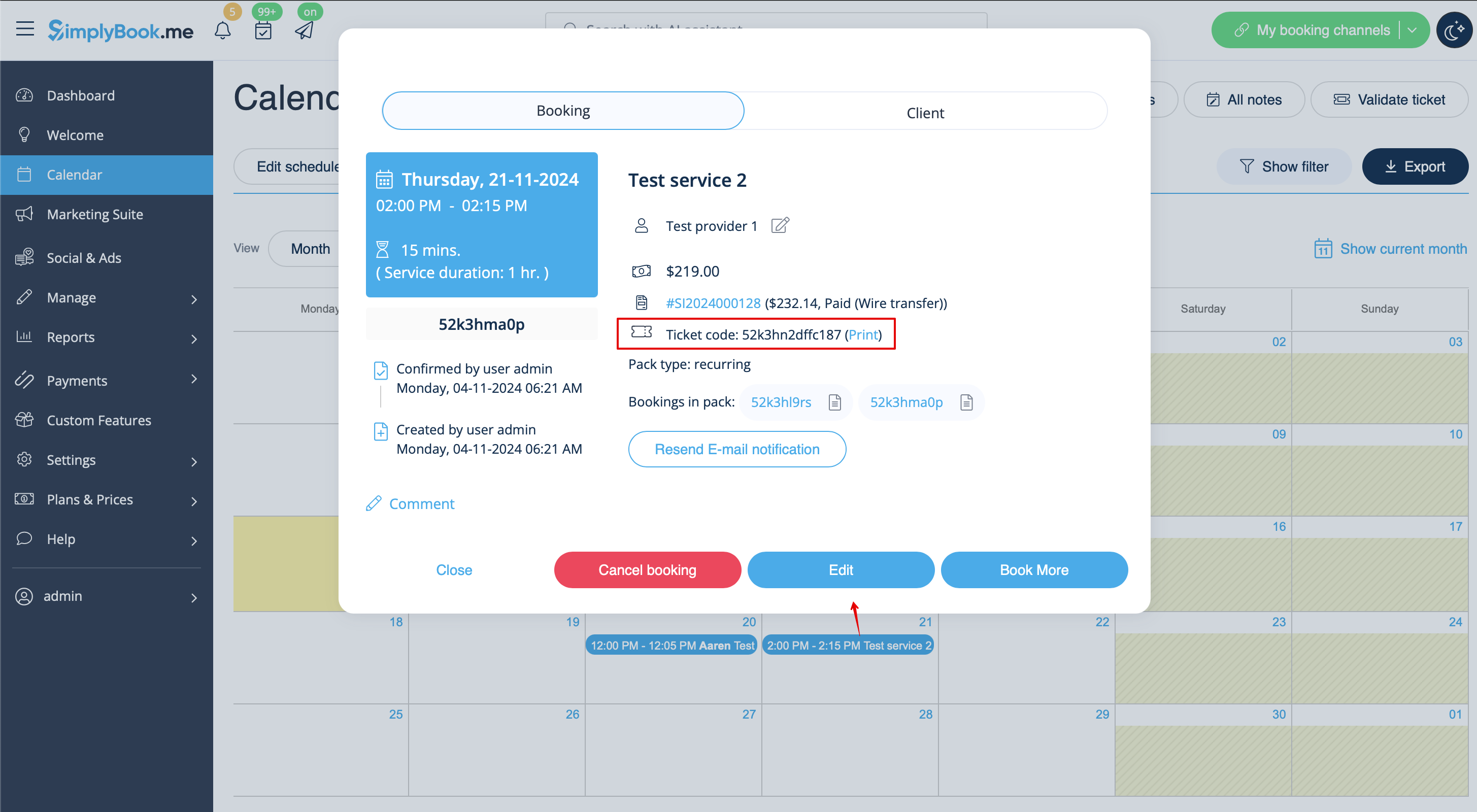
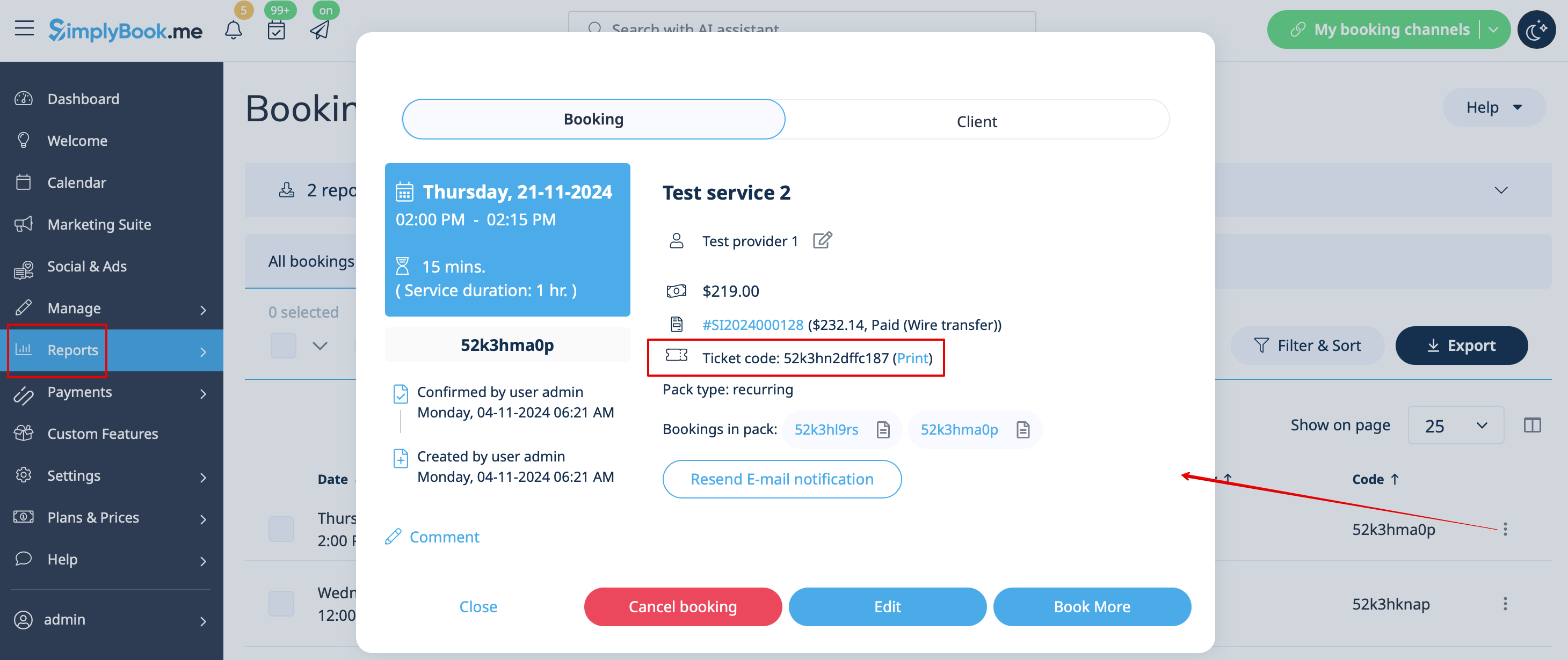
:8. Ticket codes can be found in the related bookings on <span style="background-color:#d4f8e5; padding:5px; border-radius:5px;">Calendar</span> page or in <span style="background-color:#d4f8e5; padding:5px; border-radius:5px;">Booking details</span> report.
:You can also print tickets from there.
[[File:Ticket info in booking redesigned.png|1200px|border|center|link=https://help.simplybook.me/images/8/8a/Ticket_info_in_booking_redesigned.png]]
[[File:Ticket code from booking details report.png|1200px|border|center|link=https://help.simplybook.me/images/e/e9/Ticket_code_from_booking_details_report.png]]
<br><br>
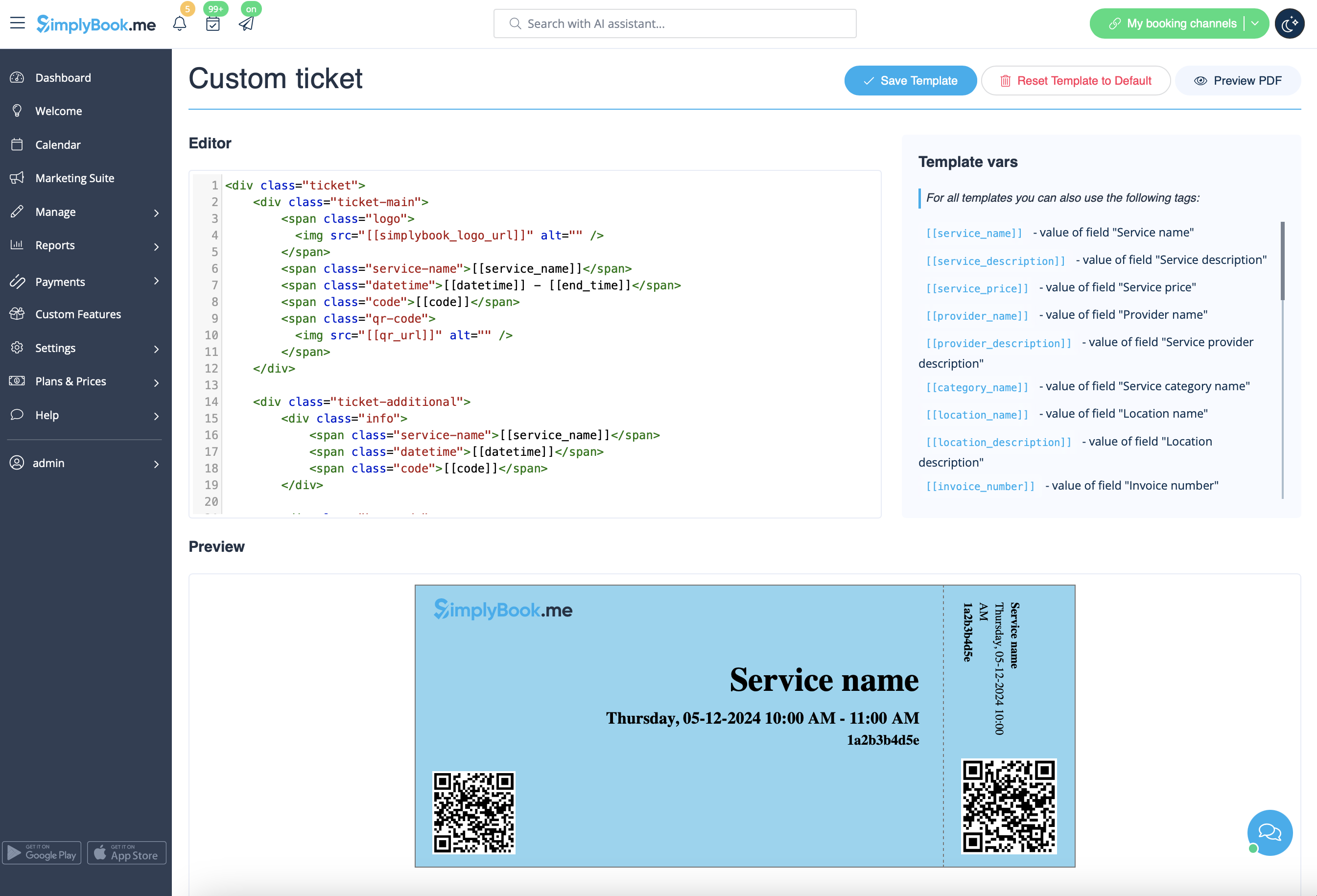
:9. (optional) If you have Premium plan and know HTML/CSS or have someone who can help with it you can create a custom ticket template in <span style="background-color:#d4f8e5; padding:5px; border-radius:5px;">Custom features</span> -> <span style="background-color:#d4f8e5; padding:5px; border-radius:5px;">Tickets</span> -> <span style="background-color:#d4f8e5; padding:5px; border-radius:5px;">Custom ticket.</span>
[[File:Custom ticket overview redesigned.png|1200px|border|center|link=https://help.simplybook.me/images/0/02/Custom_ticket_overview_redesigned.png]]
<br><br>
7. If you have SimplyBook.me admin application you can easily scan and check-in tickets there from Dashboard.


8. Ticket codes can be found in the related bookings on Calendar page or in Booking details report.
You can also print tickets from there.


9. (optional) If you have Premium plan and know HTML/CSS or have someone who can help with it you can create a custom ticket template in Custom features -> Tickets -> Custom ticket.