Translations:Status custom feature/4/da: Difference between revisions

From SimplyBook.me
Created page with ";Sådan bruges " :" 1. Aktiver denne brugerdefinerede funktion i afsnittet "Brugerdefinerede funktioner"//Bookingrelateret. 1200px|border | center|link=https://help.simplybook.me/images/b/bf/Status_enable_path_redesigned.png <br><br> :2. Gå til indstillingerne for denne brugerdefinerede funktion ved at klikke på "Administrer". File:Status manage path redesigned.png|1200px|border | center|link=https://help.simplybook.me/image..."
 
(No difference)

Latest revision as of 15:44, 19 May 2025

Information about message (contribute)
This message has no documentation. If you know where or how this message is used, you can help other translators by adding documentation to this message.
Message definition (Status custom feature)
;How to use
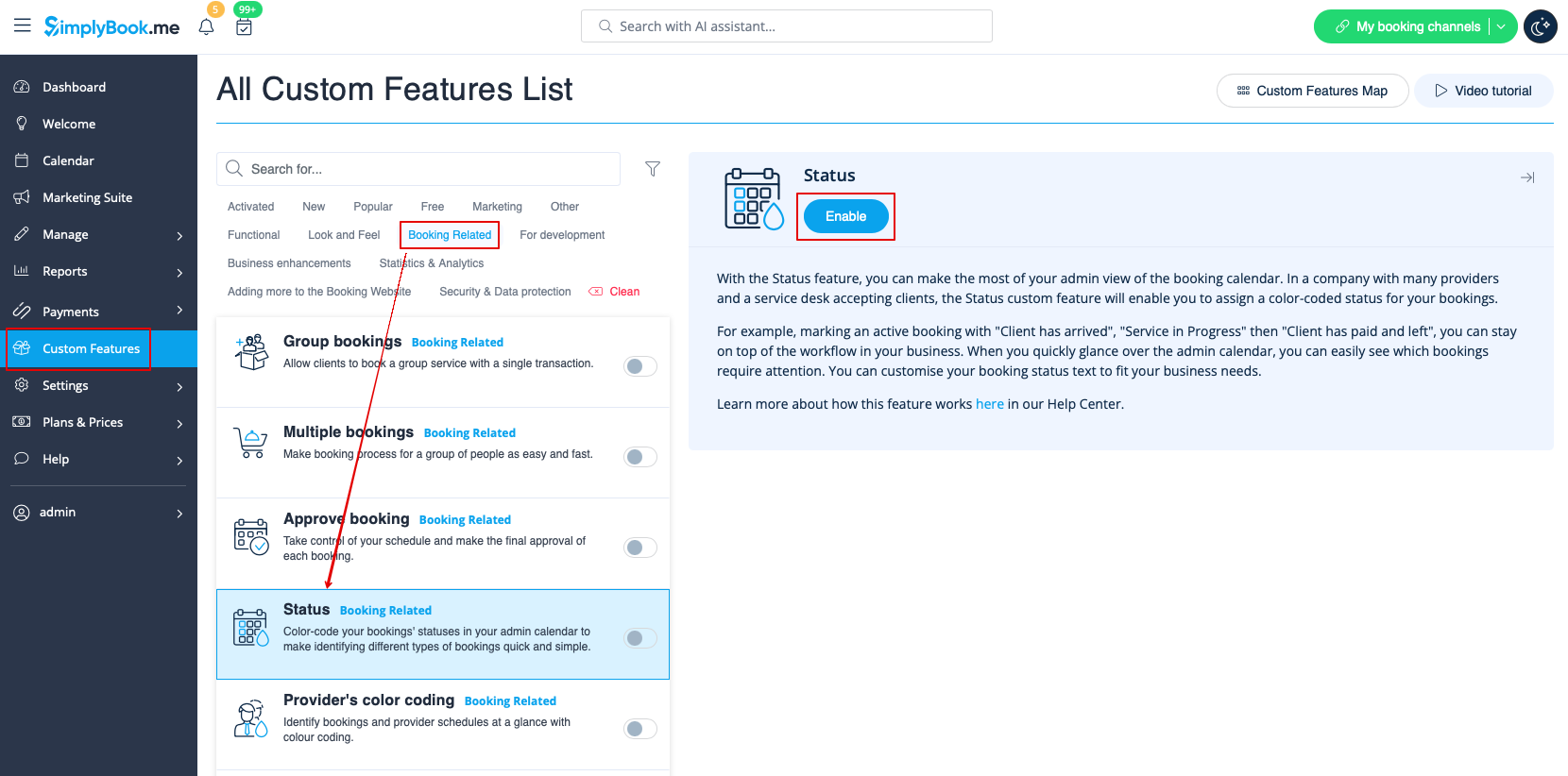
:1. Activate this custom feature in the Custom Features section//Booking related.
[[File:Status enable path redesigned.png|1200px|border | center|link=https://help.simplybook.me/images/b/bf/Status_enable_path_redesigned.png]]
<br><br>
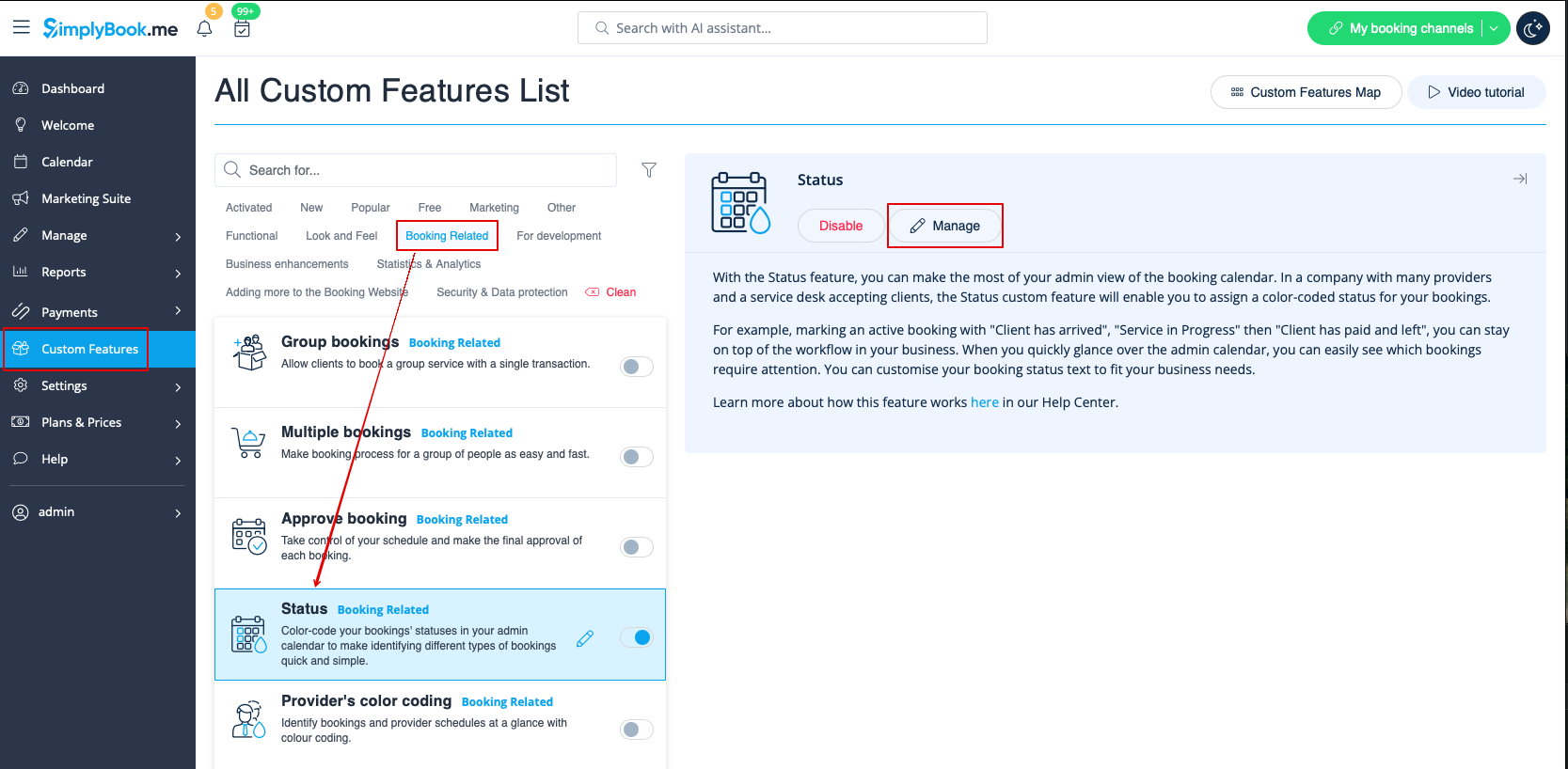
:2. Go to the settings of this custom feature by click on "Manage".
[[File:Status manage path redesigned.png|1200px|border | center|link=https://help.simplybook.me/images/4/4e/Status_manage_path_redesigned.png]]
<br><br>
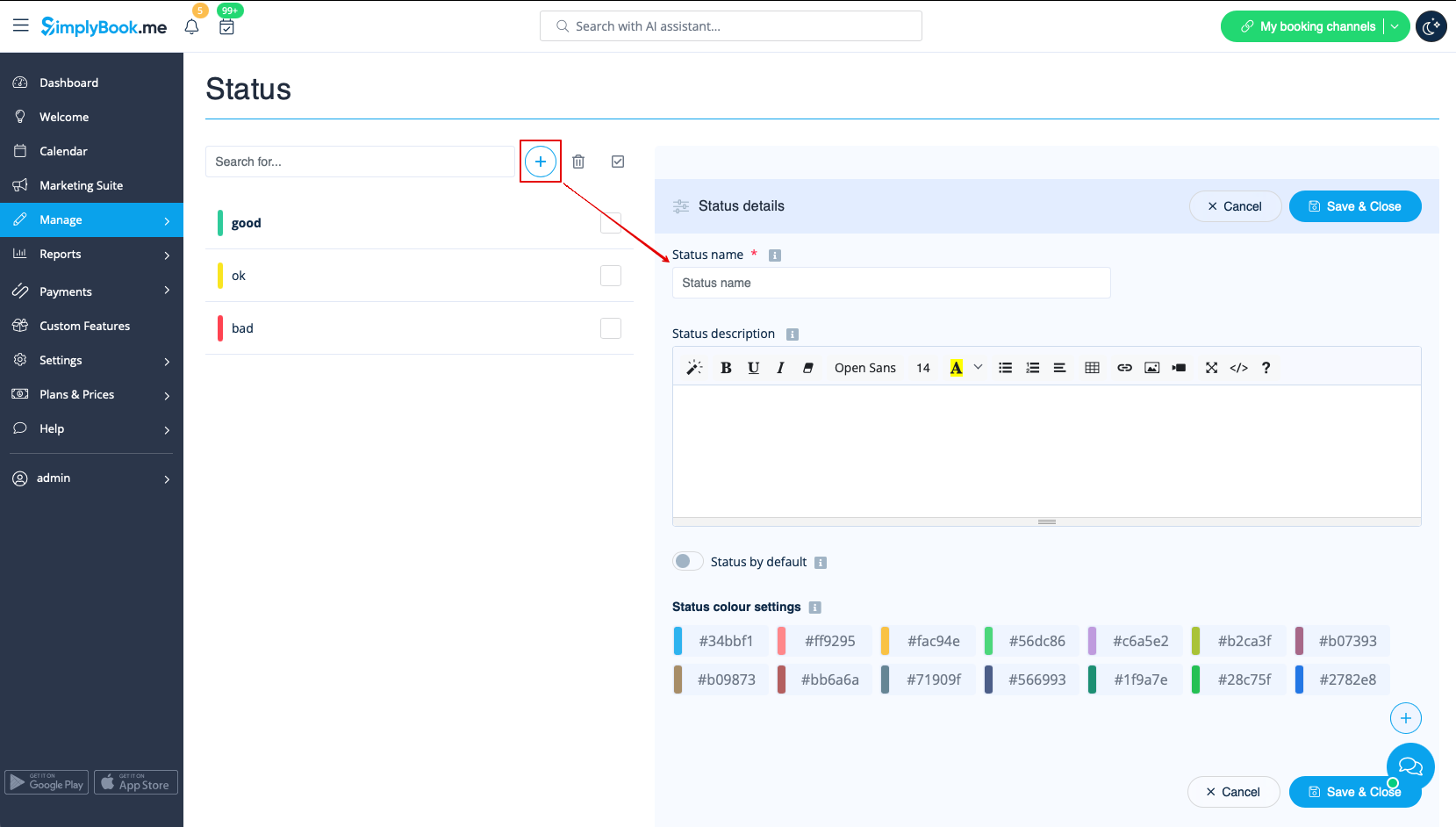
:3. Press "+" to add new status.<br> 
:Insert "Name", "Description" and assign the color to this status. If you leave the switcher "Status by default" on, such status will automatically apply to all new bookings.
[[File:Create new status form redesigned.png|1200px|border | center|link=https://help.simplybook.me/images/5/52/Create_new_status_form_redesigned.png]]
<br><br>
Sådan bruges "
" 1. Aktiver denne brugerdefinerede funktion i afsnittet "Brugerdefinerede funktioner"//Bookingrelateret.


2. Gå til indstillingerne for denne brugerdefinerede funktion ved at klikke på "Administrer".


3. Tryk på "+" for at tilføje en ny status.
Indtast "Navn", "Beskrivelse" og tildel farven til denne status. Hvis du lader kontakten "Standardstatus" være aktiveret, vil denne status automatisk blive anvendt på alle nye bookinger.