Translations:Related Resources custom feature/4/sv: Difference between revisions

From SimplyBook.me
Created page with ":1. Aktivera funktionen <span style="background-color:#d4f8e5; padding:5px; border-radius:5px;">Relaterade resurser</span> på sidan <span style="background-color:#d4f8e5; padding:5px; border-radius:5px;">för anpassade funktioner</span>. 1200px|border|center|link=https://help.simplybook.me/images/e/eb/Related_resources_enable_path_redesigned.png <br><br> :2. Välj alternativet <span style="background-color:#d4f8e5; p..."
 
(No difference)

Latest revision as of 15:46, 19 May 2025

Information about message (contribute)
This message has no documentation. If you know where or how this message is used, you can help other translators by adding documentation to this message.
Message definition (Related Resources custom feature)
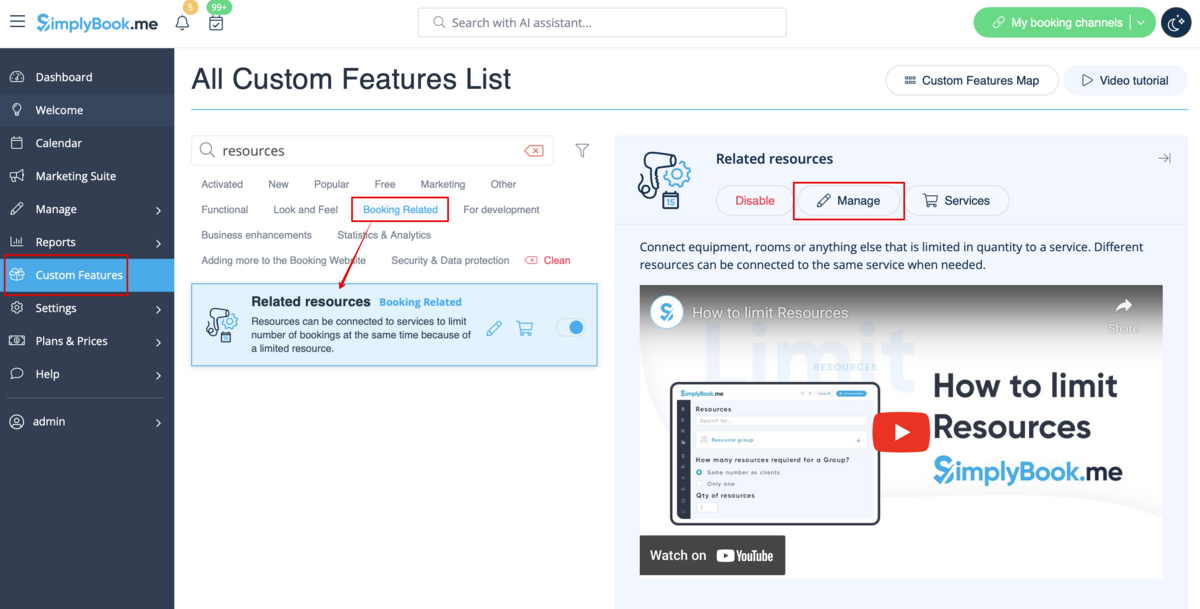
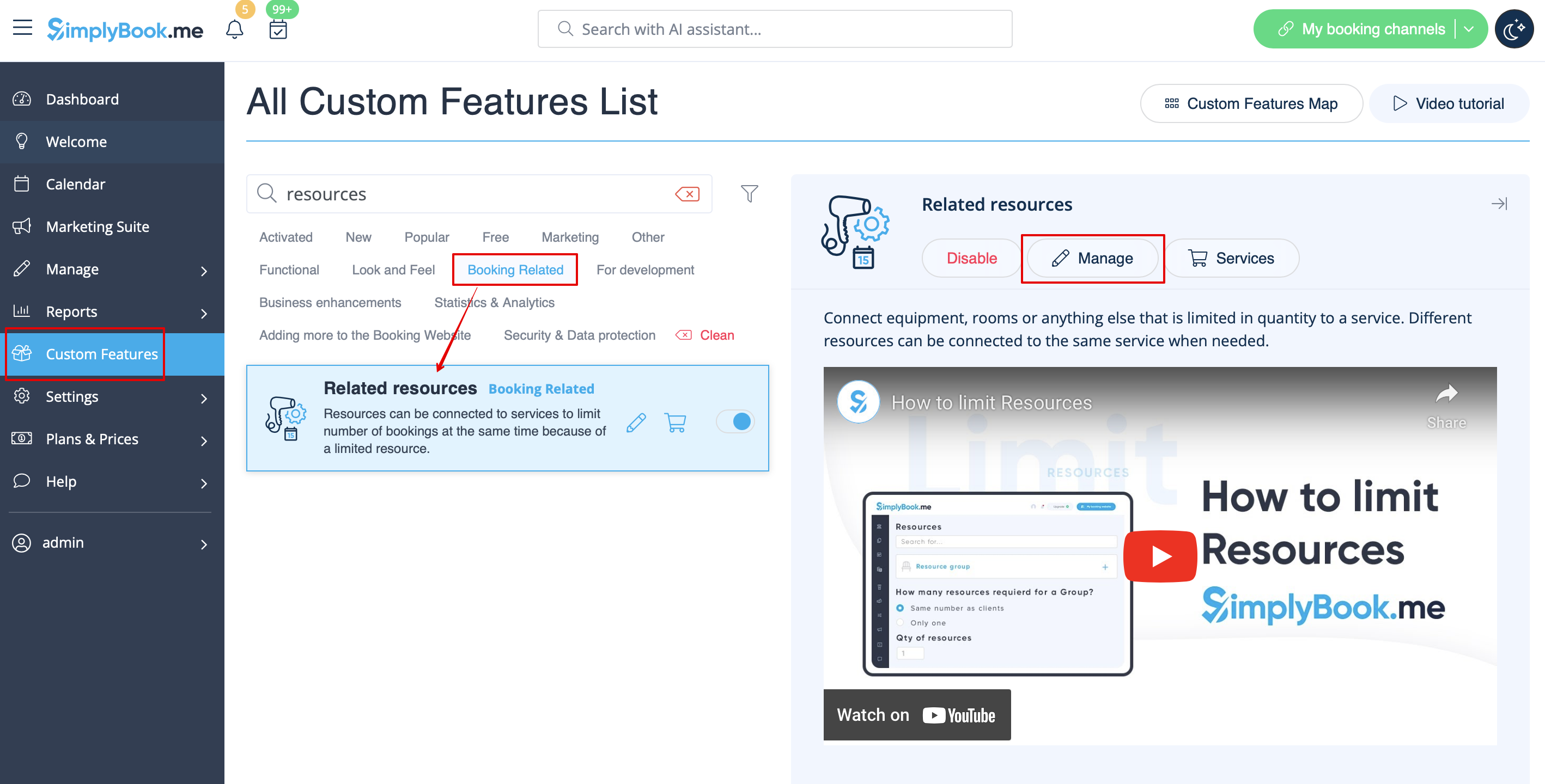
:1. Enable <span style="background-color:#d4f8e5; padding:5px; border-radius:5px;">Related Resources</span> feature on your <span style="background-color:#d4f8e5; padding:5px; border-radius:5px;">custom features</span> page.
[[File:Related resources enable path redesigned.png|1200px|border|center|link=https://help.simplybook.me/images/e/eb/Related_resources_enable_path_redesigned.png]]
<br><br>
:2. Select <span style="background-color:#d4f8e5; padding:5px; border-radius:5px;">Manage</span> option or navigate to <span style="background-color:#d4f8e5; padding:5px; border-radius:5px;">Manage</span> -> <span style="background-color:#d4f8e5; padding:5px; border-radius:5px;">Related resources</span> using left-side menu
[[File:Related resources settings path redesigned.png|1200px|border|center|link=https://help.simplybook.me/images/5/5d/Related_resources_settings_path_redesigned.png]]
<br><br>
1. Aktivera funktionen Relaterade resurser på sidan för anpassade funktioner.
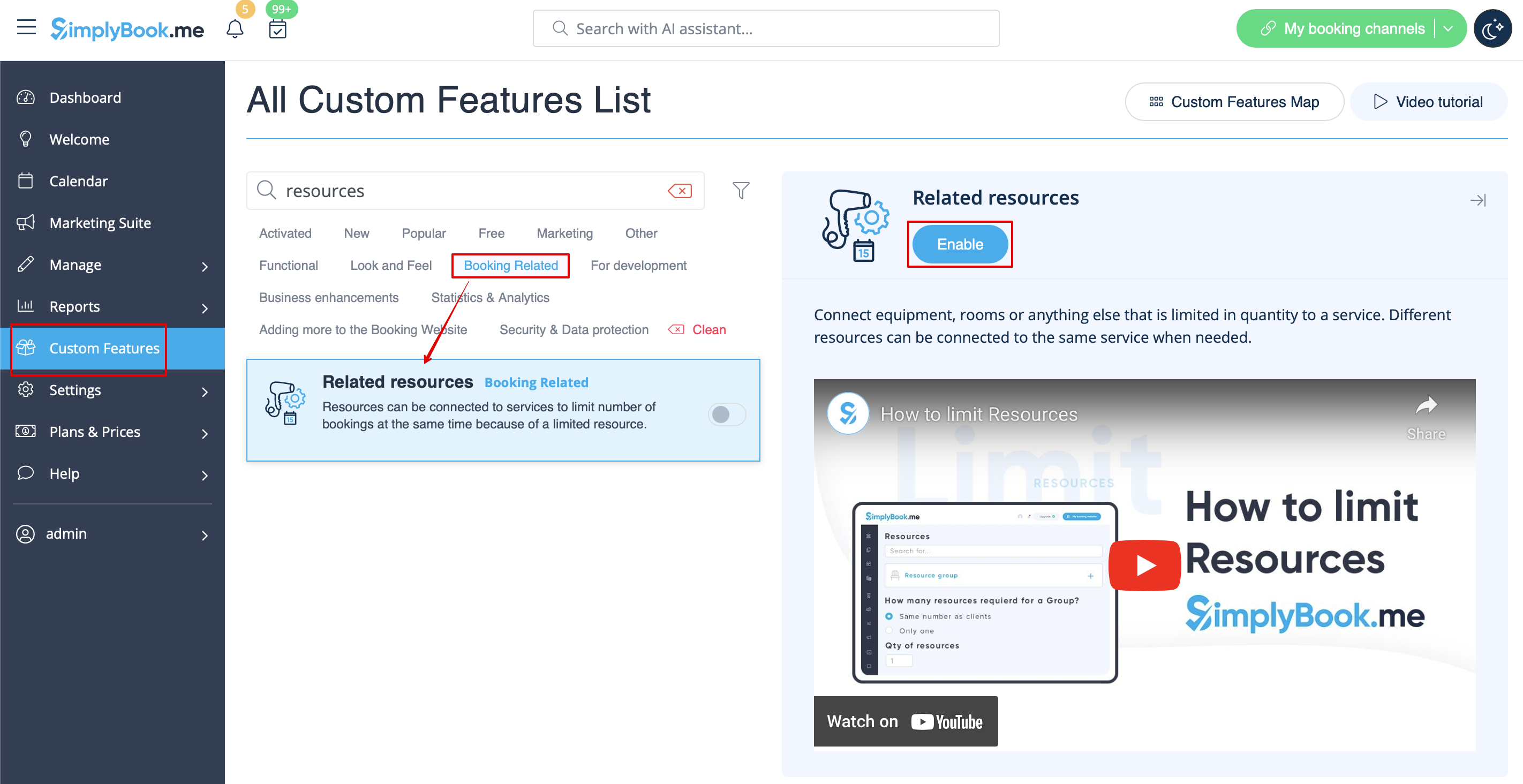


2. Välj alternativet Hantera eller navigera till Hantera -> Relaterade resurser med hjälp av menyn till vänster