From SimplyBook.me
Created page with ":Du kan välja mellan:<br> :*<span style="background-color:#fef3de; padding:5px; border-radius:5px;">Samma antal som kundtyp</span> – med denna grupp krävs alla resurser som du kopplar till en tjänst för varje bokning. Om antalet resurser inte räcker för en viss tidslucka visas den inte på bokningssidan. Denna typ kan vara användbar när det krävs begränsad utrustning för att utföra tjänsten.<br> :*<span style="background-color:#fef3de; padding:5px; border-..." |
(No difference)
|
Latest revision as of 15:46, 19 May 2025
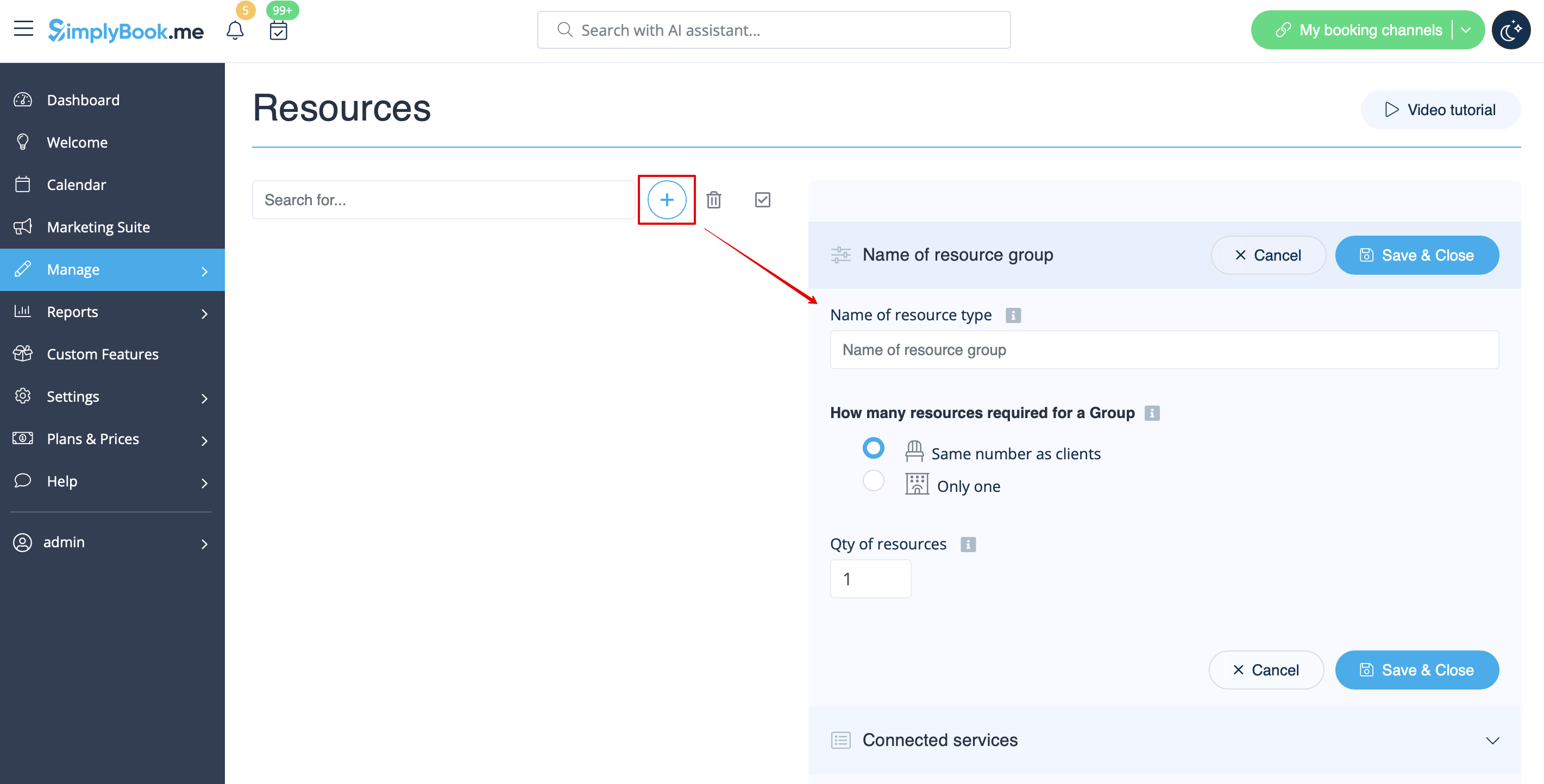
- Du kan välja mellan:
- Samma antal som kundtyp – med denna grupp krävs alla resurser som du kopplar till en tjänst för varje bokning. Om antalet resurser inte räcker för en viss tidslucka visas den inte på bokningssidan. Denna typ kan vara användbar när det krävs begränsad utrustning för att utföra tjänsten.
- Endast en typ – med denna grupp är det möjligt att acceptera flera bokningar per tidslucka (det beror på antalet kunder som är inställt per leverantör och/eller inställningarna för begränsning av bokningar ). Det kan användas för att boka ett rum för lektioner, till exempel om du har ett rum men två lektioner, så att en lektion blir otillgänglig om en annan bokas. I det här fallet fortsätter kunderna att boka den andra lektionen enligt det antal platser du har angett för den.
- Observera! Vi rekommenderar att du använder funktionen "Appointmet at fixed time" med denna resurstyp så att tidsluckan alltid motsvarar det bokade rummet/resursen etc.
- Samma antal som kundtyp – med denna grupp krävs alla resurser som du kopplar till en tjänst för varje bokning. Om antalet resurser inte räcker för en viss tidslucka visas den inte på bokningssidan. Denna typ kan vara användbar när det krävs begränsad utrustning för att utföra tjänsten.