Translations:Service Add-Ons custom feature/5/sv: Difference between revisions

From SimplyBook.me
Created page with ":4. För att koppla tillägget till en eller flera specifika tjänster, använd fliken "Anslutna tjänster" och markera rutorna för önskade tjänster/klasser. 1200px| center|link=https://help.simplybook.me/images/8/80/Service_addons_relation_to_services_redesigned.png| <br><br> :5. Du kan också göra så att tillägget väljs som standard på bokningssidan<br> :'''Observera!''' Kunderna kan avmarkera detta al..."
 
(No difference)

Latest revision as of 15:46, 19 May 2025

Information about message (contribute)
This message has no documentation. If you know where or how this message is used, you can help other translators by adding documentation to this message.
Message definition (Service Add-Ons custom feature)
:4. To relate the add-on with particular service(s) please use “Connected services” tab and check the boxes with desired services/classes.
[[File:Service addons relation to services redesigned.png|1200px| center|link=https://help.simplybook.me/images/8/80/Service_addons_relation_to_services_redesigned.png|]]
<br><br>
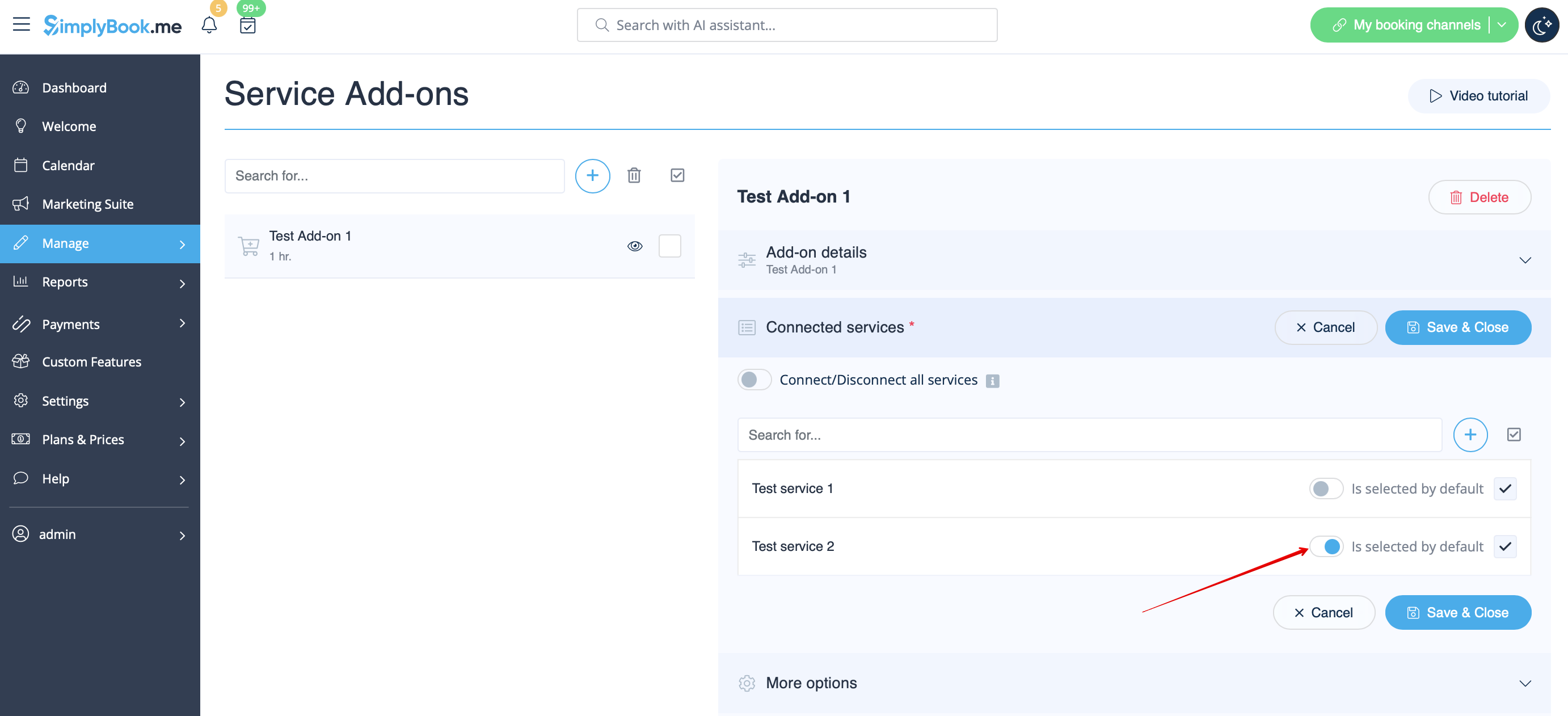
:5. You can also make add-on to be selected by default on the booking page<br>
:'''Please note!''' The clients will be able to uncheck this item if they wish to on the booking page.
[[File:Addon selected by default redesigned.png|1200px | center|link=https://help.simplybook.me/images/1/18/Addon_selected_by_default_redesigned.png]]
<br><br>
:Here you can see how the add-ons can look like on the booking page:
:'''Please note!''' We recommend using the following timelines in case you set service add-ons with duration: modern, slots weekly, flexible, flexible weekly or flexible provider.<br>
:In this case add-ons step will be shown before time step and the timeslots displayed should suit the items selected in most cases.
[[File:Service add ons with duration client side.png | border|center]]
<br><br>
:With other timelines such as:  daily classes, weekly classes и modern provider this step will be shown after time selection step and 
:if all the selections do not fit the choices the clients will get an error that the service cannot be booked.
[[File:Service add ons with duration client side unsupported timelines.png|border|center]]
4. För att koppla tillägget till en eller flera specifika tjänster, använd fliken "Anslutna tjänster" och markera rutorna för önskade tjänster/klasser.
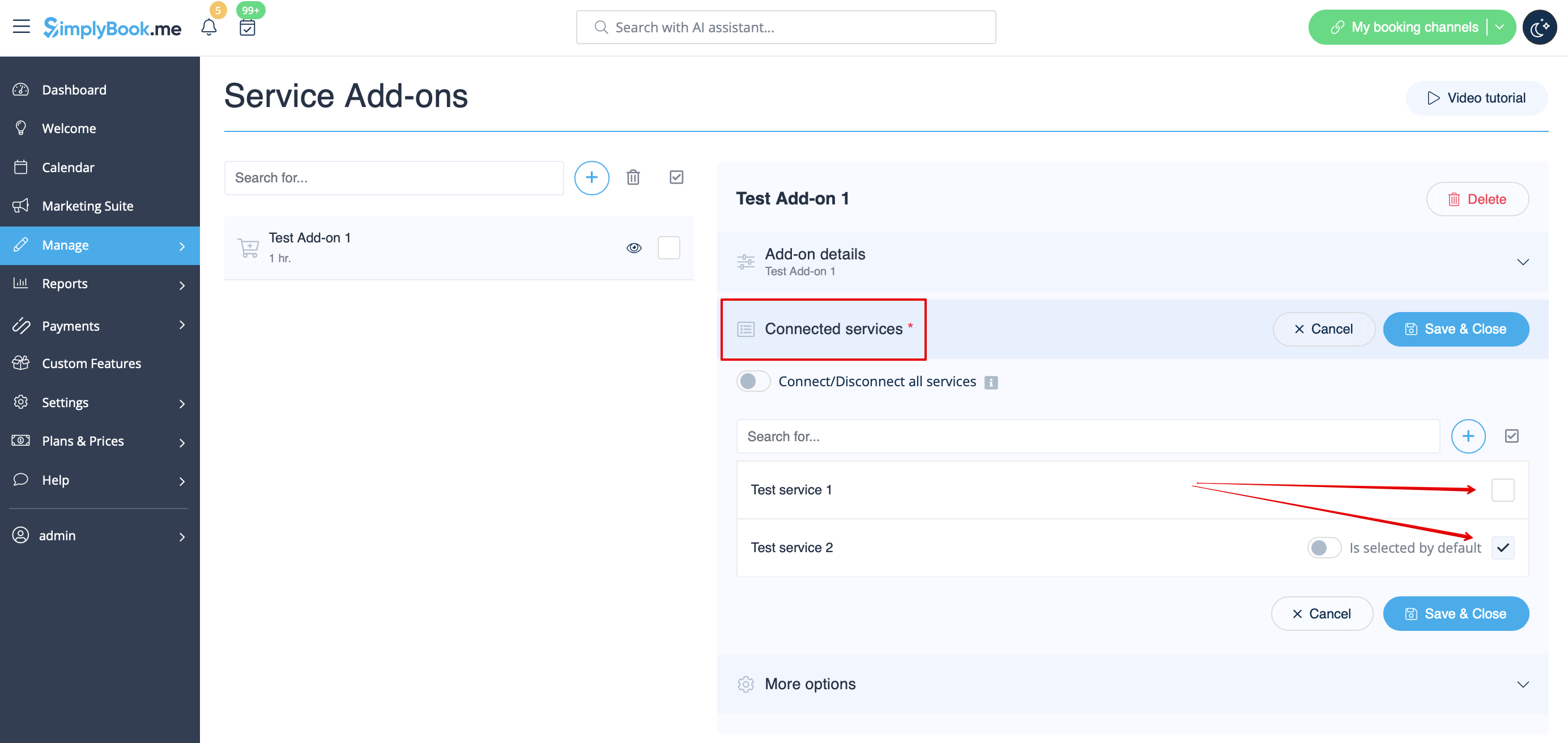


5. Du kan också göra så att tillägget väljs som standard på bokningssidan
Observera! Kunderna kan avmarkera detta alternativ om de vill på bokningssidan.


Här kan du se hur tilläggen kan se ut på bokningssidan:
Observera! Vi rekommenderar att du använder följande tidslinjer om du ställer in tilläggstjänster med varaktighet: modern, veckoslots, flexibel, flexibel vecka eller flexibel leverantör.
I detta fall visas tilläggssteget före tidssteget och de tidsluckor som visas bör i de flesta fall passa de valda artiklarna.


Med andra tidslinjer som: dagliga klasser, veckovisa klasser och modern leverantör visas detta steg efter tidsvalet och
om alla val inte passar in i alternativen får kunderna ett felmeddelande om att tjänsten inte kan bokas.