Translations:Take Me Back Home custom feature/4/sv: Difference between revisions

From SimplyBook.me
Created page with "hur man använder :1. Aktivera Take Me Back Home i avsnittet Custom Features//Look and Feel. 1200px|border | center|link=https://help.simplybook.me/images/c/cf/Take_me_back_home_enable_path_redesigned.png <br><br> :2. Gå till inställningarna till höger. 1200px|border | center|link=https://help.simplybook.me/images/f/f5/Take_me_back_home_settings_redesigned.png <br>..."
 
(No difference)

Latest revision as of 15:50, 19 May 2025

Information about message (contribute)
This message has no documentation. If you know where or how this message is used, you can help other translators by adding documentation to this message.
Message definition (Take Me Back Home custom feature)
;How to use
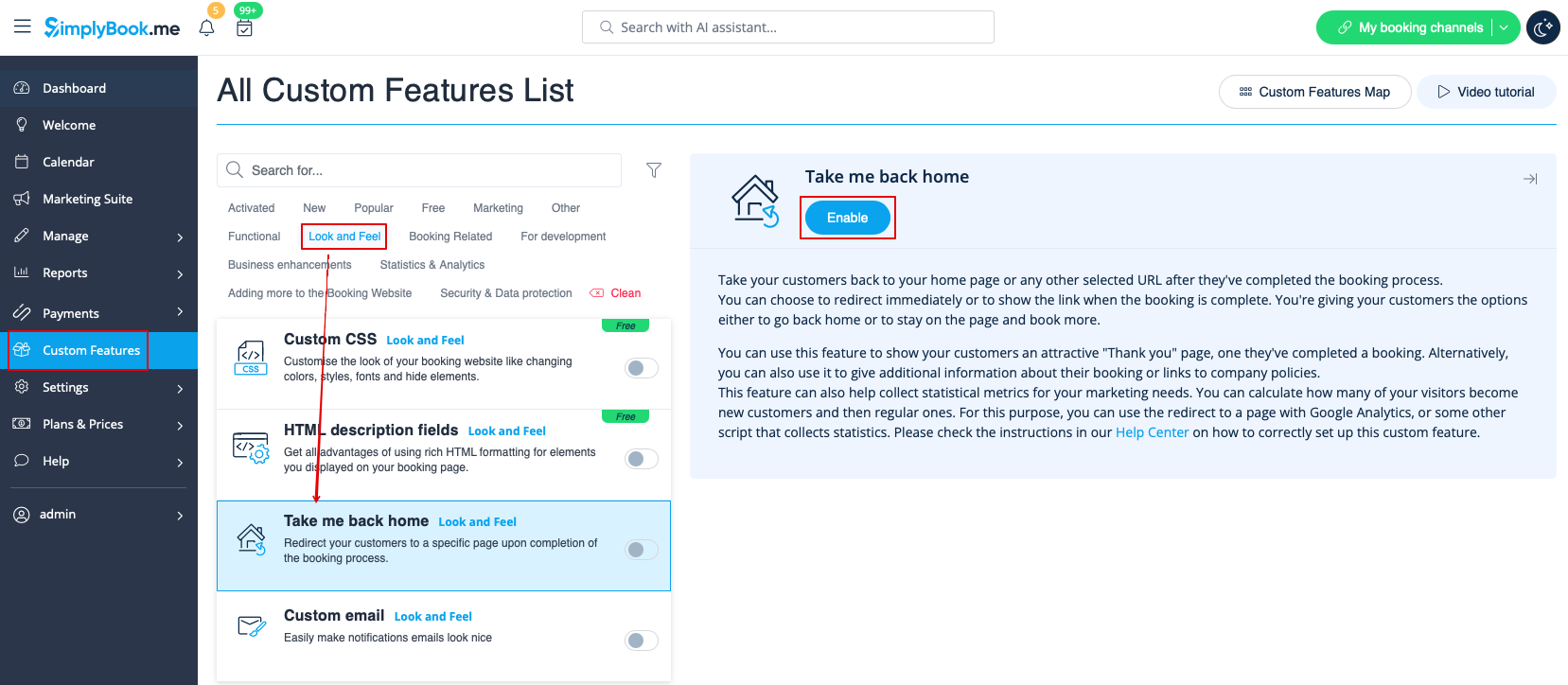
:1. Enable Take Me Back Home in the Custom Features section//Look and Feel.
[[File:Take me back home enable path redesigned.png|1200px|border | center|link=https://help.simplybook.me/images/c/cf/Take_me_back_home_enable_path_redesigned.png]]
<br><br>
:2. Go to its settings on the right.
[[File:Take me back home settings redesigned.png|1200px|border | center|link=https://help.simplybook.me/images/f/f5/Take_me_back_home_settings_redesigned.png]]
<br><br>
:3. Insert the link where you want your clients to be redirected, write a text for this link.<br>
:Also add the link where you want your clients to be redirected for mobile version and add its text.
:4. Enable or leave disabled "Enable auto redirect to your site". If enabled, it will redirect your clients automatically to the page you indicated in the "link to your website" filed in 10 seconds. 
:5. Write auto redirect text that will be displayed in case the option "Enable auto redirect to your site" is enabled('''please note!''' do not change "%s" part for correct timer work).

hur man använder

1. Aktivera Take Me Back Home i avsnittet Custom Features//Look and Feel.


2. Gå till inställningarna till höger.
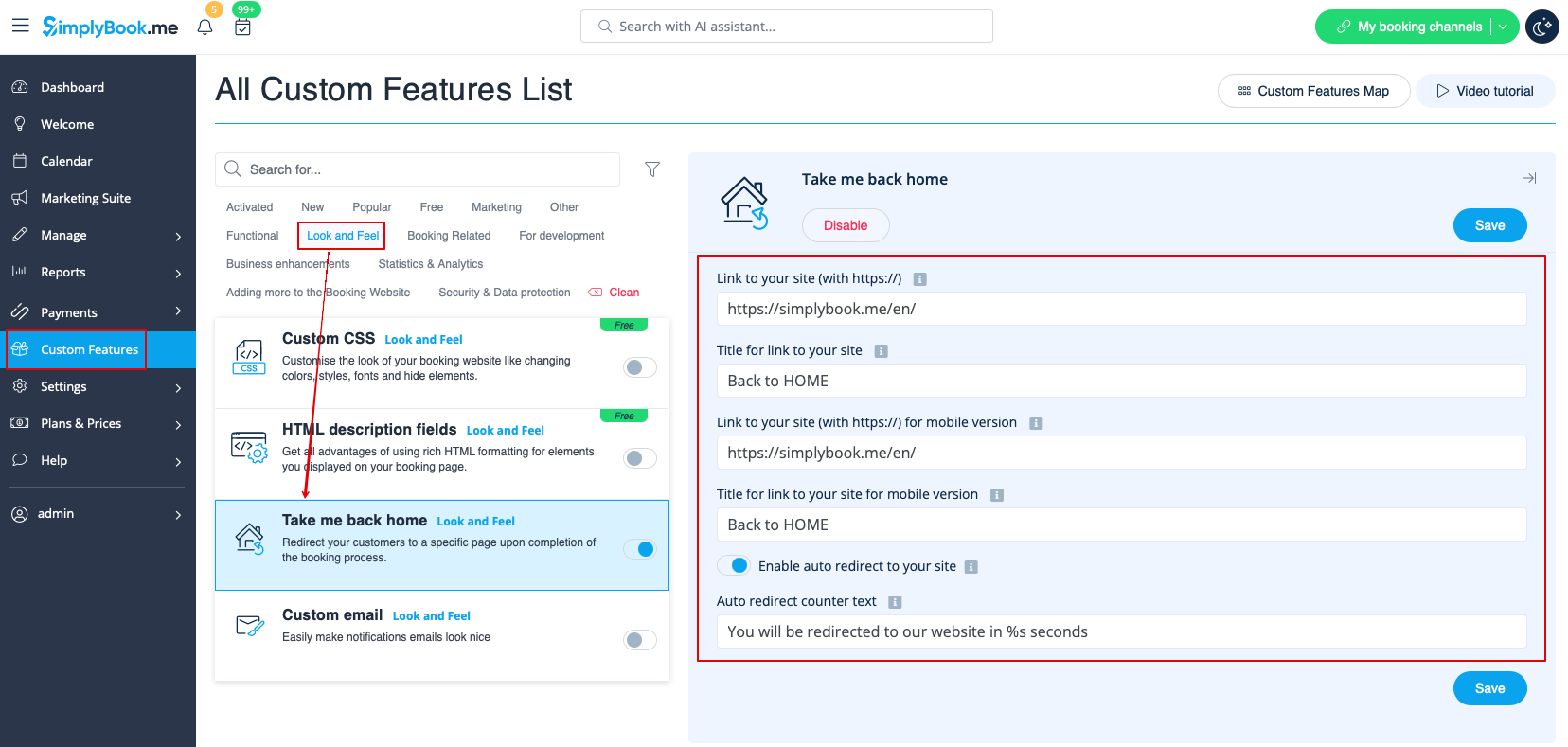


3. Infoga länken dit du vill att dina kunder ska omdirigeras och skriv en text för denna länk.
Lägg också till länken dit du vill att dina kunder ska omdirigeras för mobilversionen och lägg till texten.
4. Aktivera eller lämna inaktiverat "Aktivera automatisk omdirigering till din webbplats". Om detta är aktiverat kommer dina kunder automatiskt att omdirigeras till den sida du angav i fältet "länk till din webbplats" inom 10 sekunder.
5. Skriv den text som ska visas vid automatisk omdirigering om alternativet "Aktivera automatisk omdirigering till din webbplats" är aktiverat (observera! ändra inte "%s" för att timern ska fungera korrekt).