Translations:Ticket's QR Code/6/sv: Difference between revisions

From SimplyBook.me
Created page with ":4. Anpassa mallen efter dina behov med hjälp av <span style="background-color:#d4f8e5; padding:5px; border-radius:5px;">redigeraren</span> och de tillgängliga <span style="background-color:#d4f8e5; padding:5px; border-radius:5px;">variablerna</span> till höger. 1200px|border|center|link=https://help.simplybook.me/images/1/18/Tickets_qr_template_variables_redesigned.png <br><br> :5. Lägg till variabeln <span style..."
 
(No difference)

Latest revision as of 15:50, 19 May 2025

Information about message (contribute)
This message has no documentation. If you know where or how this message is used, you can help other translators by adding documentation to this message.
Message definition (Ticket's QR Code)
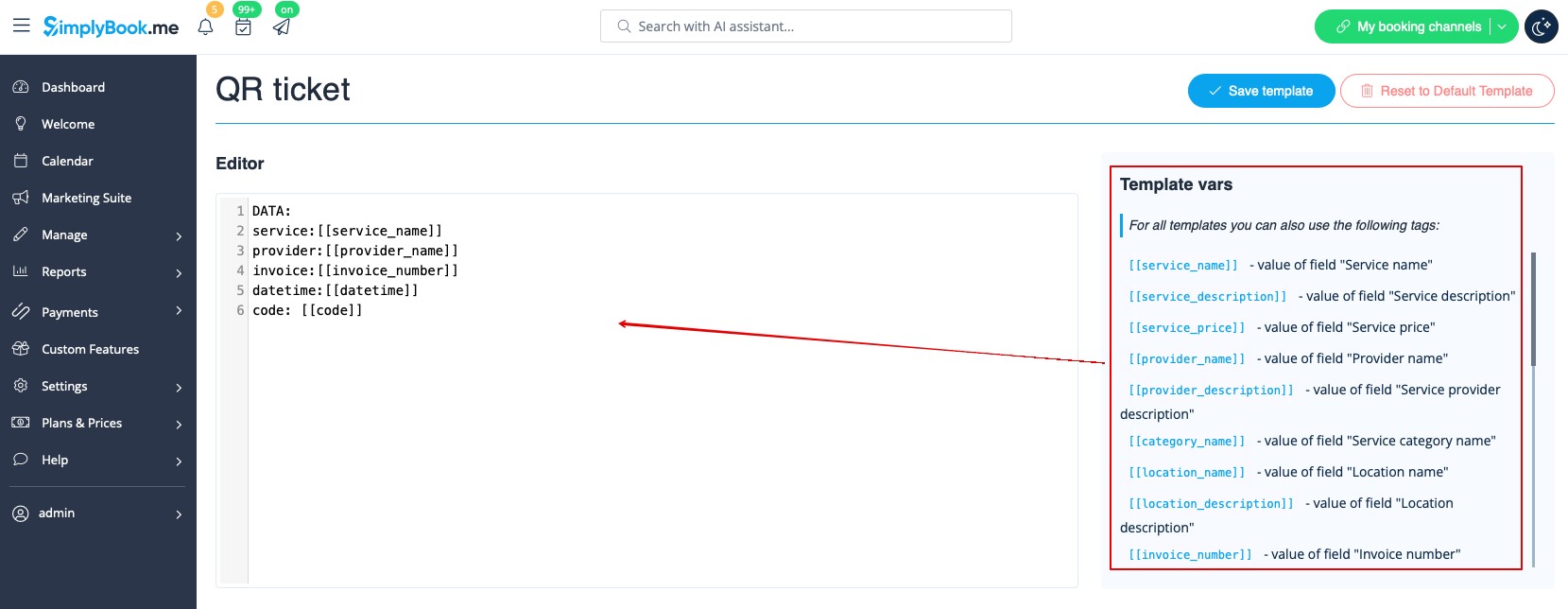
:4. Adjust the template to your needs using the <span style="background-color:#d4f8e5; padding:5px; border-radius:5px;">Editor</span> and the available <span style="background-color:#d4f8e5; padding:5px; border-radius:5px;">variables</span> on the right.
[[File:Tickets qr template variables redesigned.png|1200px|border|center|link=https://help.simplybook.me/images/1/18/Tickets_qr_template_variables_redesigned.png]]
<br><br>
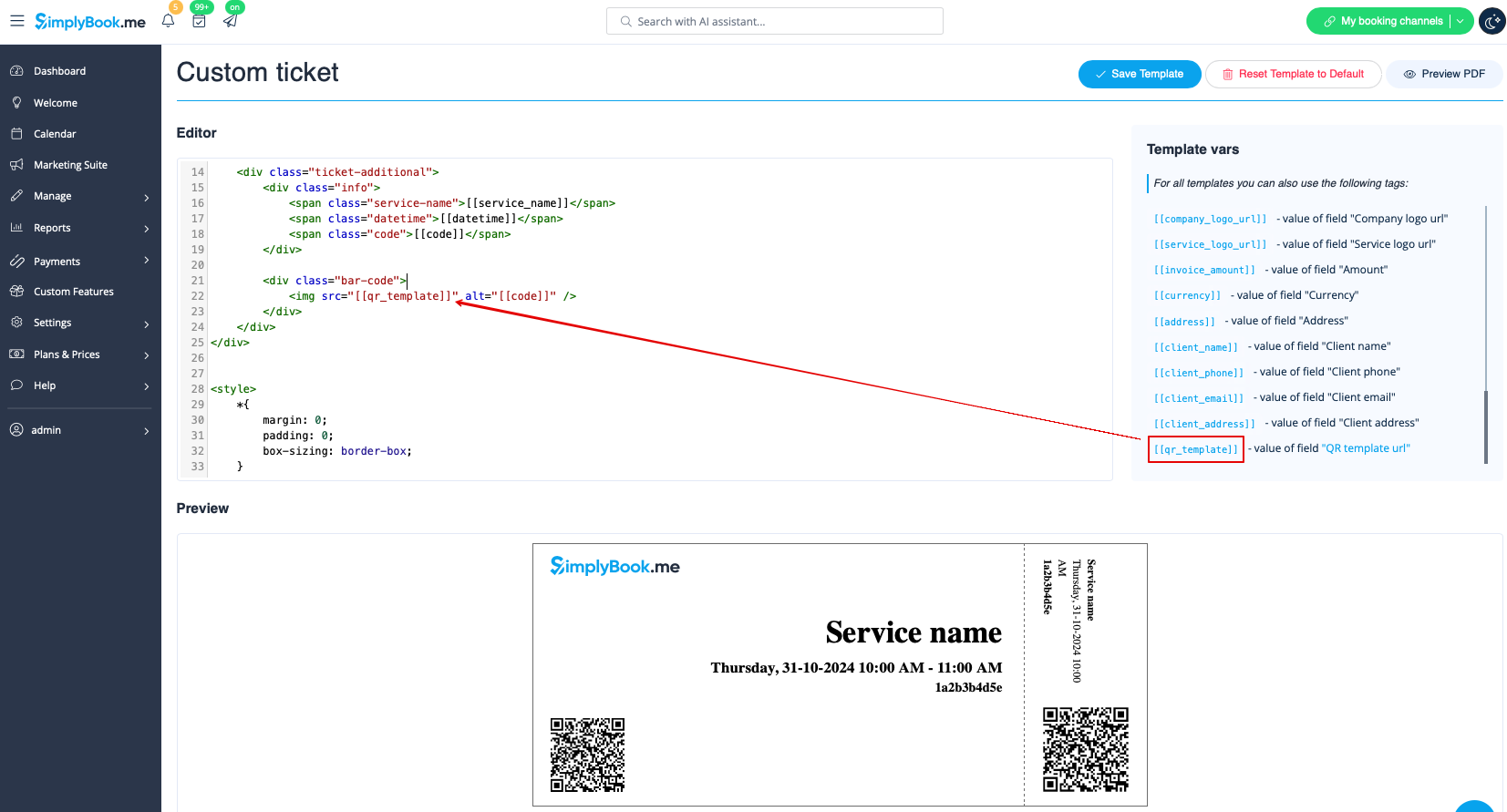
:5. Add <span style="background-color:#d4f8e5; padding:5px; border-radius:5px;">QR template url</span> variable to the ticket template in <span style="background-color:#d4f8e5; padding:5px; border-radius:5px;">Custom features</span> -> <span style="background-color:#d4f8e5; padding:5px; border-radius:5px;">Tickets</span> -> <span style="background-color:#d4f8e5; padding:5px; border-radius:5px;">Custom ticket.</span>
:(please also make sure that you have custom ticket attached to necessary services in <span style="background-color:#d4f8e5; padding:5px; border-radius:5px;">Manage</span> -> <span style="background-color:#d4f8e5; padding:5px; border-radius:5px;">Services</span> -> select the necessary service -> <span style="background-color:#d4f8e5; padding:5px; border-radius:5px;">Tickets</span>)
[[File:Add qr to the custom ticket redesigned.png|1200px|border|center|link=https://help.simplybook.me/images/4/44/Add_qr_to_the_custom_ticket_redesigned.png]]
<br><br>
<br><br>
4. Anpassa mallen efter dina behov med hjälp av redigeraren och de tillgängliga variablerna till höger.


5. Lägg till variabeln QR-mall-URL till biljettmallen i Anpassade funktioner -> Biljetter -> Anpassad biljett.
(se också till att du har anpassade biljetter kopplade till nödvändiga tjänster i Hantera -> Tjänster -> välj nödvändig tjänst -> Biljetter)