Translations:Tickets custom feature/8/sv: Difference between revisions

From SimplyBook.me
Created page with ":1. Aktivera den här funktionen på sidan <span style="background-color:#d4f8e5; padding:5px; border-radius:5px;">Anpassade funktioner</span>. 1200px|border|center|link=https://help.simplybook.me/images/c/cf/Tickets_enable_path_redesigned.png <br><br> :2. Navigera till <span style="background-color:#d4f8e5; padding:5px; border-radius:5px;">Hantera</span> med hjälp av länken bredvid den aktiverade funktionen eller gå till <s..."
 
(No difference)

Latest revision as of 15:51, 19 May 2025

Information about message (contribute)
This message has no documentation. If you know where or how this message is used, you can help other translators by adding documentation to this message.
Message definition (Tickets custom feature)
:1. Enable this feature on your <span style="background-color:#d4f8e5; padding:5px; border-radius:5px;">Custom Features</span> page.
[[File:Tickets enable path redesigned.png|1200px|border|center|link=https://help.simplybook.me/images/c/cf/Tickets_enable_path_redesigned.png]]
<br><br>
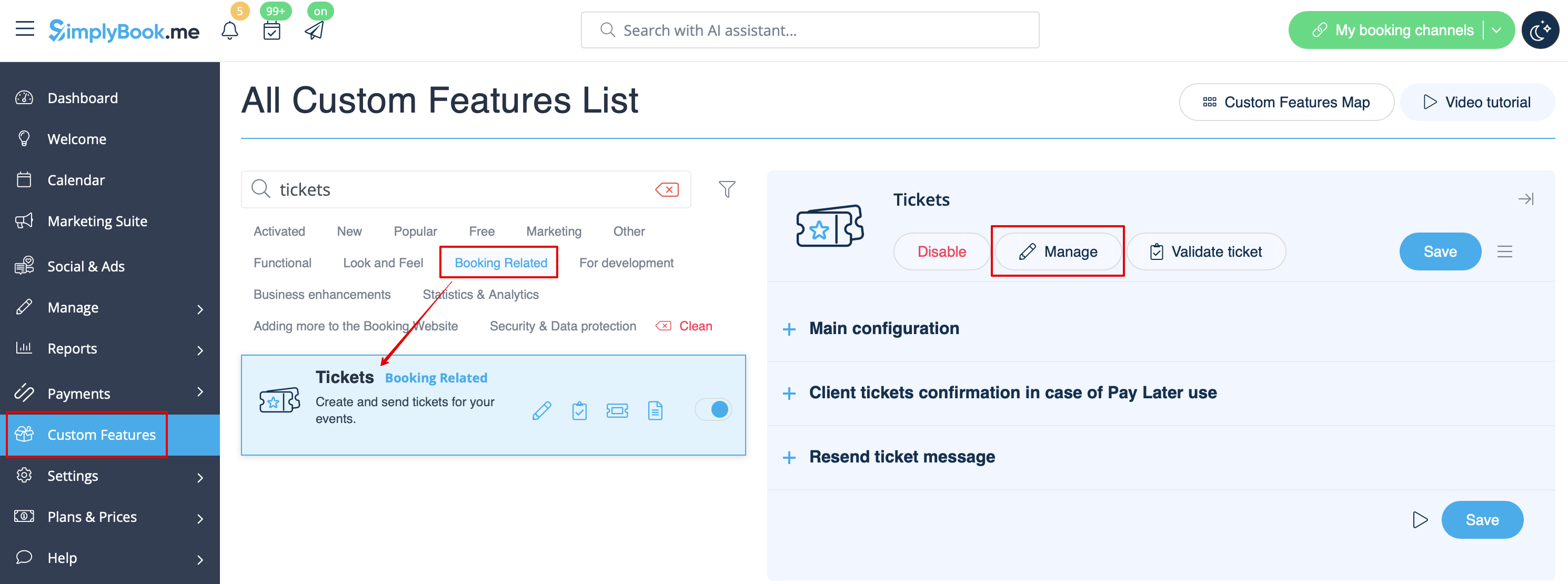
:2. Navigate to <span style="background-color:#d4f8e5; padding:5px; border-radius:5px;">Manage</span> using the link near the enabled feature or go to <span style="background-color:#d4f8e5; padding:5px; border-radius:5px;">Manage</span> -> <span style="background-color:#d4f8e5; padding:5px; border-radius:5px;">Services</span> section.
[[File:Tickets manage path redesigned.png|1200px |border|center|link=https://help.simplybook.me/images/8/8c/Tickets_manage_path_redesigned.png]]
<br><br>
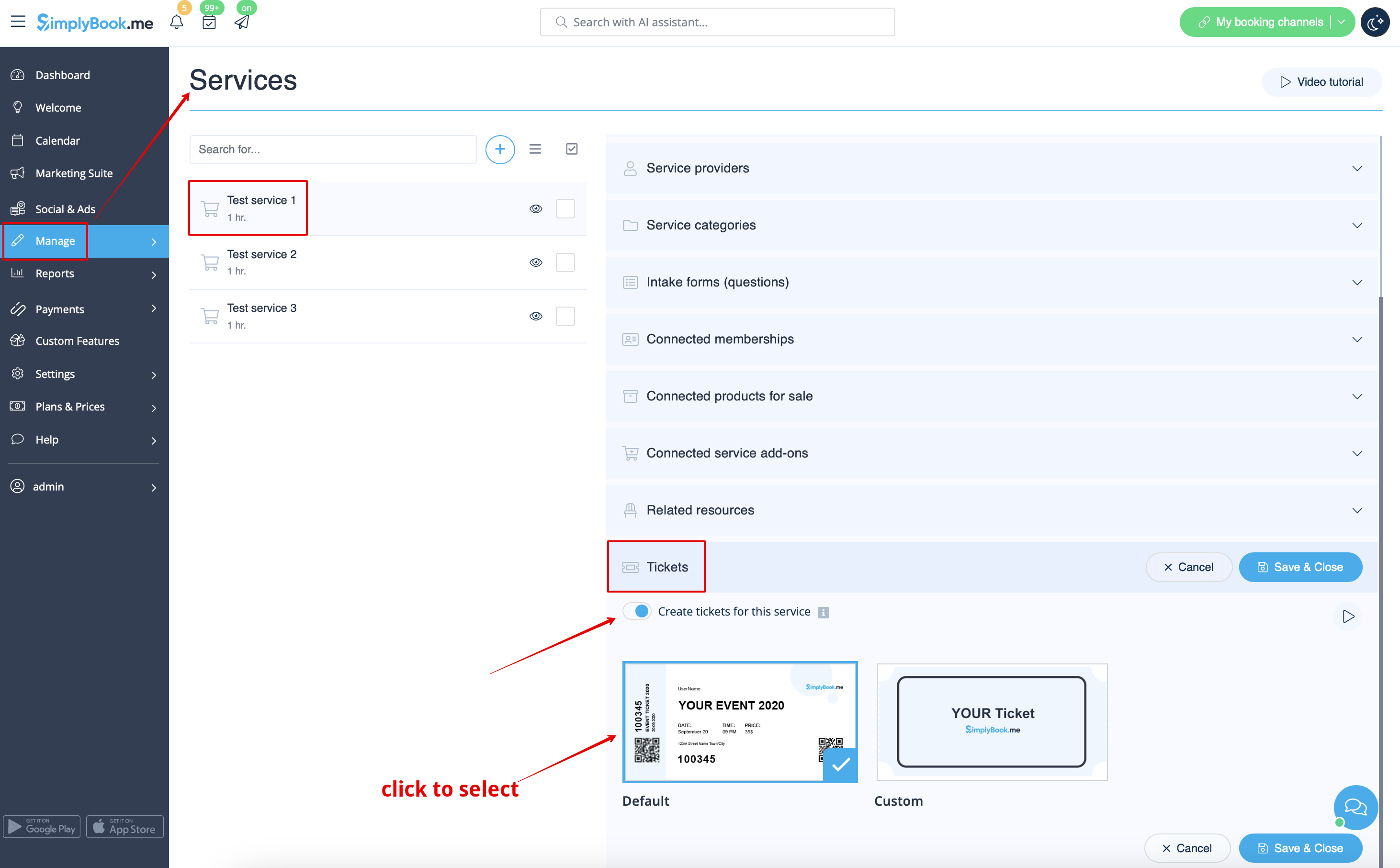
:3. Select the service you would like to sell the tickets for with a click and go to <span style="background-color:#d4f8e5; padding:5px; border-radius:5px;">Tickets</span> tab.
<br><br>
:4. <span style="background-color:#d4f8e5; padding:5px; border-radius:5px;">Enable</span> tickets issuing and connect the template by clicking on it. Save settings.
:(There is one default template, but with Premium plan you can create your own one).
[[File:Attach ticket to service redesigned.png|1200px|border|center|link=https://help.simplybook.me/images/1/1b/Attach_ticket_to_service_redesigned.png]]
<br><br>
1. Aktivera den här funktionen på sidan Anpassade funktioner.
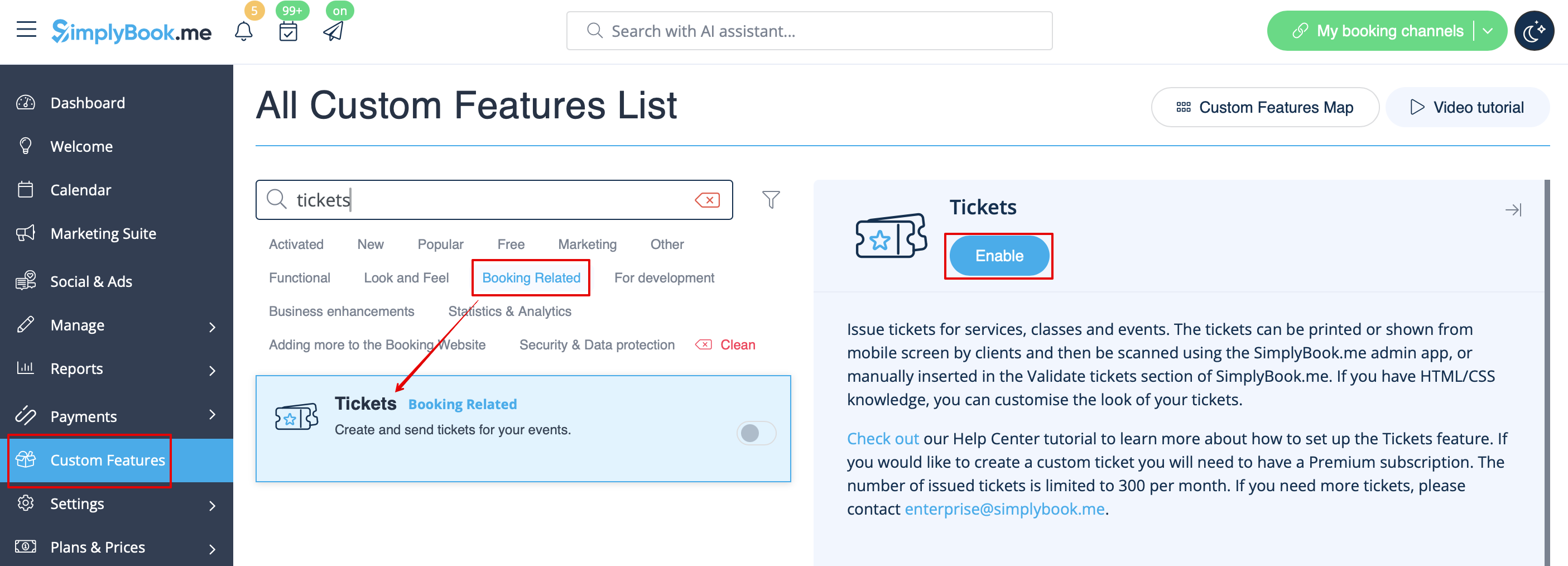


2. Navigera till Hantera med hjälp av länken bredvid den aktiverade funktionen eller gå till Hantera -> Tjänster.


3. Välj den tjänst du vill sälja biljetter till med ett klick och gå till fliken Biljetter.


4. Aktivera biljettutfärdande och anslut mallen genom att klicka på den. Spara inställningarna.
(Det finns en standardmall, men med Premium-planen kan du skapa din egen).