Translations:Ticket's QR Code/5/nl: Difference between revisions

From SimplyBook.me
Created page with ":1. Schakel <span style="background-color:#d4f8e5; padding:5px; border-radius:5px;">de QR-codefunctie van Tickets</span> in op uw pagina <span style="background-color:#d4f8e5; padding:5px; border-radius:5px;">Aangepaste functies</span> -> sectie <span style="background-color:#d4f8e5; padding:5px; border-radius:5px;">Overig</span>. File:Tickets qr enable path redesigned.png|1200px|border|center|link=https://help.simplybook.me/images/c/cb/Tickets_qr_enable_path_redesi..."
 
(No difference)

Latest revision as of 15:56, 19 May 2025

Information about message (contribute)
This message has no documentation. If you know where or how this message is used, you can help other translators by adding documentation to this message.
Message definition (Ticket's QR Code)
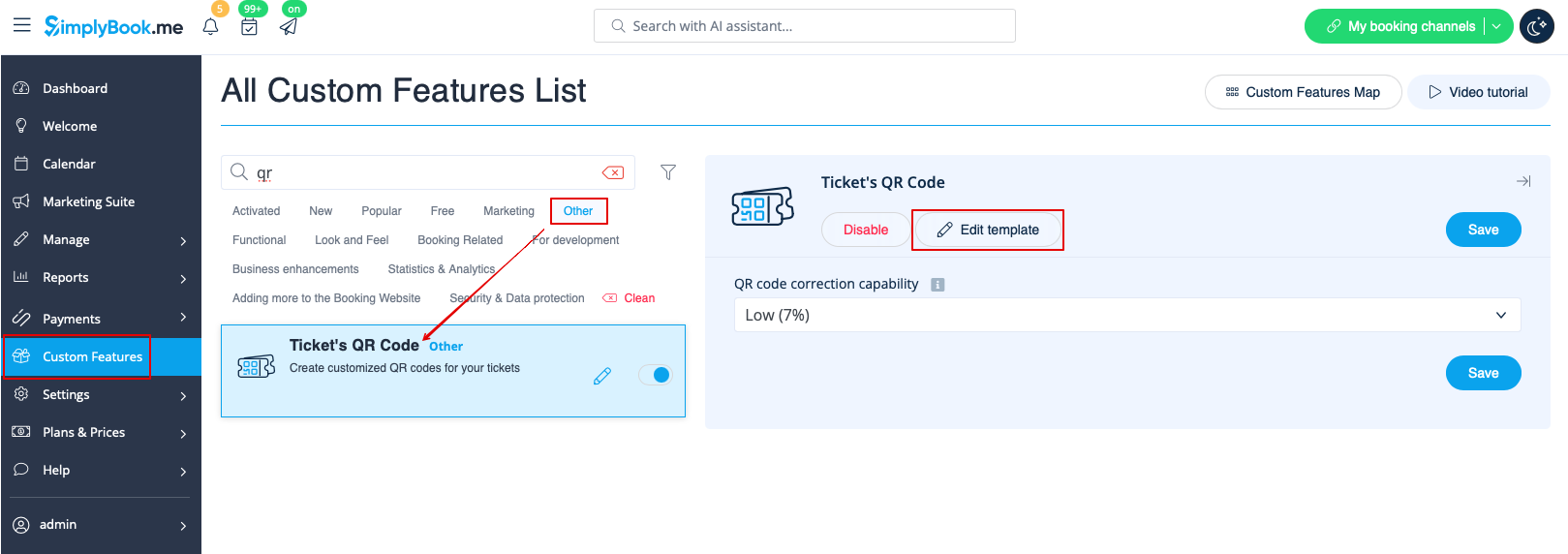
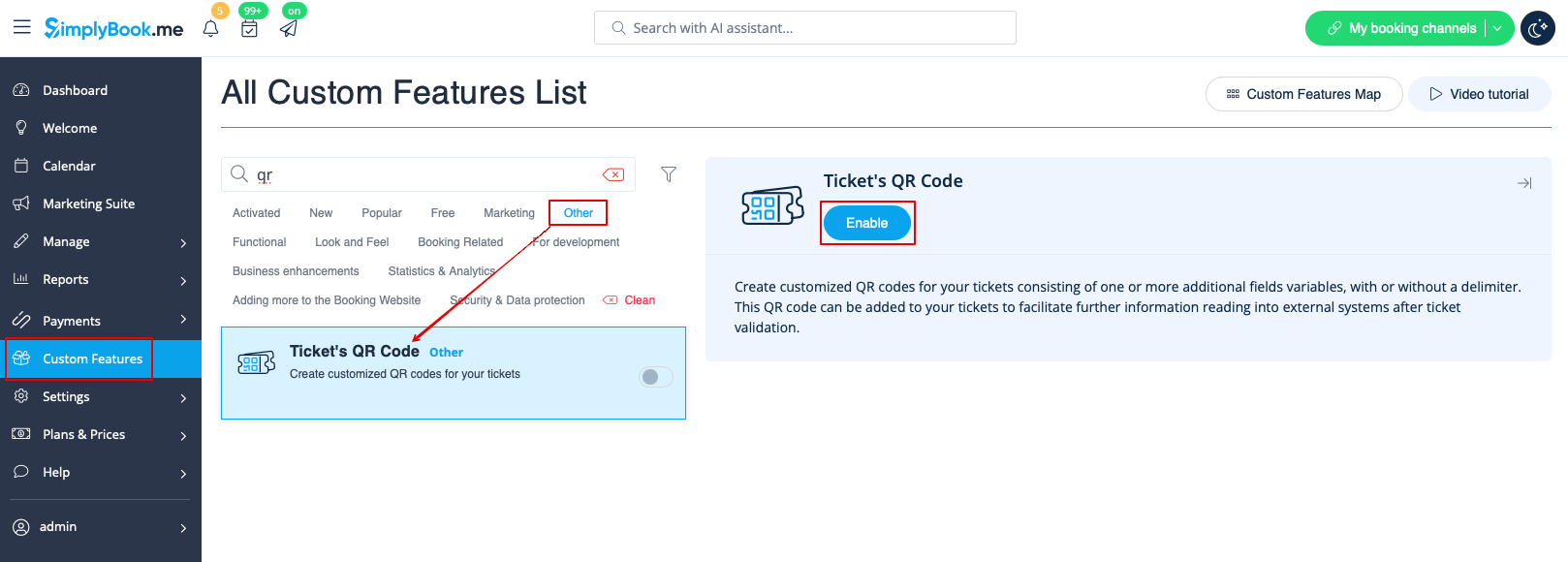
:1. Enable <span style="background-color:#d4f8e5; padding:5px; border-radius:5px;">Ticket's QR Code</span> feature on your <span style="background-color:#d4f8e5; padding:5px; border-radius:5px;">Custom features</span> page -> <span style="background-color:#d4f8e5; padding:5px; border-radius:5px;">Other</span> section.
[[File:Tickets qr enable path redesigned.png|1200px|border|center|link=https://help.simplybook.me/images/c/cb/Tickets_qr_enable_path_redesigned.png]]
<br><br>
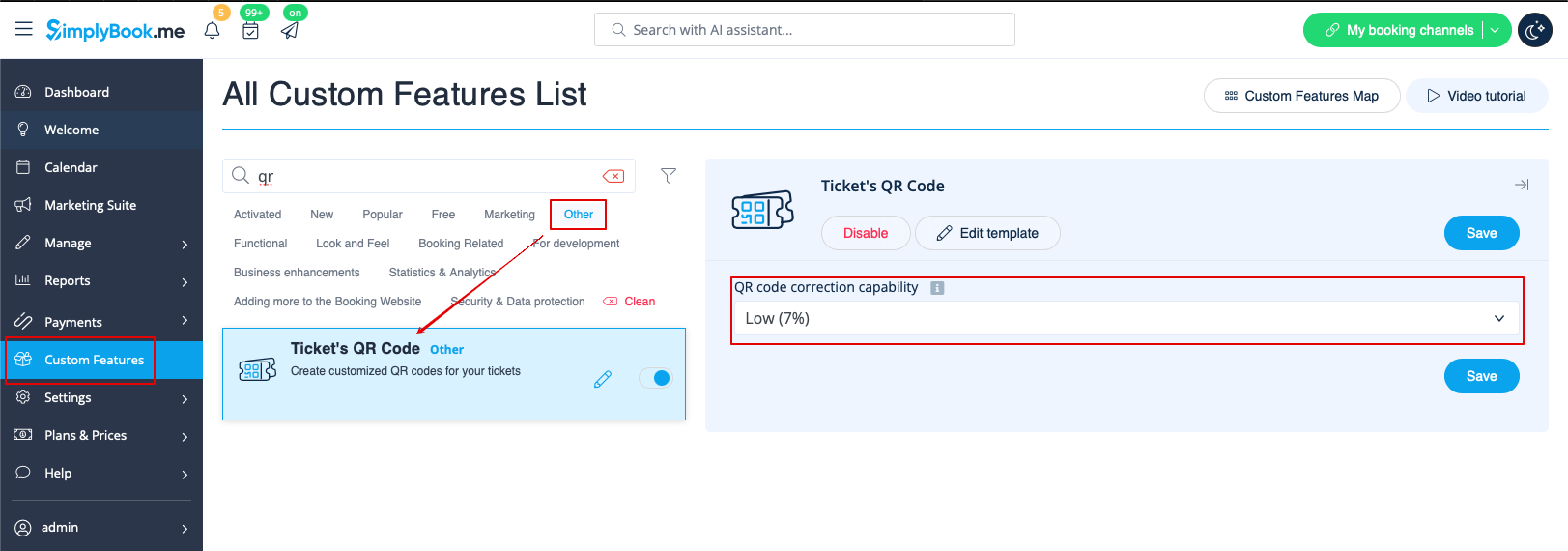
:2. Select <span style="background-color:#d4f8e5; padding:5px; border-radius:5px;">QR code correction capability<span> if necessary. 
[[File:Tickets qr code correction setting redesigned.png|1200px|border|center|link=https://help.simplybook.me/images/0/03/Tickets_qr_code_correction_setting_redesigned.png]]
<br><br>
:3. Navigate to <span style="background-color:#d4f8e5; padding:5px; border-radius:5px;">Edit template</span> page.
[[File:Tickets qr template path redesigned.png|1200px|border|center|link=https://help.simplybook.me/images/4/48/Tickets_qr_template_path_redesigned.png]]
<br><br>
1. Schakel de QR-codefunctie van Tickets in op uw pagina Aangepaste functies -> sectie Overig.


2. Selecteer indien nodig de QR-codefunctie voor tickets ( ).


3. Ga naar de pagina Sjabloon bewerken.