Translations:Tickets custom feature/6/nl: Difference between revisions

From SimplyBook.me
Created page with "*<span style="background-color:#ffe9e9; padding:5px; border-radius:5px;">het aantal tickets is beperkt: elk abonnement heeft een bepaald aantal tickets per maand (140 in de proefperiode). Om te controleren hoeveel tickets u nog heeft, gaat u naar <span style="background-color:#d4f8e5; padding:5px; border-radius:5px;">Abonnementen en prijzen</span> -> <span style="background-color:#d4f8e5; padding:5px; border-radius:5px;">Abonnementen</span> en scrolt u naar de onderka..."
 
(No difference)

Latest revision as of 15:56, 19 May 2025

Information about message (contribute)
This message has no documentation. If you know where or how this message is used, you can help other translators by adding documentation to this message.
Message definition (Tickets custom feature)
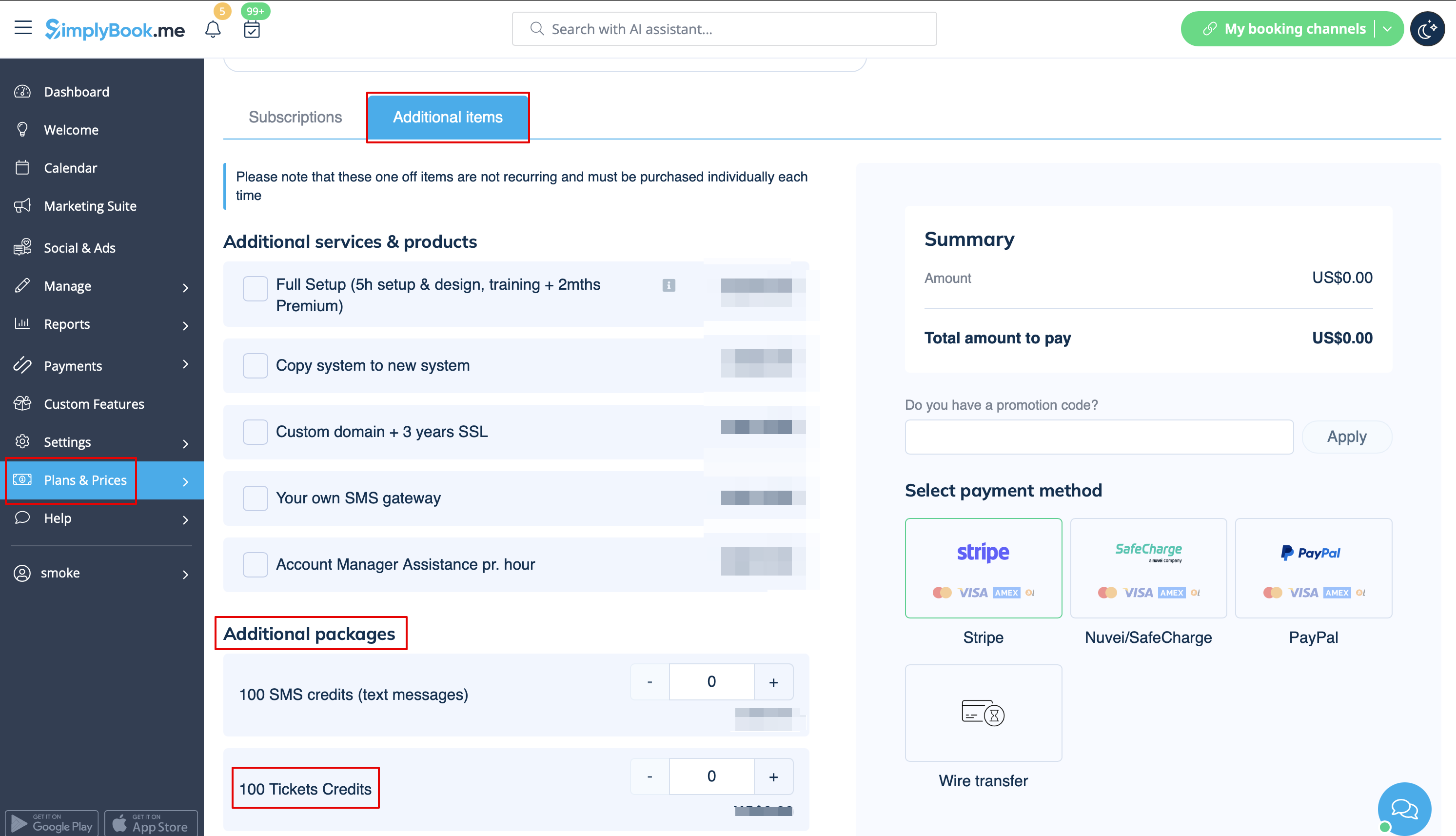
*<span style="background-color:#ffe9e9; padding:5px; border-radius:5px;">the tickets are limited: every subscription has a definite amount of tickets per month included(140 in trial period). To check the number of tickets you have please go to <span style="background-color:#d4f8e5; padding:5px; border-radius:5px;">Plans&Prices</span> -> <span style="background-color:#d4f8e5; padding:5px; border-radius:5px;">Subscriptions</span> and scroll to the bottom of the page. To buy more tickets please navigate to <span style="background-color:#d4f8e5; padding:5px; border-radius:5px;">Plans&Prices</span> -> <span style="background-color:#d4f8e5; padding:5px; border-radius:5px;">Additional items.</span></span>
[[File:Buy additional tickets path redesigned.png|1200px|border|center|link=https://help.simplybook.me/images/1/17/Buy_additional_tickets_path_redesigned.png]]
<br><br>
<br><br>
  • het aantal tickets is beperkt: elk abonnement heeft een bepaald aantal tickets per maand (140 in de proefperiode). Om te controleren hoeveel tickets u nog heeft, gaat u naar Abonnementen en prijzen -> Abonnementen en scrolt u naar de onderkant van de pagina. Om meer tickets te kopen, gaat u naar Abonnementen en prijzen -> Extra items.