Translations:SSO-SAML Custom Feature/5/uk: Difference between revisions

From SimplyBook.me
Created page with ":4. Натисніть <span style="background-color:#d4f8e5; padding:5px; border-radius:5px;">«Конфігурація Microsoft Azure»</span> зліва та увійдіть у свій <span style="background-color:#d4f8e5; padding:5px; border-radius:5px;">обліковий запис MS Azure</span>, щоб розпочати налаштування з'єднання. :<span style="background-color:#ffe9e9; padding:5px; border-radius:5px;">'''Зверніть..."
 
(No difference)

Latest revision as of 16:12, 19 May 2025

Information about message (contribute)
This message has no documentation. If you know where or how this message is used, you can help other translators by adding documentation to this message.
Message definition (SSO-SAML Custom Feature)
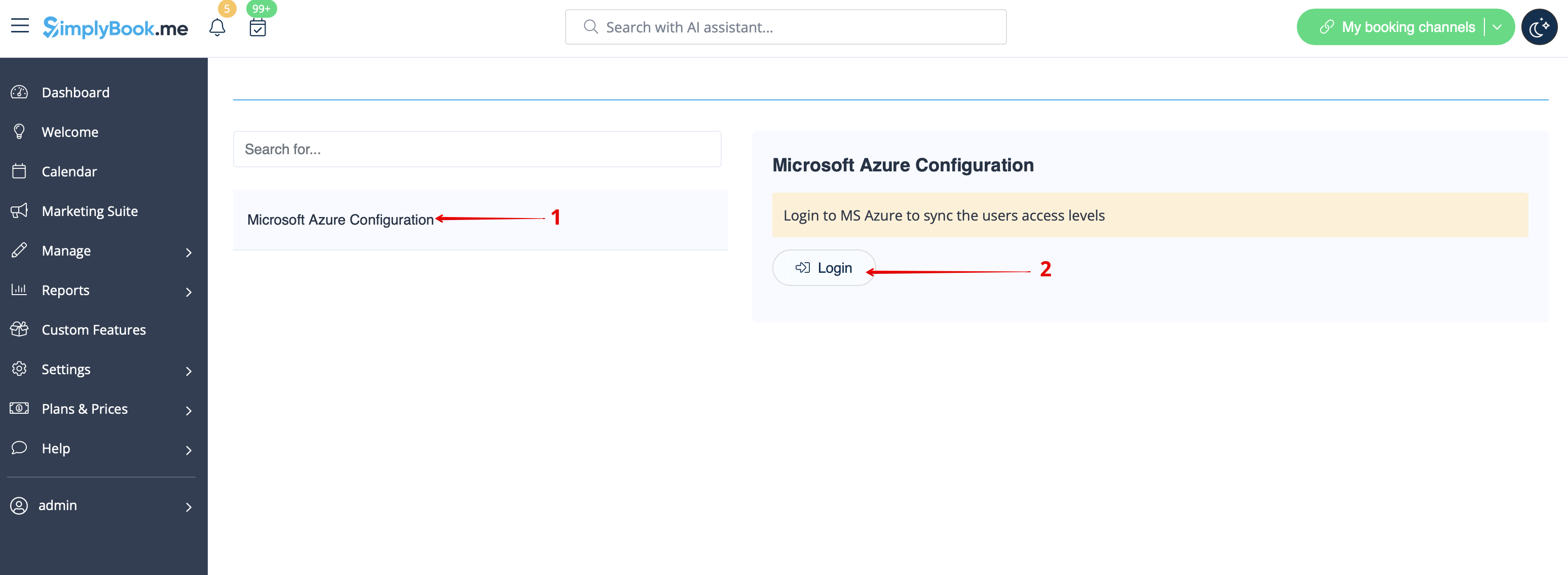
:4. Click on <span style="background-color:#d4f8e5; padding:5px; border-radius:5px;">Microsoft Azure Configuration</span> on the left and log in to your <span style="background-color:#d4f8e5; padding:5px; border-radius:5px;">MS Azure account</span> there to start connection setup.
:<span style="background-color:#ffe9e9; padding:5px; border-radius:5px;">'''Please note!''' You need to have administrator access in MS Azure as well to be able to connect applications.</span>
[[File:Sso azure login path redesigned.png|1200px|border|center|link=https://help.simplybook.me/images/e/e6/Sso_azure_login_path_redesigned.png]]
<br><br>
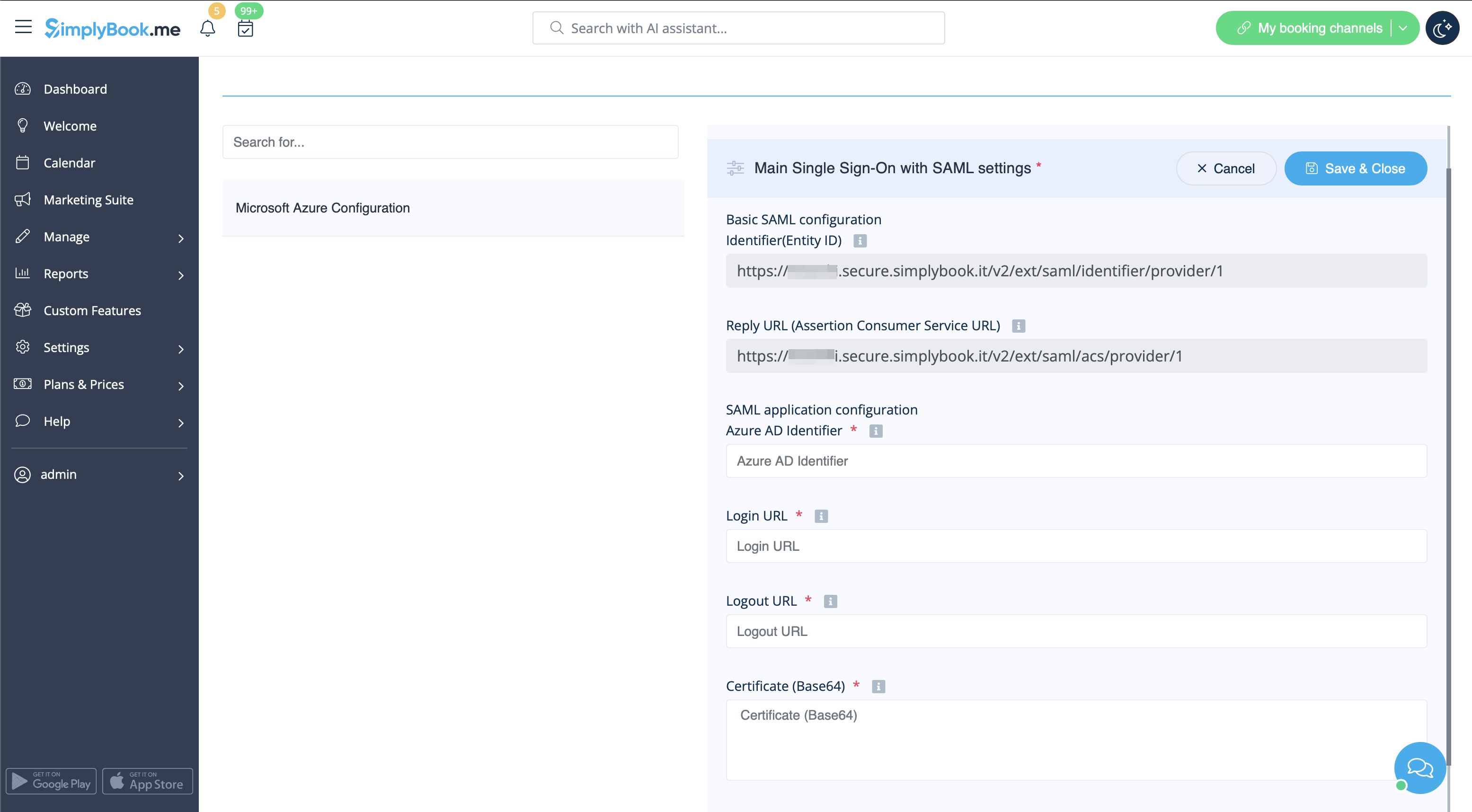
:5. After successful login you will see the first block with basic options on SimplyBook.me side.
[[File:Sso connected first block redesigned.png|1200px|border|center|link=https://help.simplybook.me/images/c/cf/Sso_connected_first_block_redesigned.png]]
<br><br>
4. Натисніть «Конфігурація Microsoft Azure» зліва та увійдіть у свій обліковий запис MS Azure, щоб розпочати налаштування з'єднання.
Зверніть увагу! Для підключення додатків вам також необхідний доступ адміністратора в MS Azure.


5. Після успішного входу ви побачите перший блок з основними опціями на стороні SimplyBook.me.