Translations:SSO-SAML Custom Feature/4/fr: Difference between revisions

From SimplyBook.me
Created page with "== Comment configurer et utiliser Microsoft Azure == <br> :1. Créez un compte <span style="background-color:#cdeffc; padding:5px; border-radius:5px;">[https://portal.azure.com/#home Microsoft Azure]</span> si vous n'en avez pas encore. <br> :2. Activez <span style="background-color:#d4f8e5; padding:5px; border-radius:5px;">l'authentification unique (SSO) :</span> fonctionnalité <span style="background-color:#d4f8e5; padding:5px; border-radius:5px;">SAML</span> personna..."
 
(No difference)

Latest revision as of 16:14, 19 May 2025

Information about message (contribute)
This message has no documentation. If you know where or how this message is used, you can help other translators by adding documentation to this message.
Message definition (SSO-SAML Custom Feature)
==How to set & use Microsoft Azure==
<br>
:1. Create account at <span style="background-color:#cdeffc; padding:5px; border-radius:5px;">[https://portal.azure.com/#home Microsoft Azure]</span> if you do not have one yet.
<br>
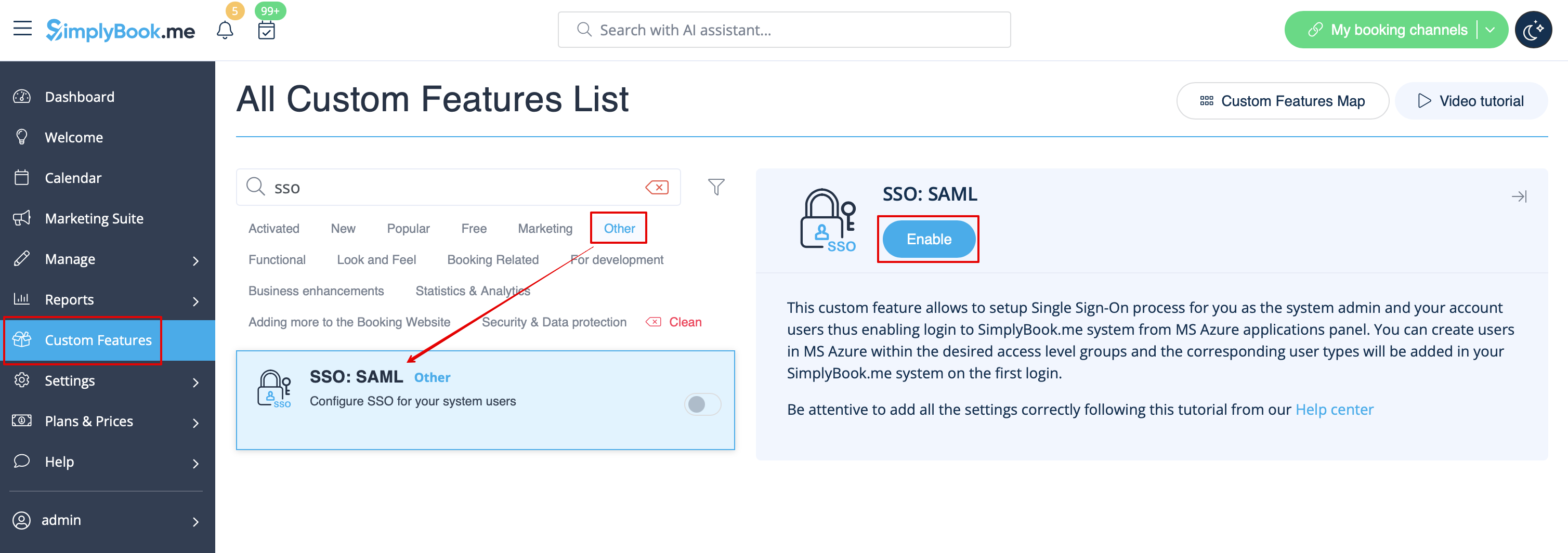
:2. Enable <span style="background-color:#d4f8e5; padding:5px; border-radius:5px;">SSO: SAML</span> Custom feature on your <span style="background-color:#d4f8e5; padding:5px; border-radius:5px;">Custom features</span> page .
[[File:Sso enable path redesigned.png|1200px|border|center|link=https://help.simplybook.me/images/b/ba/Sso_enable_path_redesigned.png]]
<br><br>
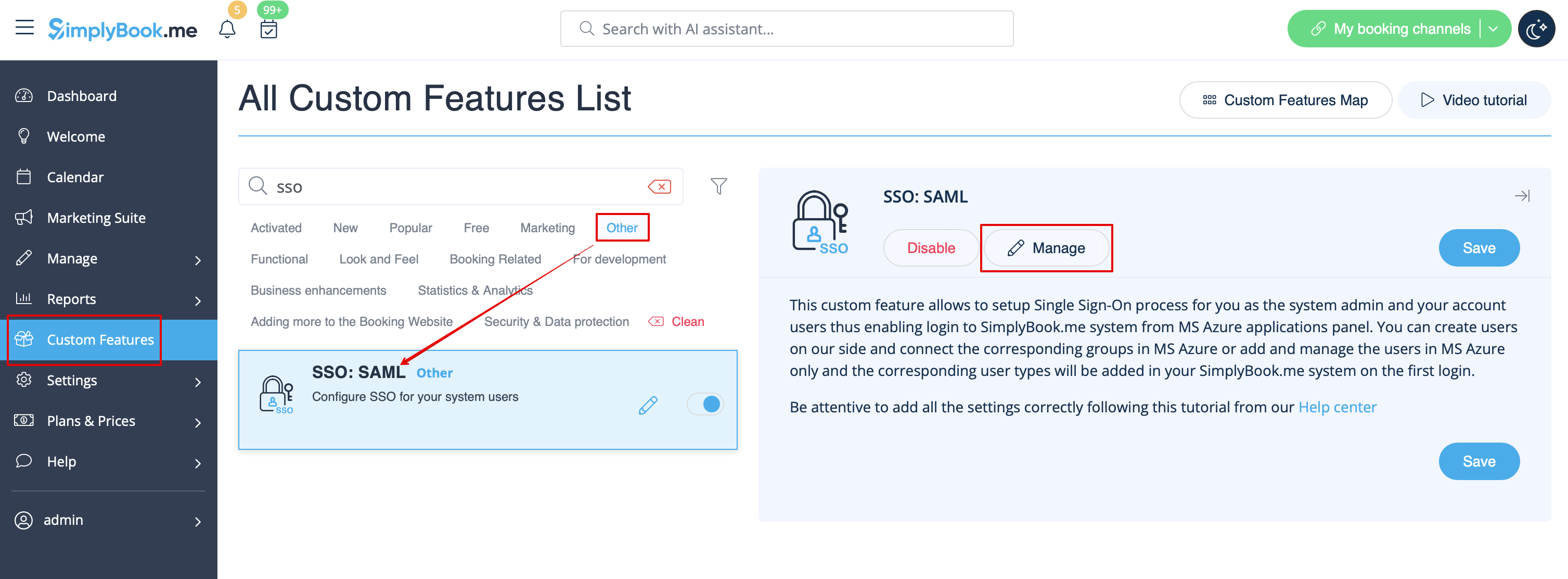
:3. Navigate to <span style="background-color:#d4f8e5; padding:5px; border-radius:5px;">Manage</span> to edit the connection settings.
[[File:Sso settings path redesigned.png|1200px|border|center|link=https://help.simplybook.me/images/9/9a/Sso_settings_path_redesigned.png]]
<br><br>

Comment configurer et utiliser Microsoft Azure


1. Créez un compte Microsoft Azure si vous n'en avez pas encore.


2. Activez l'authentification unique (SSO) : fonctionnalité SAML personnalisée sur votre page Fonctionnalités personnalisées.


3. Accédez à Gérer pour modifier les paramètres de connexion.