Translations:Joomla integration/3/da: Difference between revisions

From SimplyBook.me
 
(No difference)

Latest revision as of 08:54, 18 June 2025

Information about message (contribute)
This message has no documentation. If you know where or how this message is used, you can help other translators by adding documentation to this message.
Message definition (Joomla integration)
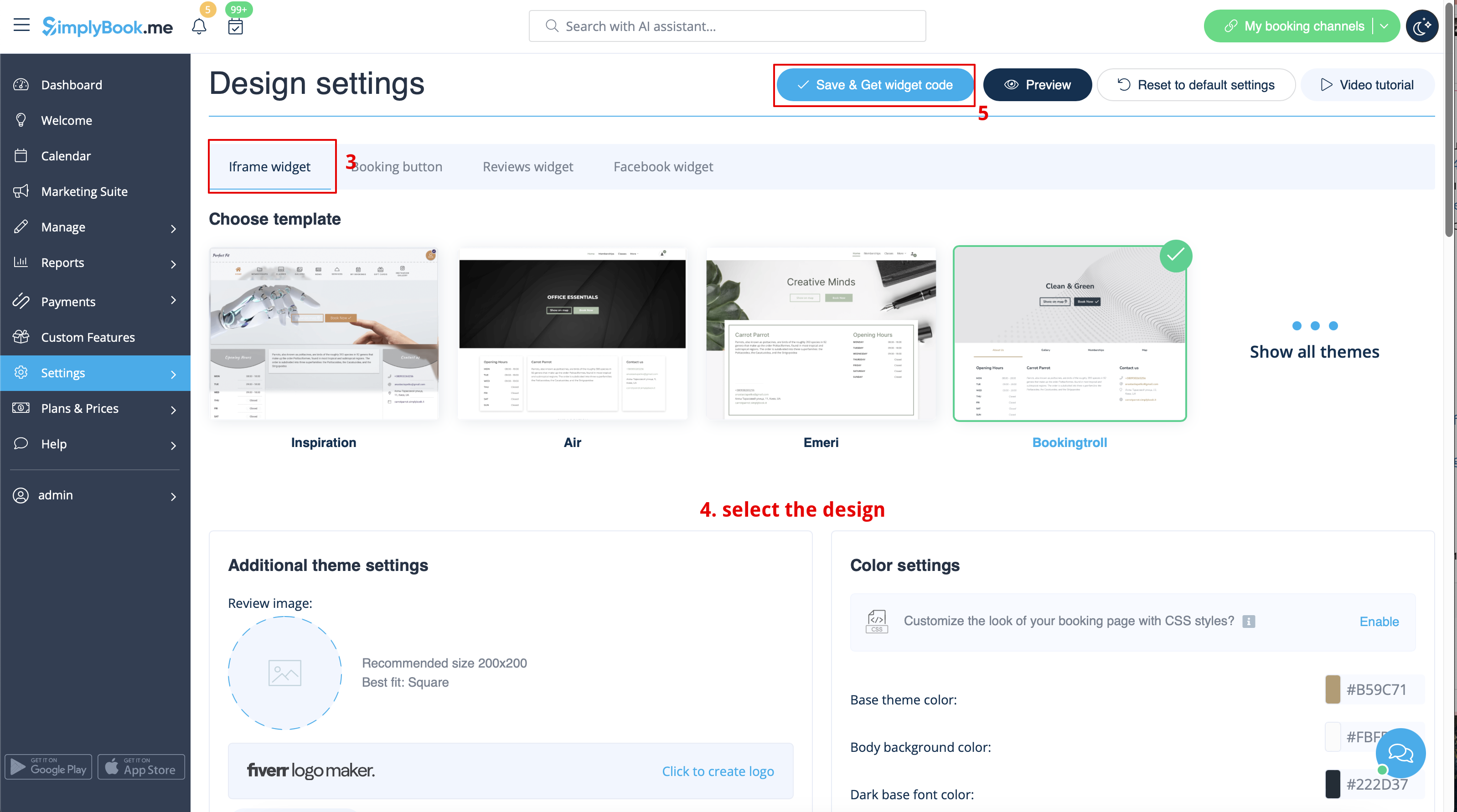
[[File:Booking widget path redesigned.png|1200px | center|link=https://help.simplybook.me/images/6/68/Booking_widget_path_redesigned.png]]
<br><br>
[[File:Booking widget design path redesigned.png|1200px | center|link=https://help.simplybook.me/images/3/37/Booking_widget_design_path_redesigned.png]]
<br><br>
[[File:Copy widget code redesigned.png|1200px | center|link=https://help.simplybook.me/images/b/b4/Copy_widget_code_redesigned.png]]
<br><br>
:2. Now go to Content>Articles check the box of the entry you want to insert the booking functionality into and click 'edit'. Then insert the widget code to the HTML code <body> of your website on the page where you need to display the booking functionality.
[[File:Joomla widget code adding.png | center]]
<br><br>
:3. Save settings and publish the page.
<br><br>


2. Gå nu til Indhold>Artikler, marker afkrydsningsfeltet for den post, du vil indsætte bookingfunktionen i, og klik på 'rediger'. Indsæt derefter widgetkoden i HTML-koden <body> på din hjemmeside på den side, hvor du vil vise bookingfunktionen.


3. Gem indstillingerne og offentliggør siden.