SimplyBook.me
Not logged in
English
Log in
Search
Navigation
Help Center
Getting started
Booking website
Time settings
Prices and purchases
Custom Features
Calendar and bookings
Tips for specific businesses
Integration
For developers
Video tutorials
Tools
What links here
Related changes
Special pages
Printable version
Permanent link
Page information
In other languages
Page history
Refresh page
Translations:Make me look busy custom feature/4/en: Difference between revisions
Help
Namespaces
Translation unit
Discussion
Views
Read
View source
From SimplyBook.me
Visual
Wikitext
Latest revision as of 08:56, 18 June 2025
view source
FuzzyBot
(
talk
|
contribs
)
5,030
edits
Importing a new version from external source
(No difference)
Latest revision as of 08:56, 18 June 2025
Information about message (
contribute
)
This message has no documentation. If you know where or how this message is used, you can help other translators by adding documentation to this message.
Message definition (
Make me look busy custom feature
)
;How to use:
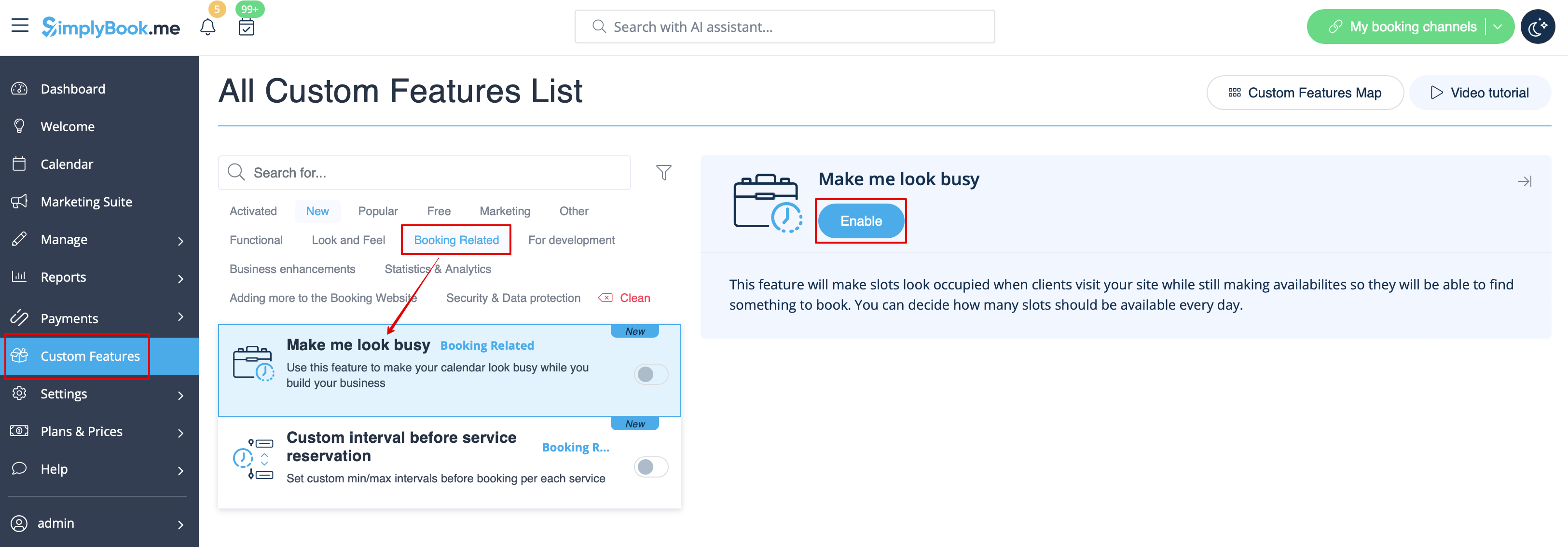
:1. Enable this feature on your <span style="background-color:#d4f8e5; padding:5px; border-radius:5px;">Custom Features</span> page -> <span style="background-color:#d4f8e5; padding:5px; border-radius:5px;">Booking Related</span> section.
[[File:Make me look busy enable path redesigned.png|1200px|center|link=https://help.simplybook.me/images/b/b7/Make_me_look_busy_enable_path_redesigned.png]]
<br><br>
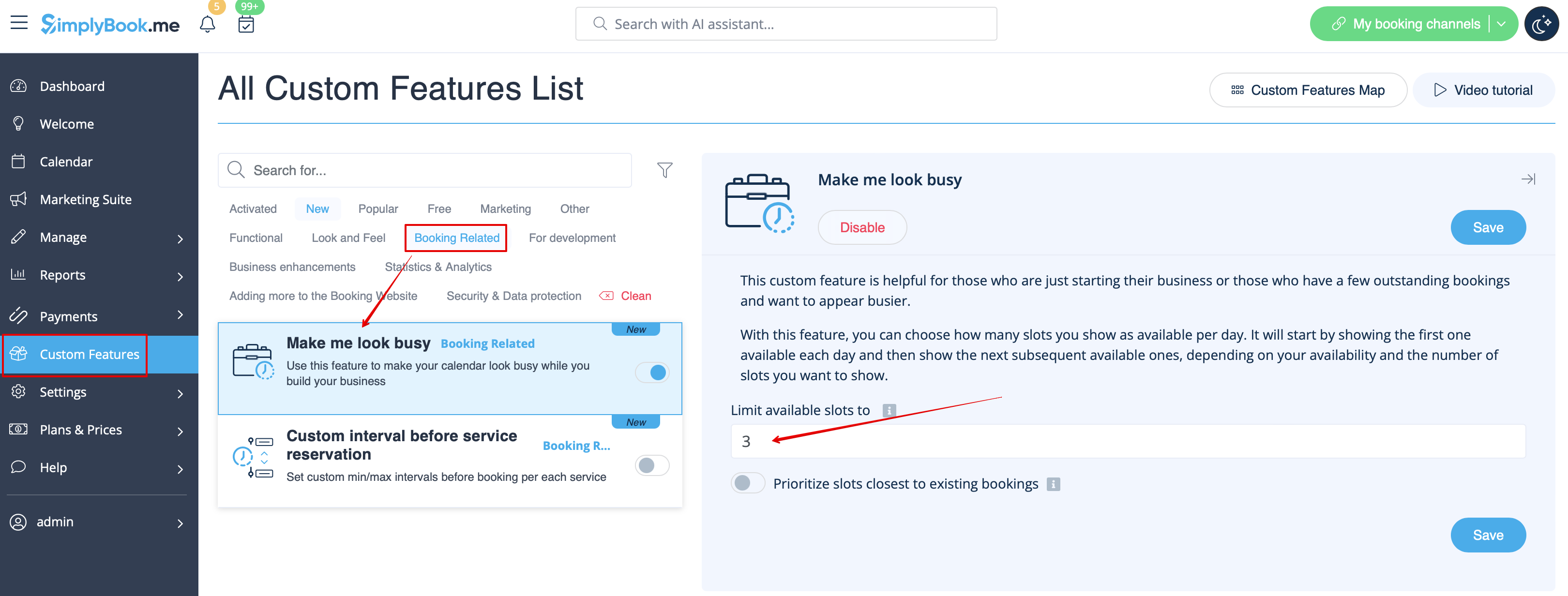
:2. Indicate <span style="background-color:#d4f8e5; padding:5px; border-radius:5px;">the number of timeslots</span> you would like to show as available on your booking website per day.
:It is the number of timeslots to be shown per date per each service + provider pair.
[[File:Make me look busy limit timeslots redesigned.png|1200px|center|link=https://help.simplybook.me/images/a/a7/Make_me_look_busy_limit_timeslots_redesigned.png]]
<br><br>
How to use
1. Enable this feature on your
Custom Features
page ->
Booking Related
section.
2. Indicate
the number of timeslots
you would like to show as available on your booking website per day.
It is the number of timeslots to be shown per date per each service + provider pair.