From SimplyBook.me
Created page with "1200px | center|link=https://help.simplybook.me/images/6/68/Booking_widget_path_redesigned.png <br><br> 1200px | center|link=https://help.simplybook.me/images/3/37/Booking_widget_design_path_redesigned.png <br><br> 1200px | center|link=https://help.simplybook.me/images/b/b4/Copy_widget_code_redesigned.png <br><br> :2. Ga nu naar Content&..." |
(No difference)
|
Latest revision as of 08:57, 18 June 2025

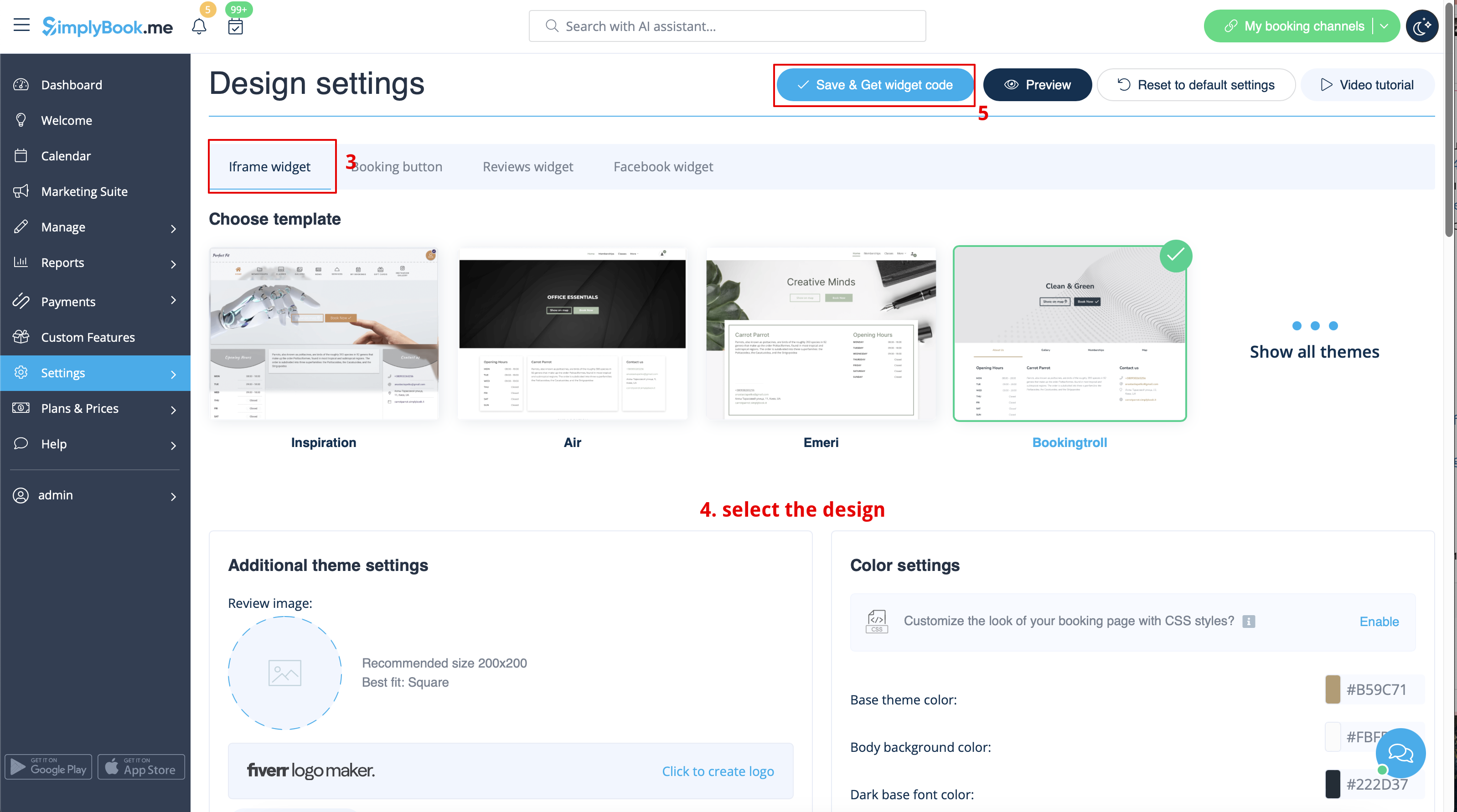

- 2. Ga nu naar Content>Articles, vink het vakje aan van het item waarin u de boekingsfunctionaliteit wilt invoegen en klik op 'edit'. Voeg vervolgens de widgetcode toe aan de HTML-code <body> van uw website op de pagina waar u de boekingsfunctionaliteit wilt weergeven.

- 3. Sla de instellingen op en publiceer de pagina.


