Translations:Make me look busy custom feature/5/uk: Difference between revisions

From SimplyBook.me
Created page with ":3. Якщо ви хочете показати часові слоти, які знаходяться близько до вже заброньованих, ви можете увімкнути опцію «Надати пріоритет слотам, найближчим до існуючих бронювань». File:Prioritize slots next to bookings redesigned.png|1200px|center|link=https://help.simplybook.me/images/5/57/Prioritize_slots_next_to_bookings_redesign..."
 
(No difference)

Latest revision as of 09:02, 18 June 2025

Information about message (contribute)
This message has no documentation. If you know where or how this message is used, you can help other translators by adding documentation to this message.
Message definition (Make me look busy custom feature)
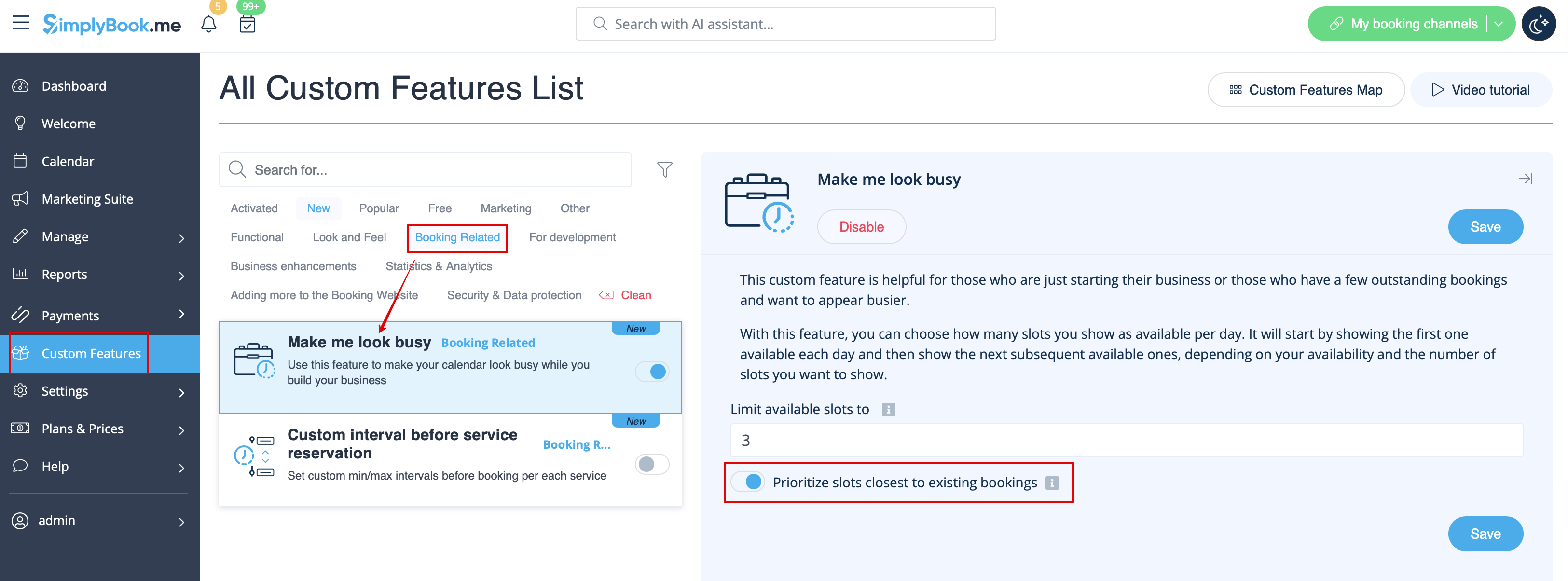
:3. If you wish to show the timeslots that are close to the already booked times you can enable "Prioritize slots closest to existing bookings" option.
[[File:Prioritize slots next to bookings redesigned.png|1200px|center|link=https://help.simplybook.me/images/5/57/Prioritize_slots_next_to_bookings_redesigned.png]]
<br><br>
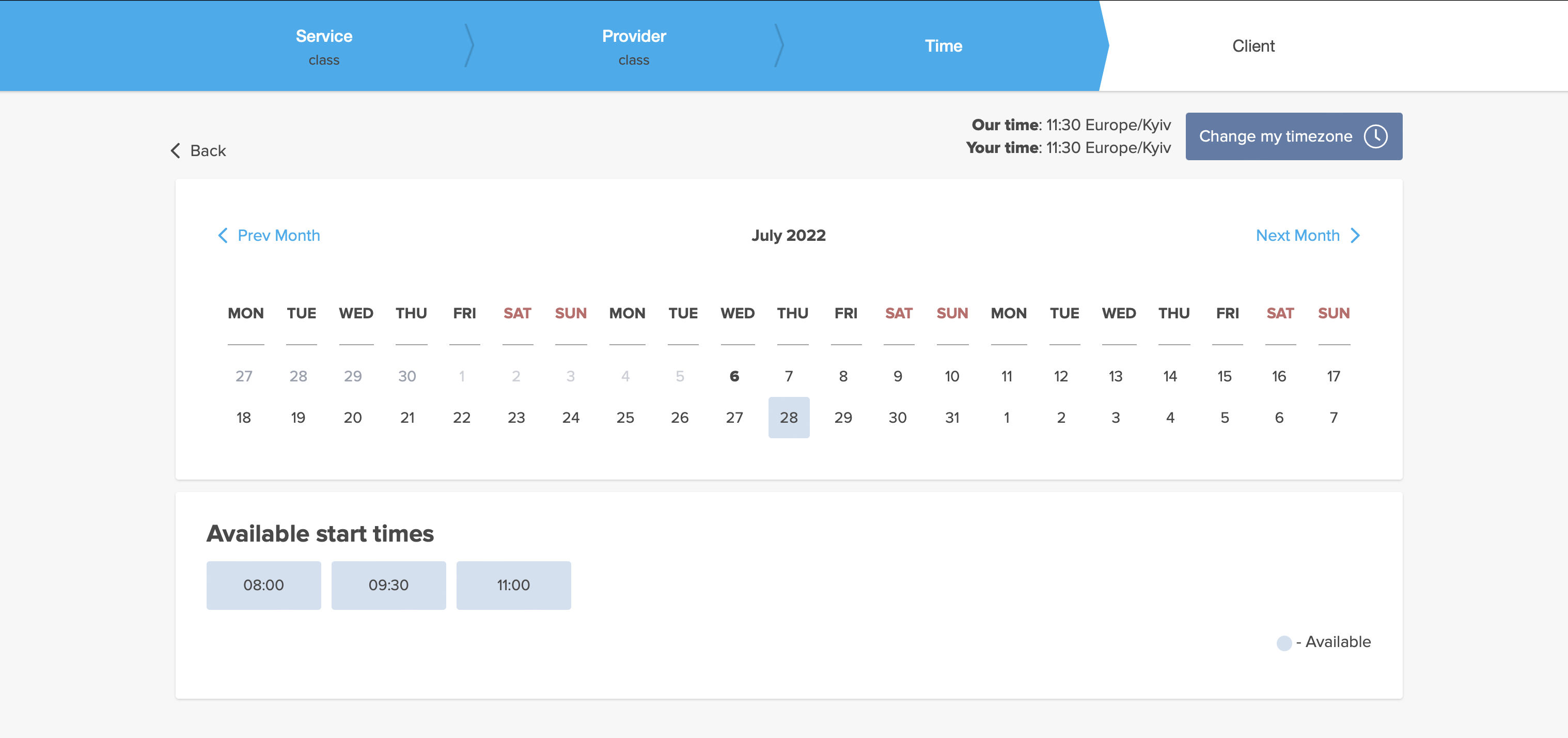
:4. Here are some examples of how it may look on the client side.
:When some timeslot is booked the system will automatically open the next one depending on the scheduled that you have set in your account.
:*<span style="background-color:#d4f8e5; padding:5px; border-radius:5px;">''modern''</span> calendar layout:
[[File:Look busy client side.png|1200px|center|link=https://help.simplybook.me/images/7/72/Look_busy_client_side.png]]
<br><br>
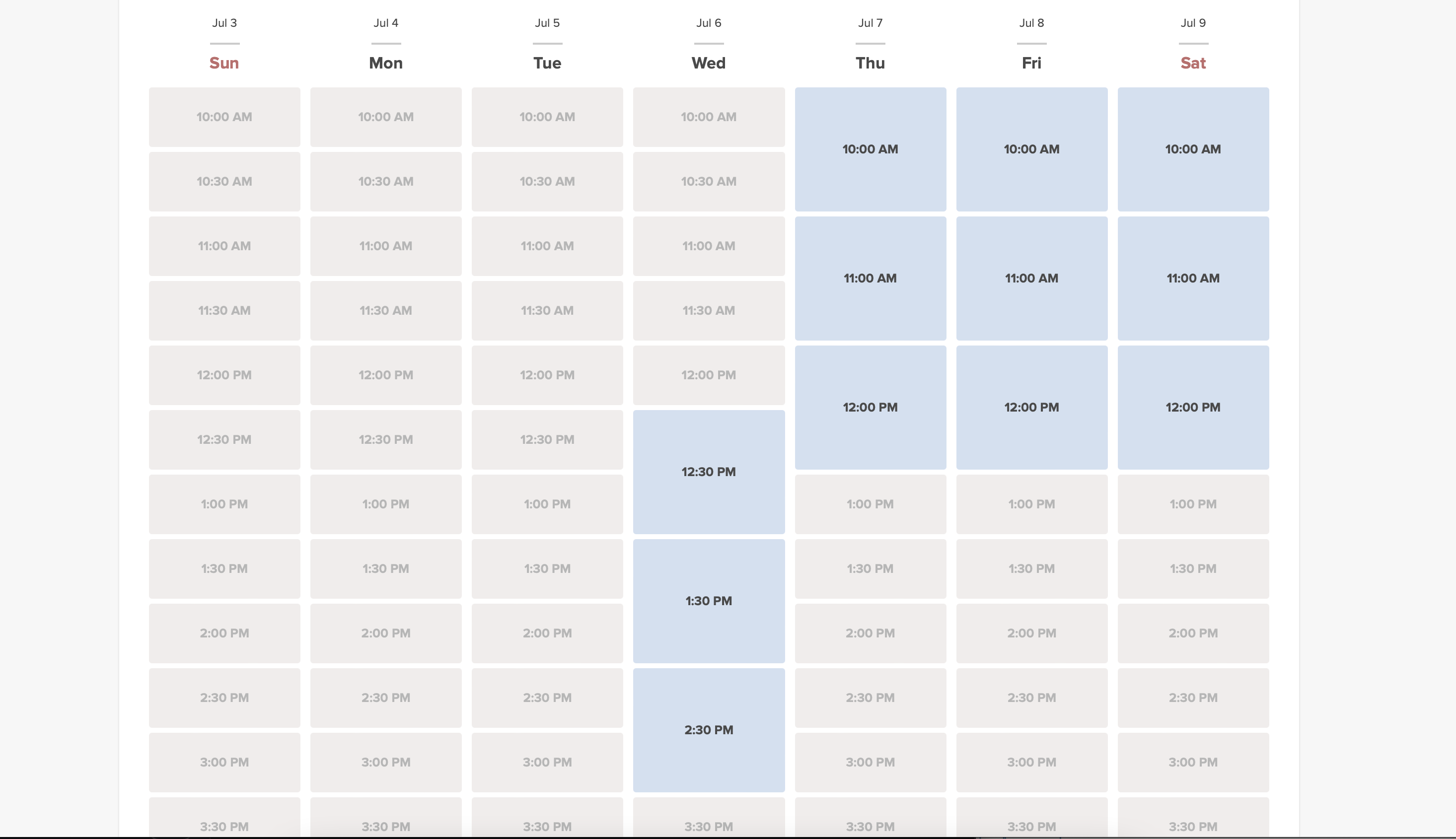
:*<span style="background-color:#d4f8e5; padding:5px; border-radius:5px;">''slots weekly''</span> calendar layout:
[[File:Look busy client side slots weekly timeline.png|1200px|center|link=https://help.simplybook.me/images/e/e3/Look_busy_client_side_slots_weekly_timeline.png]]
<br><br>
3. Якщо ви хочете показати часові слоти, які знаходяться близько до вже заброньованих, ви можете увімкнути опцію «Надати пріоритет слотам, найближчим до існуючих бронювань».


4. Ось кілька прикладів того, як це може виглядати на стороні клієнта.
Коли якийсь часовий проміжок заброньовано, система автоматично відкриє наступний, залежно від розкладу, який ви встановили у своєму обліковому записі.
*сучасний макет календаря:


*тижневий макет календаряслотів: