Translations:Make me look busy custom feature/4/da: Difference between revisions

From SimplyBook.me
Created page with ";Sådan bruges det: :1. Aktivér denne funktion på siden <span style="background-color:#d4f8e5; padding:5px; border-radius:5px;">Brugerdefinerede funktioner</span> -> Afsnit <span style="background-color:#d4f8e5; padding:5px; border-radius:5px;">om booking</span>. 1200px|center|link=https://help.simplybook.me/images/b/b7/Make_me_look_busy_enable_path_redesigned.png <br><br> :2. Angiv <span style="background-color:..."
 
(No difference)

Latest revision as of 09:03, 18 June 2025

Information about message (contribute)
This message has no documentation. If you know where or how this message is used, you can help other translators by adding documentation to this message.
Message definition (Make me look busy custom feature)
;How to use:
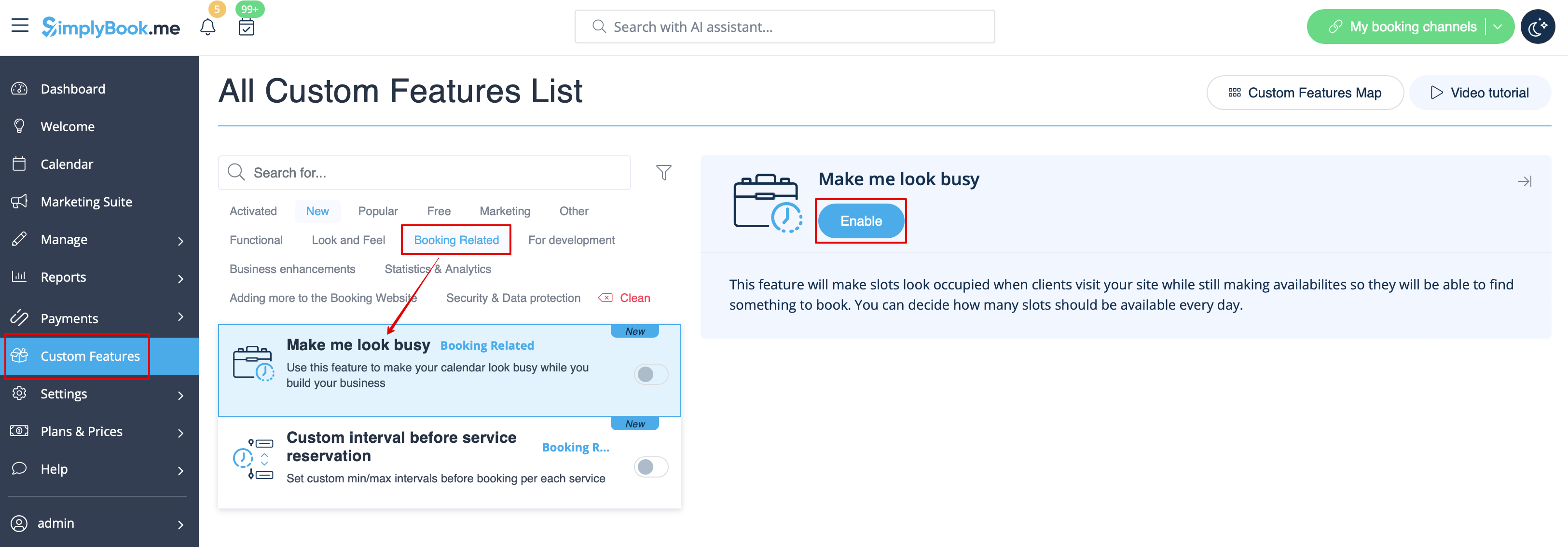
:1. Enable this feature on your <span style="background-color:#d4f8e5; padding:5px; border-radius:5px;">Custom Features</span> page -> <span style="background-color:#d4f8e5; padding:5px; border-radius:5px;">Booking Related</span> section.
[[File:Make me look busy enable path redesigned.png|1200px|center|link=https://help.simplybook.me/images/b/b7/Make_me_look_busy_enable_path_redesigned.png]]
<br><br>
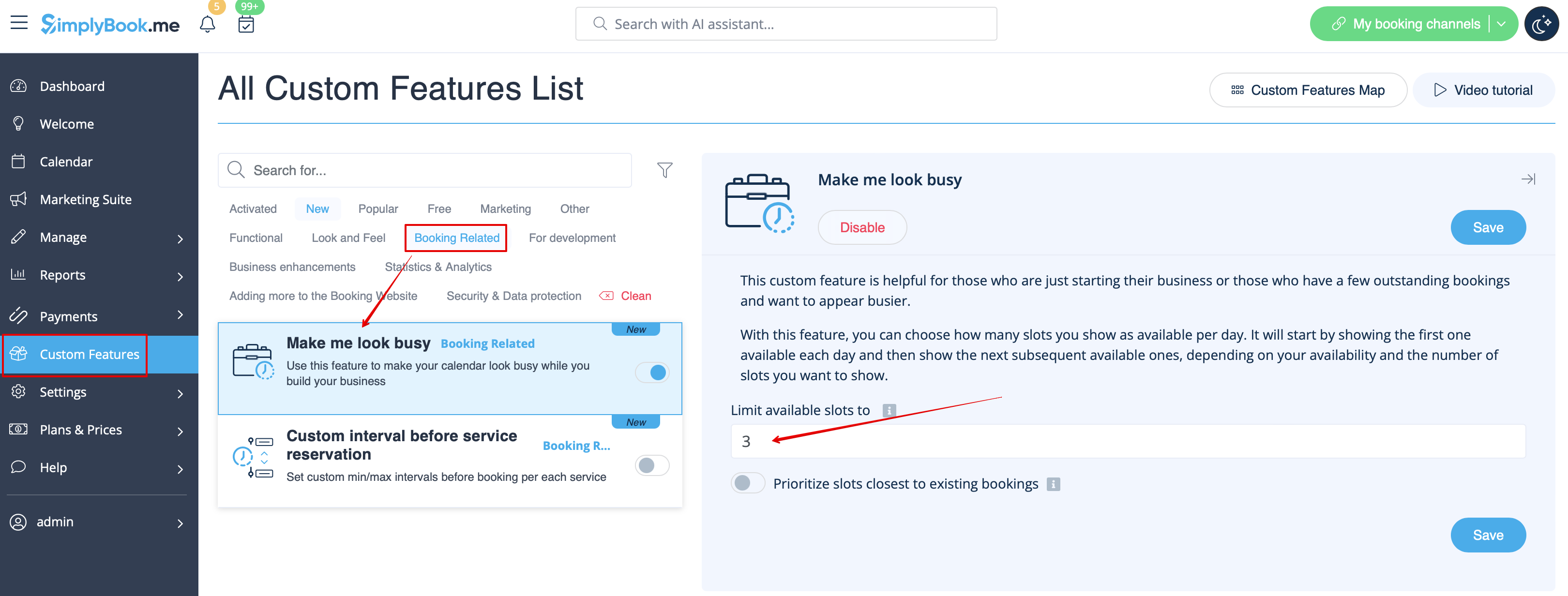
:2. Indicate <span style="background-color:#d4f8e5; padding:5px; border-radius:5px;">the number of timeslots</span> you would like to show as available on your booking website per day.
:It is the number of timeslots to be shown per date per each service + provider pair.
[[File:Make me look busy limit timeslots redesigned.png|1200px|center|link=https://help.simplybook.me/images/a/a7/Make_me_look_busy_limit_timeslots_redesigned.png]]
<br><br>
Sådan bruges det
1. Aktivér denne funktion på siden Brugerdefinerede funktioner -> Afsnit om booking.


2. Angiv det antal tidsintervaller, du vil vise som ledige på din bookingwebsite pr. dag.
Det er antallet af tidsintervaller, der skal vises pr. dato pr. service + udbyderpar.