Translations:Make me look busy custom feature/5/sv: Difference between revisions

From SimplyBook.me
Created page with ":3. Om du vill visa tidsluckor som ligger nära redan bokade tider kan du aktivera alternativet "Prioritera luckor närmast befintliga bokningar". 1200px|center|link=https://help.simplybook.me/images/5/57/Prioritize_slots_next_to_bookings_redesigned.png <br><br> :4. Här är några exempel på hur det kan se ut på klientsidan. :När en tidslucka är bokad öppnar systemet automatiskt nästa beroende på det schem..."
 
(No difference)

Latest revision as of 09:04, 18 June 2025

Information about message (contribute)
This message has no documentation. If you know where or how this message is used, you can help other translators by adding documentation to this message.
Message definition (Make me look busy custom feature)
:3. If you wish to show the timeslots that are close to the already booked times you can enable "Prioritize slots closest to existing bookings" option.
[[File:Prioritize slots next to bookings redesigned.png|1200px|center|link=https://help.simplybook.me/images/5/57/Prioritize_slots_next_to_bookings_redesigned.png]]
<br><br>
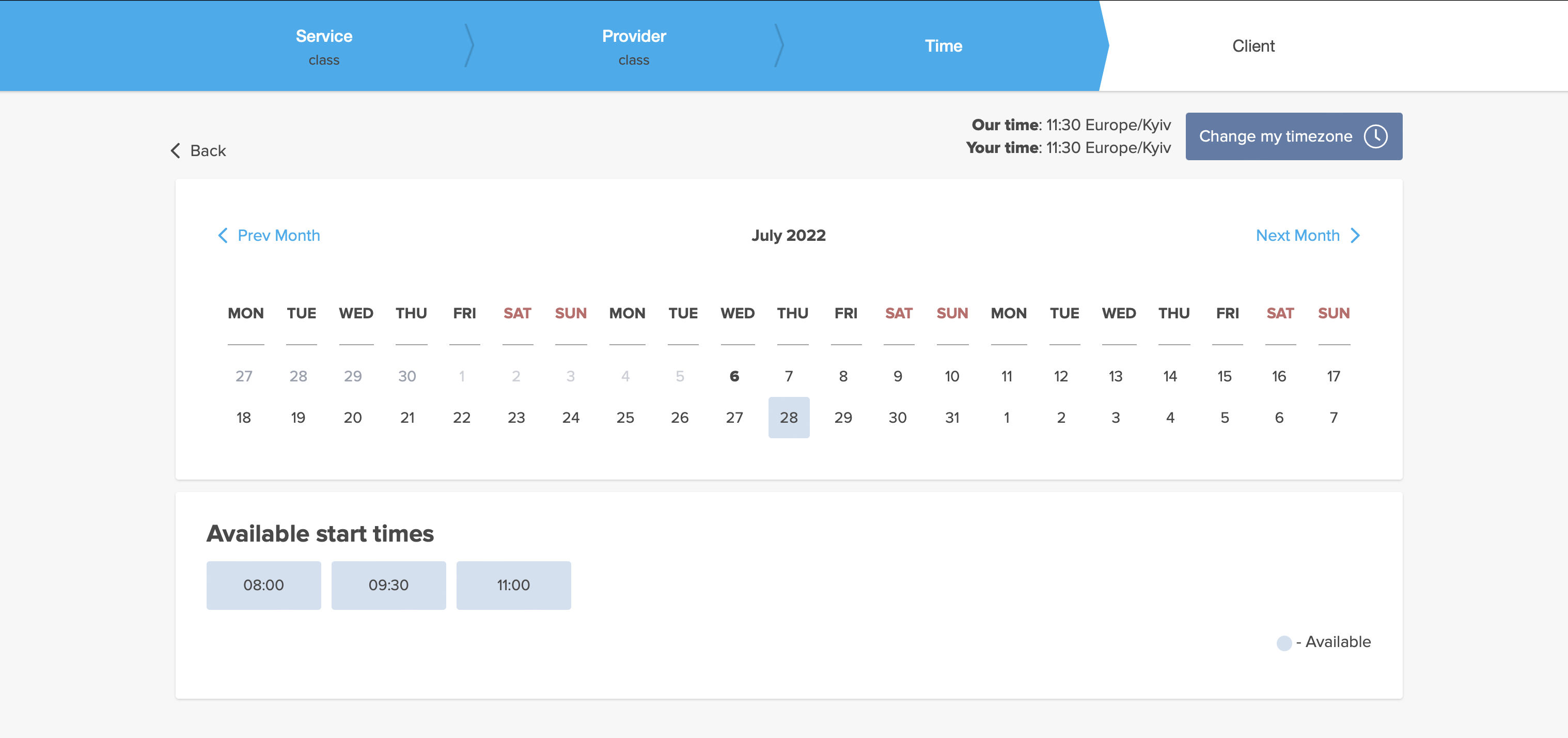
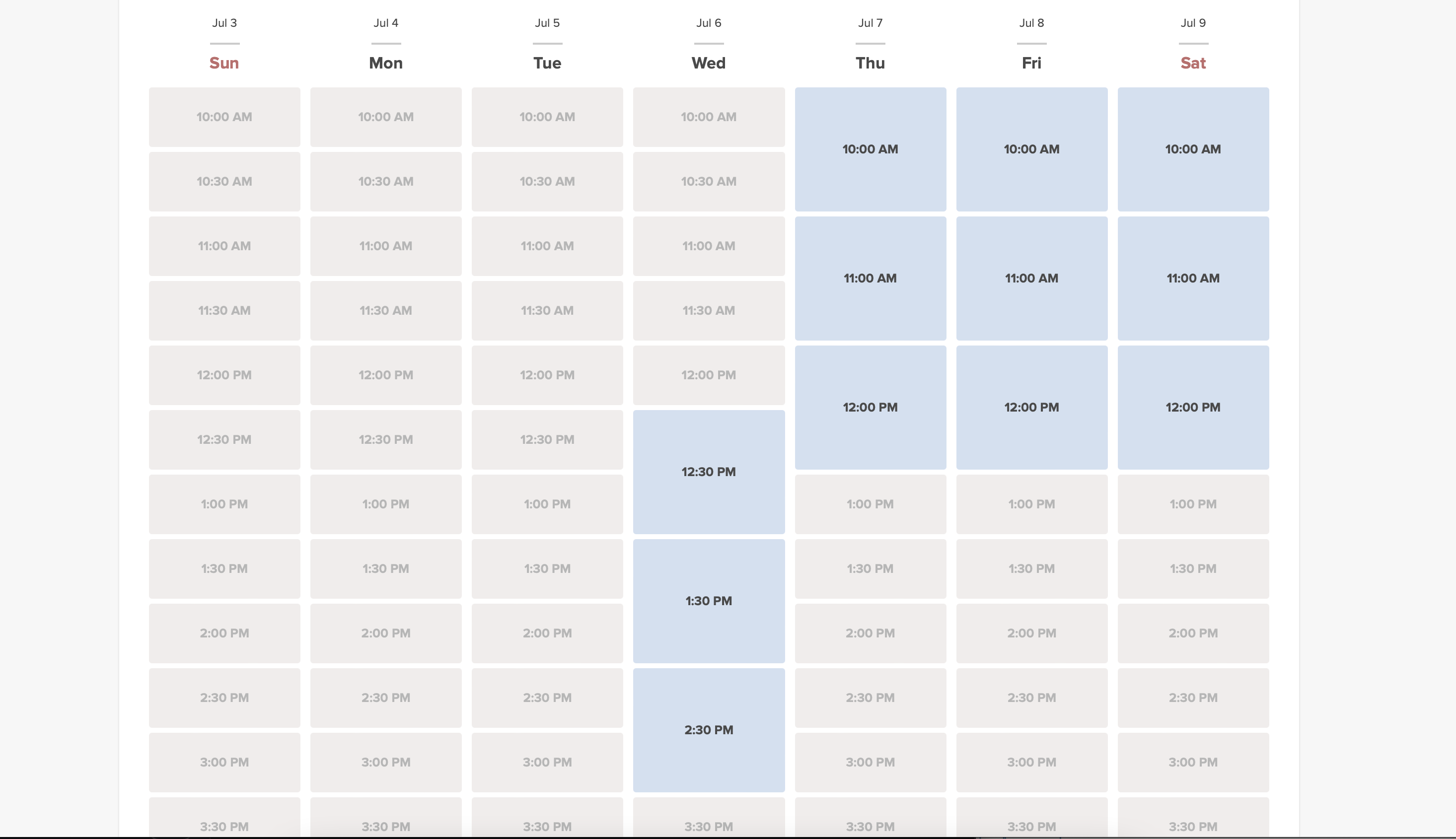
:4. Here are some examples of how it may look on the client side.
:When some timeslot is booked the system will automatically open the next one depending on the scheduled that you have set in your account.
:*<span style="background-color:#d4f8e5; padding:5px; border-radius:5px;">''modern''</span> calendar layout:
[[File:Look busy client side.png|1200px|center|link=https://help.simplybook.me/images/7/72/Look_busy_client_side.png]]
<br><br>
:*<span style="background-color:#d4f8e5; padding:5px; border-radius:5px;">''slots weekly''</span> calendar layout:
[[File:Look busy client side slots weekly timeline.png|1200px|center|link=https://help.simplybook.me/images/e/e3/Look_busy_client_side_slots_weekly_timeline.png]]
<br><br>
3. Om du vill visa tidsluckor som ligger nära redan bokade tider kan du aktivera alternativet "Prioritera luckor närmast befintliga bokningar".
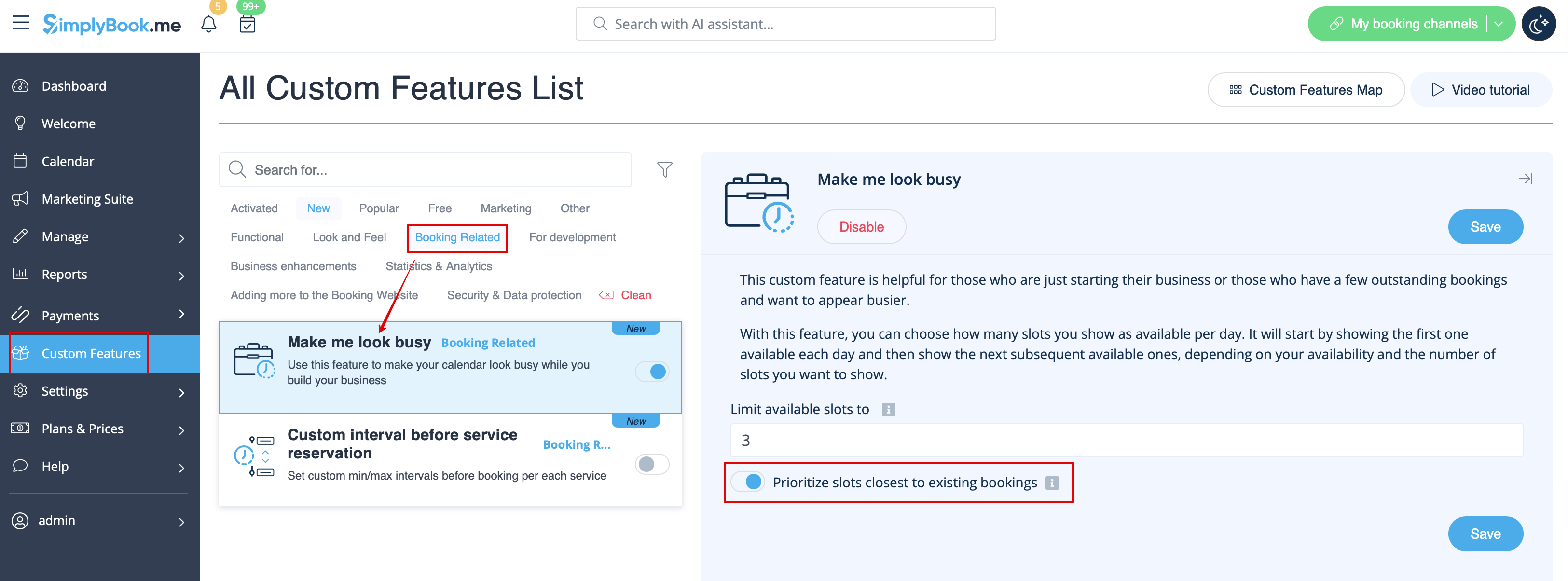


4. Här är några exempel på hur det kan se ut på klientsidan.
När en tidslucka är bokad öppnar systemet automatiskt nästa beroende på det schema du har ställt in i ditt konto.
*modern kalenderlayout:


*slots weekly calendar layout: