From SimplyBook.me
Importing a new version from external source |
Importing a new version from external source Tags: Mobile edit Mobile web edit |
||
| Line 6: | Line 6: | ||
*'''Week'''. Shows bookings/notes for all service providers for current week, schedule is built according to times in company's opening hours (use arrows to navigate to previous/next week). To easily distinguish bookings by different providers you can use [[Special:MyLanguage/Custom_Features#Provider.27s_Color_Coding| Provider's Color Coding Custom Feature]] <br/><br> | *'''Week'''. Shows bookings/notes for all service providers for current week, schedule is built according to times in company's opening hours (use arrows to navigate to previous/next week). To easily distinguish bookings by different providers you can use [[Special:MyLanguage/Custom_Features#Provider.27s_Color_Coding| Provider's Color Coding Custom Feature]] <br/><br> | ||
*'''Month'''. Shows bookings/notes for all service providers for current month (use arrows to navigate to previous/next month).<br/><br> | *'''Month'''. Shows bookings/notes for all service providers for current month (use arrows to navigate to previous/next month).<br/><br> | ||
[[File: | [[File:Views of the calendar redesigned.png|1200px | center|link=https://help.simplybook.me/images/e/e4/Views_of_the_calendar_redesigned.png ]] | ||
<br><br> | <br><br> | ||
Latest revision as of 09:33, 18 June 2025
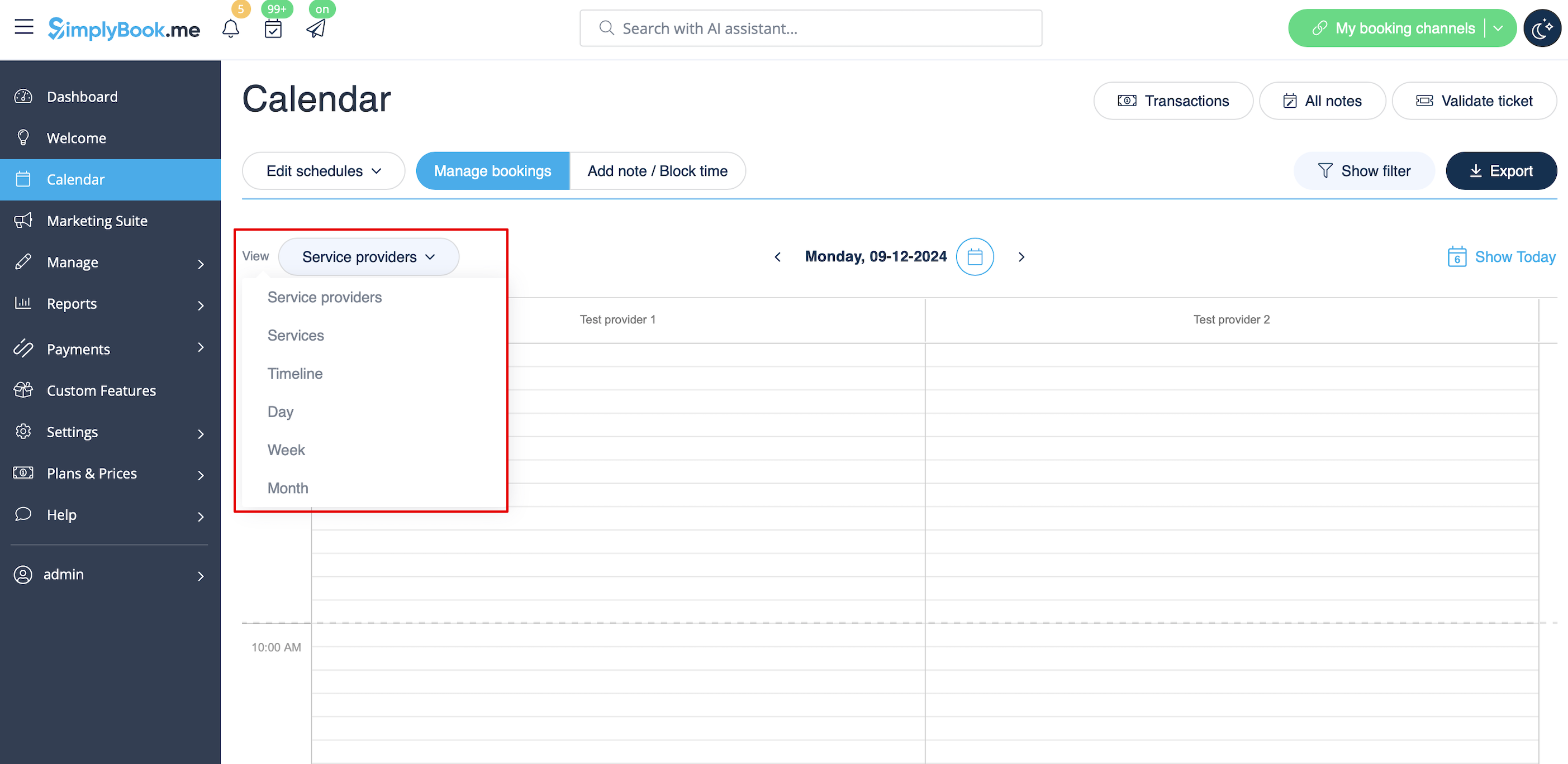
- Service providers. Shows columns with service providers and bookings/notes assigned to each service provider in the corresponding column.
- Services. Shows columns with services and bookings/notes assigned to each service in the corresponding column.
- Timeline. same as Service providers, but in horizontal view. Easier when there are multiple service providers.
- Day. Shows bookings/notes for all service providers for current day, schedule is built according to times in company's opening hours (use arrows to navigate to previous/next day). To easily distinguish bookings by different providers you can use Provider's Color Coding Custom Feature
- Week. Shows bookings/notes for all service providers for current week, schedule is built according to times in company's opening hours (use arrows to navigate to previous/next week). To easily distinguish bookings by different providers you can use Provider's Color Coding Custom Feature
- Month. Shows bookings/notes for all service providers for current month (use arrows to navigate to previous/next month).