Translations:How to reschedule booking/2/en: Difference between revisions

From SimplyBook.me
FuzzyBot (talk | contribs)
Importing a new version from external source
 
(No difference)

Latest revision as of 13:13, 23 June 2025

Information about message (contribute)
This message has no documentation. If you know where or how this message is used, you can help other translators by adding documentation to this message.
Message definition (How to reschedule booking)
Rescheduling from admin side:<br><br>
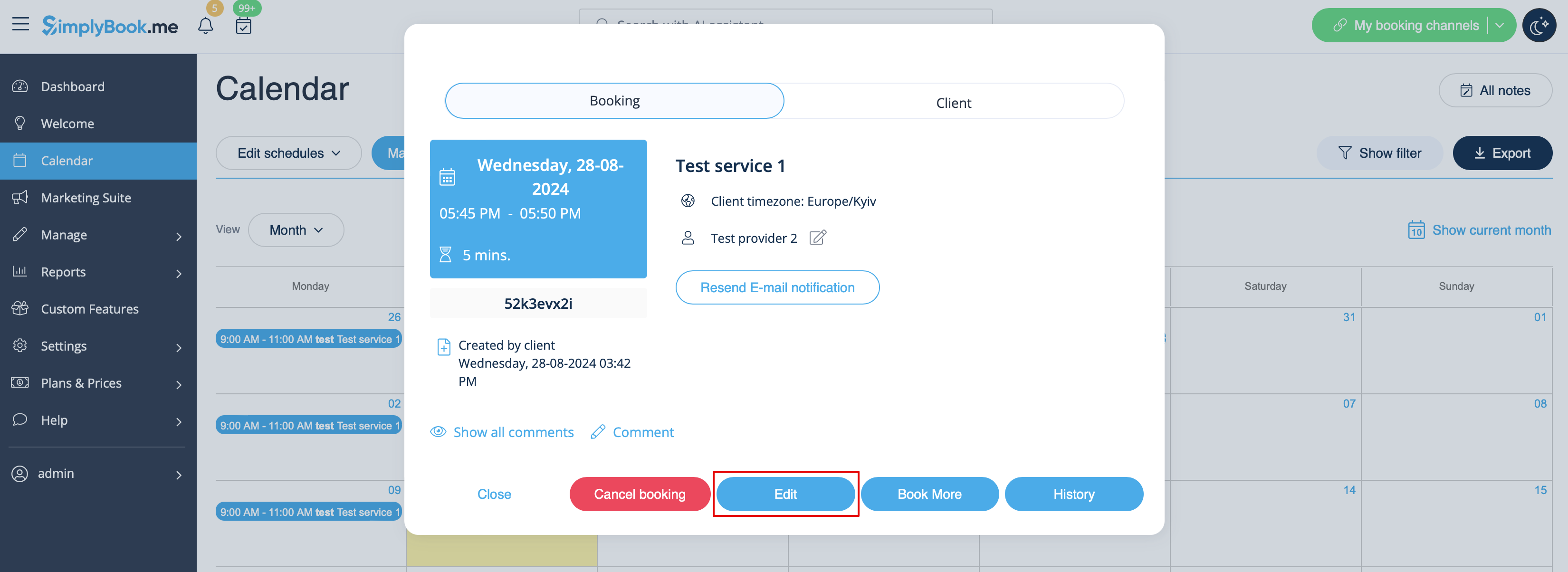
1. In Calendar section.<br>
Click on the booking you wish to reschedule, then choose "Edit" and make necessary changes. Then please click on "Save" for changes to be applied.<br><br>
[[File:Edit booking path redesigned.png|1200px| center|link=https://help.simplybook.me/images/7/7b/Edit_booking_path_redesigned.png]]<br><br>
2. In Reports//Booking details.<br>
Click on "View" button near corresponding booking, then choose "Edit" and make necessary changes. Then please click on "Save" for changes to be applied.<br> <br>
[[File:Edit booking from report redesigned.png|1200px| center|link=https://help.simplybook.me/images/b/b0/Edit_booking_from_report_redesigned.png]]<br><br>

Rescheduling from admin side:

1. In Calendar section.
Click on the booking you wish to reschedule, then choose "Edit" and make necessary changes. Then please click on "Save" for changes to be applied.
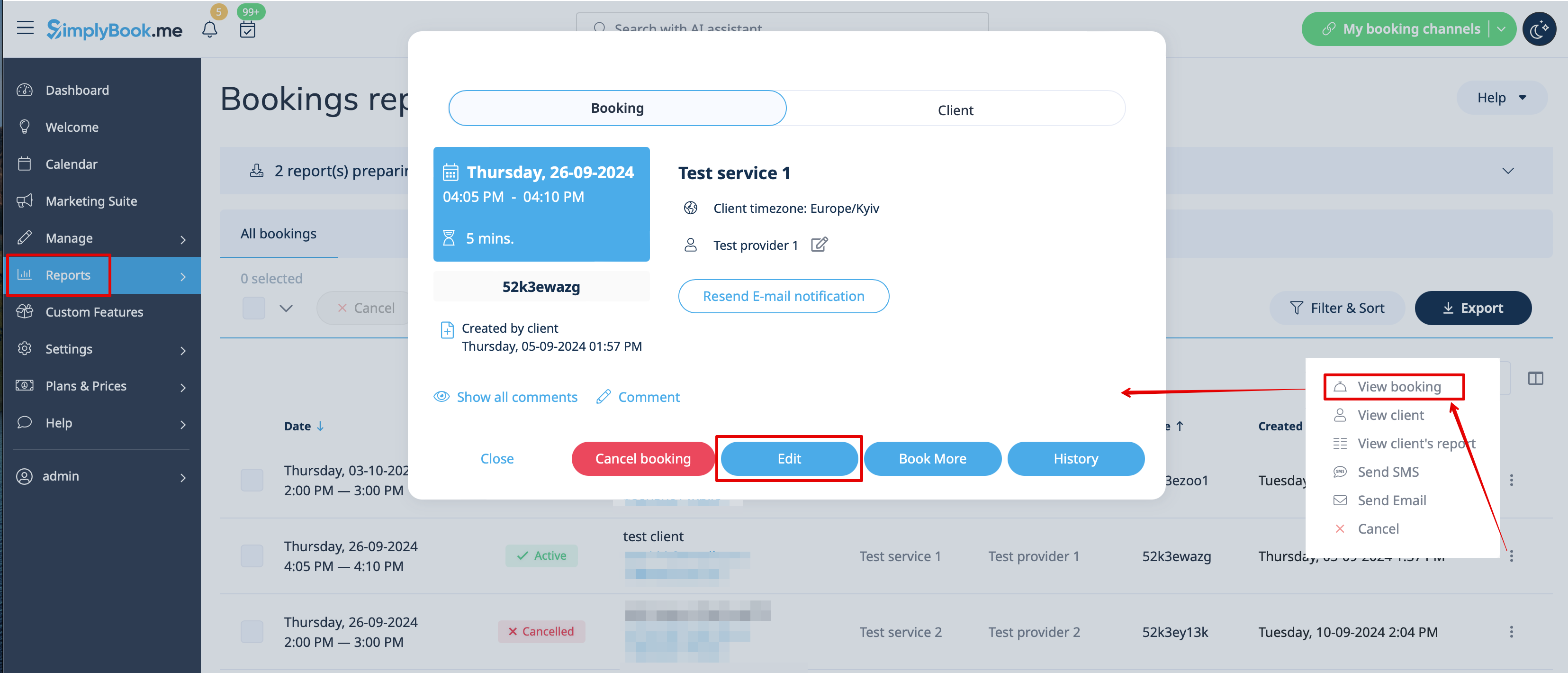

2. In Reports//Booking details.
Click on "View" button near corresponding booking, then choose "Edit" and make necessary changes. Then please click on "Save" for changes to be applied.