From SimplyBook.me
Created page with "<br> = Logo et arrière-plan = <br><br> Vous pouvez ajouter le logo de votre entreprise et une belle bannière, ainsi qu'un logo distinct pour la page "Critiques" à <span style="background-color:#d4f8e5; padding:5px; border-radius:5px;"> Paramètres </span> -> <span style="background-color:#d4f8e5; padding:5px; border-radius:5px;"> Paramètres de conception </span> -> <span style="background-color:#d4f8e5; padding:5px; border-radius:5px;"> Paramètres de th..." |
No edit summary |
||
| Line 5: | Line 5: | ||
<span style="background-color:#d4f8e5; padding:5px; border-radius:5px;"> | <span style="background-color:#d4f8e5; padding:5px; border-radius:5px;"> | ||
Paramètres | Paramètres | ||
</span> | </span> -> <span style="background-color:#d4f8e5; padding:5px; border-radius:5px;"> | ||
<span style="background-color:#d4f8e5; padding:5px; border-radius:5px;"> | |||
Paramètres de conception | Paramètres de conception | ||
</span> | </span> -> <span style="background-color:#d4f8e5; padding:5px; border-radius:5px;"> | ||
<span style="background-color:#d4f8e5; padding:5px; border-radius:5px;"> | |||
Paramètres de thème supplémentaires | Paramètres de thème supplémentaires | ||
</span> | </span> | ||
Latest revision as of 13:49, 23 June 2025
Logo et arrière-plan
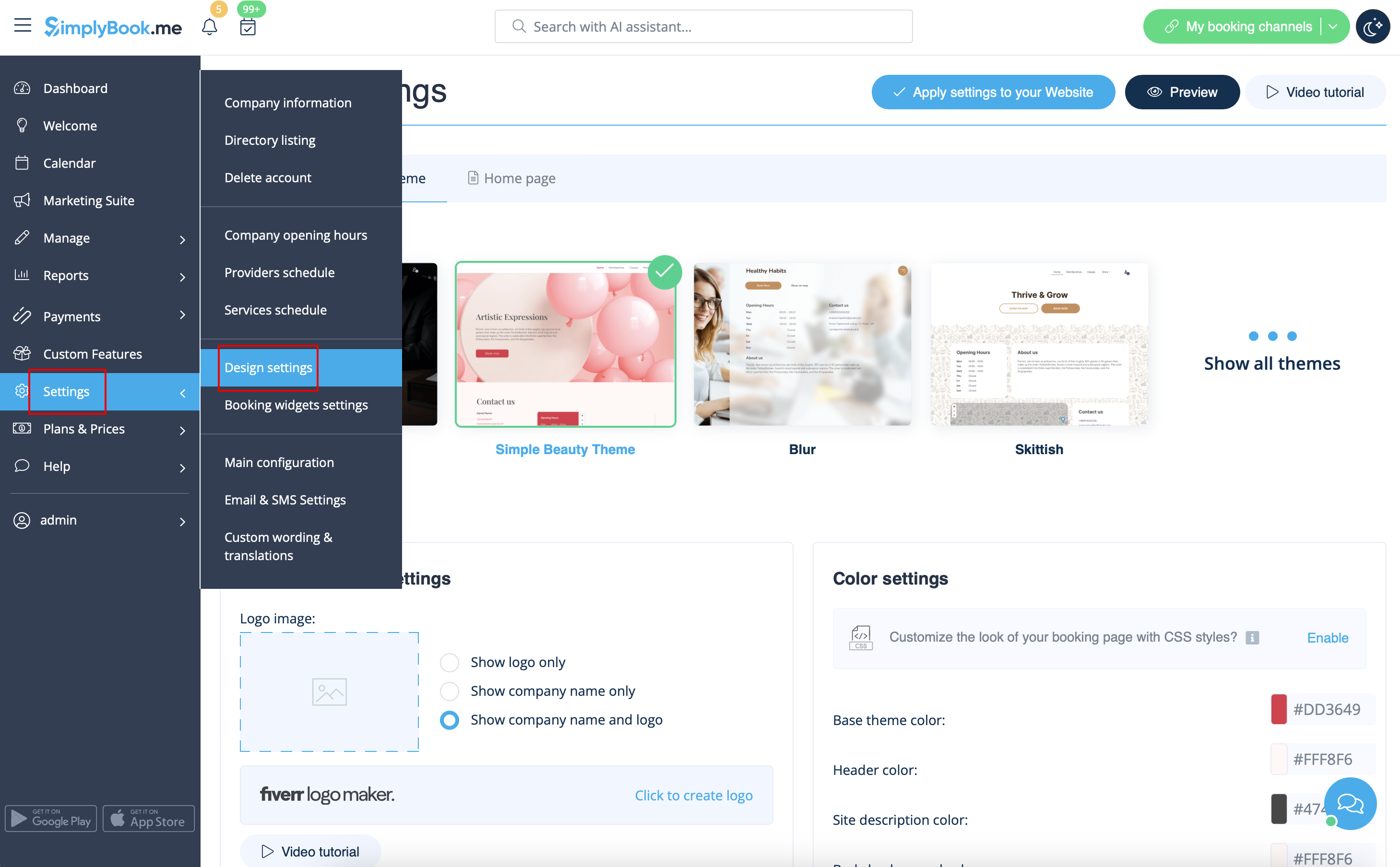
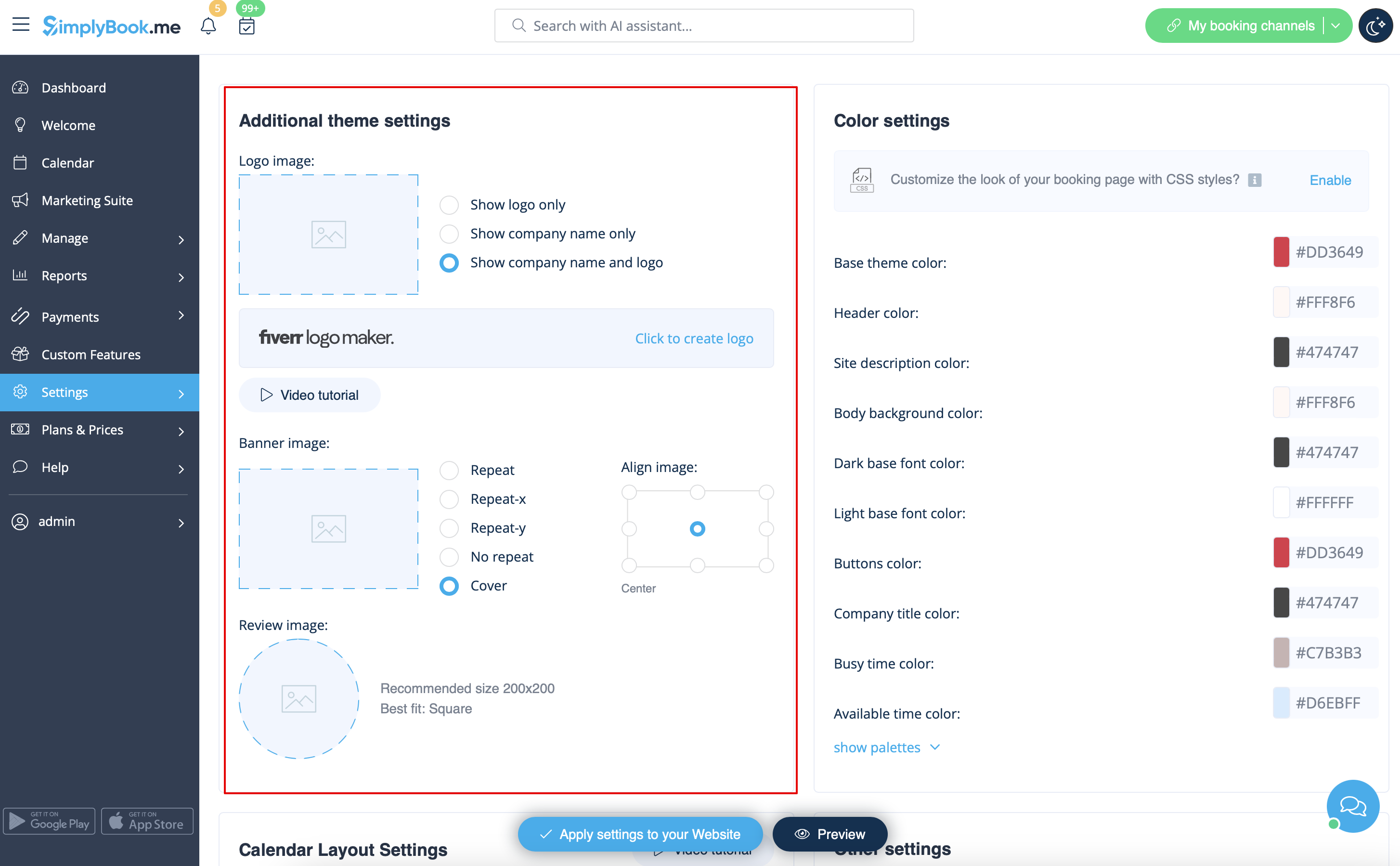
Vous pouvez ajouter le logo de votre entreprise et une belle bannière, ainsi qu'un logo distinct pour la page "Critiques" à
Paramètres
->
Paramètres de conception
->
Paramètres de thème supplémentaires