From SimplyBook.me
Created page with "Als u online betalingen wilt inschakelen voor het bestaande SimplyBook.me-account, moet u na het inschakelen van de aangepaste functie Betalingen accepteren het formulier over uw bedrijf invullen en de basisvaluta selecteren.<br> Nadat u het formulier hebt verzonden, wordt binnen enkele seconden een account voor u aangemaakt. File:Accept payments settings path redesigned.png|1200px|center|link=https://help.simplybook.me/images/3/37/Ac..." |
(No difference)
|
Revision as of 07:44, 1 July 2025
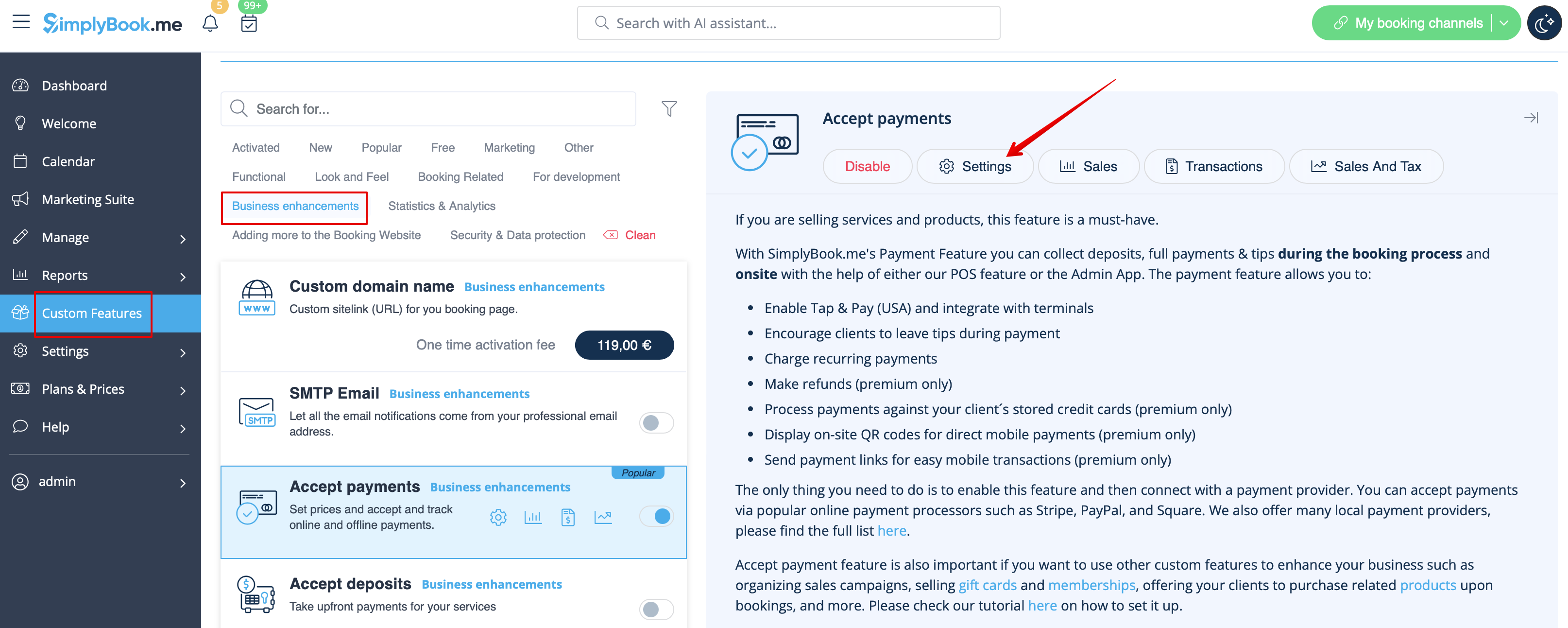
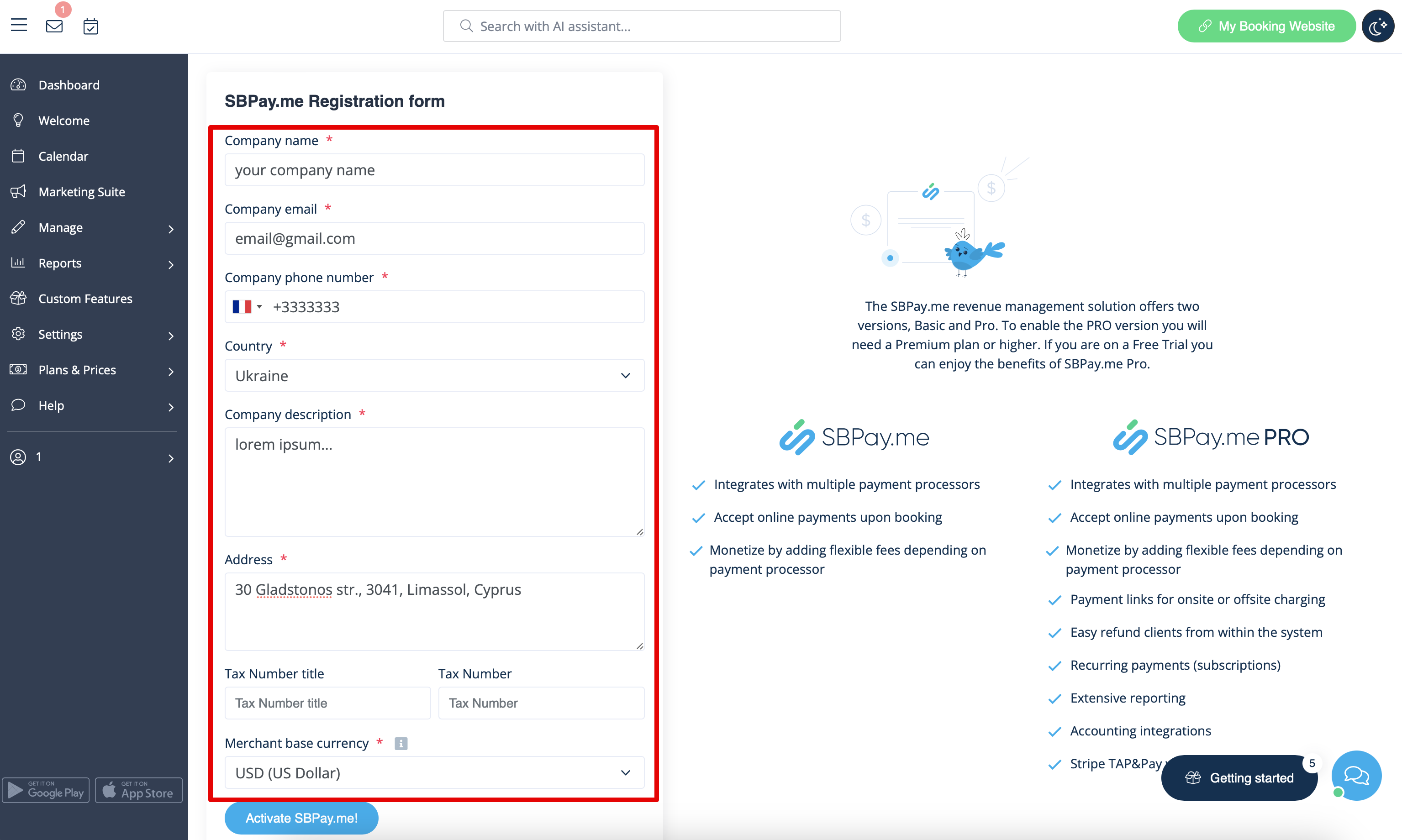
Als u online betalingen wilt inschakelen voor het bestaande SimplyBook.me-account, moet u na het inschakelen van de aangepaste functie Betalingen accepteren het formulier over uw bedrijf invullen en de basisvaluta selecteren.
Nadat u het formulier hebt verzonden, wordt binnen enkele seconden een account voor u aangemaakt.
SimplyMeet.me
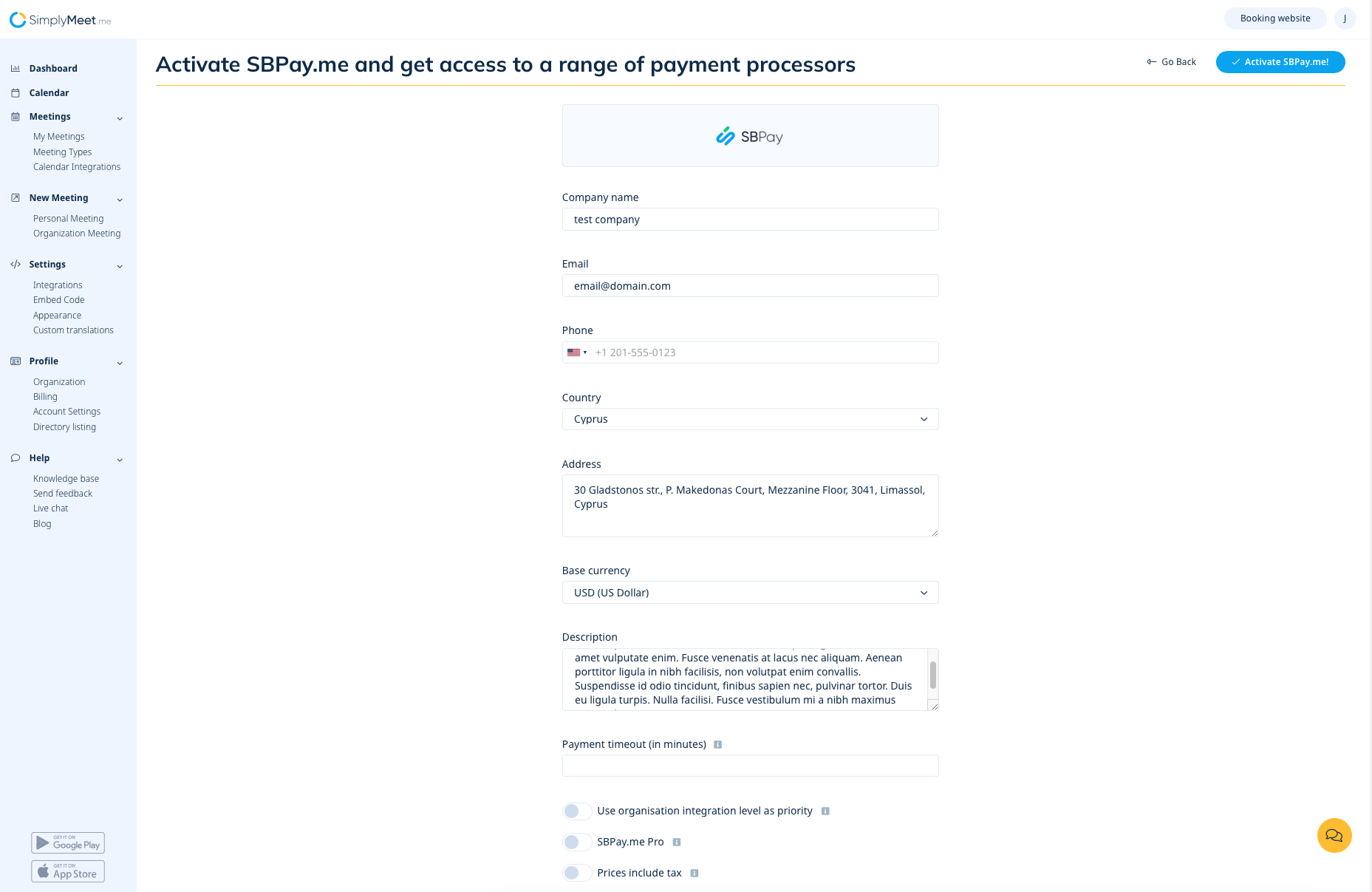
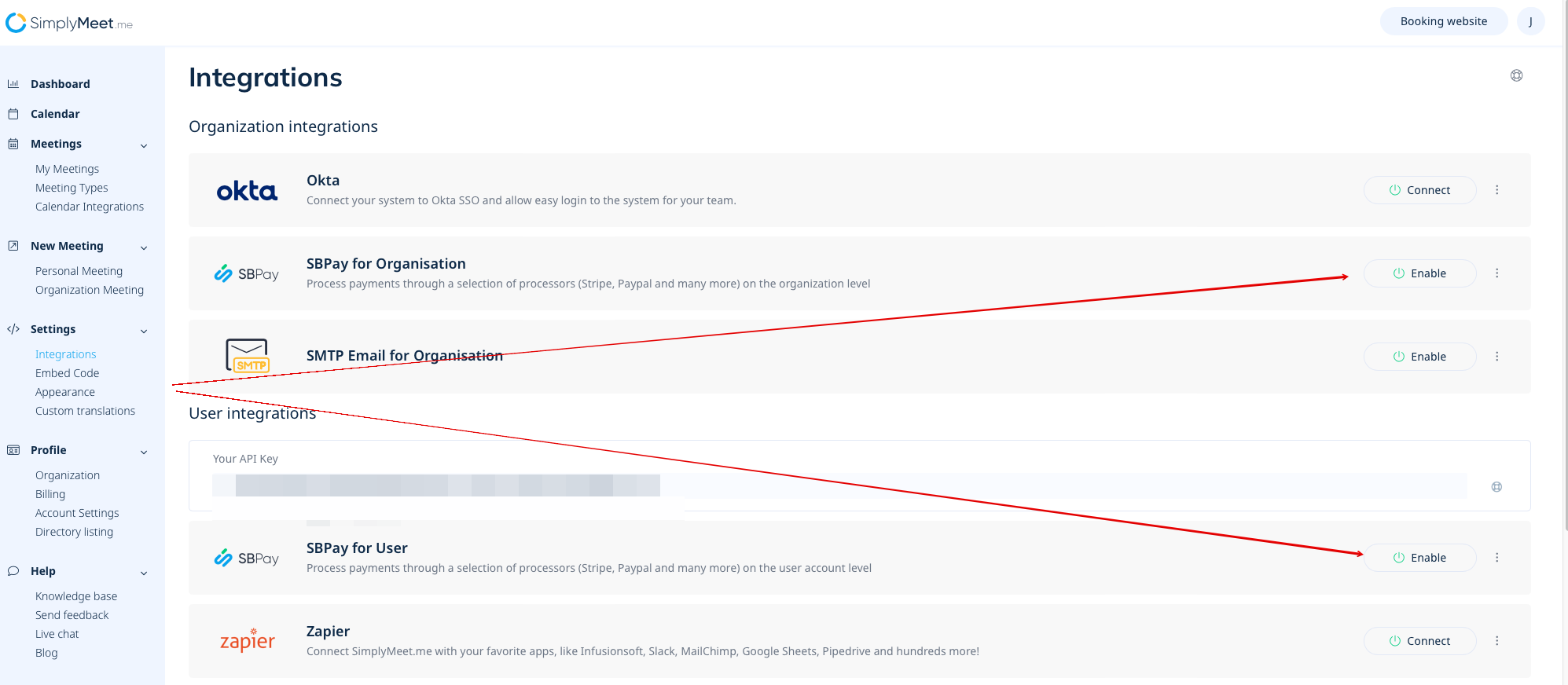
Als u een SimplyMeet.me-gebruiker bent, kunt u gewoon naar uw pagina 'Integraties' gaan en daar de optie SBPay.me inschakelen op gebruikers- en/of organisatieniveau (voor betaalde abonnementen).
Vul het formulier over het bedrijf in en in slechts een paar stappen is uw SBPay.me-account klaar.