Translations:SBPay.me - How to create account/6/uk: Difference between revisions

From SimplyBook.me
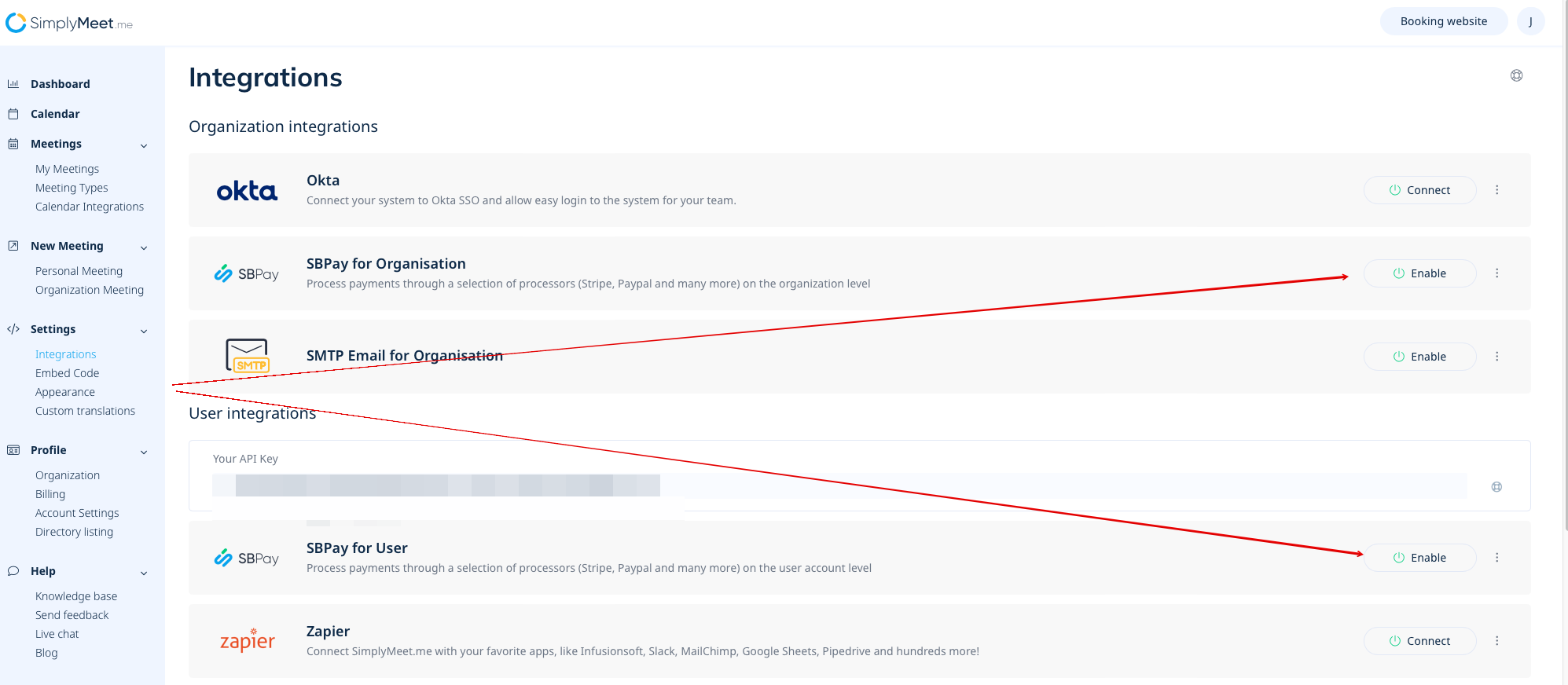
Created page with "== SimplyMeet.me == Якщо ви користуєтеся SimplyMeet.me, просто перейдіть на сторінку [https://secure.simplymeet.me/integrations «Інтеграції»] та увімкніть опцію SBPay.me на рівні користувача та/або організації (для платних підписок).<br> File:Sbpay registration path sm.png|1200px|center|link=https://help.simplybook.me/images/6/61/Sbpay_registration..."
 
(No difference)

Latest revision as of 08:03, 1 July 2025

Information about message (contribute)
This message has no documentation. If you know where or how this message is used, you can help other translators by adding documentation to this message.
Message definition (SBPay.me - How to create account)
==SimplyMeet.me==
If you are a SimplyMeet.me user, you can simply go to your [https://secure.simplymeet.me/integrations Integrations] page and enable SBPay.me option there on user and/or organisation(for paid subscriptions) level.<br>
[[File:Sbpay registration path sm.png|1200px|center|link=https://help.simplybook.me/images/6/61/Sbpay_registration_path_sm.png]]
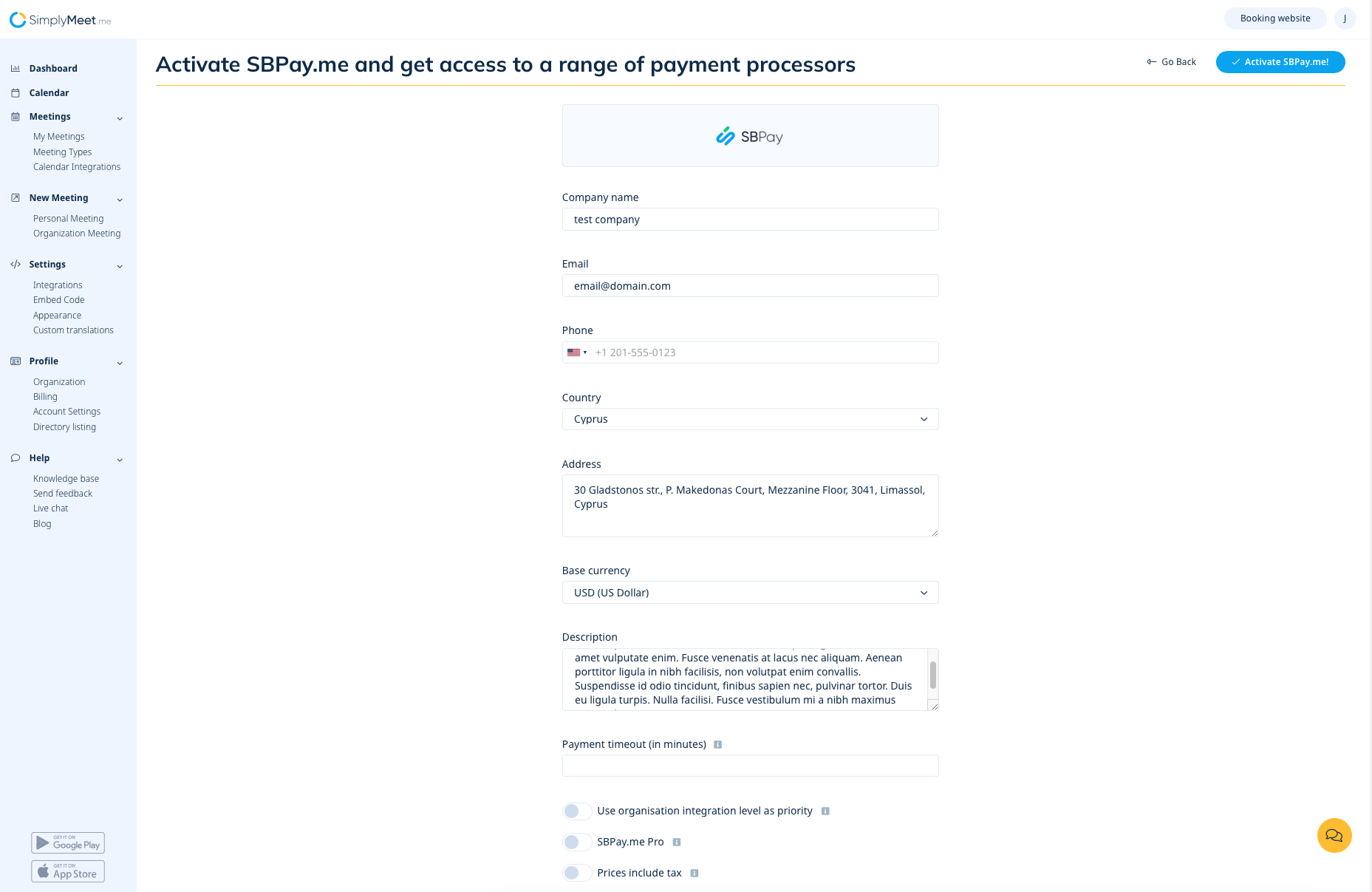
Fill in the form about the company and just in a few steps SBPay.me account is ready.
[[File:Sbpay registration form sm.png|1200px|center|link=https://help.simplybook.me/images/a/a7/Sbpay_registration_form_sm.png]]
<br><br>

SimplyMeet.me

Якщо ви користуєтеся SimplyMeet.me, просто перейдіть на сторінку «Інтеграції» та увімкніть опцію SBPay.me на рівні користувача та/або організації (для платних підписок).
Заповніть форму про компанію, і за кілька кроків обліковий запис SBPay.me буде готовий.