Translations:Socials and Ads/3/en: Difference between revisions

From SimplyBook.me
FuzzyBot (talk | contribs)
Importing a new version from external source
Tags: Mobile edit Mobile web edit
 
(No difference)

Latest revision as of 08:05, 1 July 2025

Information about message (contribute)
This message has no documentation. If you know where or how this message is used, you can help other translators by adding documentation to this message.
Message definition (Socials and Ads)
; How to use
1. Navigate to Social & Ads tab within your Simplybook.me admin interface.<br>
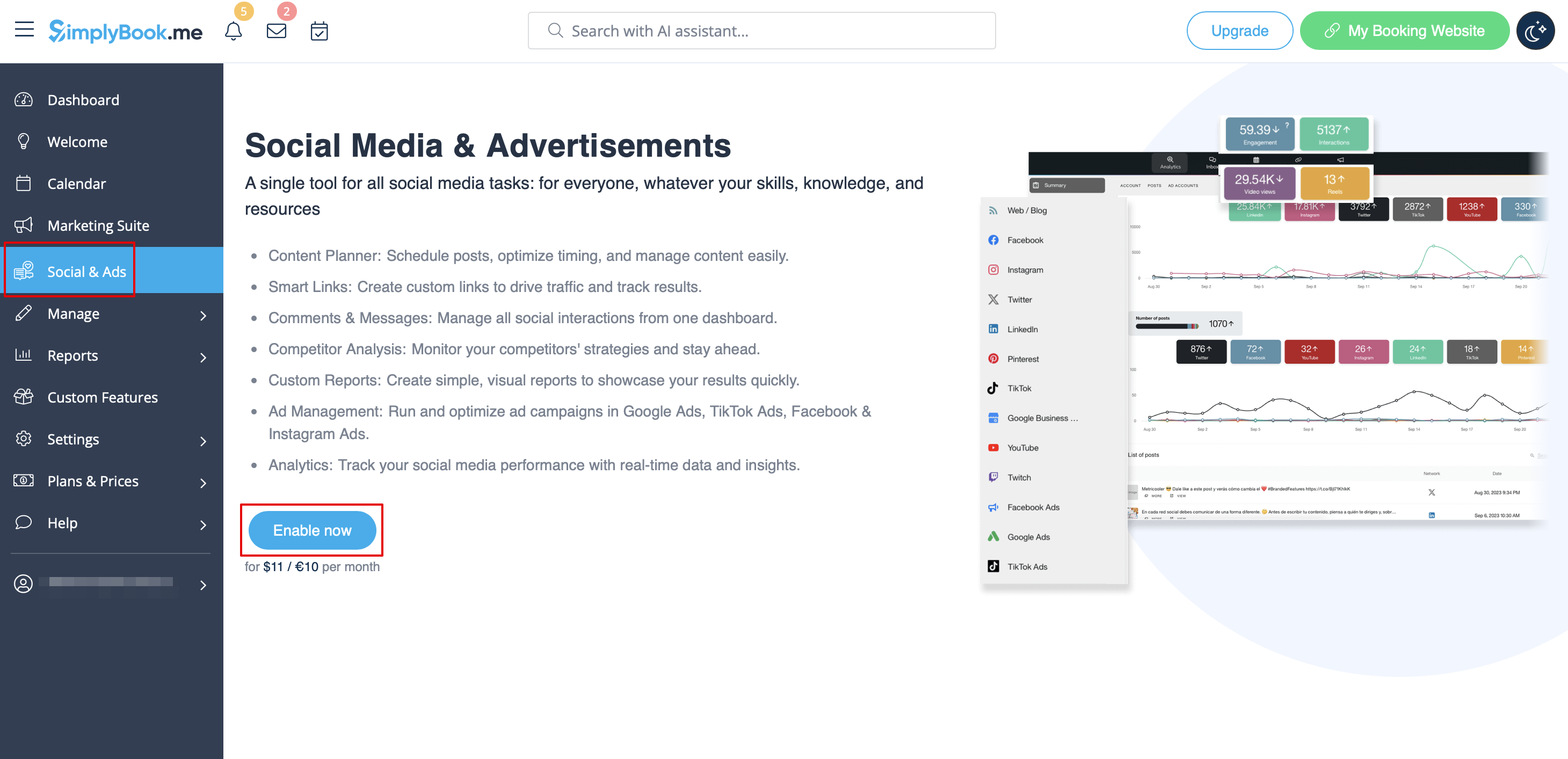
2. Click on "Enable" button and proceed to payment step to add "Social and Ads" tool to your subscription.
[[File:Metricool enable path.png|1200px|center|link=https://help.simplybook.me/images/c/ca/Metricool_enable_path.png]]
<br><br>
3. Once the payment is confirmed go back to the '''Social & Ads''' tab.<br>
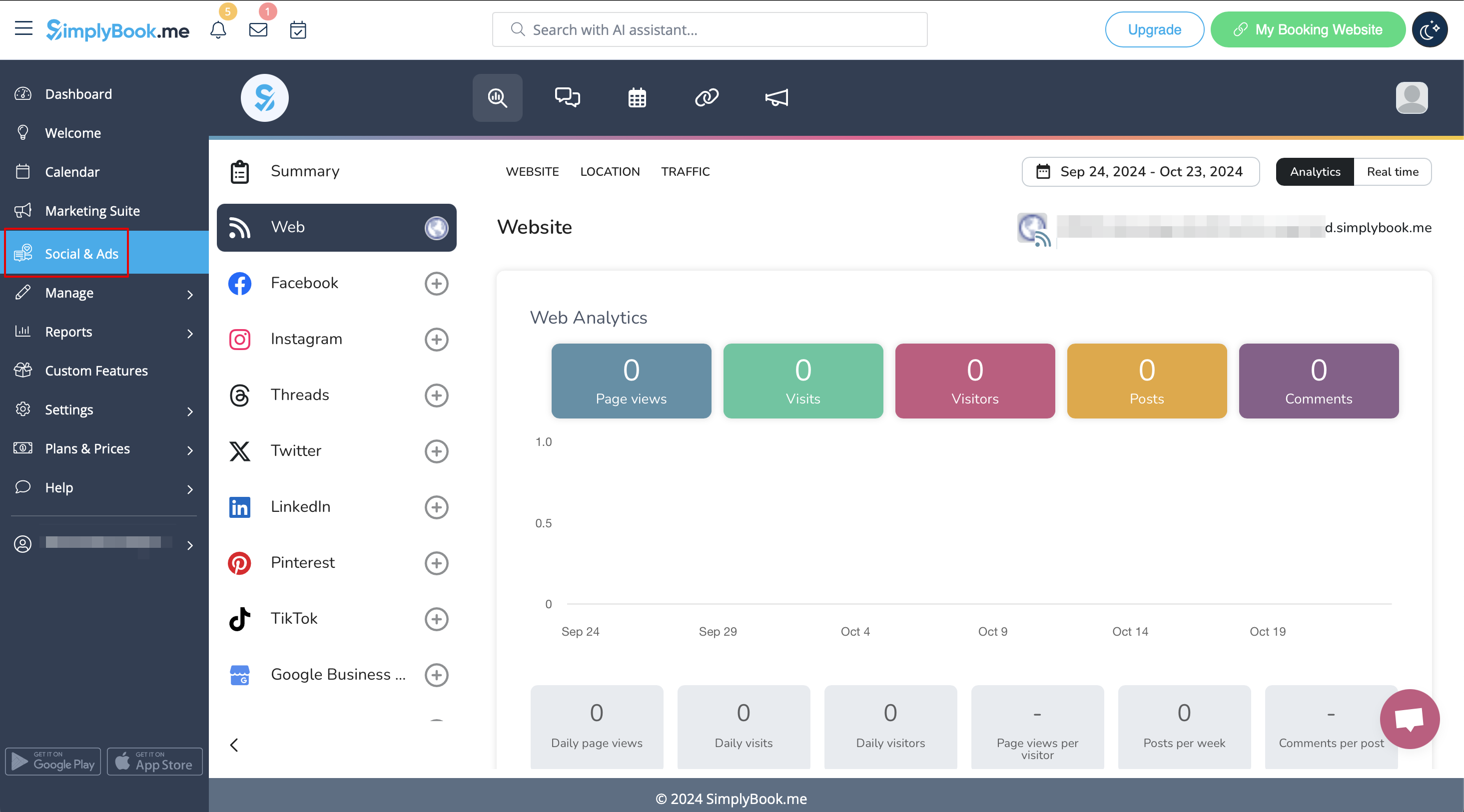
4. The integration is already enabled for you, your booking website activity is already being tracked and you will be able to see the statistics on visits.
[[File:Metricol connected.png|1200px|center|link=https://help.simplybook.me/images/4/4c/Metricol_connected.png]]
<br><br>
5. Connect your business social networks there to see all the details within one interface and manage everything even more effectively.
<br><br>
How to use

1. Navigate to Social & Ads tab within your Simplybook.me admin interface.
2. Click on "Enable" button and proceed to payment step to add "Social and Ads" tool to your subscription.


3. Once the payment is confirmed go back to the Social & Ads tab.
4. The integration is already enabled for you, your booking website activity is already being tracked and you will be able to see the statistics on visits.


5. Connect your business social networks there to see all the details within one interface and manage everything even more effectively.