Translations:Service/Provider relations/11/sv: Difference between revisions

From SimplyBook.me
Created page with "<div class="mw-collapsible mw-collapsed" data-expandtext="Show" data-collapsetext="Hide" style="width:800px;"> <span class="qa"> Många tjänster</span> <div class="mw-collapsible-content"> '''Kategorier är''' avsedda att gruppera tjänster. De kan läggas till med hjälp av den anpassade funktionen Custom_Features#Service_Categories| Tjäns..."
 
(No difference)

Latest revision as of 08:06, 1 July 2025

Information about message (contribute)
This message has no documentation. If you know where or how this message is used, you can help other translators by adding documentation to this message.
Message definition (Service/Provider relations)
<div class="mw-collapsible mw-collapsed" data-expandtext="Show" data-collapsetext="Hide" style="width:800px;">
<span class="qa">[[Categories_and_Locations#How_to_add_Category| Having many services]]</span>
<div class="mw-collapsible-content">
[[Custom_Features#Service_Categories| '''Categories''']] are designed to group services. Can be added with the help of [[Custom_Features#Service_Categories| Service Categories]] custom feature.
;How to add:
Enable [[Custom_Features#Service_Categories | Service Categories]]  feature. In Manage//Services//Add category create all necessary categories. Click on "Category services" tab of the category and check necessary boxes to connect services with category.
</div>
</div>
<br/>
<div class="mw-collapsible mw-collapsed" data-expandtext="Show" data-collapsetext="Hide" style="width:800px;">
<span class="qa">[[Adding_services,_providers_and_availability(new_interface)#How_to_attach_services_to_provider | Providers do only certain services]]</span>
<div class="mw-collapsible-content">
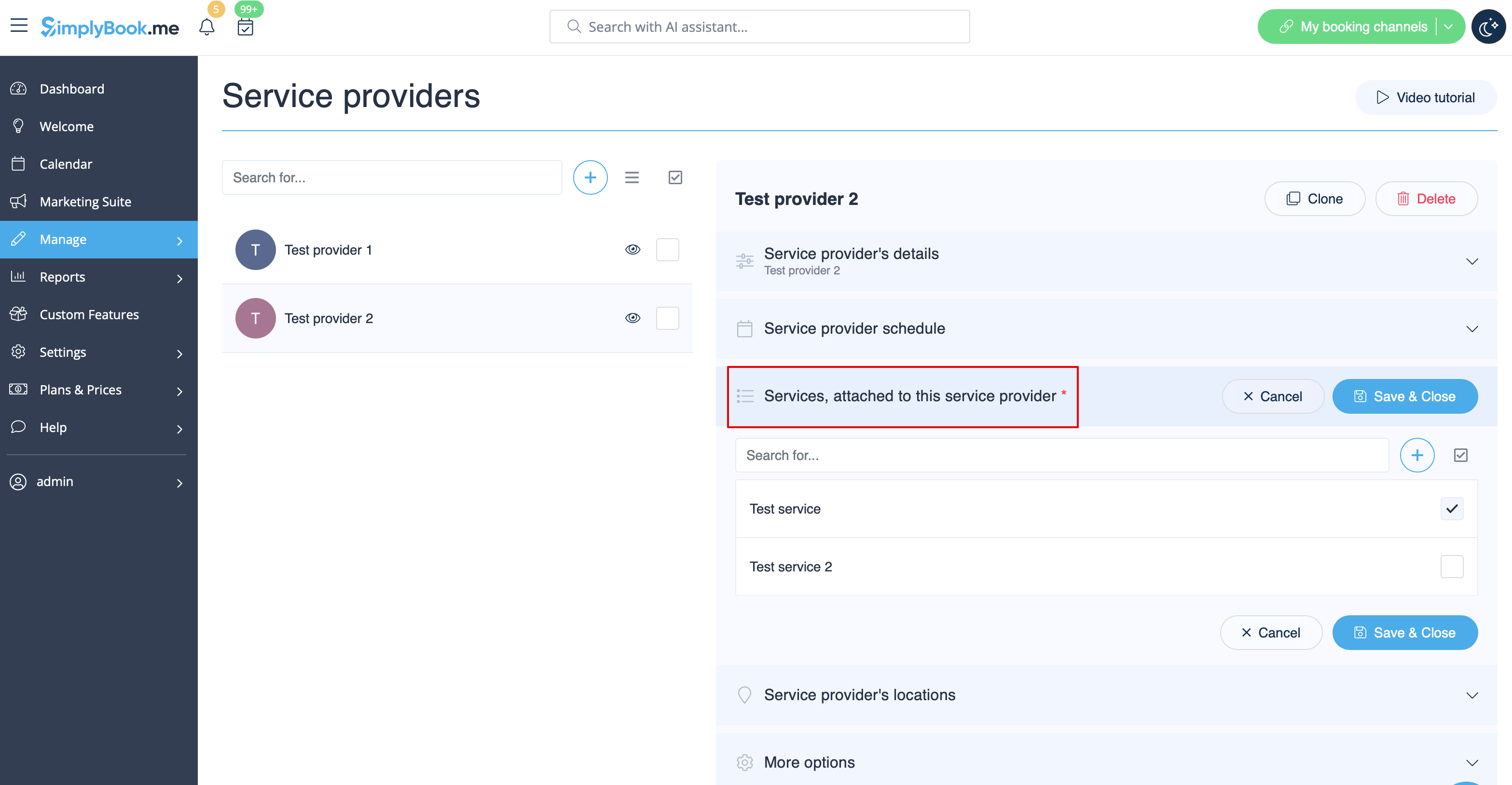
In Manage// Service Providers // select the desired provider // Services, attached to this service provider check boxes with necessary services to connect them.<br/>
[[File:Provider edit attached services redesigned.png|1200px | center|link=https://help.simplybook.me/images/2/23/Provider_edit_attached_services_redesigned.png]]<br/>
</div>
</div>
<br/>

Många tjänster

Kategorier är avsedda att gruppera tjänster. De kan läggas till med hjälp av den anpassade funktionen Tjänstekategorier.

Så här lägger du till

Aktivera funktionen Tjänstekategorier. I Hantera//Tjänster//Lägg till kategori skapar du alla nödvändiga kategorier. Klicka på fliken "Kategoritjänster" för kategorin och markera de rutor som är nödvändiga för att koppla tjänster till kategorin.


Leverantörer utför endast vissa tjänster

I Hantera//Tjänsteleverantörer//välj önskad leverantör//Tjänster, markera kryssrutorna för nödvändiga tjänster som ska kopplas till denna tjänsteleverantör.