Translations:Giving access to the system to other people/5/fr: Difference between revisions

From SimplyBook.me
Created page with "<br><br> Lorsque vous ajoutez les informations d'un nouvel utilisateur, activez simplement l'option <span style="background-color:#d4f8e5; padding:5px; border-radius:5px;">Envoyer les informations de connexion à l'utilisateur</span> et enregistrez la fiche utilisateur.<br> Le système enverra automatiquement l'e-mail contenant les identifiants de connexion selon le modèle que vous avez défini dans <span style="background-color:#d4f8e5; padding:5px; border-radius:5px;"..."
 
(No difference)

Latest revision as of 08:08, 1 July 2025

Information about message (contribute)
This message has no documentation. If you know where or how this message is used, you can help other translators by adding documentation to this message.
Message definition (Giving access to the system to other people)
<br><br>
When adding new user details just enable the switch <span style="background-color:#d4f8e5; padding:5px; border-radius:5px;">Send login information to user</span> and save the user record.<br>
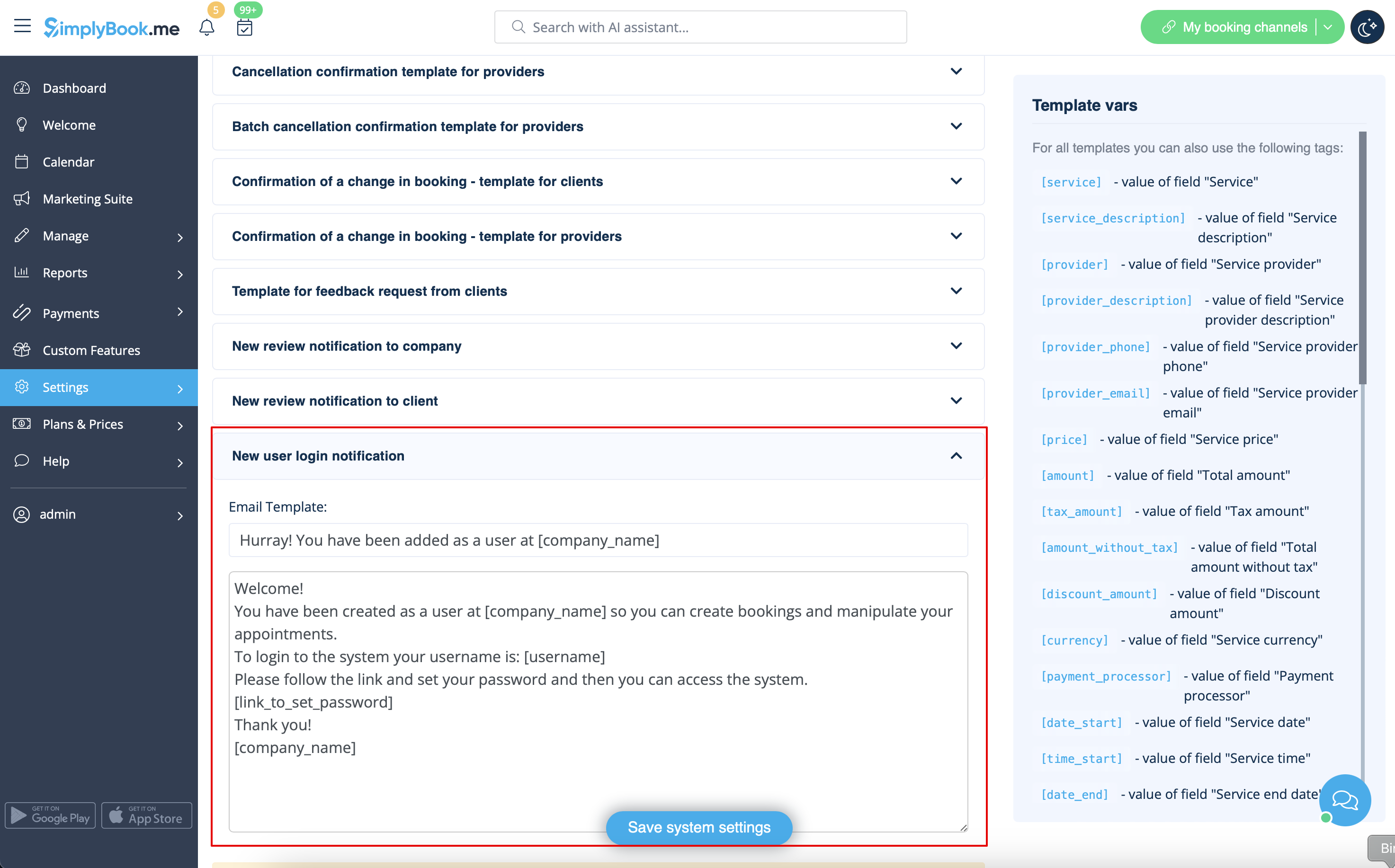
The system will automatically send the email with the login credentials according to the template you have set in <span style="background-color:#d4f8e5; padding:5px; border-radius:5px;">Settings</span> -> <span style="background-color:#d4f8e5; padding:5px; border-radius:5px;">Email and SMS Settings</span> -> <span style="background-color:#d4f8e5; padding:5px; border-radius:5px;">New user login notification.</span>
[[File:New user notification redesigned.png|1200px|border|center|link=https://help.simplybook.me/images/e/e8/New_user_notification_redesigned.png]]
<br><br>
Or you can manually send login and password to your users along with the link to your admin page after saving the user.
<br><br>


Lorsque vous ajoutez les informations d'un nouvel utilisateur, activez simplement l'option Envoyer les informations de connexion à l'utilisateur et enregistrez la fiche utilisateur.
Le système enverra automatiquement l'e-mail contenant les identifiants de connexion selon le modèle que vous avez défini dans Paramètres -> Paramètres e-mail et SMS -> Notification de connexion d'un nouvel utilisateur.


Vous pouvez également envoyer manuellement le nom d'utilisateur et le mot de passe à vos utilisateurs avec le lien vers votre page d'administration après avoir enregistré l'utilisateur.