Translations:Duda integration/3/en: Difference between revisions

From SimplyBook.me
FuzzyBot (talk | contribs)
Importing a new version from external source
 
(No difference)

Latest revision as of 14:05, 16 July 2025

Information about message (contribute)
This message has no documentation. If you know where or how this message is used, you can help other translators by adding documentation to this message.
Message definition (Duda integration)
;How to set
1. Log into your [https://my.duda.co/ Duda dashboard].<br>
2. Create a new website or open the existing one where you want to embed the booking widget.<br>
3. Click on '''Widgets''' in the left-side menu.<br>
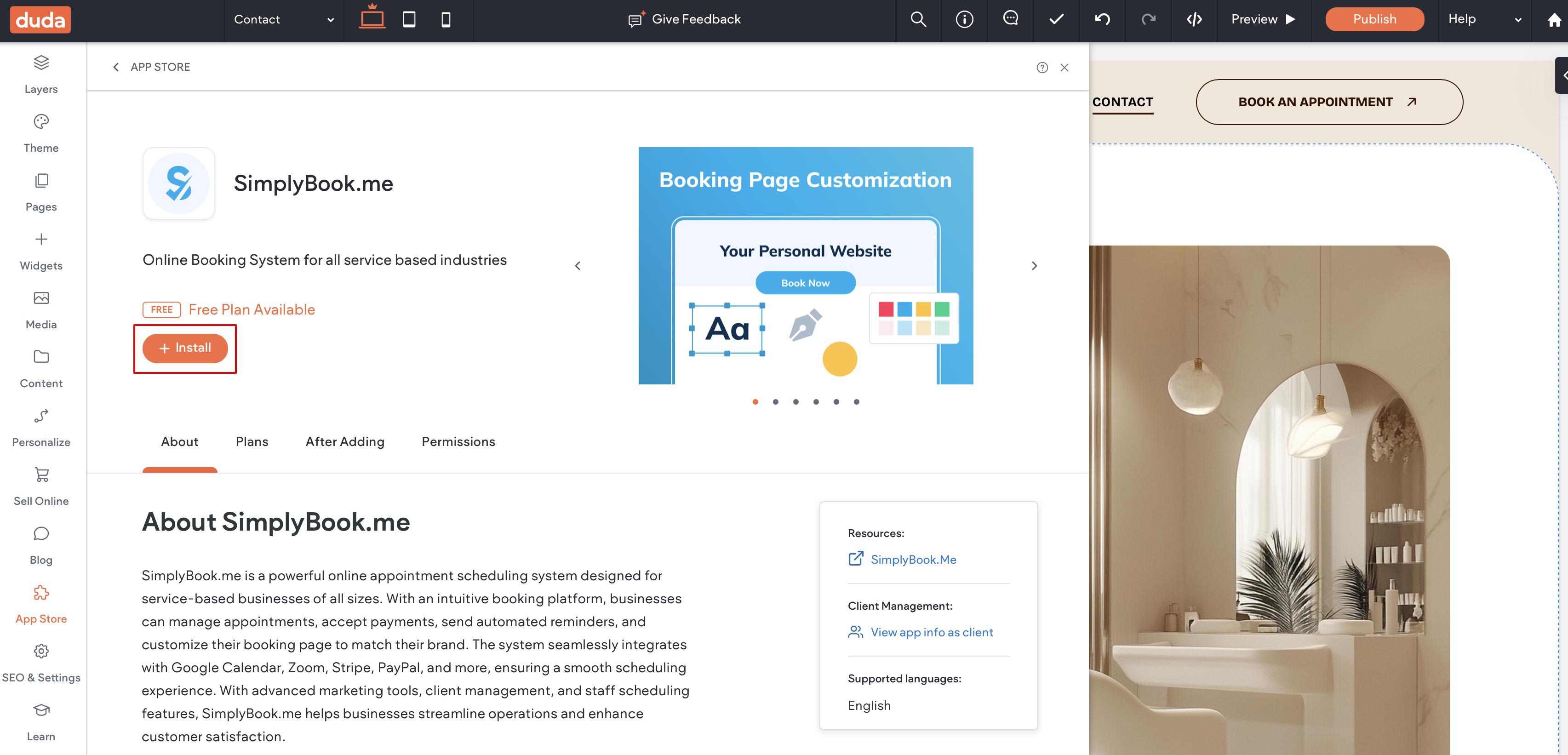
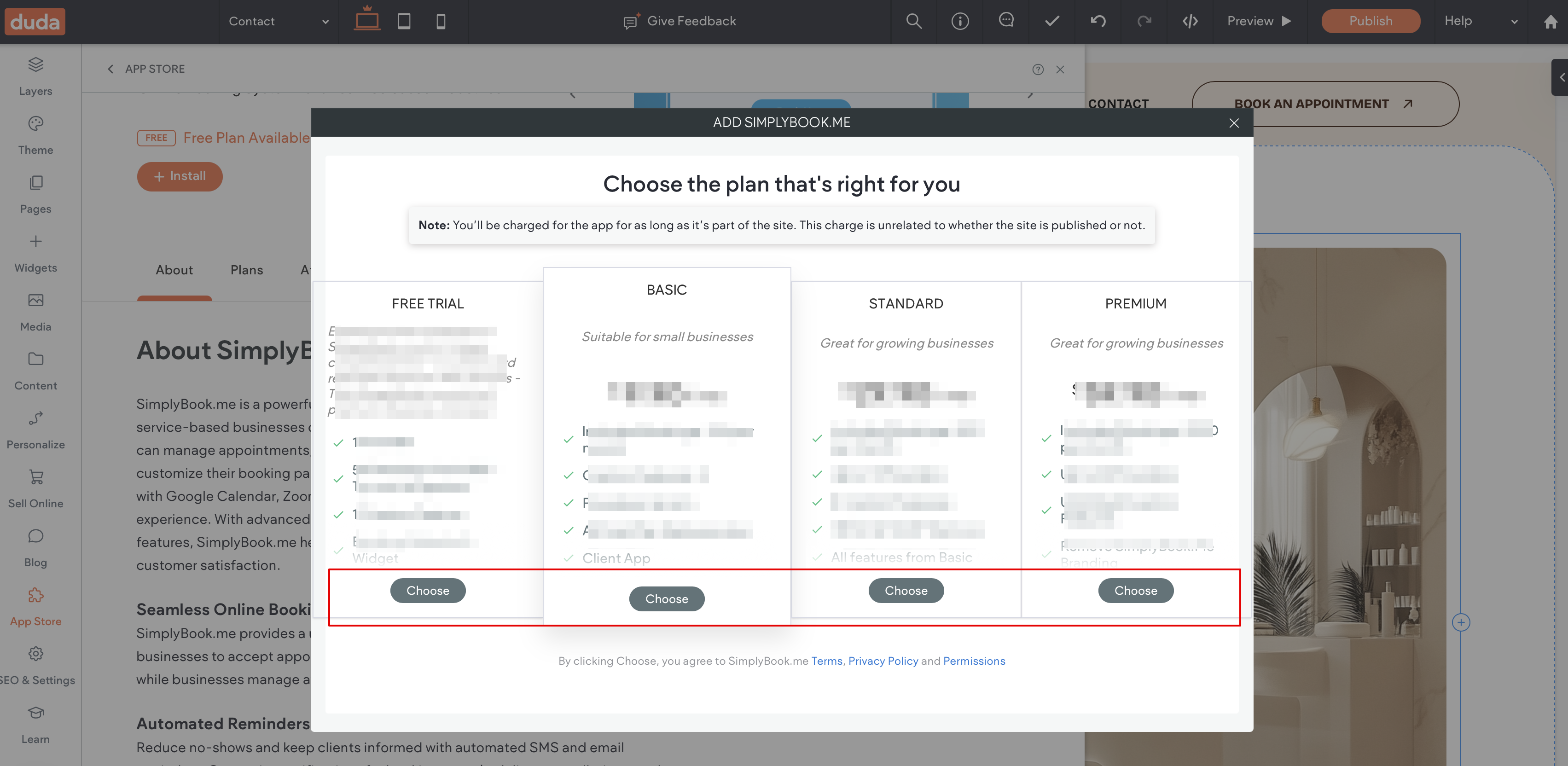
4. Search for ''''SimplyBook''' and install it.
[[File:Duda widget sb path.png|1200px|center|link=https://help.simplybook.me/images/5/57/Duda_widget_sb_path.png]]
[[File:Duda sb widget install.png|1200px|center|link=https://help.simplybook.me/images/9/9c/Duda_sb_widget_install.png]]
<br><br>
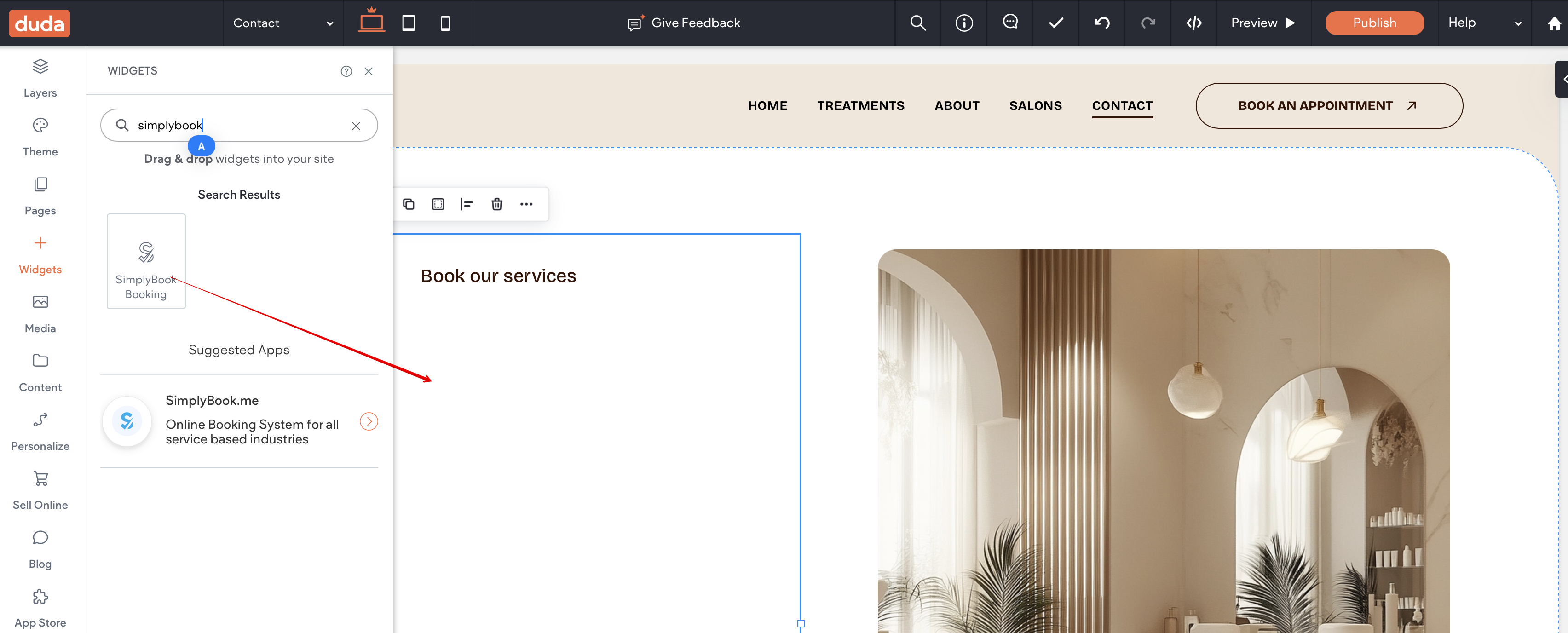
5. Choose the applicable subscription to be applied to your system.
[[File:Duda sb widget select the plan.png|1200px|center|link=https://help.simplybook.me/images/6/6e/Duda_sb_widget_select_the_plan.png]]
<br><br>
6. Choose a place on the page where the booking tool should appear.<br>
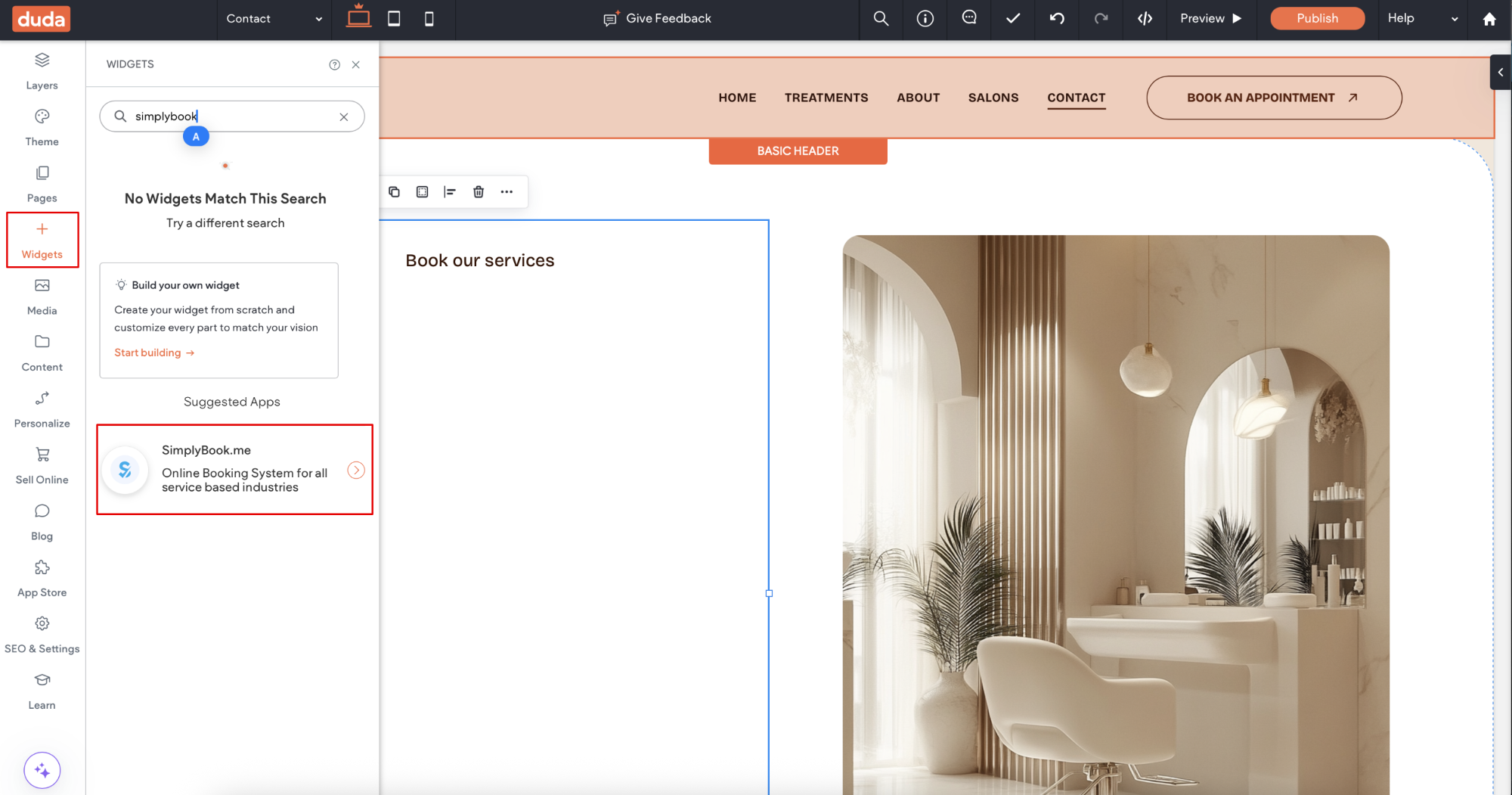
7. Click on '''Widgets''' again and select the ''''Simplybook booking''' to drag it to the page.<br>
That's it, the widget is added.
[[File:Duda sb add widget to page.png|1200px|center|link=https://help.simplybook.me/images/5/50/Duda_sb_add_widget_to_page.png]]
<br><br>
8. To adjust the design please use the built-in editing options, the widget will adjust to your website styles.
How to set

1. Log into your Duda dashboard.
2. Create a new website or open the existing one where you want to embed the booking widget.
3. Click on Widgets in the left-side menu.
4. Search for 'SimplyBook and install it.


5. Choose the applicable subscription to be applied to your system.


6. Choose a place on the page where the booking tool should appear.
7. Click on Widgets again and select the 'Simplybook booking to drag it to the page.
That's it, the widget is added.


8. To adjust the design please use the built-in editing options, the widget will adjust to your website styles.