From SimplyBook.me
No edit summary |
No edit summary |
||
| Line 12: | Line 12: | ||
<br><br> | <br><br> | ||
;Vous pourriez également avoir besoin de : | ;Vous pourriez également avoir besoin de : | ||
*[[Need_to_change_interval_(timeframe)| Intervalle autre que 60 minutes]] | *[[Special:MyLanguage/Need_to_change_interval_(timeframe)| Intervalle autre que 60 minutes]] | ||
*[[How_to_change_the_way_time_slots_are_shown| Modifier l'affichage des créneaux horaires sur la page de réservation]] | *[[Special:MyLanguage/How_to_change_the_way_time_slots_are_shown| Modifier l'affichage des créneaux horaires sur la page de réservation]] | ||
<br><br> | <br><br> | ||
Latest revision as of 12:11, 11 August 2025
J'ai des horaires pour les services
Dans l'onglet Gérer//Services//Calendrier des services, déplacez les curseurs pour définir les heures d'ouverture de ce service si elles diffèrent de l'horaire habituel de l'entreprise.
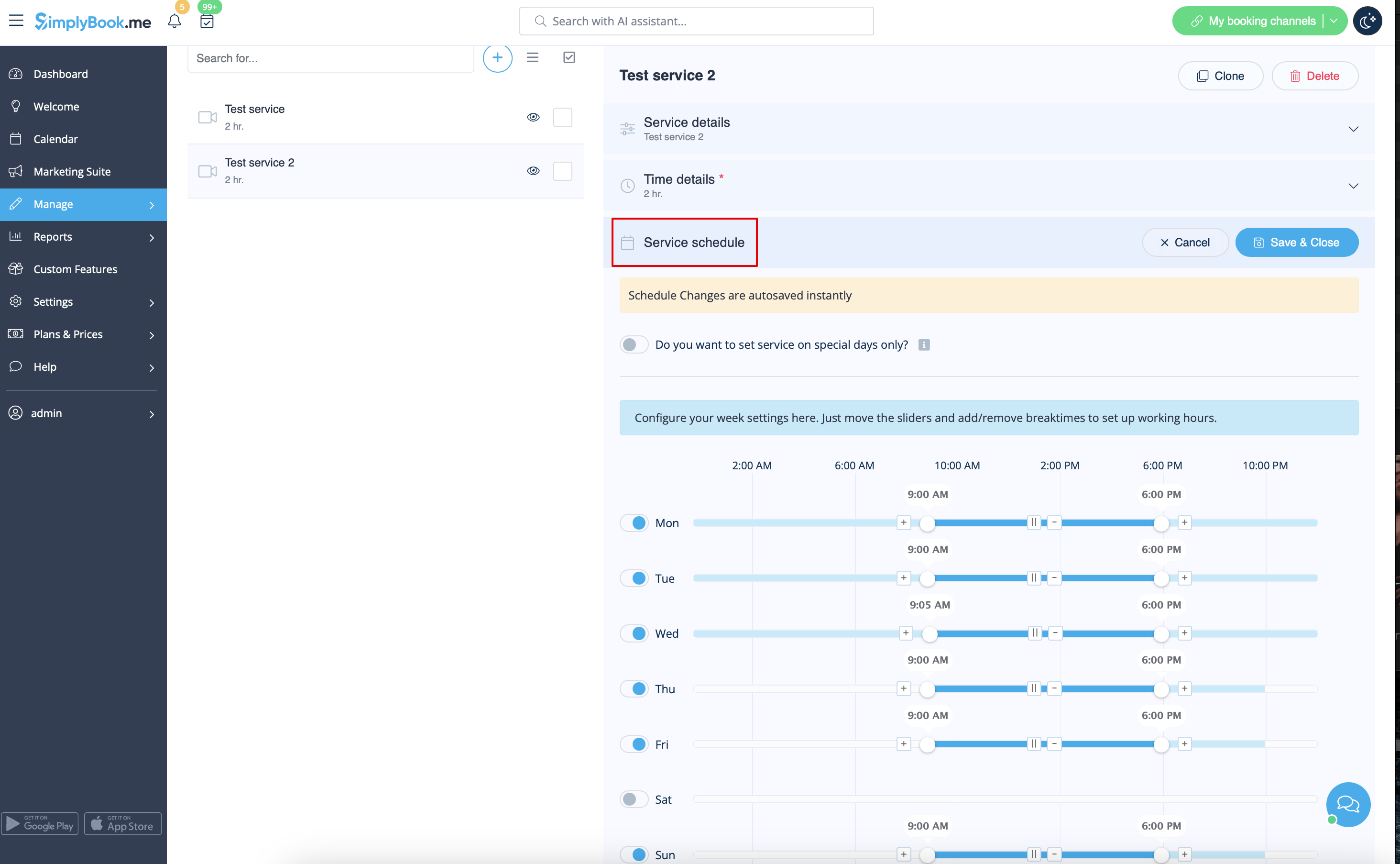
Si le service a le même calendrier que l'entreprise, vous n'avez rien à modifier, il sera appliqué automatiquement.
Si vous devez définir des exceptions dans le calendrier des services pour les jours fériés ou pour d'autres raisons, veuillez sélectionner « Afficher les paramètres avancés », puis l'onglet « Calendrier des jours spéciaux ».

- Vous pourriez également avoir besoin de
- Intervalle autre que 60 minutes
- Modifier l'affichage des créneaux horaires sur la page de réservation
