Translations:Booking reports/22/en: Difference between revisions

From SimplyBook.me
FuzzyBot (talk | contribs)
Importing a new version from external source
 
FuzzyBot (talk | contribs)
Importing a new version from external source
 
Line 1: Line 1:
=Pending bookings list=
You can access it from calendar page if [[Custom_Features#Approve_Bookings | Approve bookings]] custom feature is on.<br>
You can access it from calendar page if [[Special:MyLanguage/Approve_Bookings_custom_feature | Approve bookings]] custom feature is on.<br>
In this report you can:
*see/approve/decline pending bookings;

Latest revision as of 12:02, 13 August 2025

Information about message (contribute)
This message has no documentation. If you know where or how this message is used, you can help other translators by adding documentation to this message.
Message definition (Booking reports)
=Pending bookings list=
You can access it from calendar page if [[Special:MyLanguage/Approve_Bookings_custom_feature | Approve bookings]] custom feature is on.<br>
In this report you can:
*see/approve/decline pending bookings;
*filter them by:
<ol style="list-style-type: circle;">
<li>booking date;</li>
<li>client name;</li>
<li>provider name;</li>
<li>service name;</li>
<li>unique booking code.</li></ol>
*export data to Excel(using the filters if needed).
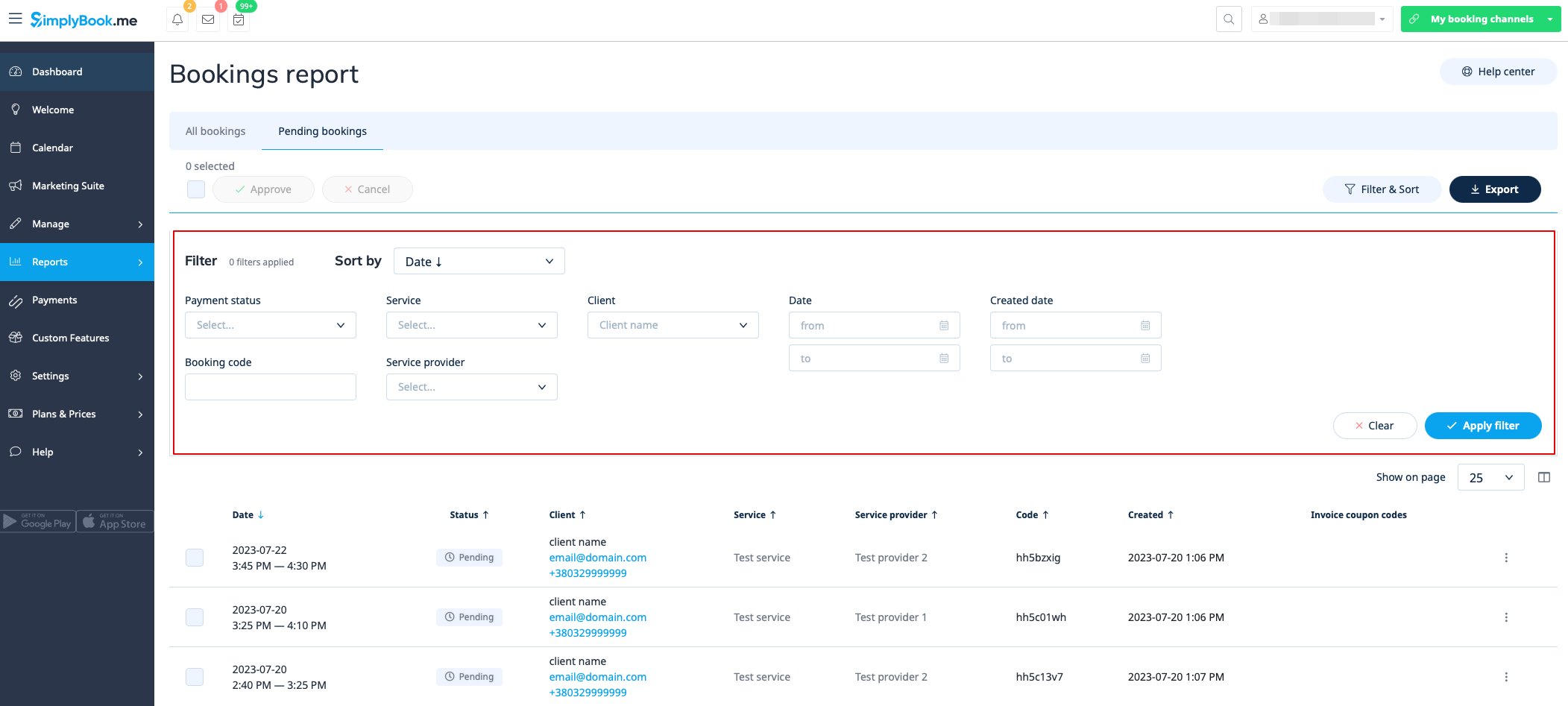
[[File:Pending bookings report new.png|1200px | center|link=https://help.simplybook.me/images/9/97/Pending_bookings_report_new.png]]

Pending bookings list

You can access it from calendar page if Approve bookings custom feature is on.
In this report you can:

  • see/approve/decline pending bookings;
  • filter them by:
  1. booking date;
  2. client name;
  3. provider name;
  4. service name;
  5. unique booking code.
  • export data to Excel(using the filters if needed).