From SimplyBook.me
Created page with "== Повідомлення WhatsApp == Якщо ви та ваші клієнти активно користуєтеся месенджером WhatsApp, ви можете отримувати там повідомлення, пов'язані з бронюваннями. ;Як користуватися 1. Увімкніть потрібні типи повідомлень WhatsApp у налаштуваннях -> Налаштування електронної п..." |
No edit summary |
||
| Line 9: | Line 9: | ||
[[File:Add whatapp credits to subscription.png|1200px|center|link=https://help.simplybook.me/images/c/c8/Add_whatapp_credits_to_subscription.png]] | [[File:Add whatapp credits to subscription.png|1200px|center|link=https://help.simplybook.me/images/c/c8/Add_whatapp_credits_to_subscription.png]] | ||
<br><br> | <br><br> | ||
<span style="background-color:#ffe9e9; padding:5px; border-radius:5px;">'''Зверніть увагу!''' | <span style="background-color:#ffe9e9; padding:5px; border-radius:5px;">'''Зверніть увагу!'''</span> | ||
<br><br> | <br><br> | ||
Latest revision as of 09:26, 14 August 2025
Повідомлення WhatsApp
Якщо ви та ваші клієнти активно користуєтеся месенджером WhatsApp, ви можете отримувати там повідомлення, пов'язані з бронюваннями.
- Як користуватися
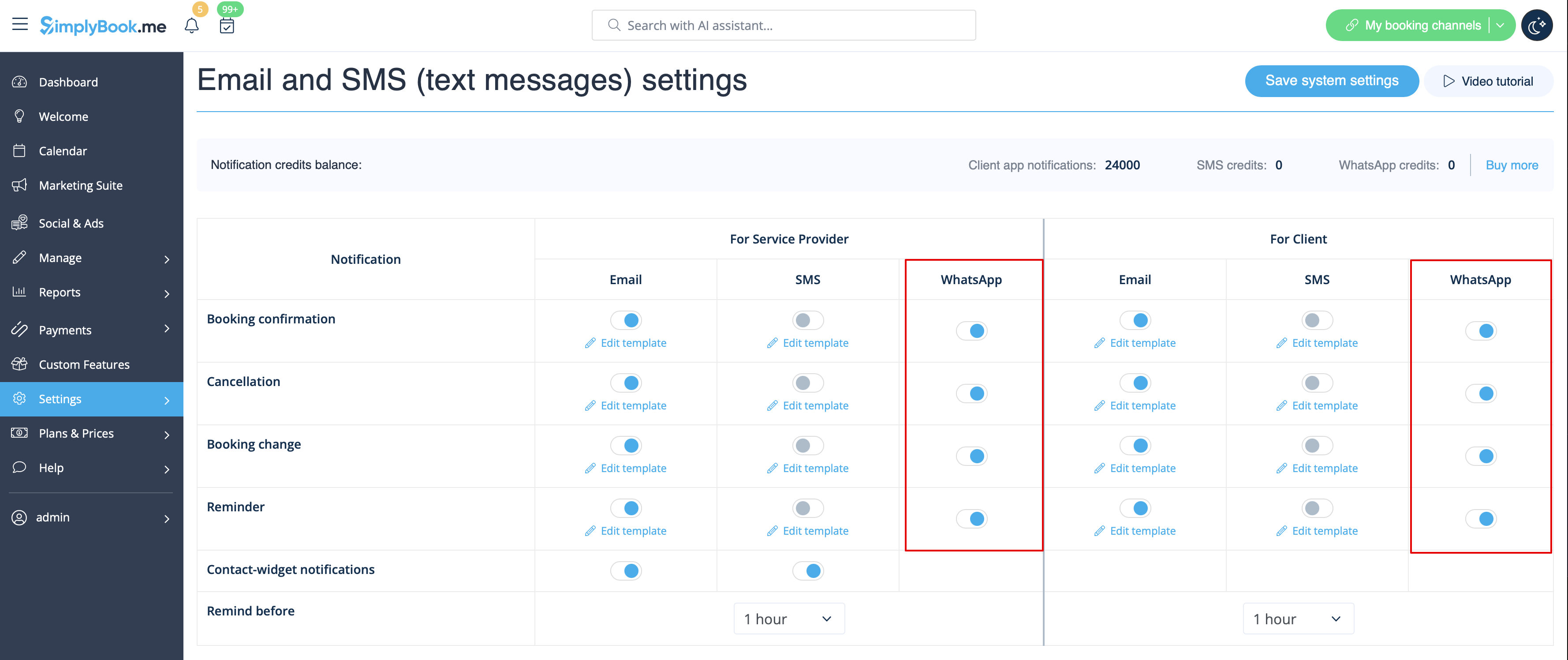
1. Увімкніть потрібні типи повідомлень WhatsApp у налаштуваннях -> Налаштування електронної пошти та SMS
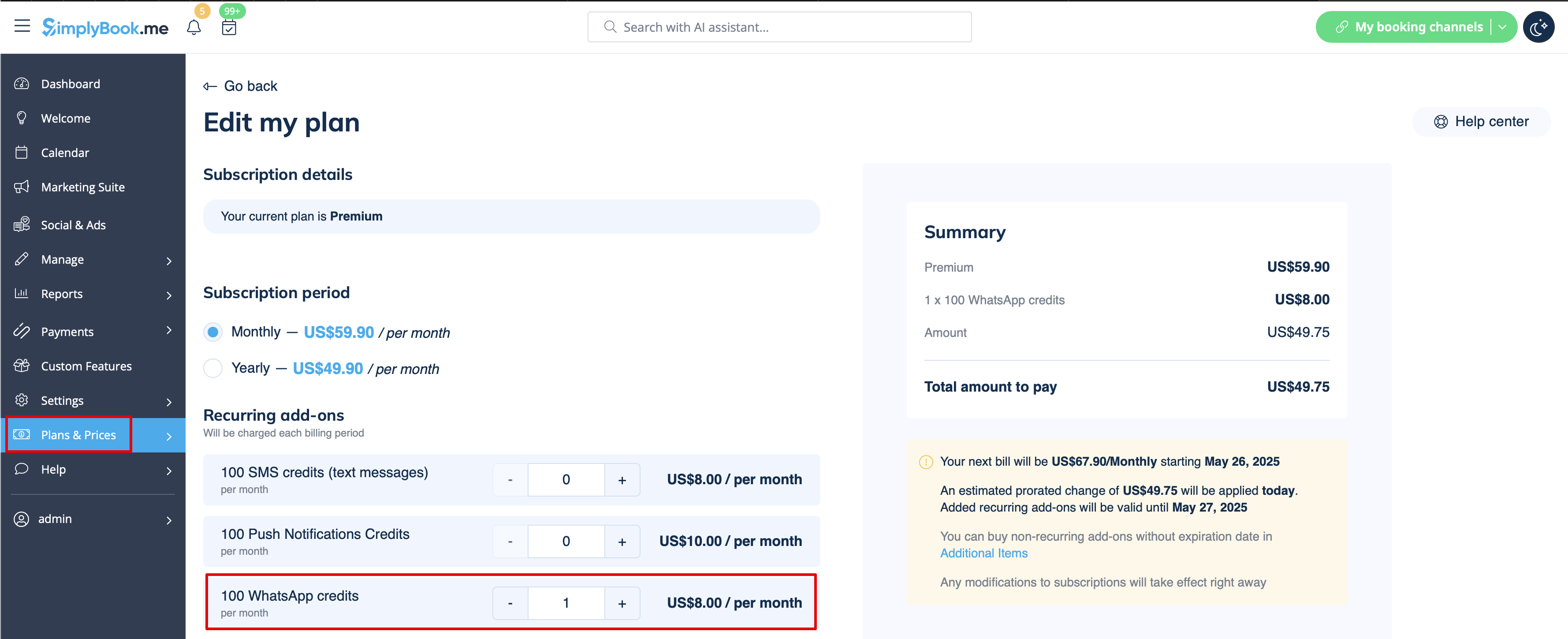
2. Придбайте кредити WhatsApp у розділі «Плани та ціни» -> «Підписки» або «Додаткові елементи», залежно від того, чи хочете ви, щоб кредити автоматично поновлювалися разом із підпискою, чи віддаєте перевагу одноразовій покупці.
(Ви також зможете переглянути повідомлення, надіслані з системи, а також кількість використаних кредитів у розділі «Звіти» -> «SMS (текстові повідомлення)» -> «Сповіщення WhatsApp»)
Зверніть увагу!
