Created page with "{{#seo: |title=SBPay.me_payment_systems_setup SimplyBook.me |titlemode=append |keywords=faq, frequently asked questions, booking software, appointment system questions, appointments online, calendar software, booking system, booking calendar, scheduling software, online appointment scheduling, online scheduling, setup, setup help, support, help content, online payments, helcim, payment processors, payment systems, payment system setup }} __FORCETOC__ =Helcim= <br> 1. Ac..." |
(No difference)
|
Revision as of 09:19, 28 August 2025
Helcim
1. Activate Accept Payments/SBPay.me in your SimplyBook.me account following these simple steps.
2. Go to SBPay.me payment system settings either from Accept payments feature settings or from the left-side navigation menu
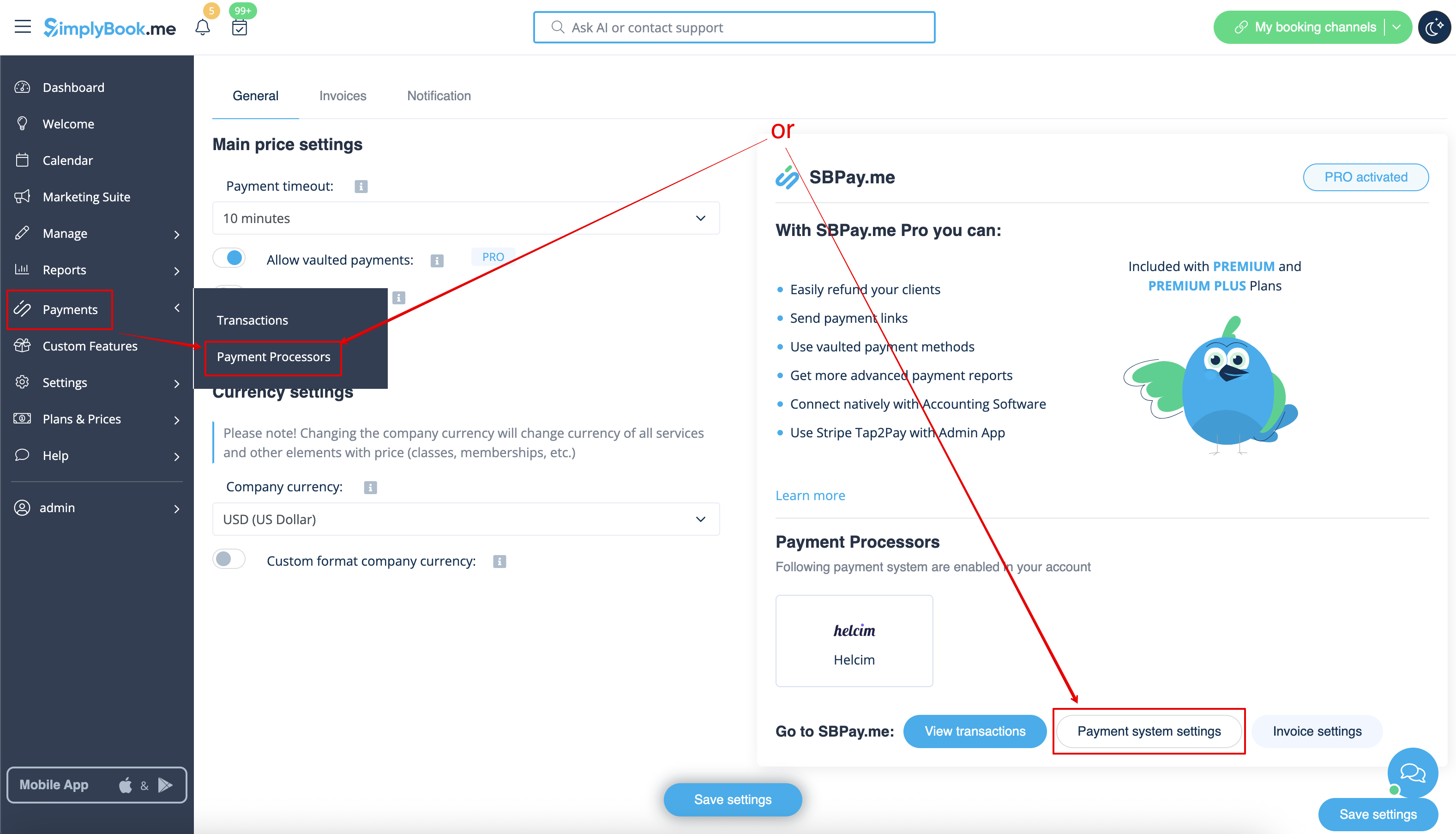
3. You’ll be redirected to your SBPay merchant portal.
4. In SBPay.me search for Helcim in the payment processors list and click Activate next to it.
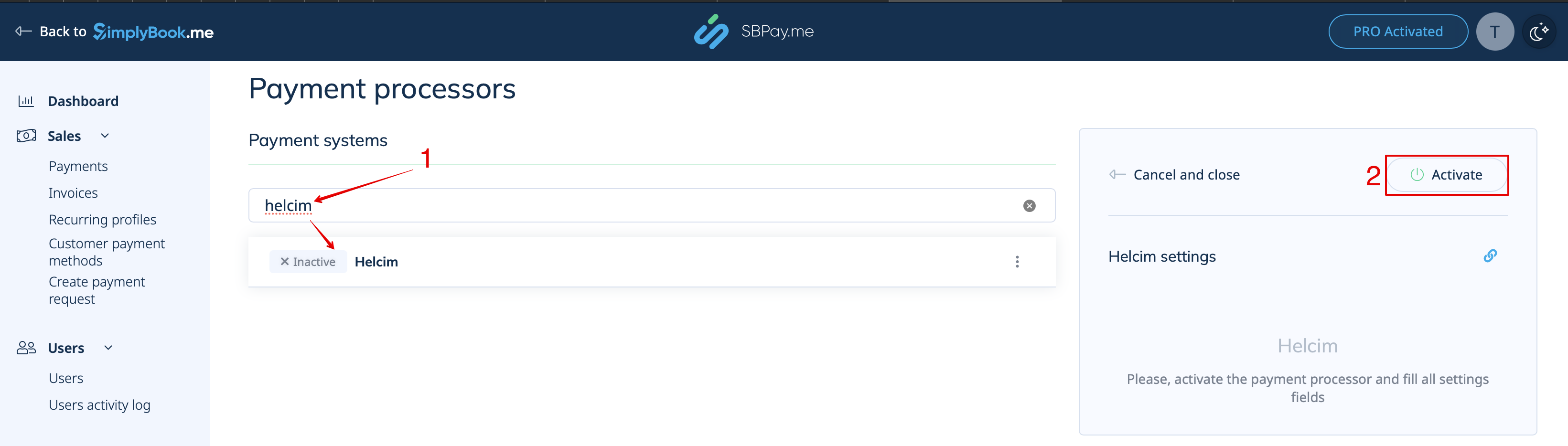
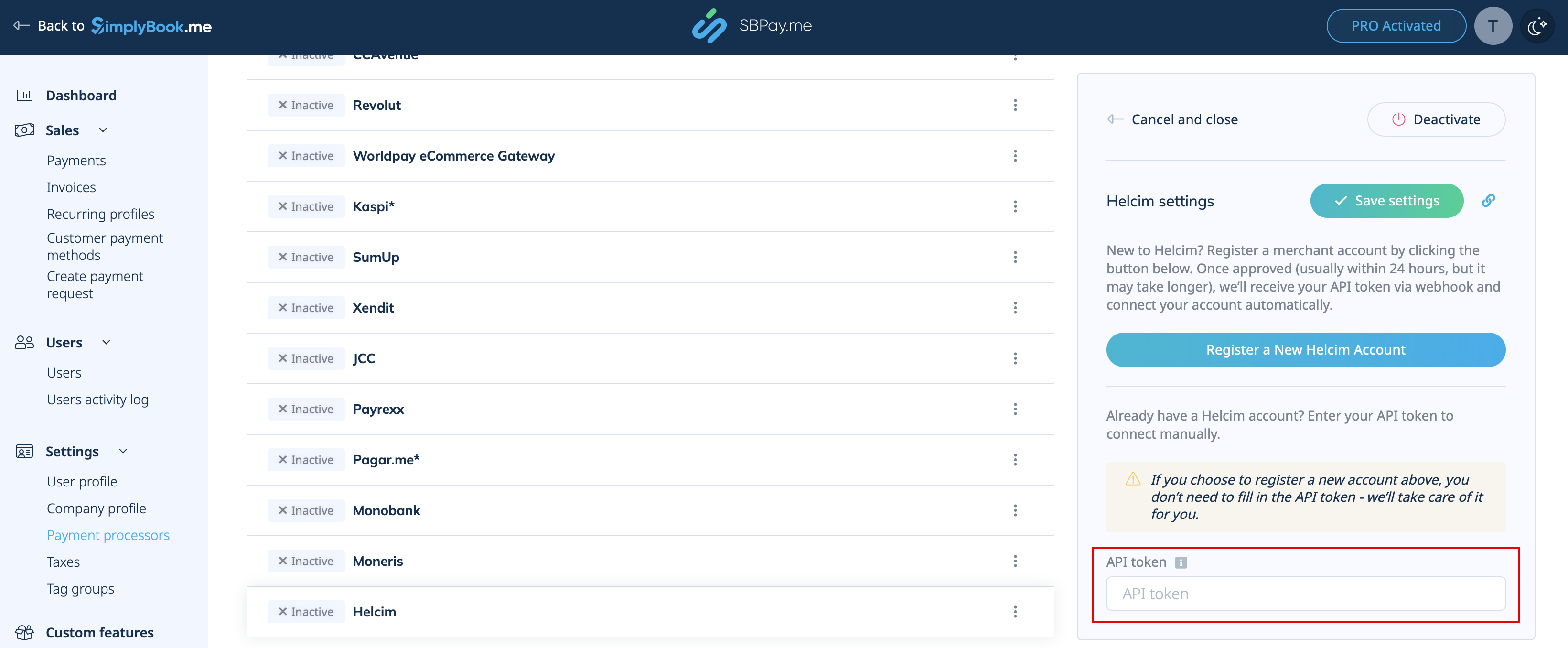
5. If you already have the account with Helcim please copy the API token from there and paste it to the corresponding field on the SBPay.me side.
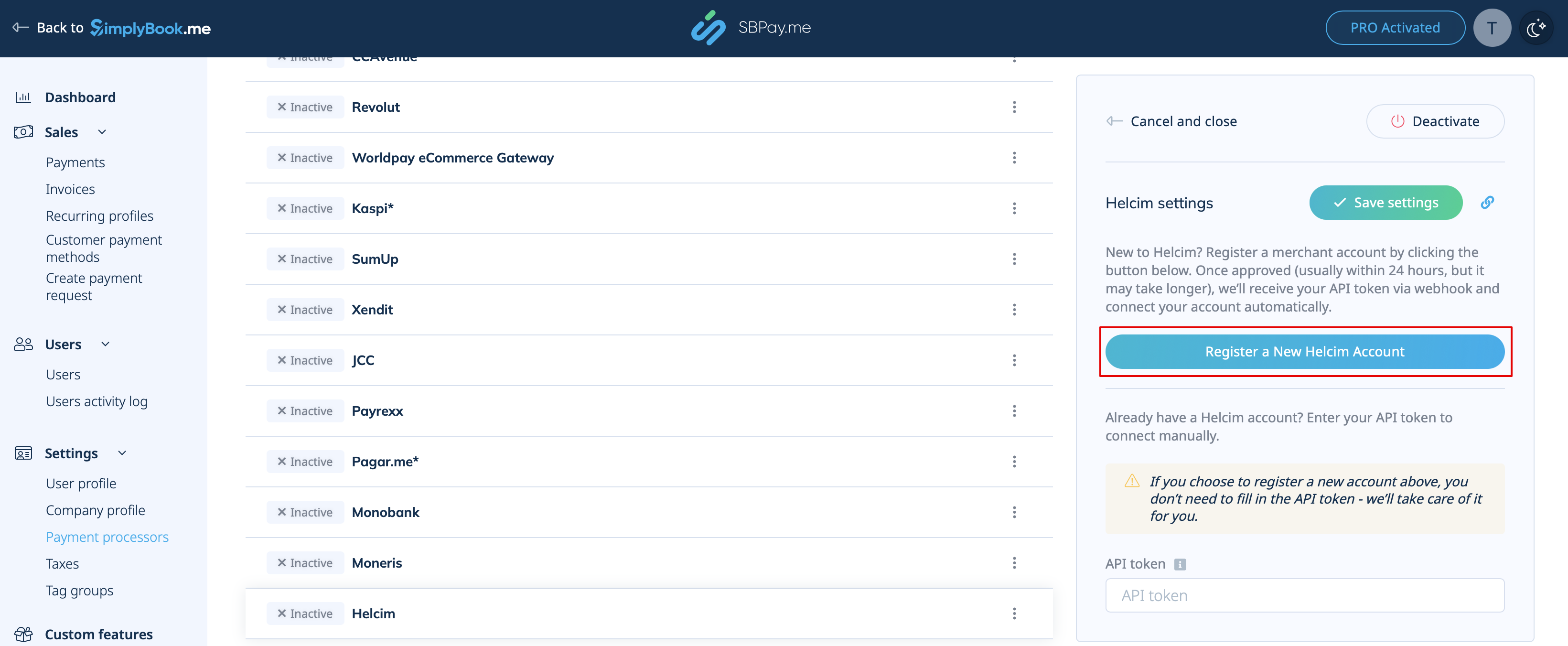
6. If you don't have an account yet, simply click on Register a New Helcim Account right on that SBPay.me page.
7. Fill out the Helcim sign-up form & onboarding.
Once verified, you can begin accepting secure card payments through SimplyBook.
Please note! Helcim may take up to 24 hours to verify and activate your new account. Payments cannot be processed until verification is complete.
