From SimplyBook.me
Created page with "= Widget de réservation et de contact = <br><br> :1. Activez <span style="background-color:#cdeffc; padding:5px; border-radius:5px;">le widget Contact</span> dans <span style="background-color:#d4f8e5; padding:5px; border-radius:5px;">Fonctionnalités personnalisées</span> -> <span style="background-color:#d4f8e5; padding:5px; border-radius:5px;">Pour le développement</span>. File:Contact widget enable path redesigned.png|1200p..." |
No edit summary |
||
| Line 1: | Line 1: | ||
= Widget de réservation et de contact = | = Widget de réservation et de contact = | ||
<br><br> | <br><br> | ||
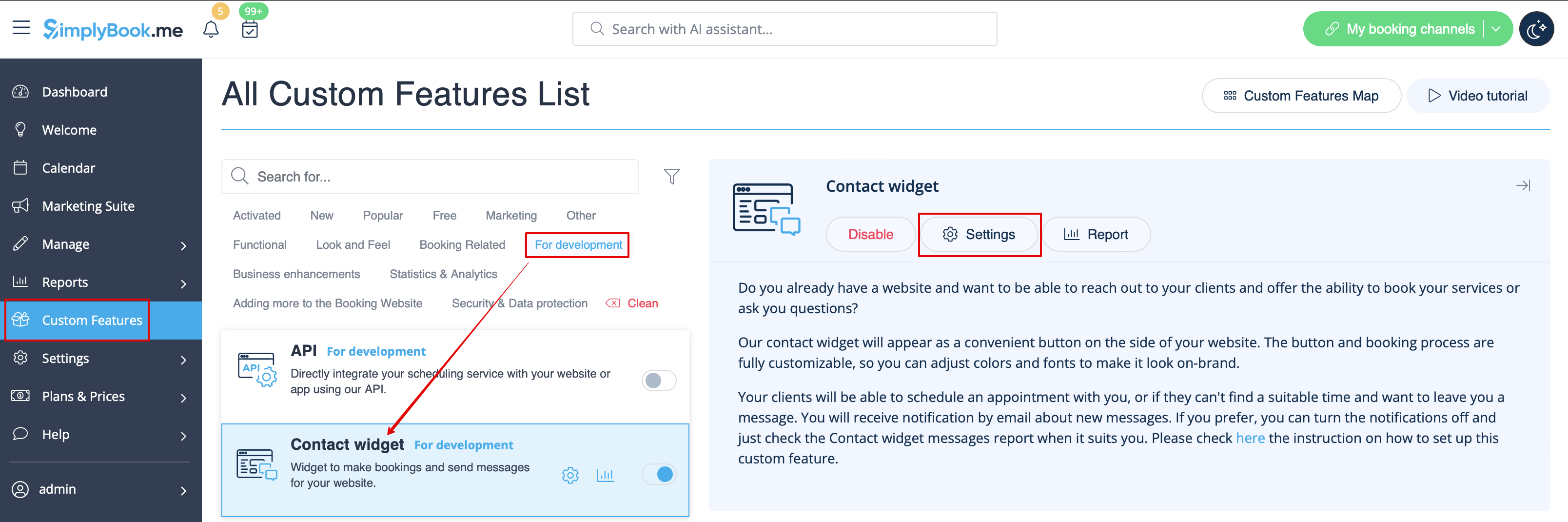
:1. Activez <span style="background-color:#cdeffc; padding:5px; border-radius:5px;">[[ | :1. Activez <span style="background-color:#cdeffc; padding:5px; border-radius:5px;">[[Special:MyLanguage/Contact_Widget_custom_feature |le widget Contact]]</span> dans <span style="background-color:#d4f8e5; padding:5px; border-radius:5px;">Fonctionnalités personnalisées</span> -> <span style="background-color:#d4f8e5; padding:5px; border-radius:5px;">Pour le développement</span>. | ||
[[File:Contact widget enable path redesigned.png|1200px| center|link=https://help.simplybook.me/images/8/8c/Contact_widget_enable_path_redesigned.png]] | [[File:Contact widget enable path redesigned.png|1200px| center|link=https://help.simplybook.me/images/8/8c/Contact_widget_enable_path_redesigned.png]] | ||
<br><br> | <br><br> | ||
Latest revision as of 13:16, 22 September 2025
Widget de réservation et de contact
- 1. Activez le widget Contact dans Fonctionnalités personnalisées -> Pour le développement.
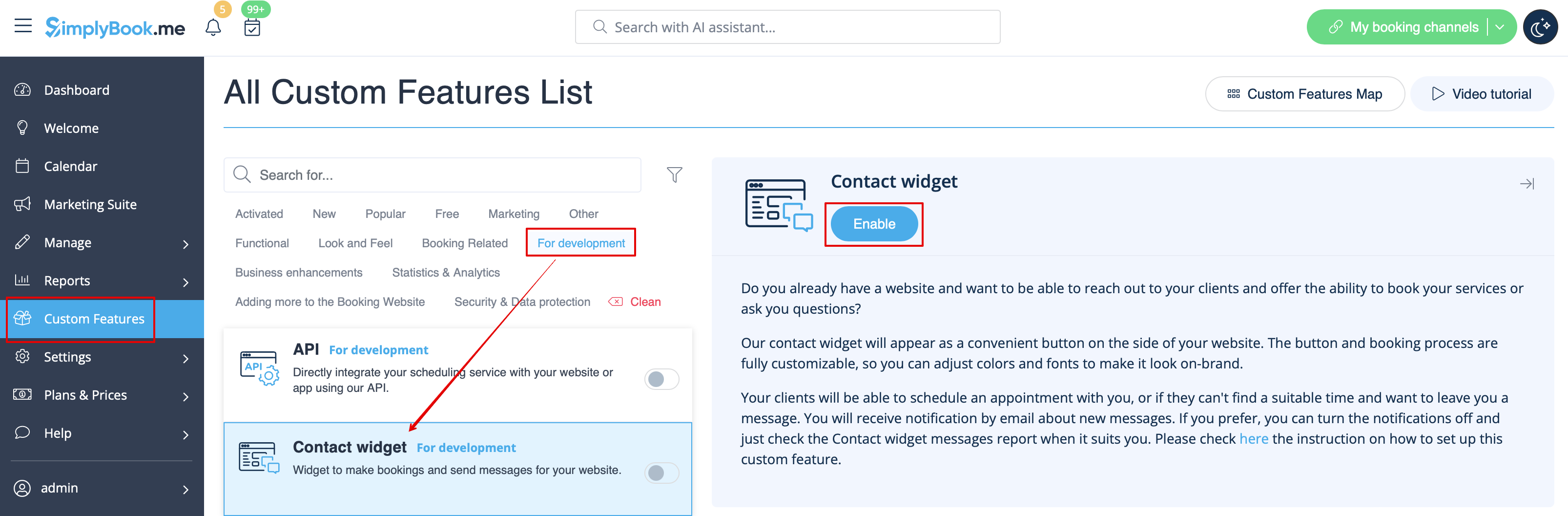
- 2. Copiez le code du bouton de réservation de votre page de réservation en accédant à Paramètres à côté de cette fonctionnalité personnalisée ou dans Paramètres dans le menu de gauche -> Paramètres des widgets de réservation -> Widget Contact -> Obtenir le code du widget.