From SimplyBook.me
Importing a new version from external source |
Importing a new version from external source |
||
| Line 1: | Line 1: | ||
<br><br> | <br><br> | ||
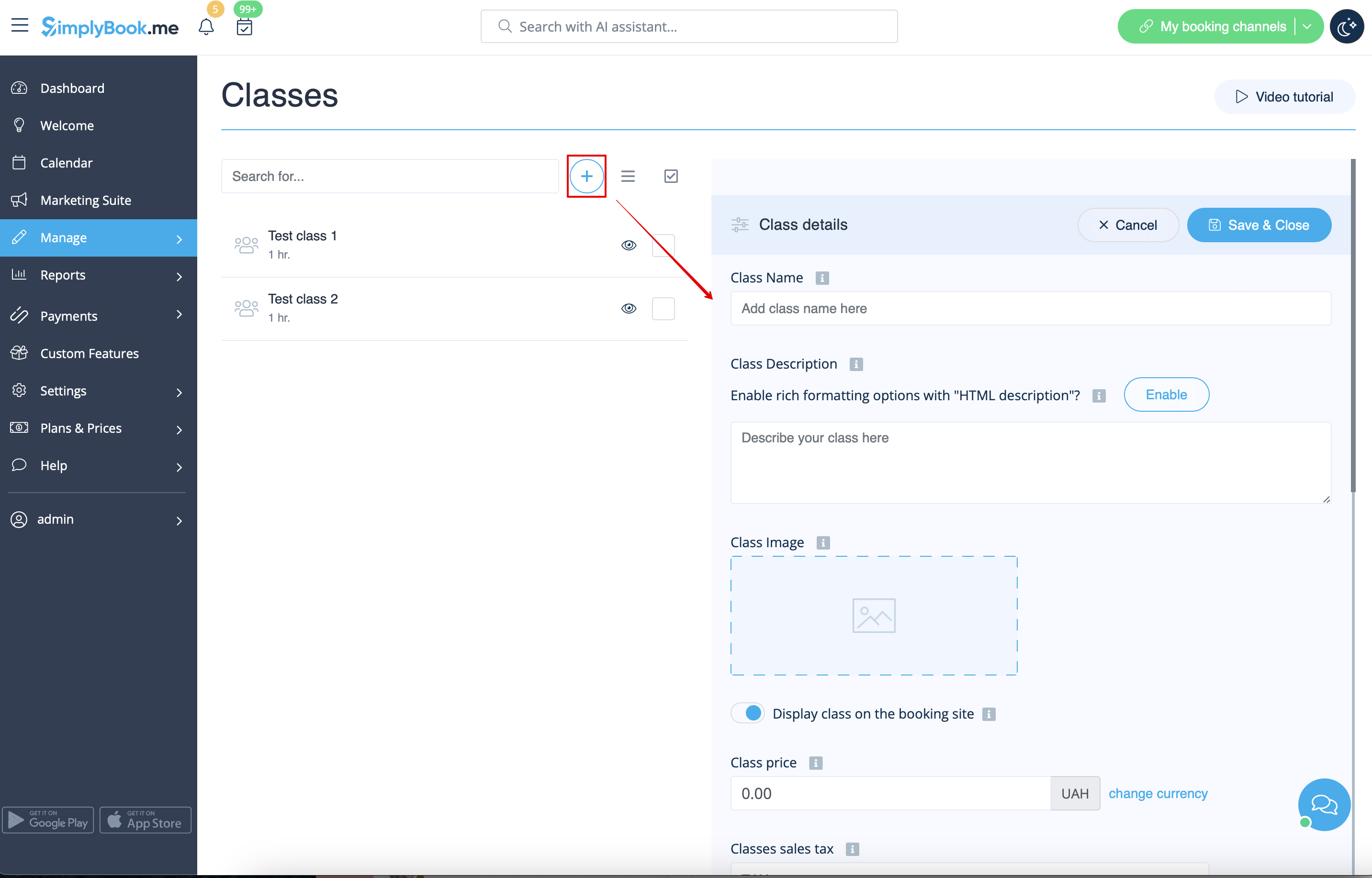
Please go to Manage//Classes page using your admin page left-side menu and click on “+” icon at the top. New menu will appear on the right side of the page, that will allow you to add class/event name, add its description, attach a nice image and set price if you plan to [[Special:MyLanguage/ | Please go to Manage//Classes page using your admin page left-side menu and click on “+” icon at the top. New menu will appear on the right side of the page, that will allow you to add class/event name, add its description, attach a nice image and set price if you plan to [[Special:MyLanguage/Accept payments custom feature| receive payments]] for your classes/events online. | ||
[[File:Create new class form redesigned.png|1200px | center|link=https://help.simplybook.me/images/0/04/Create_new_class_form_redesigned.png]] | [[File:Create new class form redesigned.png|1200px | center|link=https://help.simplybook.me/images/0/04/Create_new_class_form_redesigned.png]] | ||
<br><br> | <br><br> | ||
To set duration please select “Time details” tab there and set the desired time. | To set duration please select “Time details” tab there and set the desired time. | ||
<br><br> | <br><br> | ||
Latest revision as of 09:38, 23 September 2025
Please go to Manage//Classes page using your admin page left-side menu and click on “+” icon at the top. New menu will appear on the right side of the page, that will allow you to add class/event name, add its description, attach a nice image and set price if you plan to receive payments for your classes/events online.
To set duration please select “Time details” tab there and set the desired time.
